Mobile users on a budget: Those who are looking for a free solution for password management on their mobile device will find a lot to like with NS Wallet.


By:Gunnar Kallstrom , Updated November 11, 2025 Head of information systems and cybersecurity research
Updated November 11, 2025NS Wallet is targeting a specific audience by only being available to mobile app users. Here are the details of its pros and cons:
Mobile users on a budget: Those who are looking for a free solution for password management on their mobile device will find a lot to like with NS Wallet.
Overall: (5)
It’s hard to beat free and NS Wallet recently made the choice to make its password manager open source and for the premium version to be completely free. As a word of warning, this may be tolling the end of dedicated support for this product.
Many companies choose to offer their software for free when they no longer consider it financially viable as a gesture of goodwill. This doesn’t mean it’s no longer viable as is, but is something to keep in mind for the future if it fails to keep up with Android and iOS updates and becomes incompatible.
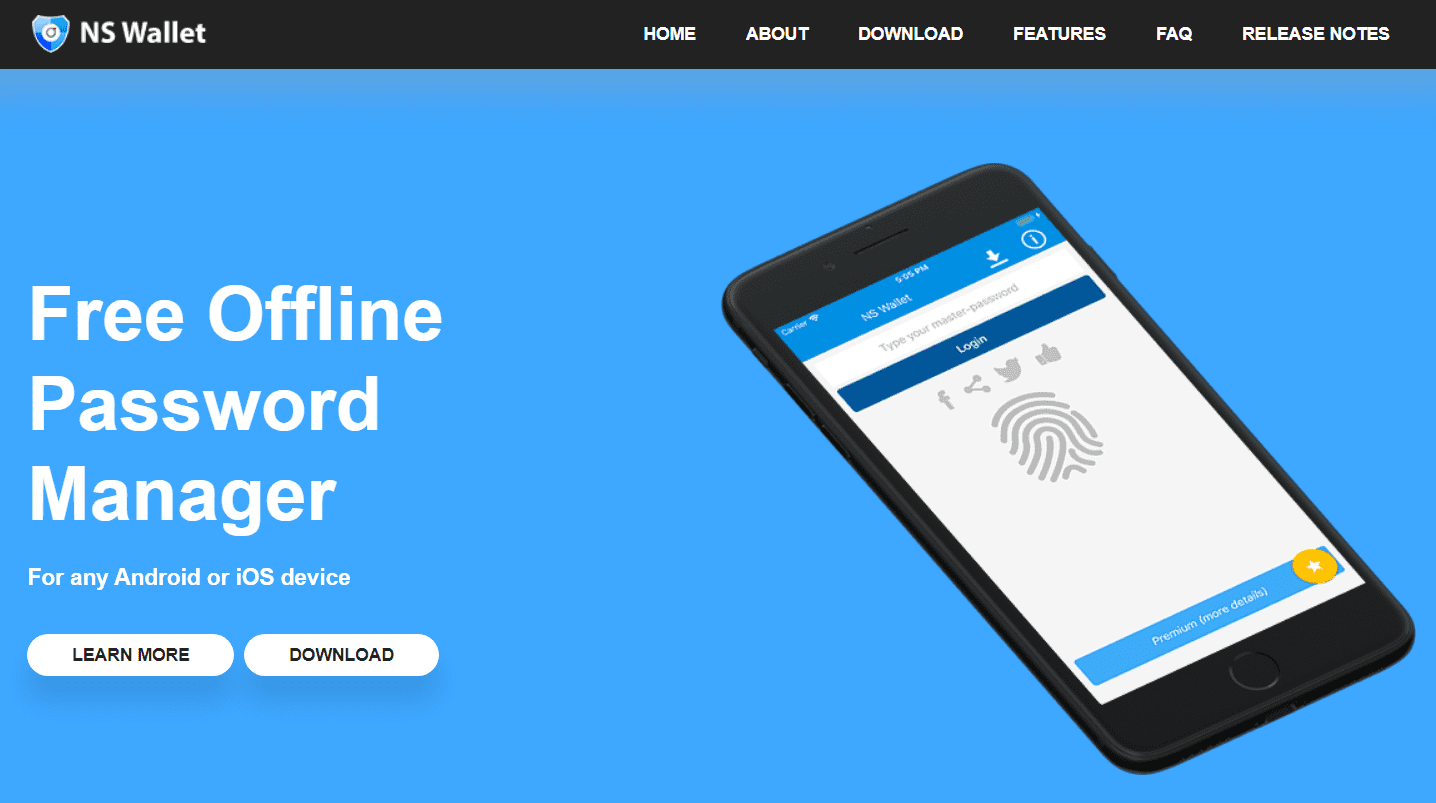
| NS Wallet Password Manager | |
|---|---|
| Price | Free |
| Best for | Mobile users on a budget |
| Free trial | N/A |
| Platform compatibility | Android, iOS |
| Autofill capability | Yes, limited |
| Guest accounts | No |
| Number of passwords | Unlimited |
| Password sharing | No |
| 2FA | Yes |
| Account recovery | No |
| Support types | FAQ and video tutorials |
| Encryption | AES 256-bit |
| Reporting capabilities | No |
| Single sign-on (SSO) | No |
Overall: (3)
The latest version, NS Wallet v4 is compatible only with the following mobile devices:
It’s an interesting choice to release a password manager which is exclusive to mobile devices. Most people browse on their phones nowadays. But this is also usually done through apps constantly signed in on your device, which also typically secures data through its own locking mechanisms — fingerprint, passcode, facial recognition, and such. For most large password managers, app support is a secondary concern and is normally tied to authentication services.
This isn’t necessarily a bad thing, just interesting — particularly with no desktop version on the way. It narrows its audience by a wide margin though.
Overall: (4)
Functional, if not pretty.
NS Wallet aims to deliver a user-friendly experience with a clean and organized interface. The app’s intuitive design allows users to quickly grasp its functionalities, making it suitable for both beginners and experienced people. Password organization and management are made more convenient with user-friendly features like search, categories, and tags.
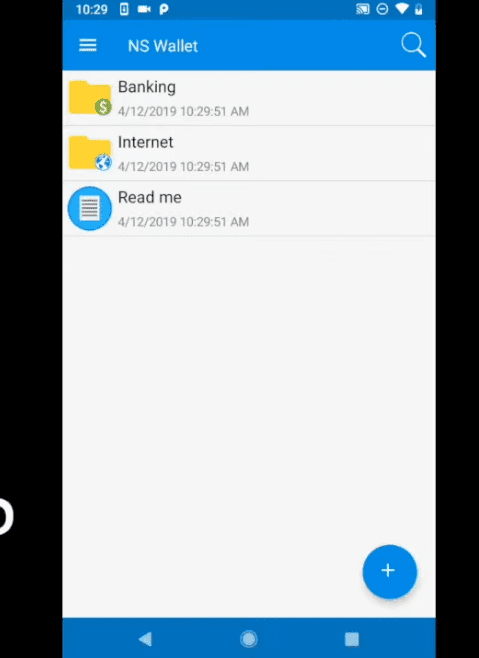
However, I couldn’t help but feel like the UX already looks a bit outdated, like something from the previous decade. While this is nitpicky, many people make decisions based on the design of an app alone. If it feels old, they’ll likely assume it is old and look for something a little more modern.
Overall: (3)
Autofill for passwords, but nothing more.
NS Wallet includes autofill to streamline the login process. This feature saves users time and effort by automatically populating login credentials and personal information when prompted on websites or applications. In particular, this is useful for frequently visited sites and can help minimize typing errors.
But it does not include any kind of form filling. So if you were looking for something that could easily populate an address form or hold onto your payment information so you didn’t have to look for your wallet, you’re out of luck.
Overall: (3.5)
It does the job but it’s also nothing to write home about.
Security is paramount in any password manager, and NS Wallet takes this aspect seriously. The app typically employs robust encryption techniques to protect your data, ensuring that sensitive information like passwords and credit card details remain secure. NS Wallet often uses AES-256 encryption, a widely recognized and trusted industry standard.
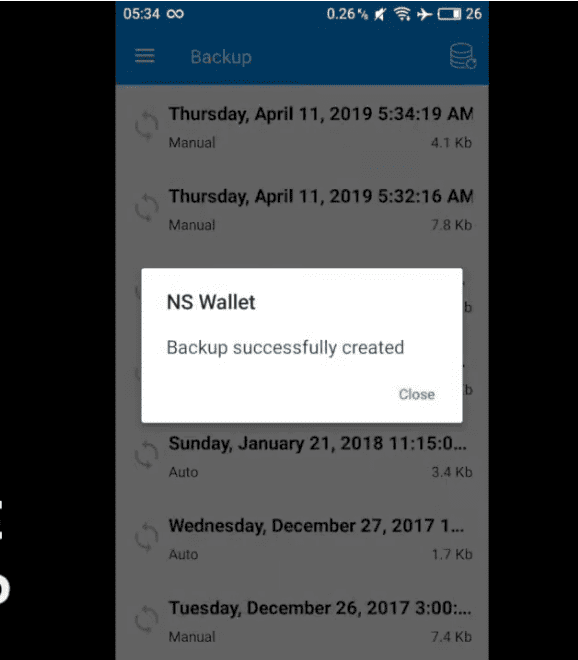
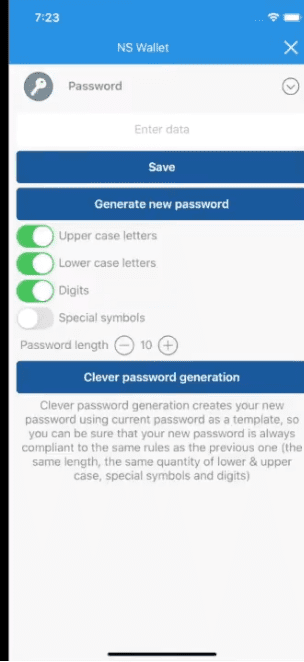
However, it doesn’t do much other than encrypt the data stored on your device. No active monitoring or password health checkup. And password generation is even more buried than is useful. It’s pretty bare-bones. Though considering that most mobile devices employ a whole host of security options independent of any password manager, this may not be a huge deal to most users.
Overall: (3)
An unusual implementation that’s manageable if odd.
Where most services offer 2FA through standalone mobile applications or third-party authentication tokens, NS Wallet does everything within the app itself. When 2FA is activated on a login account, it begins generating a one-time password (OTP) to access that account.
While I love that this is activated on an account-by-account basis, the app verifying itself doesn’t feel like real 2FA. The point of a 2FA system is to have an external authentication separate from the main source — an email, a text, a call, or an outside app. If the app generates the code it needs to log in, it’s cluttering up the login process without an actual security benefit. Points for originality, but deductions for actual usefulness.
Here are some recent improvements to NS Wallet Pro (also rebranded as “IntelliWallet”):
Version 4.05
Version 4.01.2031
NS Wallet is a great option for password management, but competitors including Dashlane, Keeper, RoboForm, LastPass, and NordPass could be a better fit.
See how 1Password compares to other top-tier password managers:
| Provider |  Score (3.6) Price Free Free Trial  Encryption AES 256-bit encryption 2FA  Platform & Device Compatibility Android, iOS (mobile only) Password Generator Password Sharing Password Recovery Data Breach Monitoring Email Masking | Best Overall Password Manager  Score (4.7) Price $2.49 per month Free Trial 30-day Encryption XChaCha20 encryption 2FA Platform & Device Compatibility Windows, macOS, Linux, Android, iOS, and popular browsers, such as Google Chrome, Firefox, Edge, Brave, Opera, and Safari Password Generator Password Sharing Password Recovery Data Breach Monitoring Email Masking |  Score (4.8) Price Free Free Trial Encryption AES 256-bit encryption with PBKDF2 SHA256 2FA Platform & Device Compatibility Windows, Mac, iOS, and Android, with support for all their respective major browsers, including Microsoft Edge Password Generator Password Sharing Password Recovery Data Breach Monitoring Email Masking |  Score (4.6) Price $2.99 per month Free Trial 14-day Encryption AES 256-bit encryption 2FA Platform & Device Compatibility Android, iOS, Linux, Mac, Web (Brave, Chrome, Edge, Firefox, Safari), Windows Password Generator Password Sharing Password Recovery Data Breach Monitoring Email Masking |  Score (4.7) Price Free Free Trial 30-day Encryption AES 256-bit encryption 2FA Platform & Device Compatibility Android, iOS, Mac, Web (Chrome, Edge, Firefox, Safari), Windows Password Generator Password Sharing Password Recovery Data Breach Monitoring Email Masking |  Score (4.7) Price $3.75 per user Free Trial 30-day Encryption AES 256-bit encryption 2FA Platform & Device Compatibility Windows, macOS, Linux, Android, iPhone, and iPad. Browser extensions for Safari, Opera, Internet Explorer, Firefox, Edge, Chrome Password Generator Password Sharing Password Recovery Data Breach Monitoring Email Masking |
|---|---|---|---|---|---|---|
| Score | (3.6) | (4.7) | (4.8) | (4.6) | (4.7) | (4.7) |
| Price | Free | $2.49 per month | Free | $2.99 per month | Free | $3.75 per user |
| Free Trial | | 30-day | | 14-day | 30-day | 30-day |
| Encryption | AES 256-bit encryption | XChaCha20 encryption | AES 256-bit encryption with PBKDF2 SHA256 | AES 256-bit encryption | AES 256-bit encryption | AES 256-bit encryption |
| 2FA | | | | | | |
| Platform & Device Compatibility | Android, iOS (mobile only) | Windows, macOS, Linux, Android, iOS, and popular browsers, such as Google Chrome, Firefox, Edge, Brave, Opera, and Safari | Windows, Mac, iOS, and Android, with support for all their respective major browsers, including Microsoft Edge | Android, iOS, Linux, Mac, Web (Brave, Chrome, Edge, Firefox, Safari), Windows | Android, iOS, Mac, Web (Chrome, Edge, Firefox, Safari), Windows | Windows, macOS, Linux, Android, iPhone, and iPad. Browser extensions for Safari, Opera, Internet Explorer, Firefox, Edge, Chrome |
| Password Generator | | | | | | |
| Password Sharing | | | | | | |
| Password Recovery | | | | | | |
| Data Breach Monitoring | | | | | | |
| Email Masking | | | | | | |
| Learn More | Learn More NS Wallet Pro Editorial Review | Learn More NordPass Editorial Review | Learn More RoboForm Editorial Review | Learn More 1Password Editorial Review | Learn More Dashlane Editorial Review | Learn More Keeper Editorial Review |
NS Wallet has several notable disadvantages — it’s exclusive to mobile devices only, it lacks form filling or true 2FA, and its security features are fairly barebones. This is balanced heavily by the fact that it’s free.
All data is encrypted and stored directly on your device — you don’t need to register an account to use it. This means that NS Wallet never receives your data and doesn’t need to be trusted with it.
Passwords are encrypted and stored directly on your device.
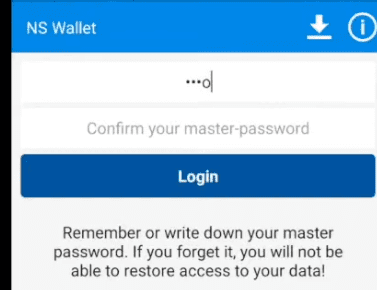
If you forget your master password, you’re out of luck — there’s nothing you can do to recover it, so you must start from scratch.
NS Wallet isn’t in a position to compete with services like LastPass which offer password management as a live service instead of as a piece of free software. Its direct competition is other free, open-source password management services.
Nyxbull Software is a team of professionals who specialize in the development of applications for smartphones and tablets. The team develops apps and games as well as custom mobile business apps for customers.
Our rating process involves a thorough and detailed study of the various features stacked against the competition. I looked at the multiple facets and features provided by NS Wallet compared to other significant industry players through direct testing to ensure an accurate rating. I’ve also applied my experience using Ns Wallet to provide a user’s perspective.
I signed up for a plan with NS Wallet to test:
Learn more about our review methodology.

About The Password Manager, Gunnar Kallstrom:
Kallstrom is a Cyber Team Lead for a DOD contracting company in Huntsville, Alabama, and has also worked as a computer network defense (CND) Cyber Analyst. An author and content creator for a cybersecurity academy, Kallstrom spent nearly 15 years in the Army as a musician before entering the cybersecurity field.
He holds a bachelor’s degree in music from Thomas Edison State University and a master’s in organizational development and leadership from the University of the Incarnate Word.
Kallstrom has completed several Computing Technology Industry Association (CompTIA) courses, including Security+, Network+, A+ Core 1, and A+ Core 2. He earned a CompTIA Security+ Certification. Additionally, he has completed the Cyber Warrior Academy program with more than 800 hours of hands-on, intensive, and lab-driven technical training in cybersecurity methods and procedures.
Passionate about all things cyber, Kallstrom was a speaker on a panel at the 2022 InfoSec World conference, giving a talk entitled “Hacking into a Cyber Career – True Stories.” Kallstrom is also a mentor to entry-level cybersecurity candidates seeking to break into the field. When he’s not working, he still enjoys playing guitar and fishing (not phishing).