Allstate Identity Protection
Overall: 4.92



By:Gunnar Kallstrom , Updated January 28, 2026 Head of Information Systems and Cybersecurity Research
Updated January 28, 2026Identity theft remains one of the most common and damaging forms of cybercrime in 2026. With millions of identity theft reports filed each year, criminals can use stolen personal information to open accounts, take out loans, commit tax fraud, or drain financial assets — often before victims realize what’s happening.
The best identity theft protection services go far beyond basic alerts. Today’s top providers monitor credit reports, financial accounts, and dark web activity in real time, and offer hands-on recovery support and insurance if your identity is compromised. Below, I’ve reviewed the best identity theft protection services of 2026 to help you compare coverage, features, and value, and choose the right protection for your needs.
Overall: 4.92
| Starting Price (4.9/5) | Security and monitoring (5/5) | Restoration and support (4.9/5) | UX (5/5) | Compatibility and accessibility (4.9/5) | Top Features |
|---|---|---|---|---|---|
| $3 per month | 3-bureau credit reporting and comprehensive monitoring | 24/7, US-based identity theft remediation and up to $4 million in total coverage | The interface is very polished and offers several helpful dashboards | Web portal with a mobile app for Android and iOS; family plans cover up to 11 members |
|
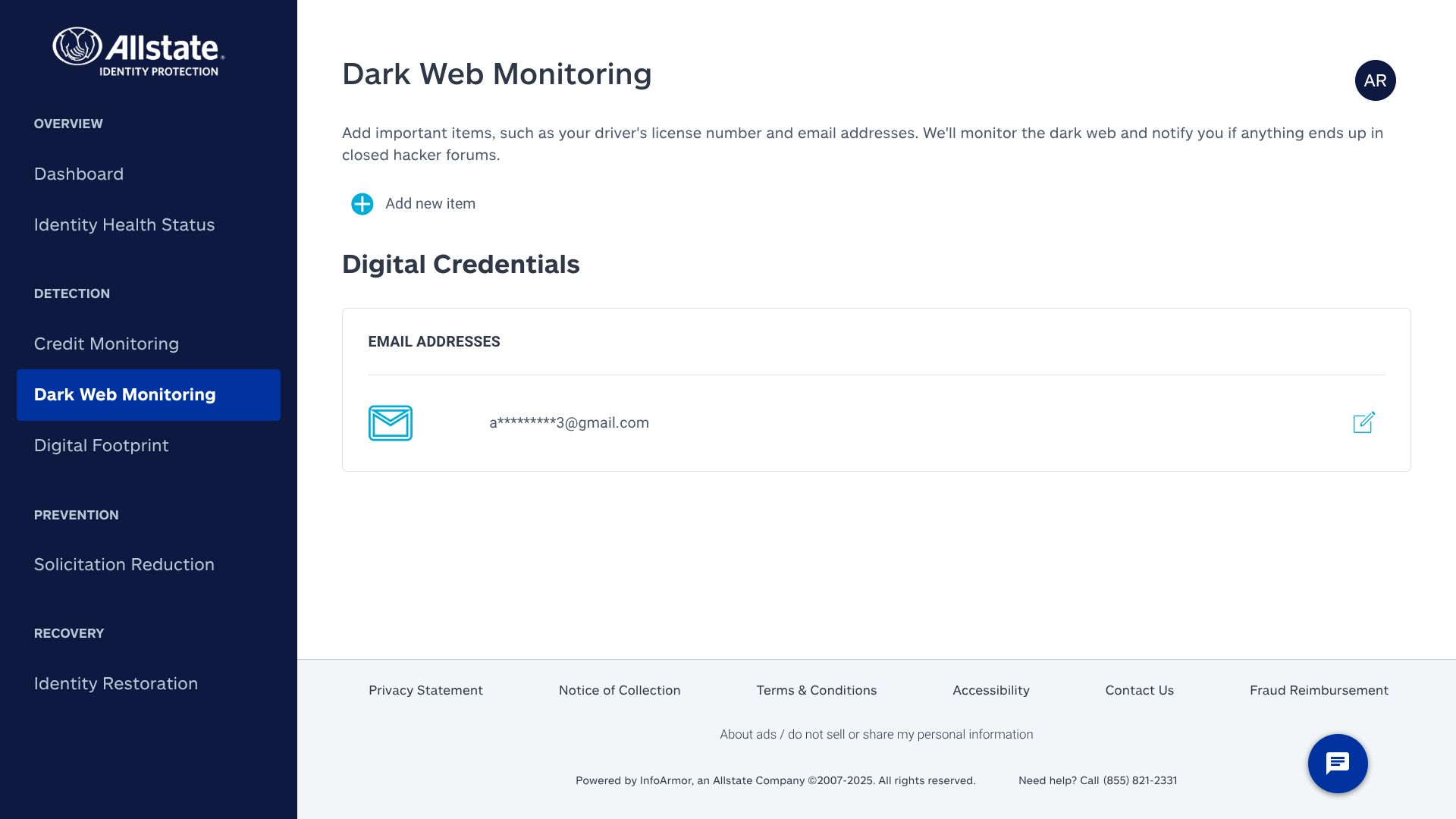
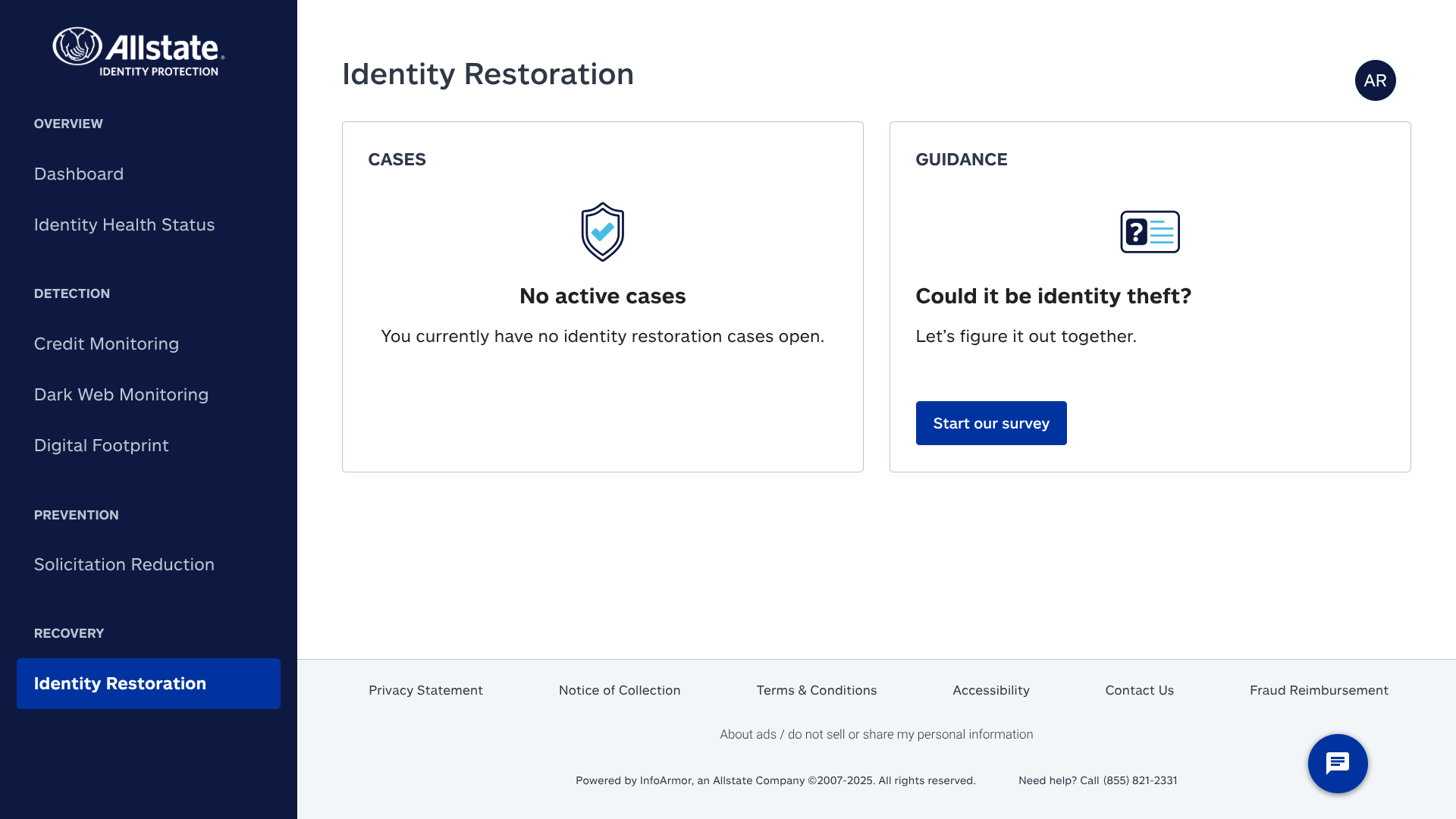
Allstate Identity Protection can check for potentially fraudulent activity involving student loans, medical billing, address changes, credit card and bank account transactions, and much more.
Their web portal offers helpful dashboards as well, such as an identity health status tool that clearly breaks down whether your personal data is currently at risk.
I was also impressed by the high coverage amounts offered by Allstate Identity Protection — their individual plans allow you to get up to $1 million for identity theft expense coverage, $1 million for stolen funds reimbursement, and $1 million for 401(k)/HSA reimbursement. And, with their family plans, you can increase the identity theft expense coverage up to $2 million.
Who is Allstate Identity Protection best for?
With its affordable pricing, high coverage amounts, and expansive feature set, Allstate Identity Protection is an excellent option for nearly everyone.
Recent upgrades to Allstate Identity Protection:
Allstate Identity Protection has added several new features in 2025, including expanded social media monitoring (they now scan TikTok and Snapchat) and in-portal scheduling and messaging (this makes it easier to communicate with a specialist whenever you have an open restoration case).
Allstate Identity Protection’s pricing:
The pricing for Allstate Identity Protection ranges from $3 to $36 per month. Discounted annual plans are available. It does offer a higher base price than its competitors, and the family plans will charge an extra fee for each additional member.
Pros and cons of Allstate Identity Protection:
Overall: 4.82

| Starting Price (4.5/5) | Security and monitoring (5/5) | Restoration and support (4.8/5) | UX (5/5) | Compatibility and accessibility (4.8/5) | Top Features |
|---|---|---|---|---|---|
| $8.99 per month | 3-bureau credit reporting and comprehensive monitoring | 24/7 US-based support and up to $1 million of identity theft insurance per adult | Clean, easy-to-use interface | Web portal with mobile app for iOS and Android; family plan covers 5 adults and unlimited kids |
|
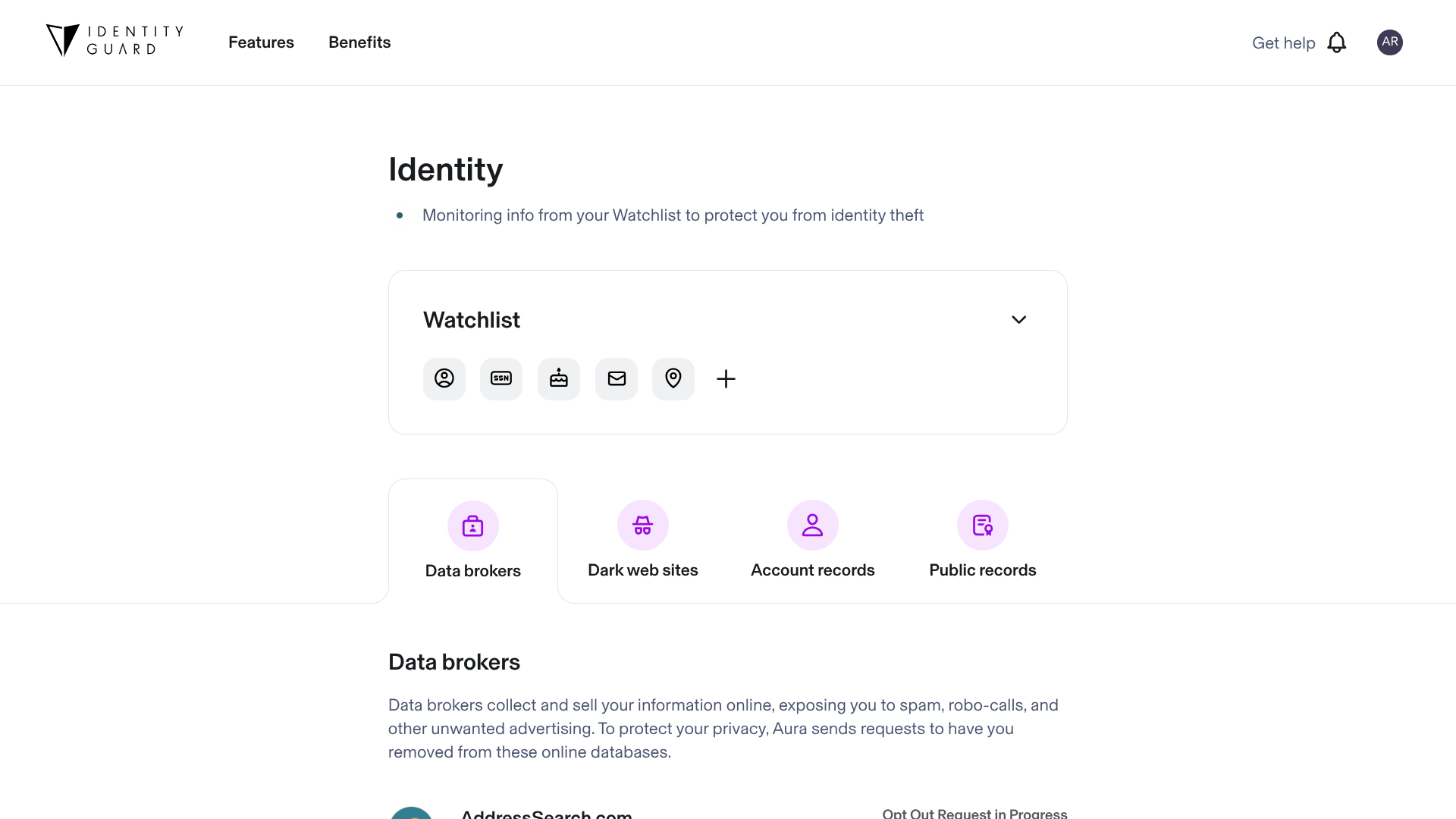
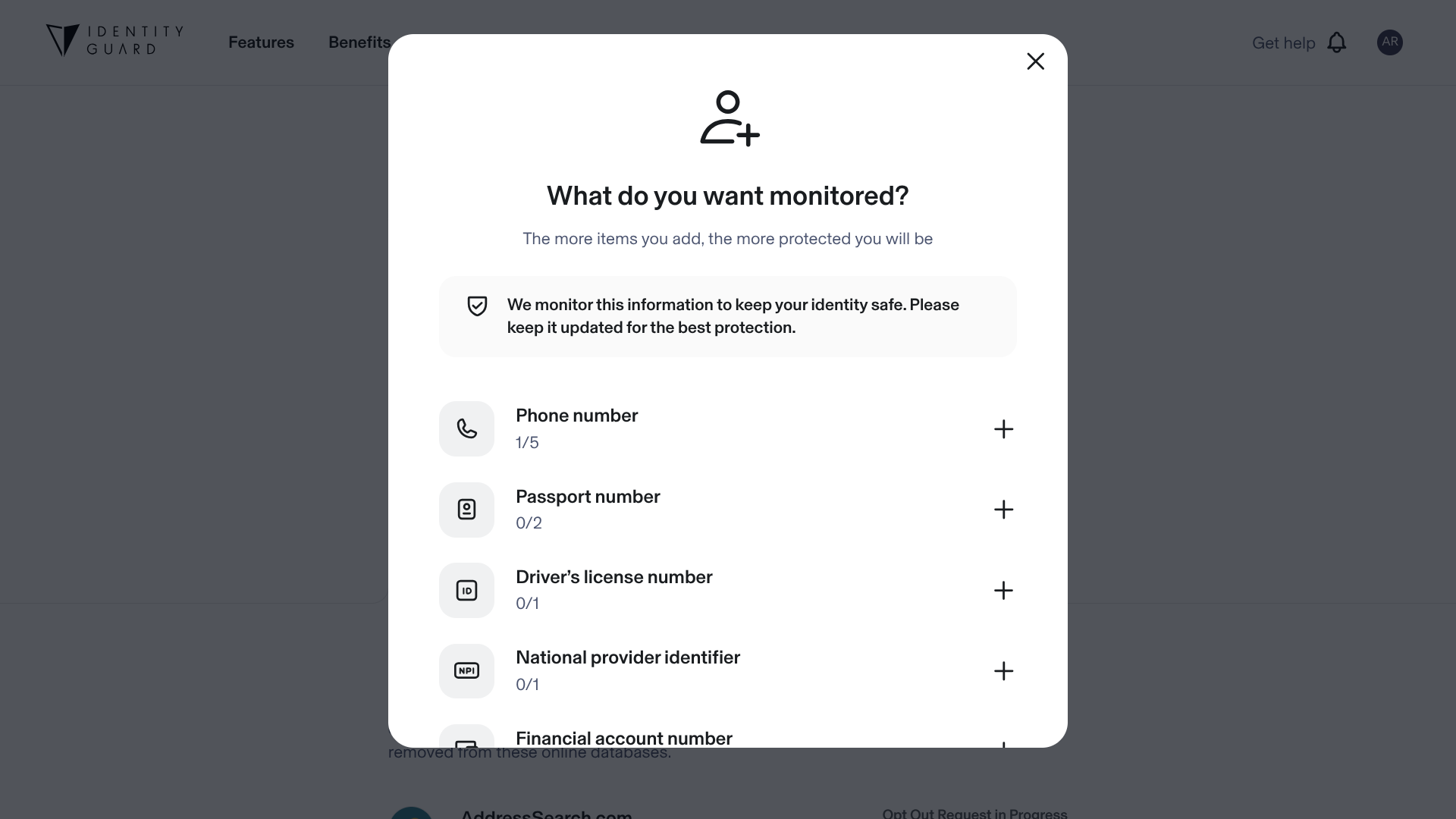
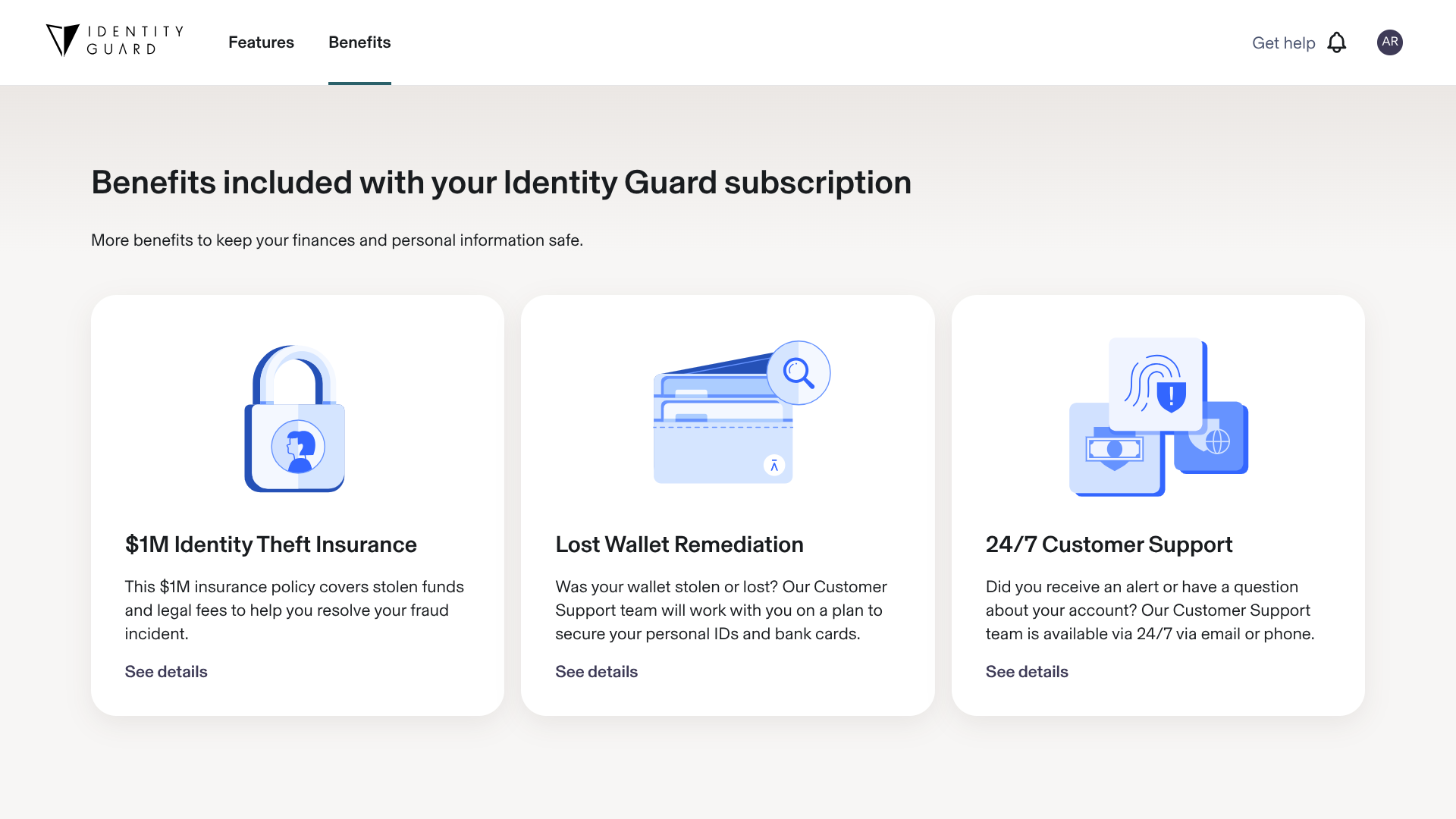
Identity Guard gives you just about everything you could ask for from an identity theft protection service. They provide reports from all three major credit bureaus, comprehensive monitoring for both data breaches and activity in your personal accounts, access to 24/7 US-based support if your identity is ever stolen, and a good amount of identity theft insurance.
I also like their interface a lot — it has a streamlined, modern look and is simple enough for you to quickly find whatever you might be looking for.
However, while they do have a password manager, Identity Guard lacks other key perks, such as a VPN.
Who is Identity Guard best for?
Identity Guard offers a lot of value for those who prioritize affordability — their lowest-priced plan still comes with plenty of valuable features, including dark web monitoring, data breach alerts, and $1 million in identity theft insurance.
Recent upgrades to Identity Guard:
One of Identity Guard’s latest updates is that it now monitors auto title records for fraudulent activity, in addition to home titles, social media, bank accounts, and other relevant records.
Identity Guard’s pricing:
Identity Guard’s prices range from $8.99 per month to $39.99 per month when billed on a month-to-month basis. They also offer discounted annual plans.
Pros and cons of Identity Guard:
Overall: 4.76

| Starting Price (4.2/5) | Security and monitoring (5/5) | Restoration and support (4.8/5) | UX (5/5) | Compatibility and accessibility (4.8/5) | Top Features |
|---|---|---|---|---|---|
| $15 per month | 3-bureau credit reporting and comprehensive monitoring | 24/7 live support, US-based fraud remediation, and up to $1 million of identity theft insurance per adult | Sleek, user-friendly interface | App available on Windows, macOS, Android, and iOS; family plans cover up to 5 adults and unlimited kids |
|

Aura can help identify potentially fraudulent activity in your banking, credit card, and investment accounts. They’ll also keep track of over 70 items for you — including your driver’s license number, passport number, and email addresses — to let you know if these personal details are ever exposed in a data breach. And with their identity verification monitoring service, they can alert you if your identity is ever used for high-risk transactions, such as opening payday loans.
While monitoring is important, you should also make efforts to actively protect your personal data so that it never appears in any of these scans. Aura enables you to do exactly that with its password manager, VPN, antivirus protection, scam protection, and secure storage features.
I really like Aura’s interface as well. There’s an almost overwhelming number of features available in this app, but its clean, well-organized design allows you to effortlessly navigate through all these different options.
Who is Aura best for?
Aura has particularly strong parental control features. You can limit screentime, monitor activity, and receive cyberbullying alerts — it’s an ideal solution for users with children.
Recent upgrades to Aura:
Earlier this year, Aura introduced new tools for removing your personal details from Google search results, opting out of data broker sites, and regaining access to old accounts that you wish to delete.
Aura’s pricing:
Aura allows you to pay on a per-month basis, or you can save some money in the long run by opting for one of their annual plans. For a plan with identity theft protection, the pricing starts at $15 per month (or $144 per year) and increases to $50 per month (or $384 per year).
Pros and cons of Aura:
Overall: 4.72
| Starting Price (4.5/5) | Security and monitoring (5/5) | Restoration and support (4.9/5) | UX (4.5/5) | Compatibility and accessibility (4.7/5) | Top Features |
|---|---|---|---|---|---|
| $8.99 per month | 3-bureau credit reporting and comprehensive monitoring | 24/7 access to US-based Certified Protection Experts and up to $2 million of identity theft insurance | The interface is a bit crowded, but easy enough to navigate | Web portal with an app available for Windows, macOS, Android, and iOS; family plans cover up to 5 people |
|
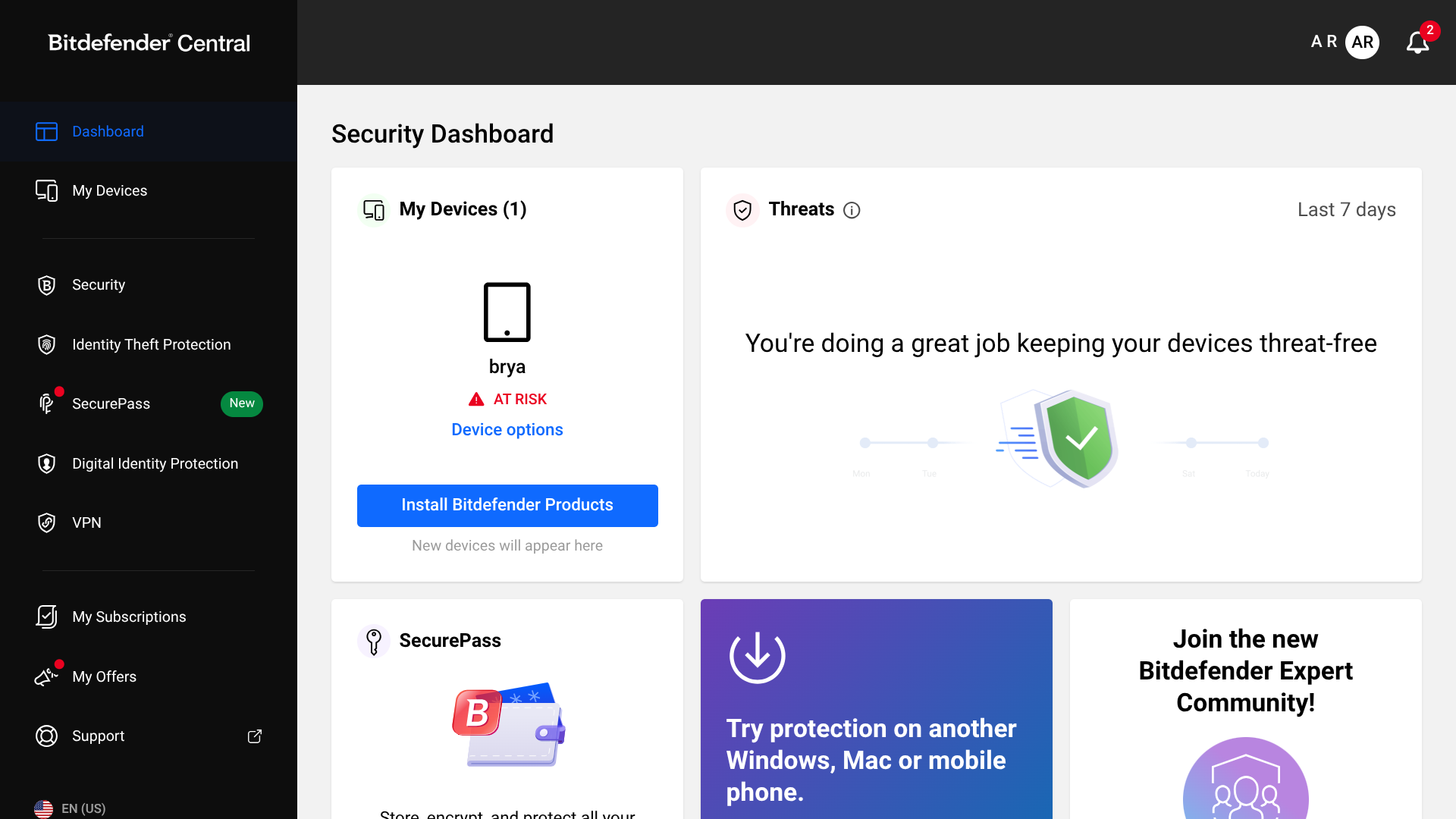
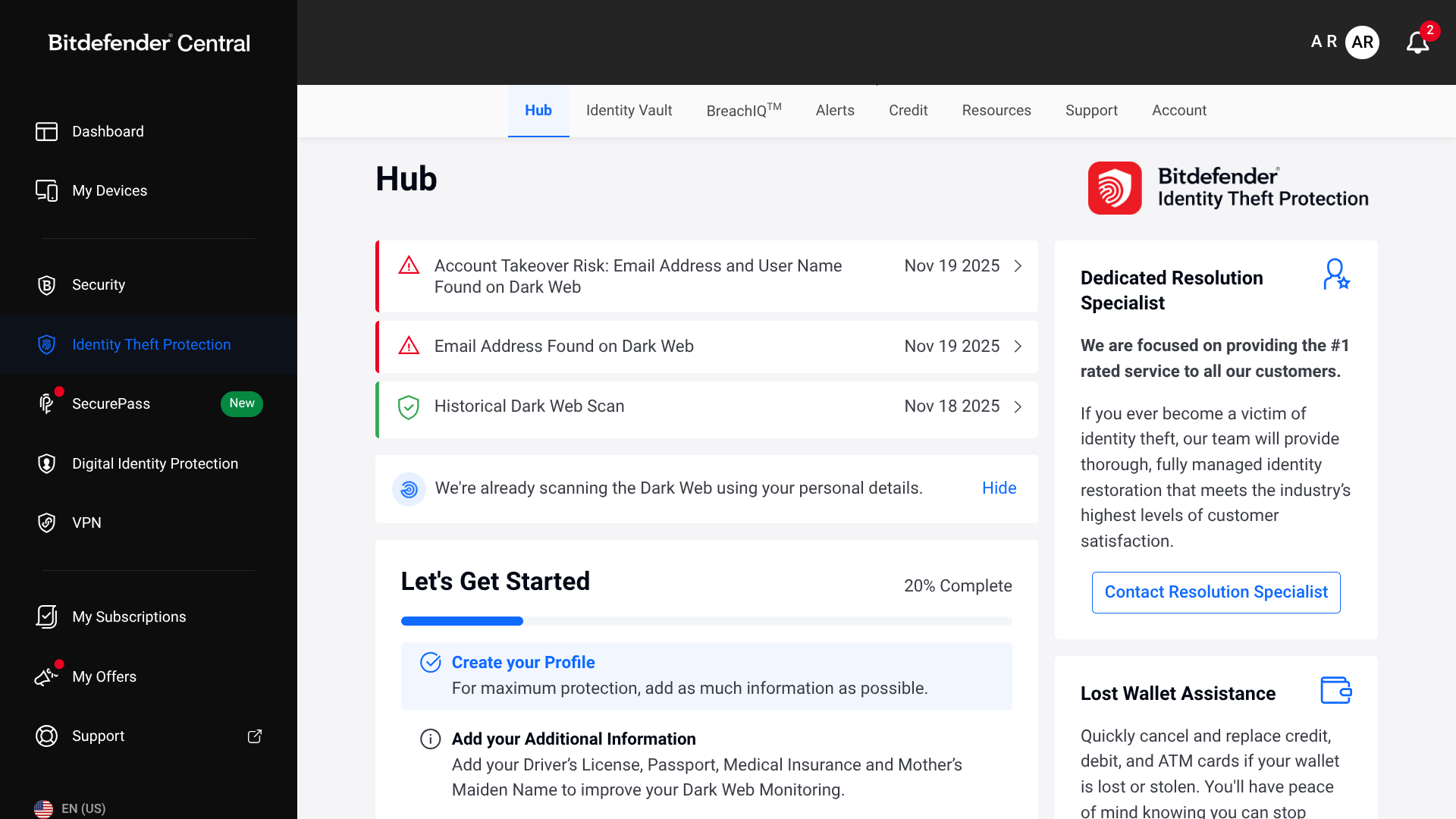
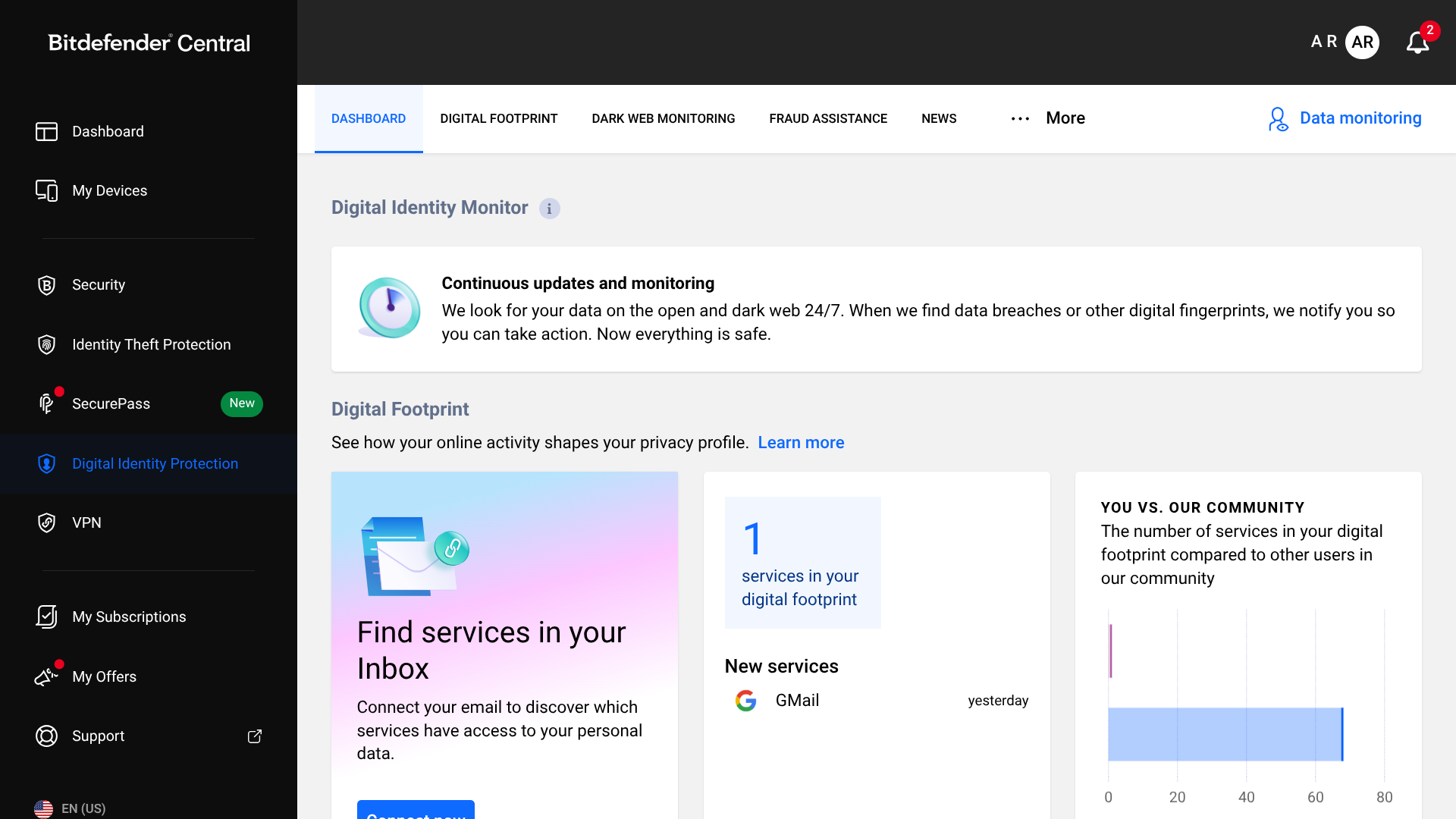
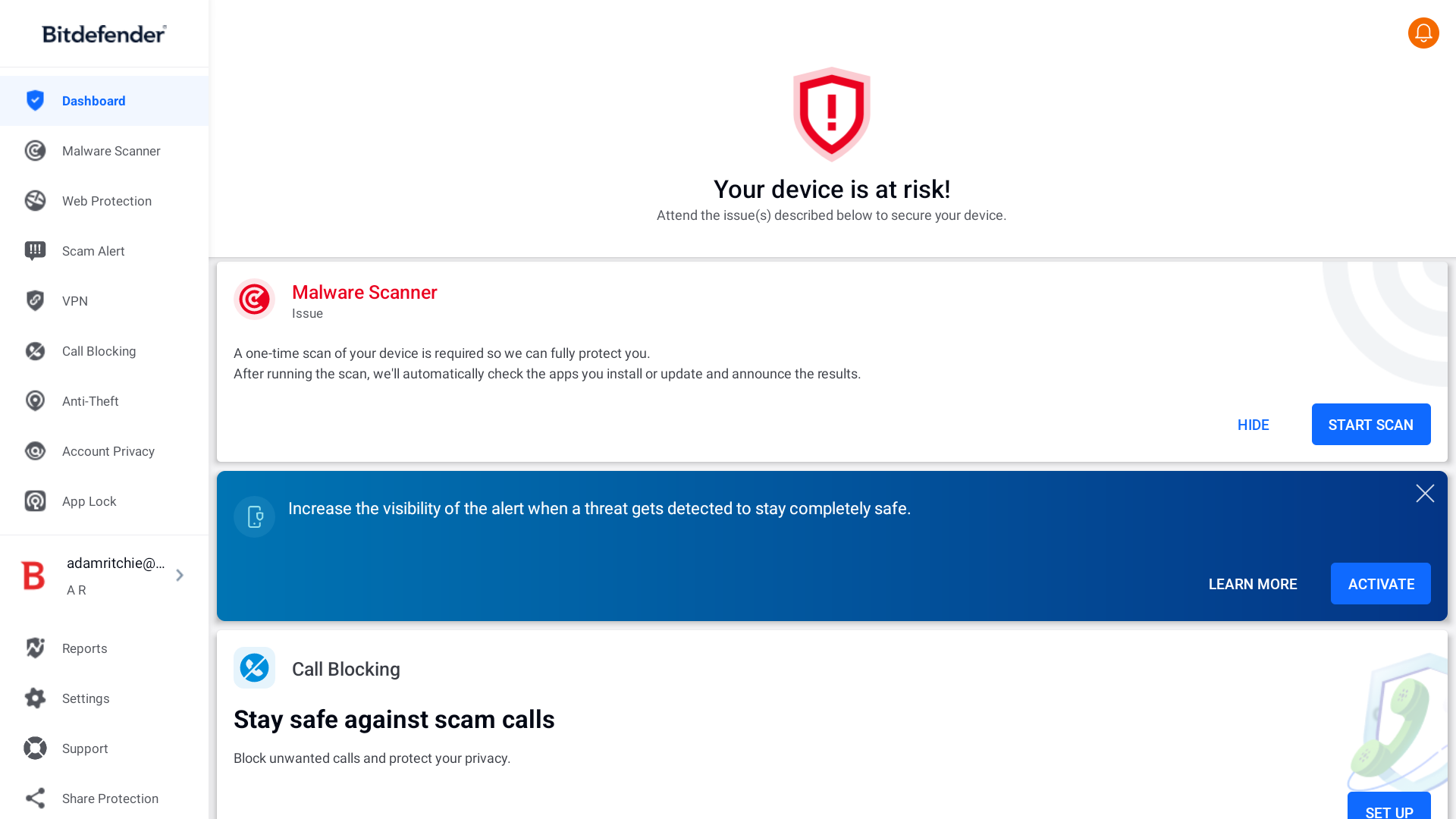
Bitdefender Ultimate Security provides much more than just identity theft protection — even the most basic plan gives you antivirus protection, an ad blocker, a VPN, and a password manager (that’s in addition to dark web monitoring, data breach detection, and a Digital Footprint Visualization tool).
By upgrading to one of their more premium plans, you can get access to even more features, including identity theft insurance coverage, stolen wallet protection, court records monitoring, and parental controls, such as activity reports and location tracking.
But I did find that the interface of their web portal is a little too crowded. Their mobile app has a rather clunky design, too.
Who is Bitdefender Ultimate Security best for?
Bitdefender Ultimate Security is a great deal for anyone who wants not just identity theft protection, but also an antivirus solution, a VPN, parental controls, and other extras.
Recent upgrades to Bitdefender Ultimate Security:
The legacy Bitdefender Password Manager, which used to come with Bitdefender Ultimate Security, has been replaced with a new tool called SecurePass. This feature offers some advanced capabilities, including password sharing and a secure vault protected by two-factor authentication.
Bitdefender Ultimate Security’s pricing:
Depending on the plan you sign up for, the monthly cost of Bitdefender Ultimate Security ranges from $8.99 to $19.99 per month (discounted annual plans are also available).
Pros and cons of Bitdefender Ultimate Security:
Overall: 4.66

| Starting Price (4.7/5) | Security and monitoring (5/5) | Restoration and support (5/5) | UX (4.4/5) | Compatibility and accessibility (4.2/5) | Top Features |
|---|---|---|---|---|---|
| $4.99 per month | 3-bureau credit reporting and comprehensive monitoring | 24/7 live support, US-based fraud remediation, and up to $3 million of identity theft insurance per adult | Interface is fairly polished, though the web portal has some awkward patches of empty white space | Web portal with mobile app for iOS and Android; family plans cover up to 2 adults and 5 kids |
|
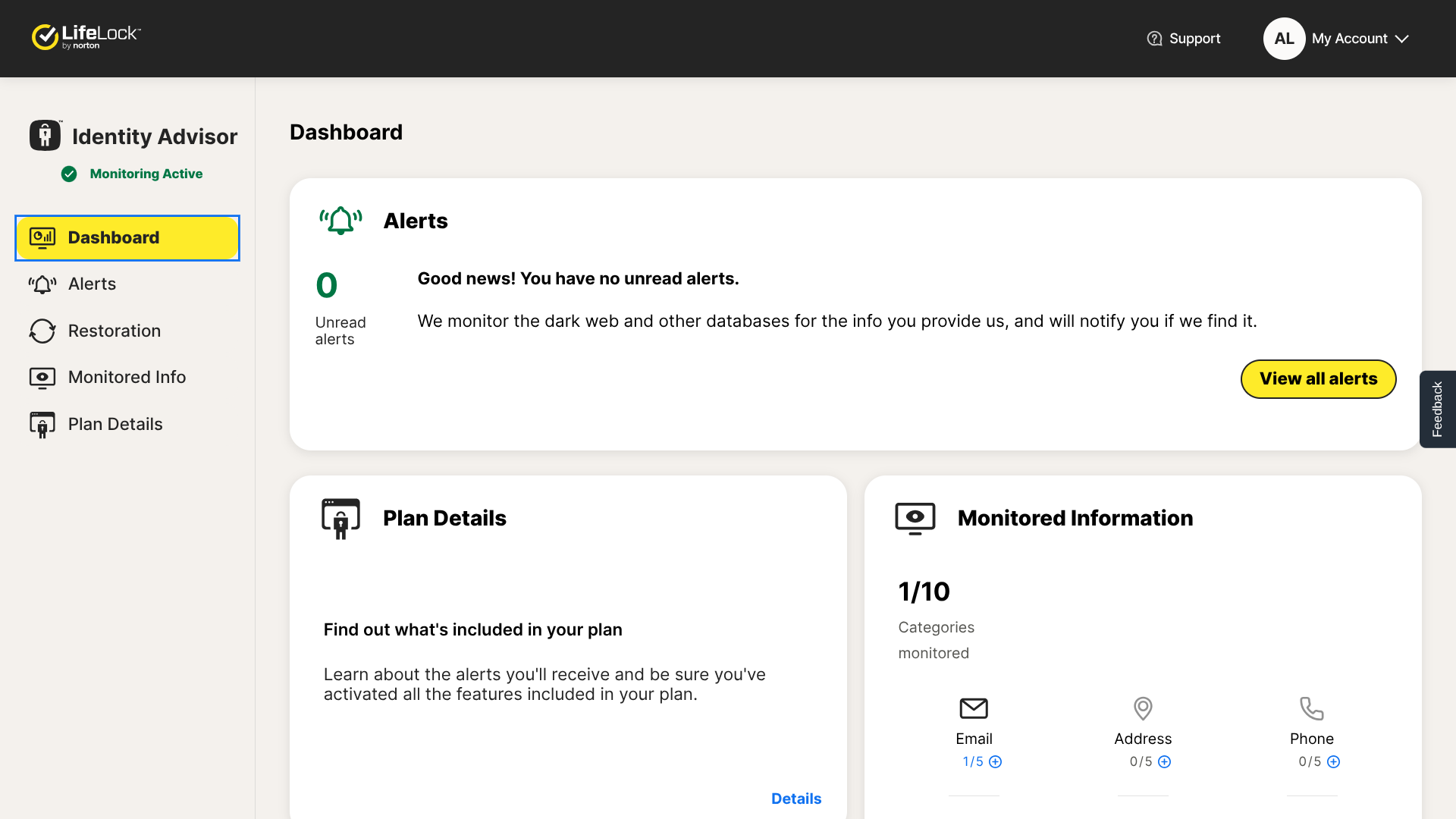
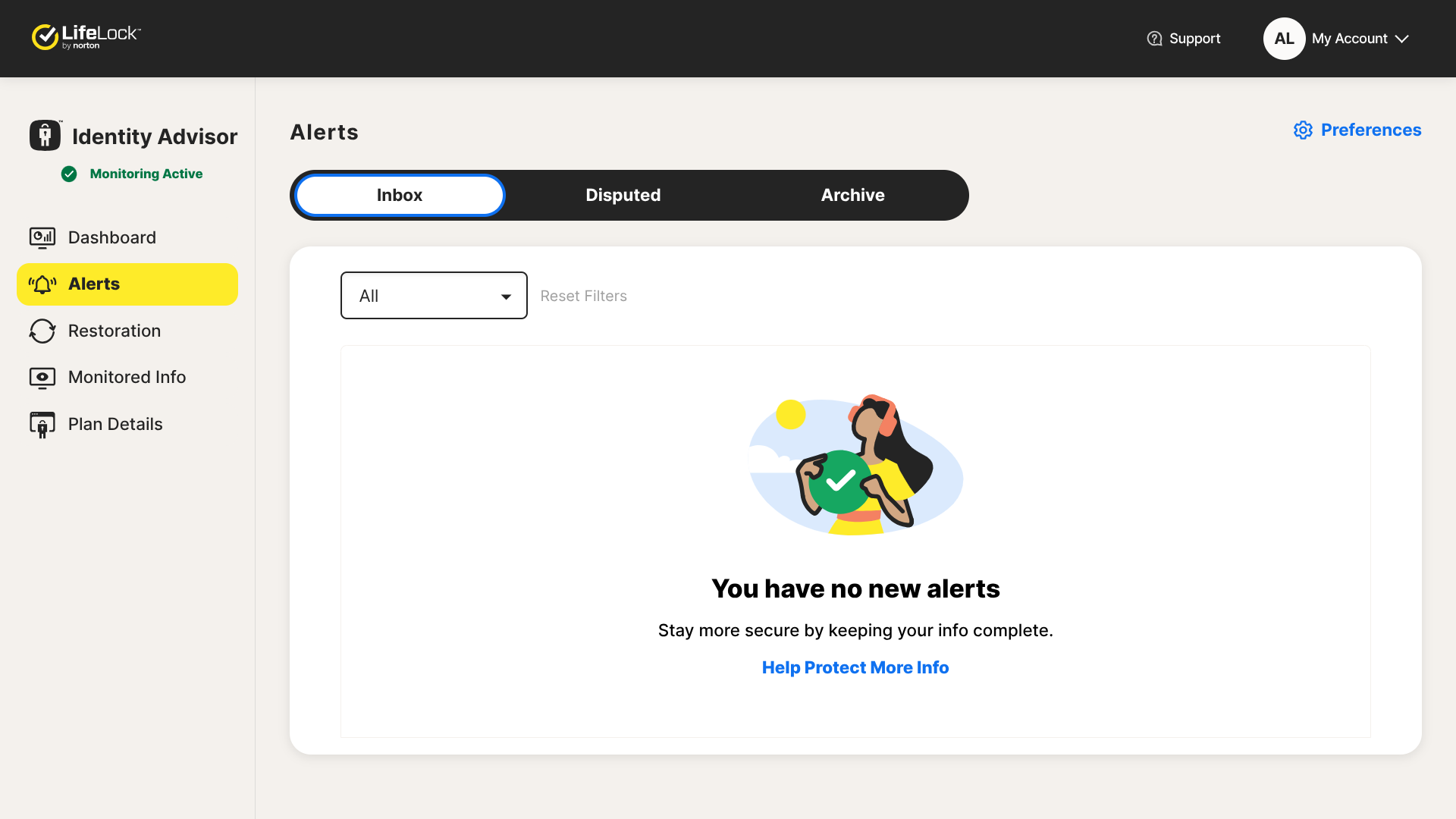
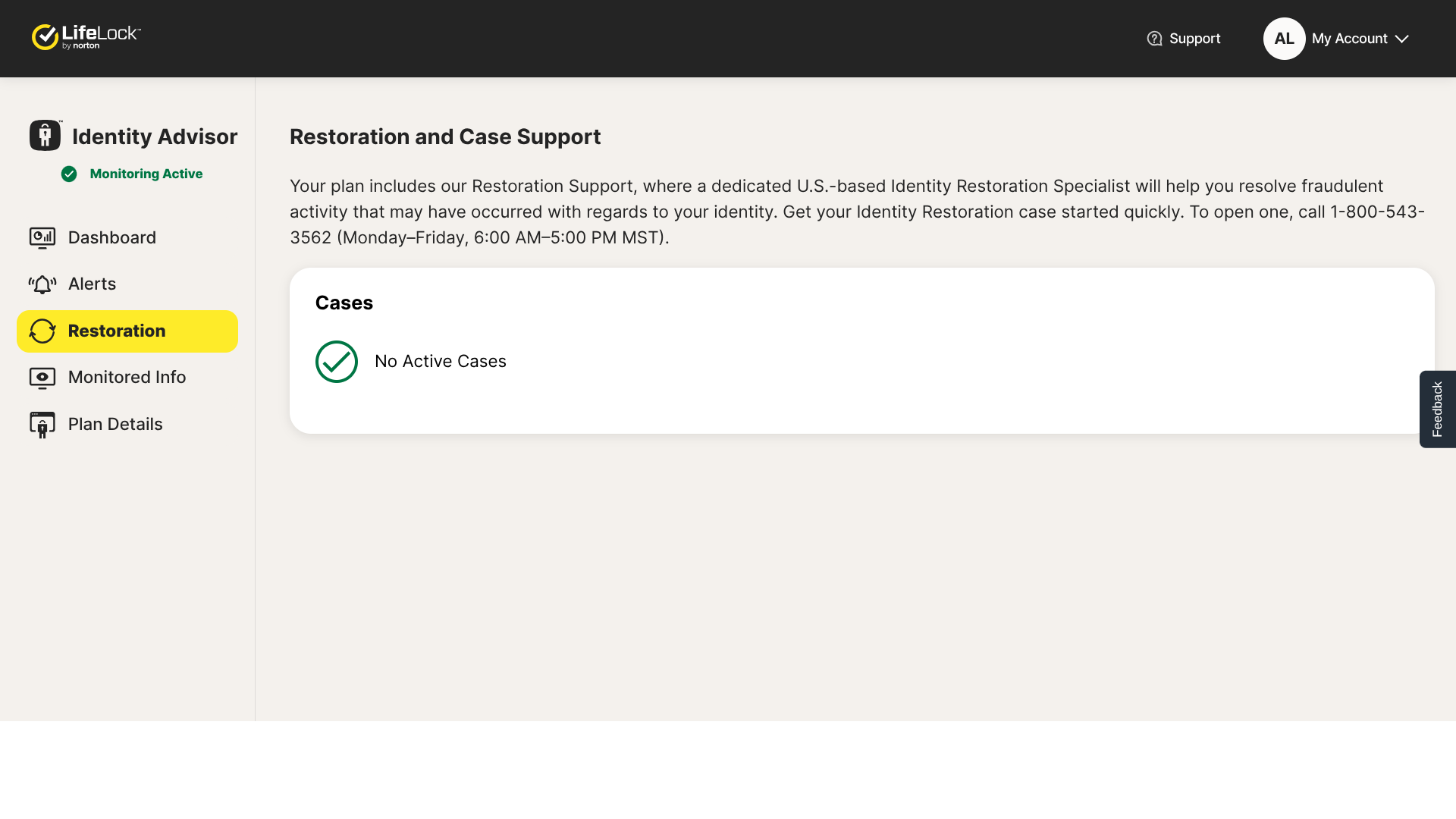
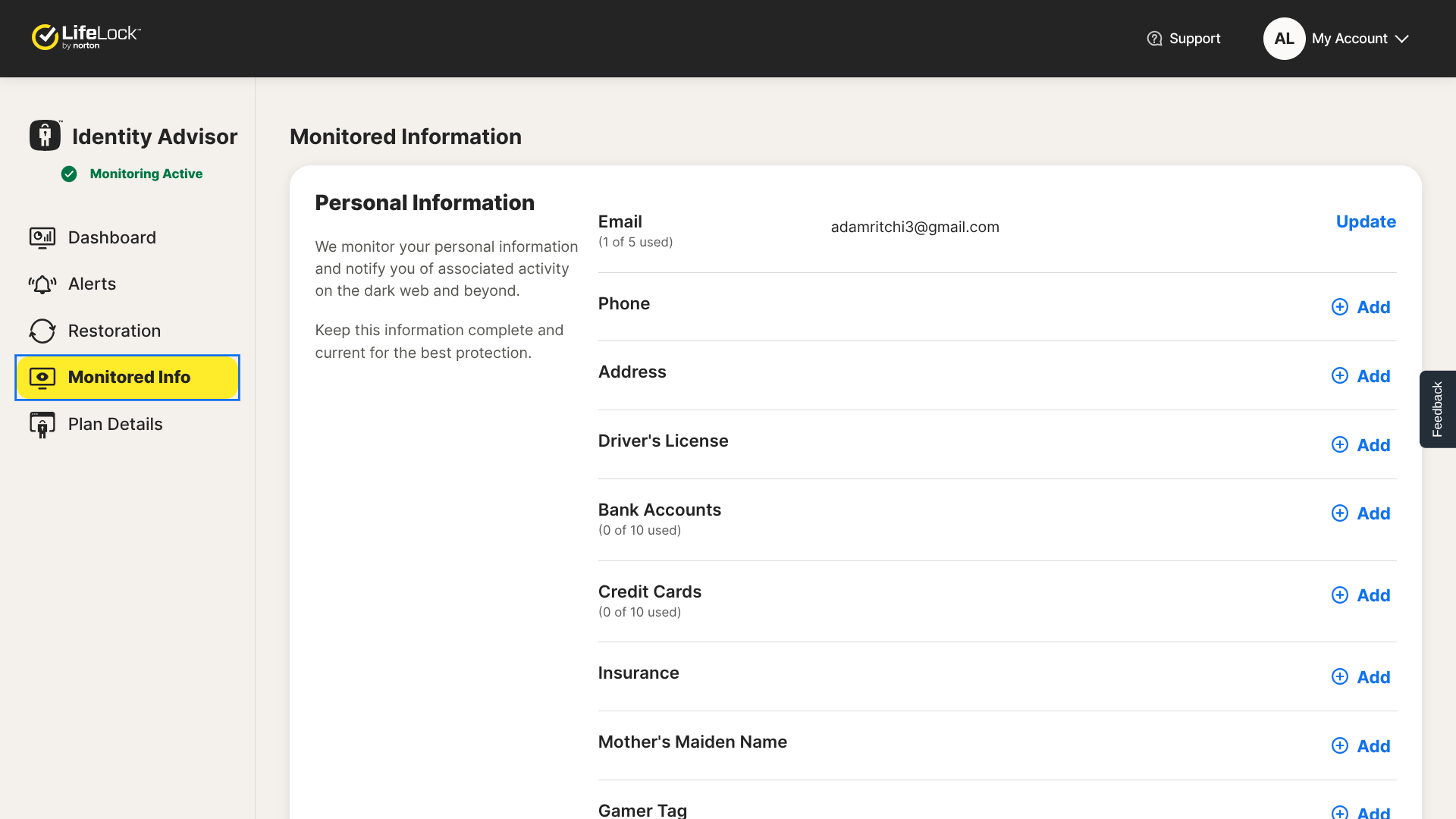
I was impressed by the amount of coverage that LifeLock provides — you can get up to $3 million per adult ($1 million for lawyers and experts, $1 million for stolen funds reimbursement, and $1 million for personal expense reimbursement).
And with their family plans, you can get up to $1,050,000 in coverage per child as well ($1 million for lawyers and experts, $25,000 for stolen funds reimbursement, and $25,000 for personal expense reimbursement).
LifeLock is so confident in the effectiveness of their service that they’re willing to give you your money back if it doesn’t work. With their Restoration Guarantee, you’re entitled to a refund of up to twelve months of your subscription payment in the event LifeLock somehow isn’t able to reinstate your identity to good standing.
Who is LifeLock best for?
Those who want the most comprehensive identity theft protection insurance should opt for LifeLock. No one beats their Ultimate Plus plan’s coverage of $3 million per adult and $1,050,000 per child.
Recent upgrades to LifeLock:
One of LifeLock’s newest features is that they now monitor for utility accounts that have been created in your name.
LifeLock’s pricing:
LifeLock offers a wide selection of plans at different price points, ranging from $4.99 per month to $79.99 per month. You can also unlock a significant discount by paying for a year of service upfront.
Pros and cons of LifeLock:
Overall: 4.54

| Starting Price (4.1/5) | Security and monitoring (5/5) | Restoration and support (4.7/5) | UX (4.5/5) | Compatibility and accessibility (4.4/5) | Top Features |
|---|---|---|---|---|---|
| $19.90 per month | 3-bureau credit reporting and comprehensive monitoring | Dedicated restoration specialists and up to $5 million in total coverage | Interface has an outdated feel to it, but it is fairly user-friendly | Web portal with mobile app for iOS and Android; family plan covers 2 adults and 10+ kids |
|
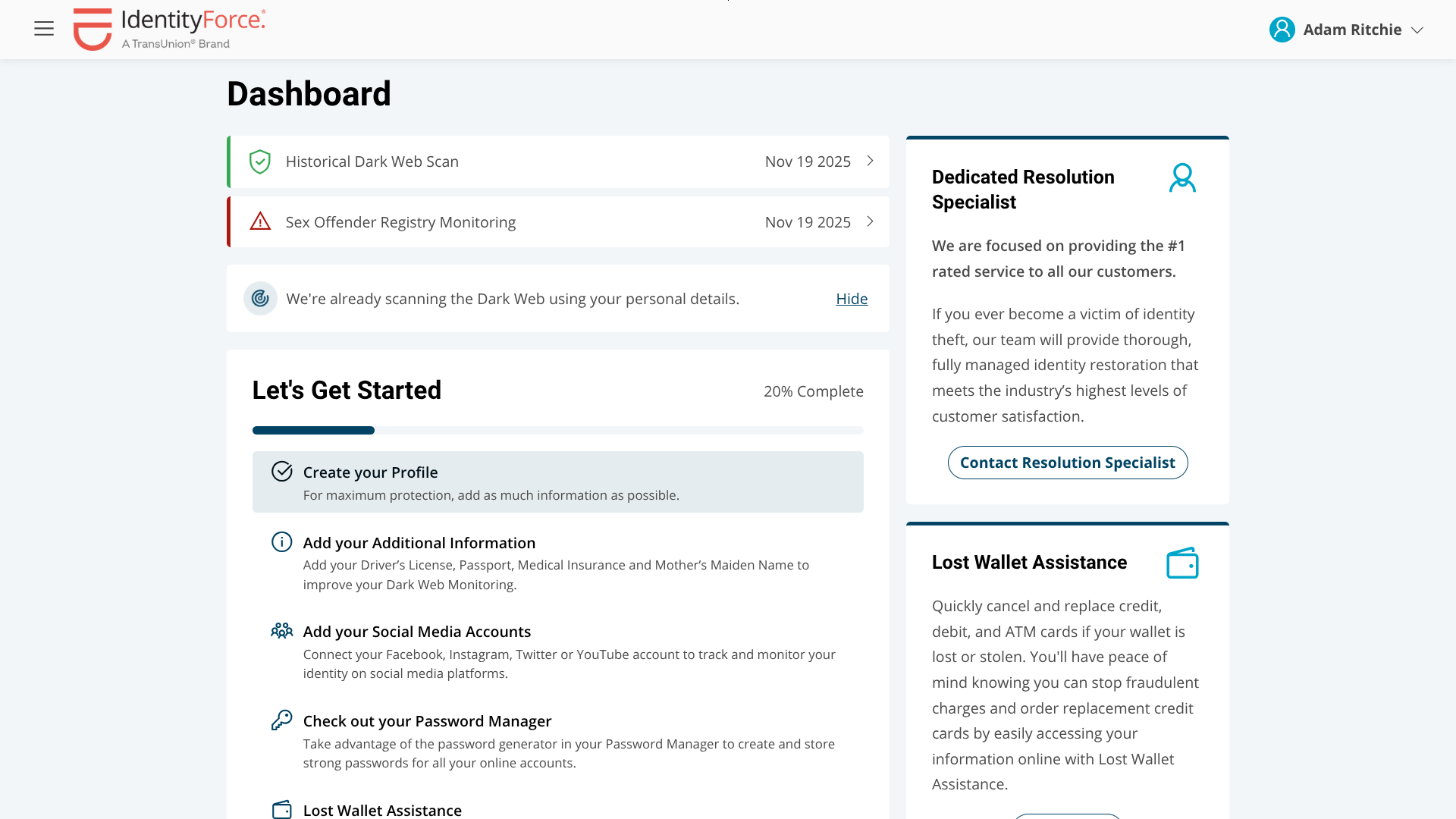
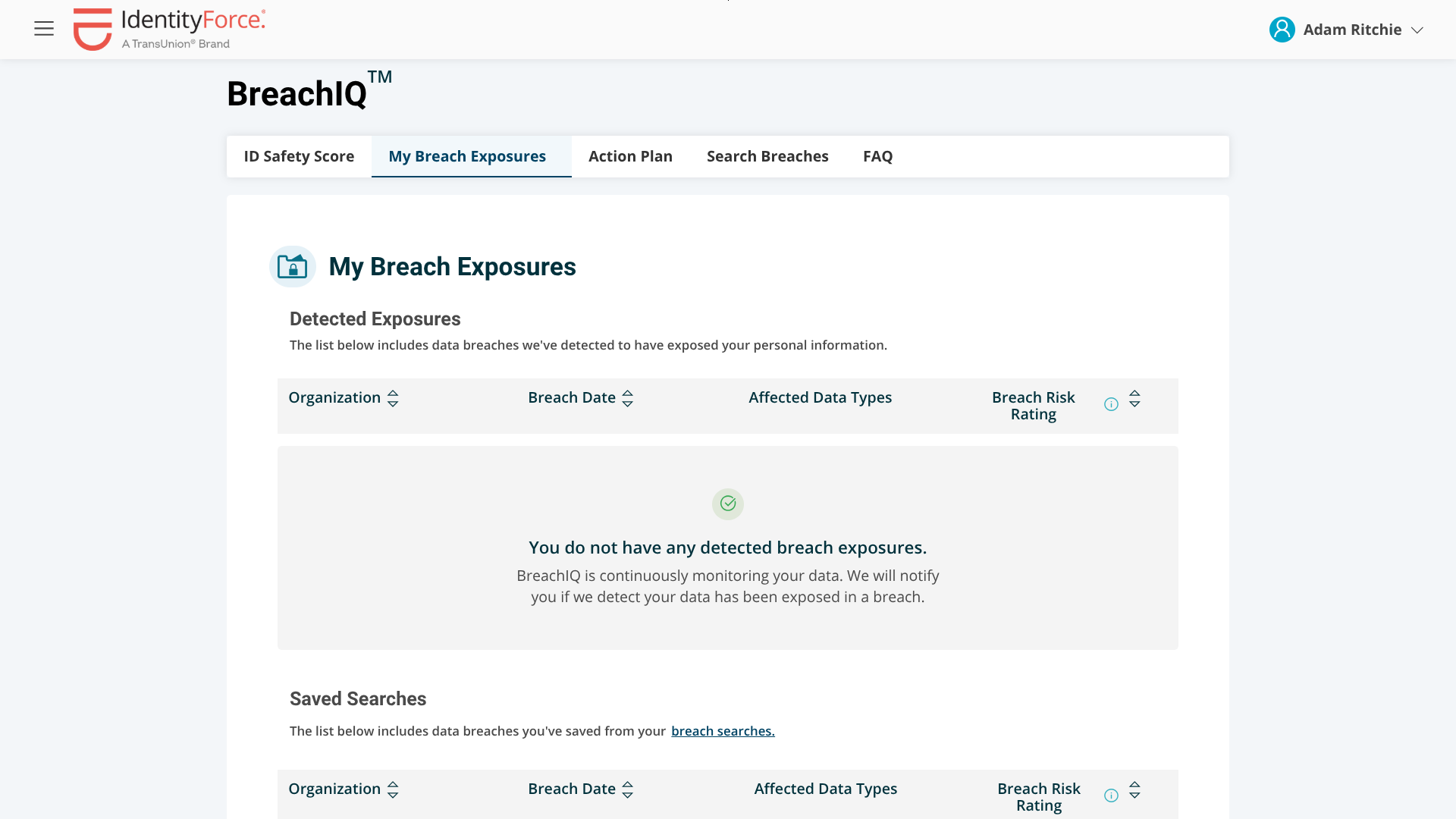
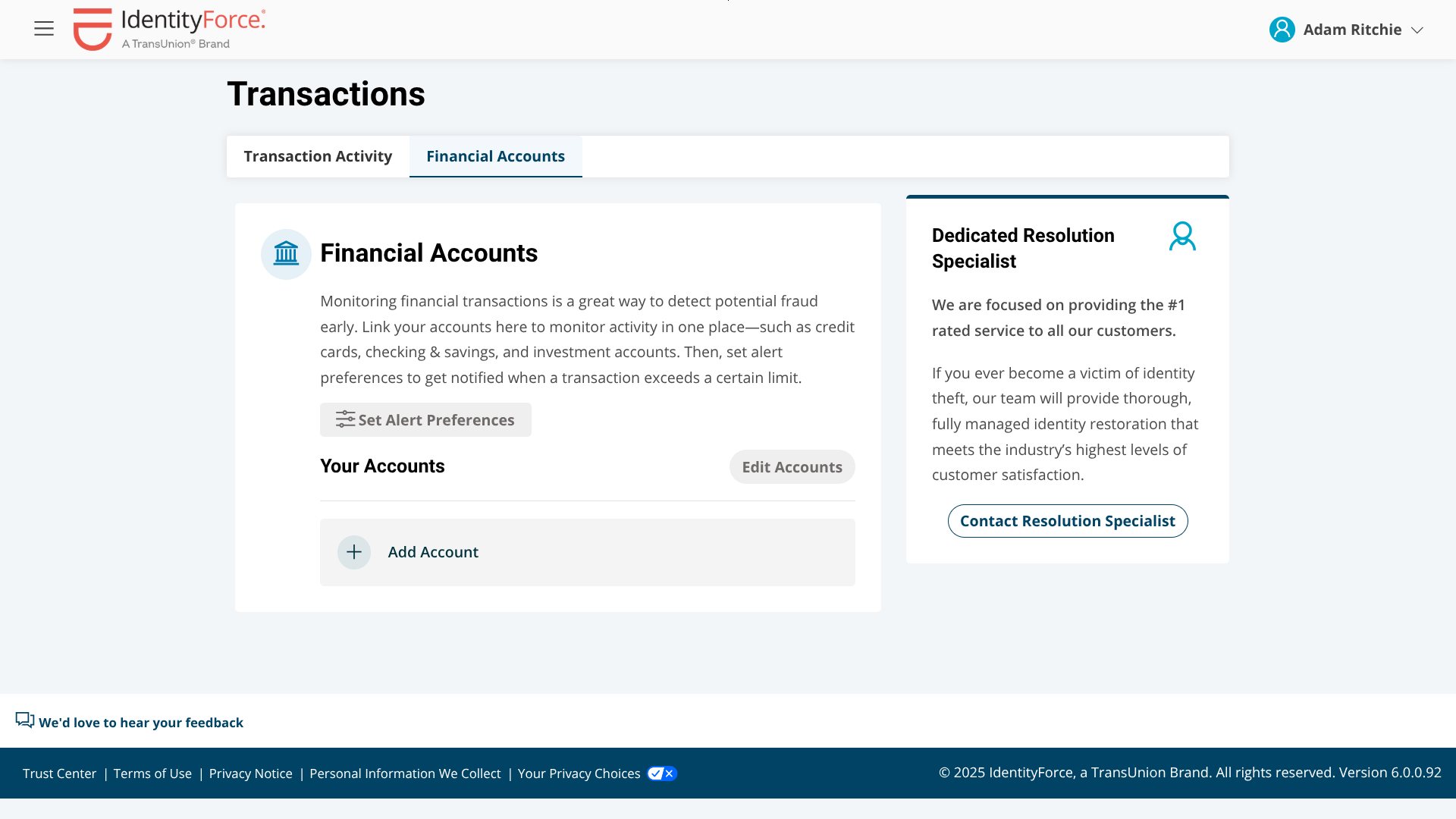
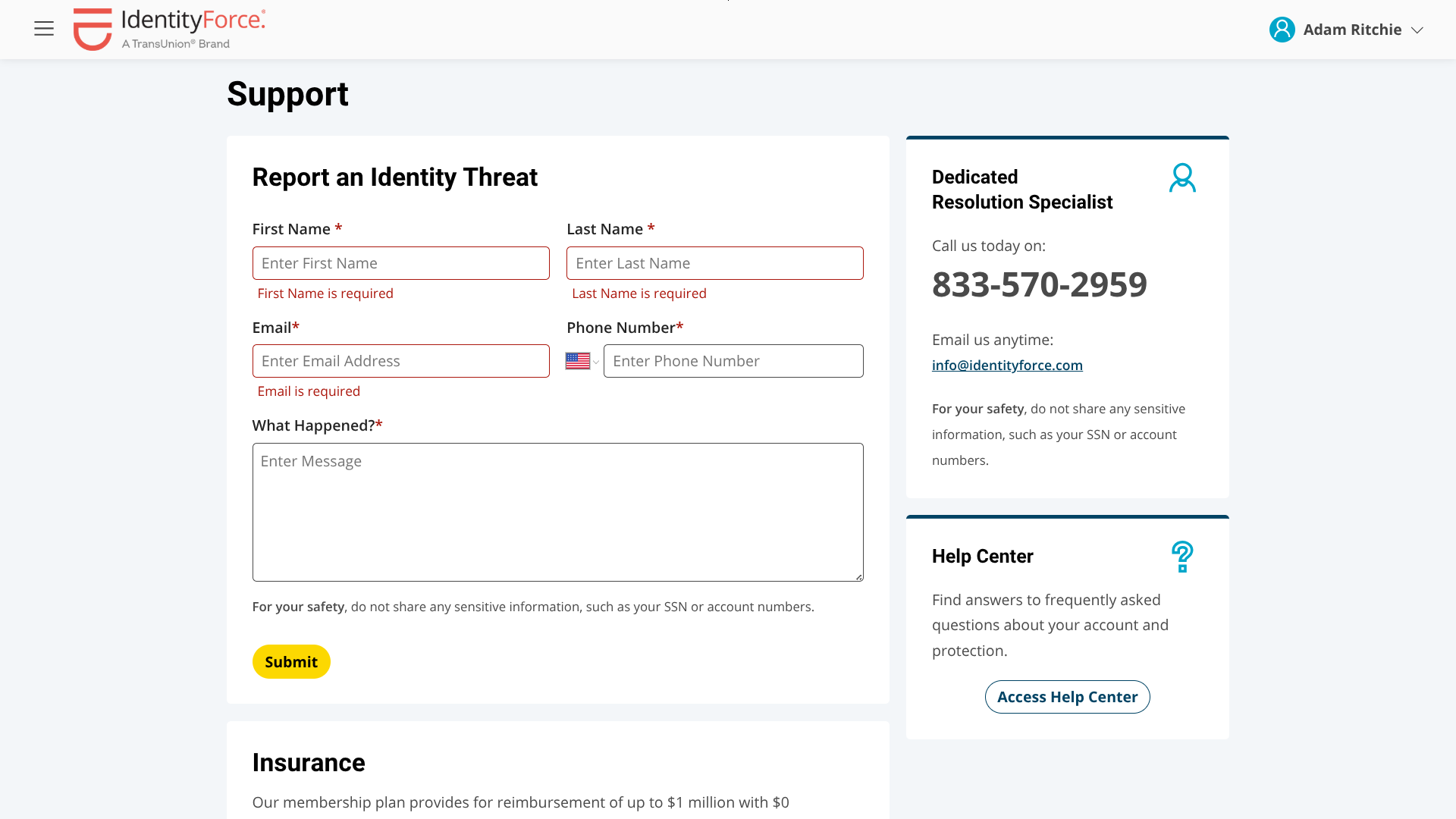
I was struck by how similar their web portal looks to Bitdefender’s identity theft protection tool — in fact, it’s exactly the same. Bitdefender, along with several other providers, actually partners with TransUnion to offer this web portal as part of their own bundle of features.
The IdentityForce web portal gives you access to many different tools and dashboards, including an identity safety score, a personalized action plan, breach alerts, and transaction monitoring. In addition to the web portal, an IdentityForce subscription also provides a mobile app, which you can use to scan your device for malware, check your network for vulnerabilities, and route your mobile traffic through a VPN.
Who is IdentityForce best for?
With their exceptional mobile security tools, IdentityForce is a solid choice for individuals who spend a significant amount of time on their smartphones or tablets.
Recent upgrades to IdentityForce:
Last year, IdentityForce raised its maximum identity theft insurance coverage from $1 million to $2 million.
IdentityForce’s pricing:
Month-to-month pricing for IdentityForce ranges from $19.90 per month to $39.90 per month, while their annual plans range from $199.90 per year to $399.90 per year.
Pros and cons of IdentityForce:
Overall: 4.36

| Starting Price (5/5) | Security and monitoring (4/5) | Restoration and support (4.3/5) | UX (4.5/5) | Compatibility and accessibility (4/5) | Top Features |
|---|---|---|---|---|---|
| Free | 3-bureau credit reporting and basic monitoring | Dedicated fraud resolution support and up to $1 million of identity theft insurance | The interface is basic, but user-friendly | Web portal with mobile app for iOS and Android; family plan covers 1 adult and 10 kids |
|

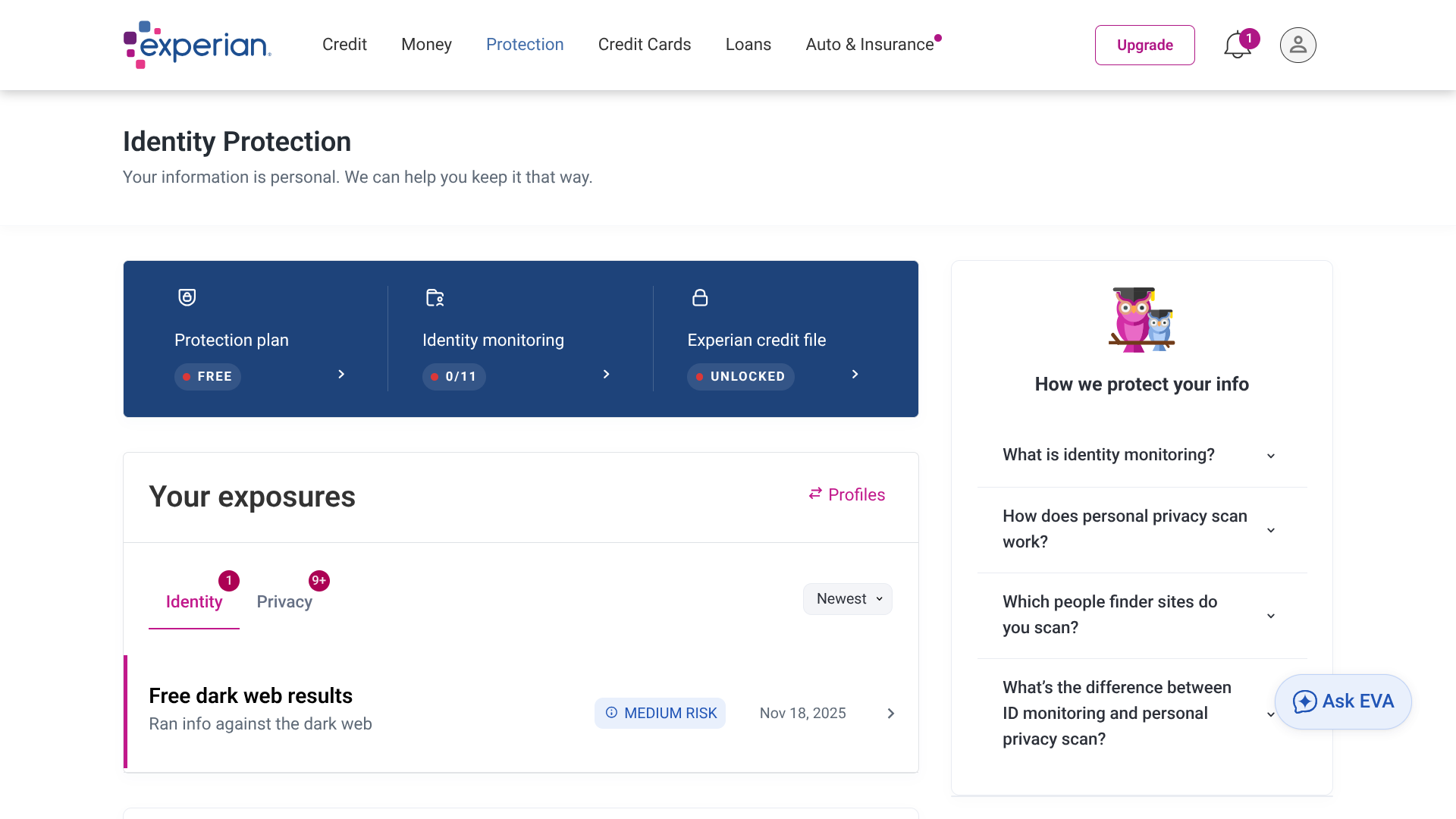
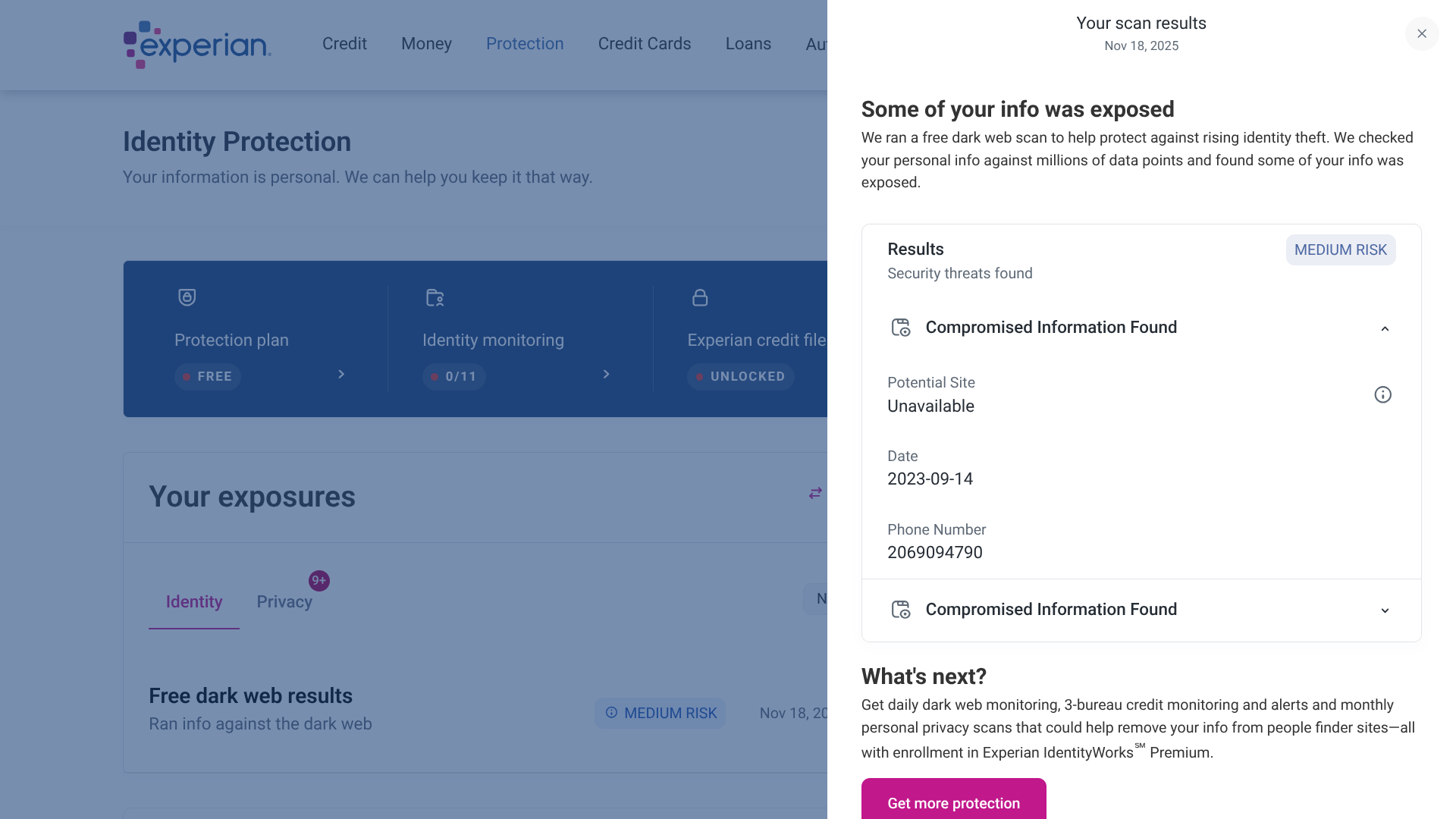
Like TransUnion, Experian is one of the three major credit reporting agencies and also offers its own identity theft protection service.
They can send you alerts for potential fraud involving dark web activity, social media activity, address changes, court records, non-credit loans, identity validation attempts, and more.
However, I found that they don’t have transaction monitoring for financial accounts, and there are no extra perks for antivirus protection, a VPN, or password management.
Who is Experian best for?
Looking for an identity theft protection service that doesn’t cost anything at all? Experian is among the few options that offer a completely free plan.
Recent upgrades to Experian:
Experian has made several updates to its mobile app over the past year to enhance performance and provide a more seamless user experience.
Experian’s pricing:
As mentioned above, Experian does offer a free plan, though its feature set is fairly limited (you get a dark web surveillance report, a personal privacy scan, and Experian and FICO credit reporting). For more frequent and thorough identity theft monitoring, you’ll need to upgrade to a premium plan, which starts at $24.99 per month.
Pros and cons of Experian:
Overall: 4.34

| Starting Price (4/5) | Security and monitoring (4/5) | Restoration and support (4.6/5) | UX (5/5) | Compatibility and accessibility (4.1/5) | Top Features |
|---|---|---|---|---|---|
| $29.99 for the first year (then $89.99 per year) | 1-bureau credit reporting and comprehensive monitoring | US-based fraud remediation and up to $2 million of identity theft insurance per adult | Clean, user-friendly interface | App available on Windows, macOS, Android, and iOS; family plans cover up to 2 adults and 4 kids |
|
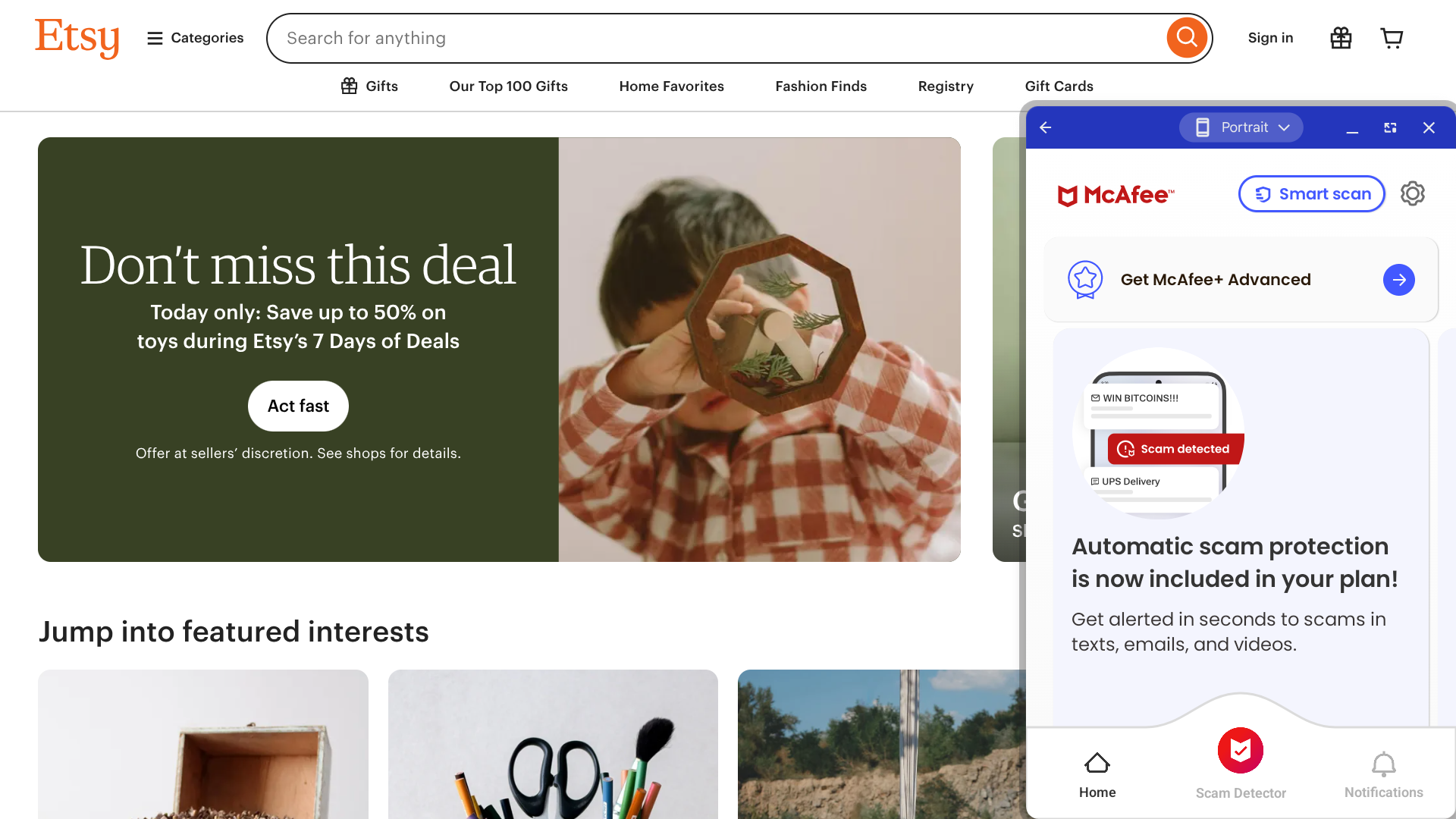
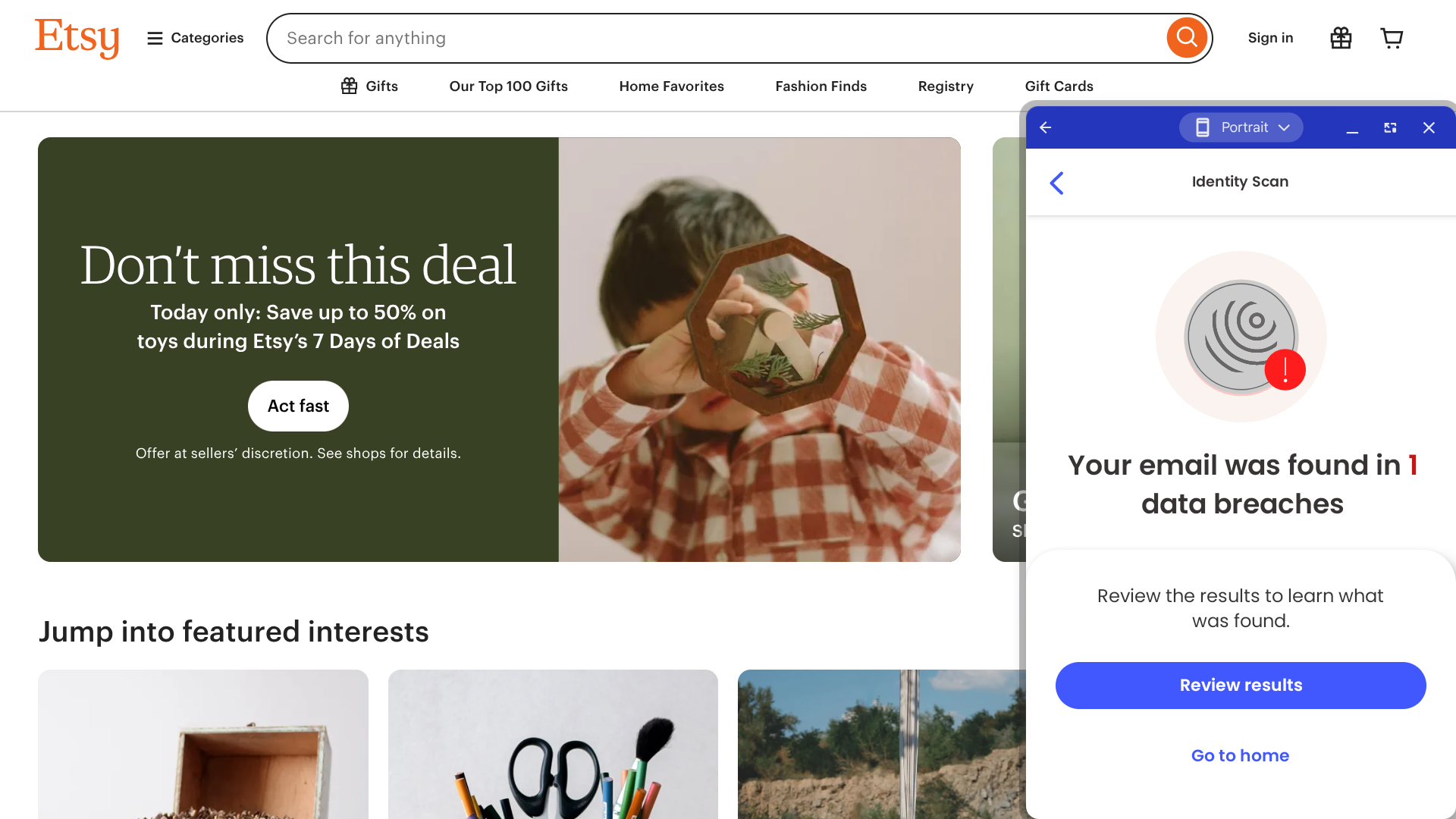
McAfee is best known for its antivirus software, but most of its plans also include features for identity theft protection.
Indeed, McAfee can monitor the dark web for your personal info, and they can keep an eye on your bank and credit card accounts to watch out for unusual activity. If your identity is stolen, McAfee will help you get back on your feet with their credit freeze tool, US-based identity restoration experts, and identity theft insurance that covers lawyer fees, travel expenses, and reimbursement for stolen funds.
I should also mention that, in addition to protection from malware and identity theft, McAfee offers a VPN, password manager, parental controls, and several other bonus features.
Who is McAfee best for?
McAfee is an efficient option for those looking to purchase multiple security tools simultaneously. Their prices may be a bit high, but it’s not a bad deal considering the amount included with most of their plans.
Recent upgrades to McAfee:
McAfee’s newest feature is its Scam Detector — when you paste text or drop a screenshot into this tool, McAfee will use AI to determine how likely it is that the message was sent to you by a scammer.
McAfee’s pricing:
The cost of this service starts at $29.99 for the first year ($89.99 per year after that) for the Basic Individual plan and goes all the way up to $249.99 for the first year ($424.99 per year after that) for the Ultimate Family plan. Month-to-month pricing is not available.
Pros and cons of McAfee:
Overall: 4.30

| Starting Price (3/5) | Security and monitoring (5/5) | Restoration and support (4.5/5) | CUX (4.7/5) | Compatibility and accessibility (4.3/5) | Top Features |
|---|---|---|---|---|---|
| $119.99 for the first year ($239.99 after that) | 3-bureau credit reporting and comprehensive monitoring | Phone-based identity recovery assistance and $2 million of identity theft insurance | Sleek mobile app, but the identity protection web portal feels outdated | Web portal with app available for Windows, macOS, Android, and iOS; family plan covers up to 2 adults and 10 kids |
|
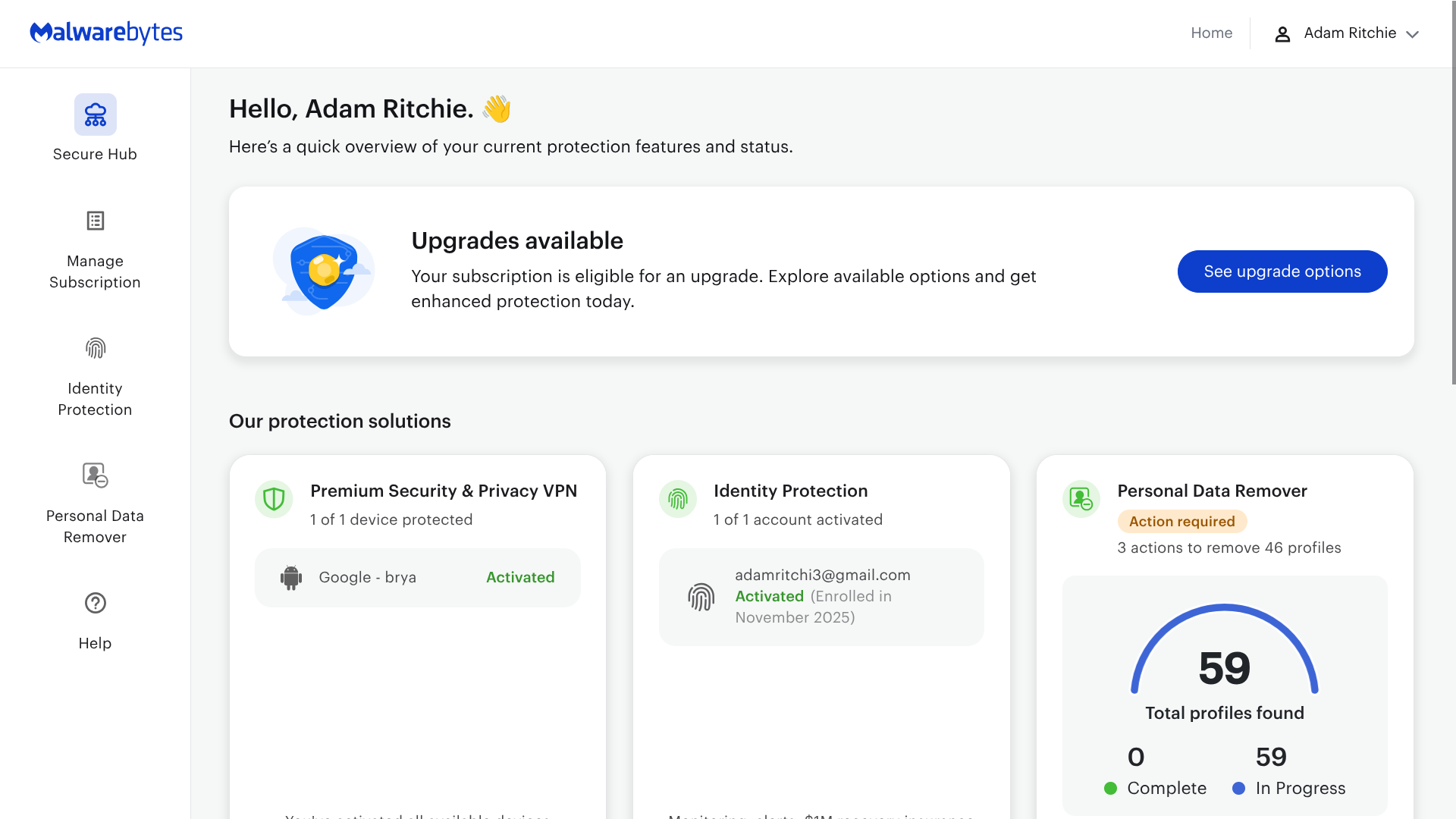
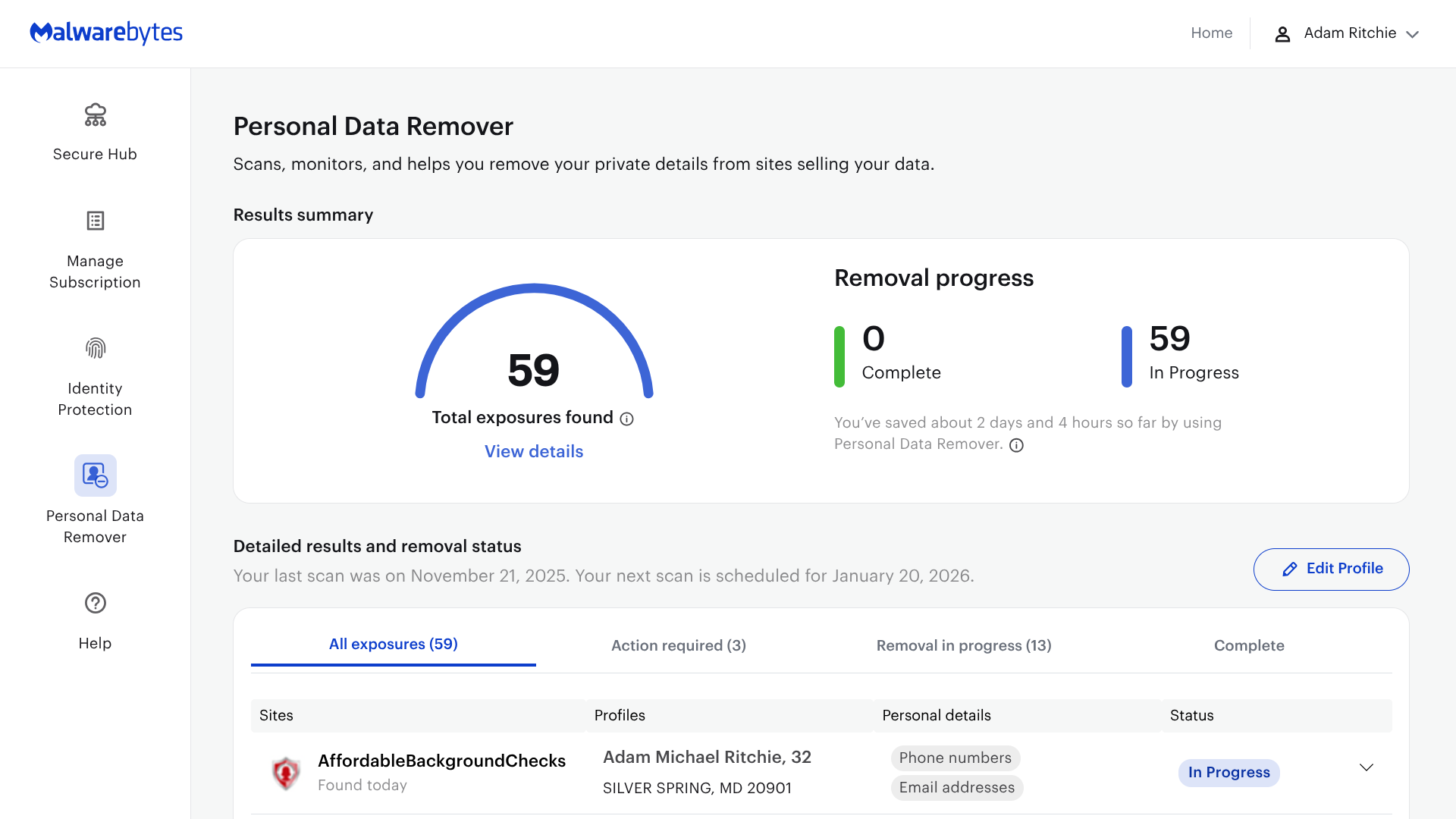
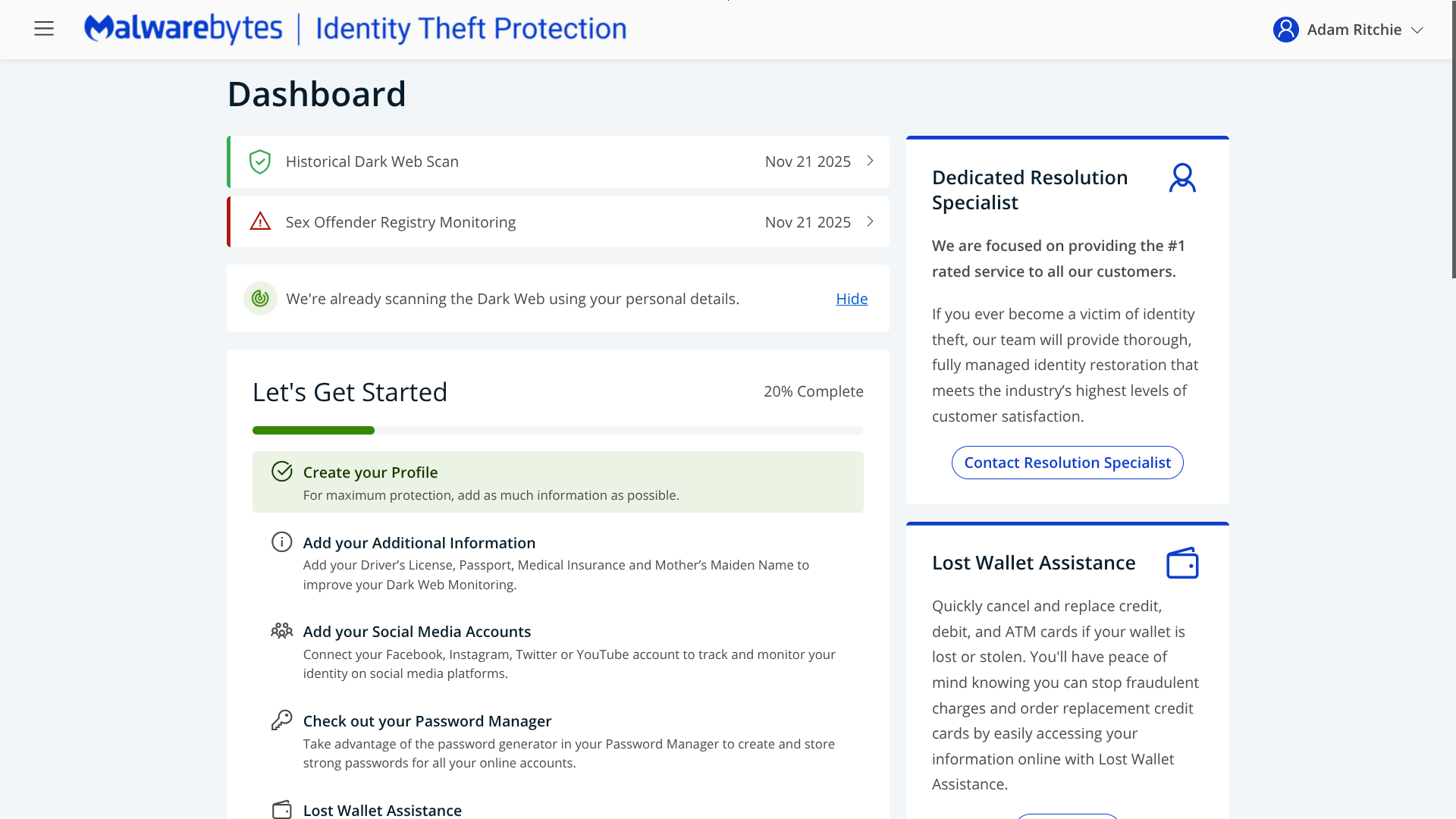

Malwarebytes is similar to BitDefender in that it uses the TransUnion/IdentityForce web portal for its identity theft protection service while offering proprietary tools in other areas, such as antivirus protection and application management.
Where Malwarebytes really stands out is with their personal data remover tool — they will automatically send opt-out requests to dozens of different data broker sites, and their dashboard makes it easy to keep track of the removal progress.
However, I should note that there are no month-to-month plans available, so anyone who prefers this payment option should look elsewhere. Also, unlike many other providers, Malwarebytes does not have a password manager.
Who is Malwarebytes best for?
If you’re interested in a data removal tool in addition to identity theft protection, Malwarebytes is the perfect fit for your specific needs.
Recent upgrades to Malwarebytes:
Malwarebytes’ newest feature is ScamGuard, an AI-powered cybersecurity assistant that you can use to help determine whether a message you’ve received is risky or not.
Malwarebytes’s pricing:
Identity theft protection is only included with Malwarebytes’ Ultimate plan, which is $139.99 for the first year ($279.99 per year after that) for the Individual plan and $199.99 for the first year ($399.99 per year after that) for the Family plan.
Pros and cons of Malwarebytes:
Overall: 4.00

| Starting Price (4.2/5) | Security and monitoring (3.5/5) | Restoration and support (4.3/5) | UX (4.5/5) | Compatibility and accessibility (3.5/5) | Top Features |
|---|---|---|---|---|---|
| $15.99 per month | 1-bureau credit reporting and basic monitoring | Dedicated identity restoration case managers and up to $1 million of identity theft insurance | The interface is a little basic, but easy enough to navigate | Web portal (no app); no family plans available |
|
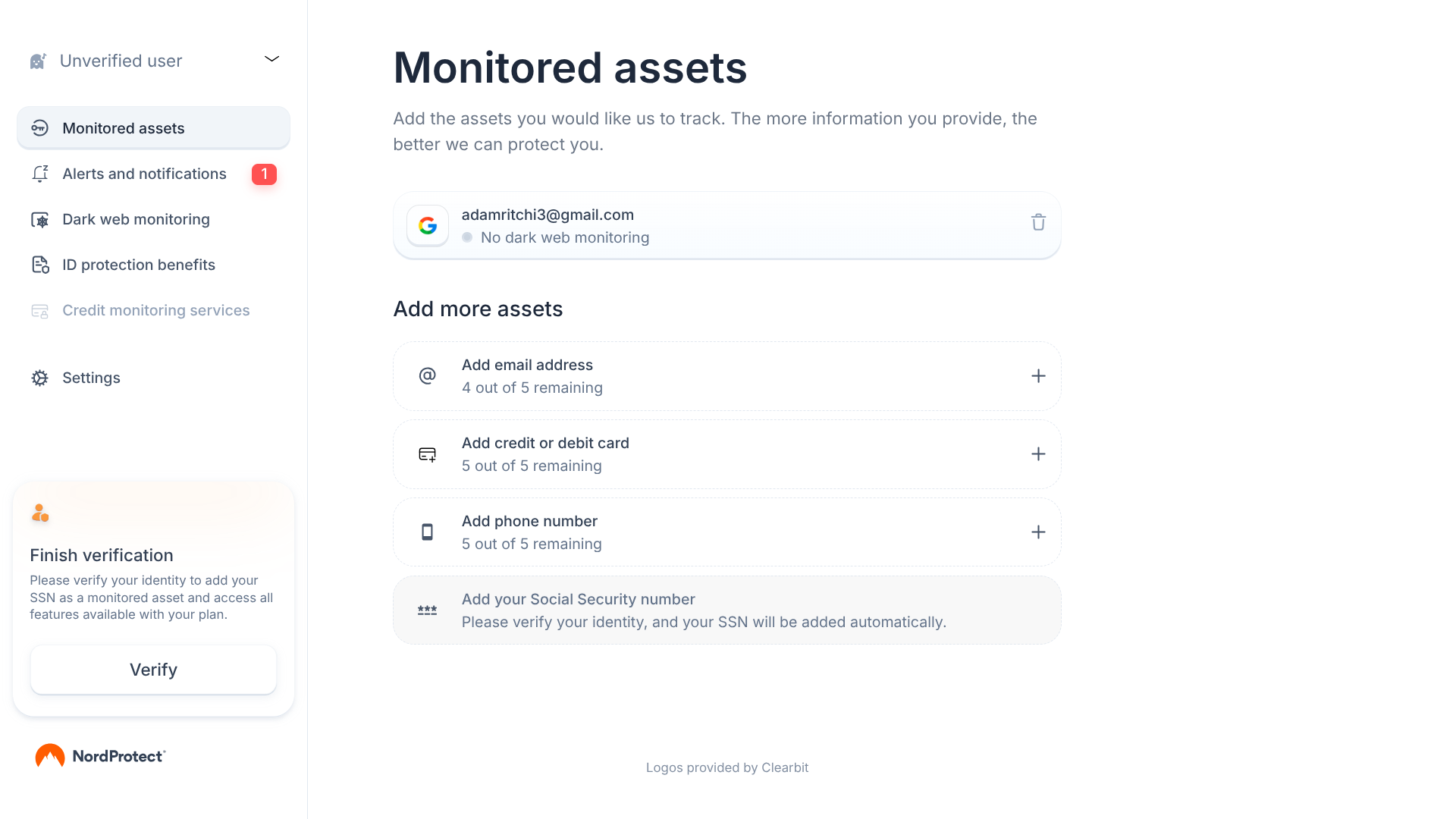
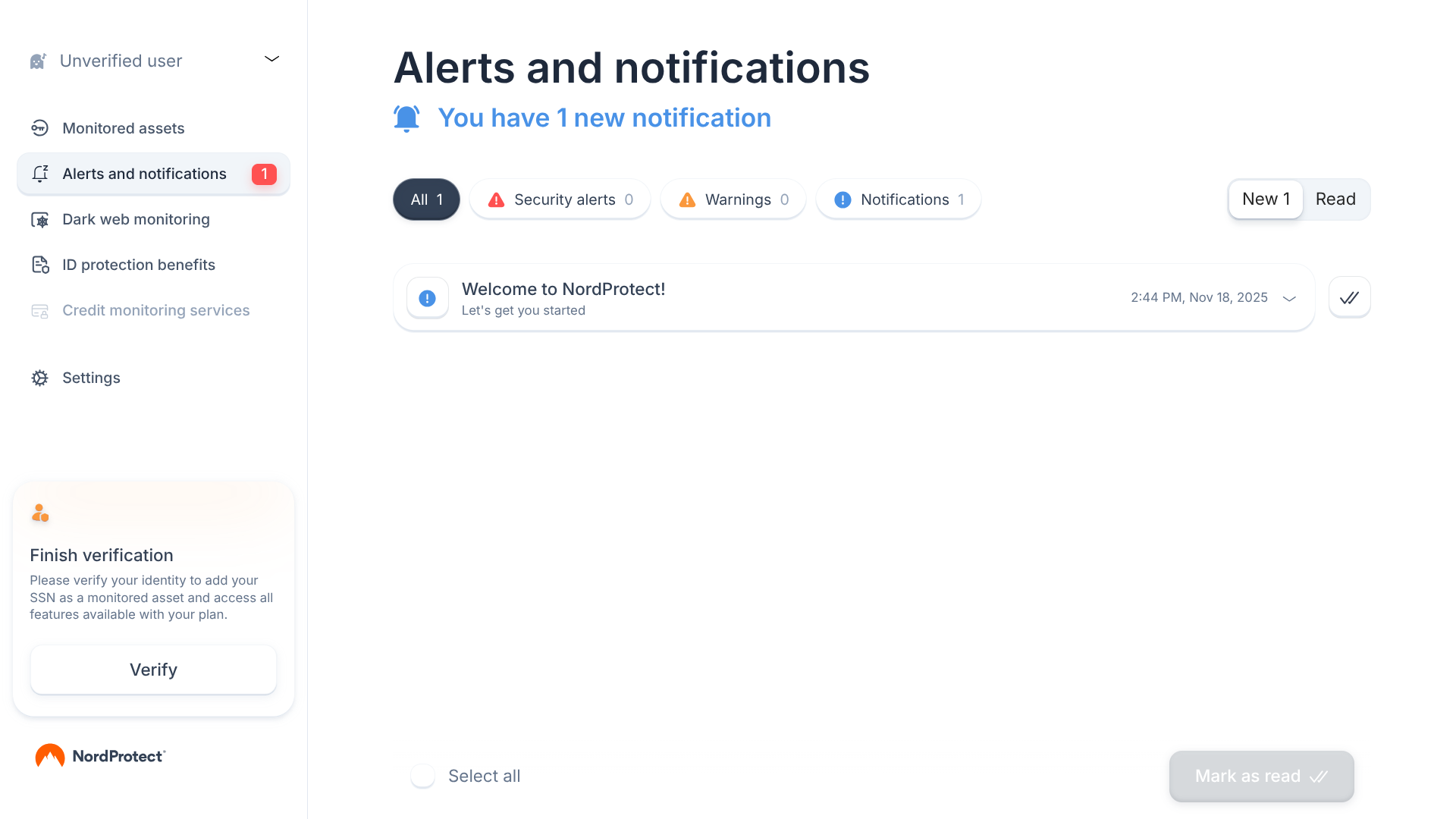
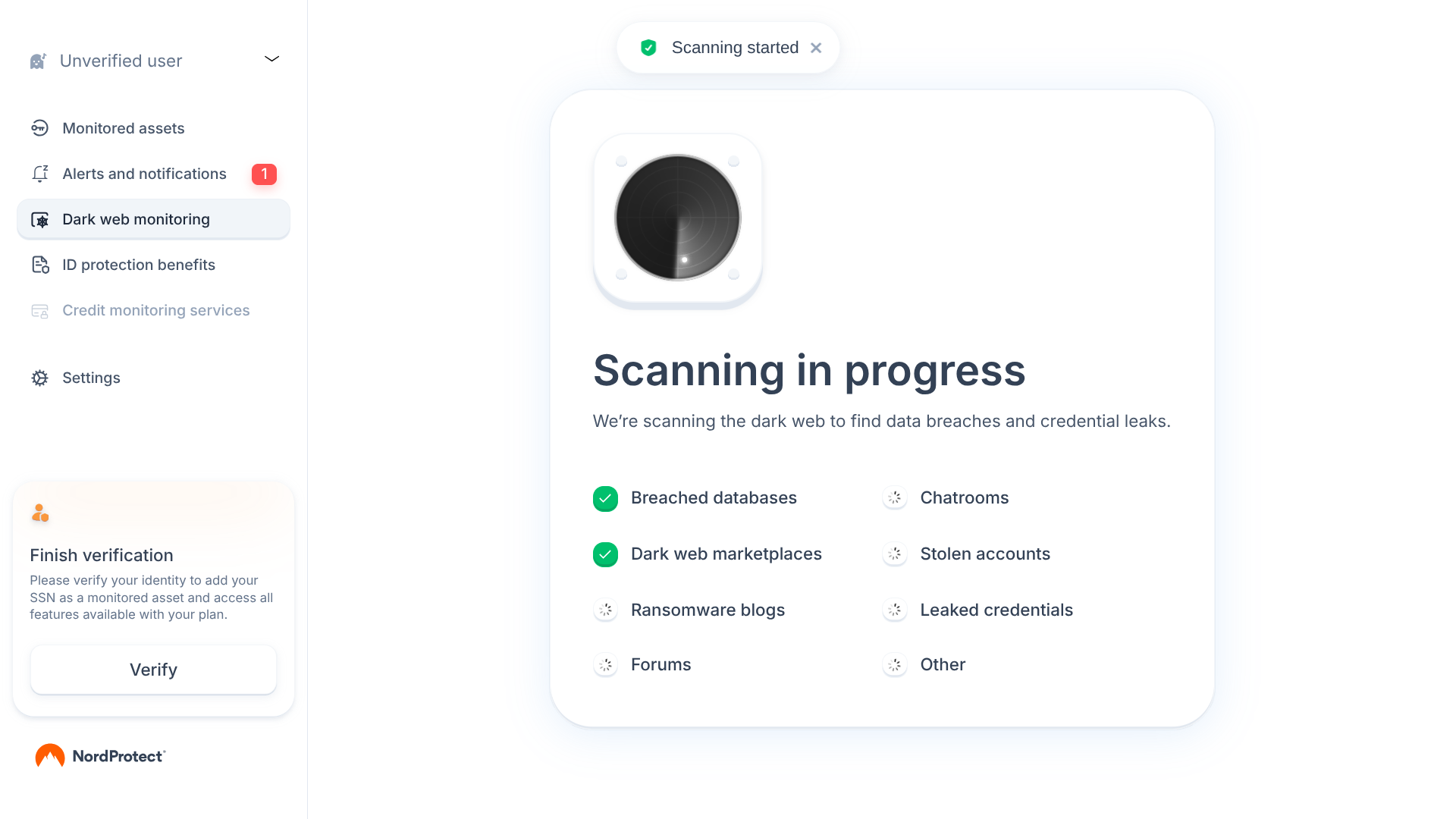
I found that NordProtect’s security and monitoring features aren’t quite as robust as most of the other services in this guide — they only have 1-bureau credit reporting, and they don’t offer a tool for reviewing the transactions in your financial accounts.
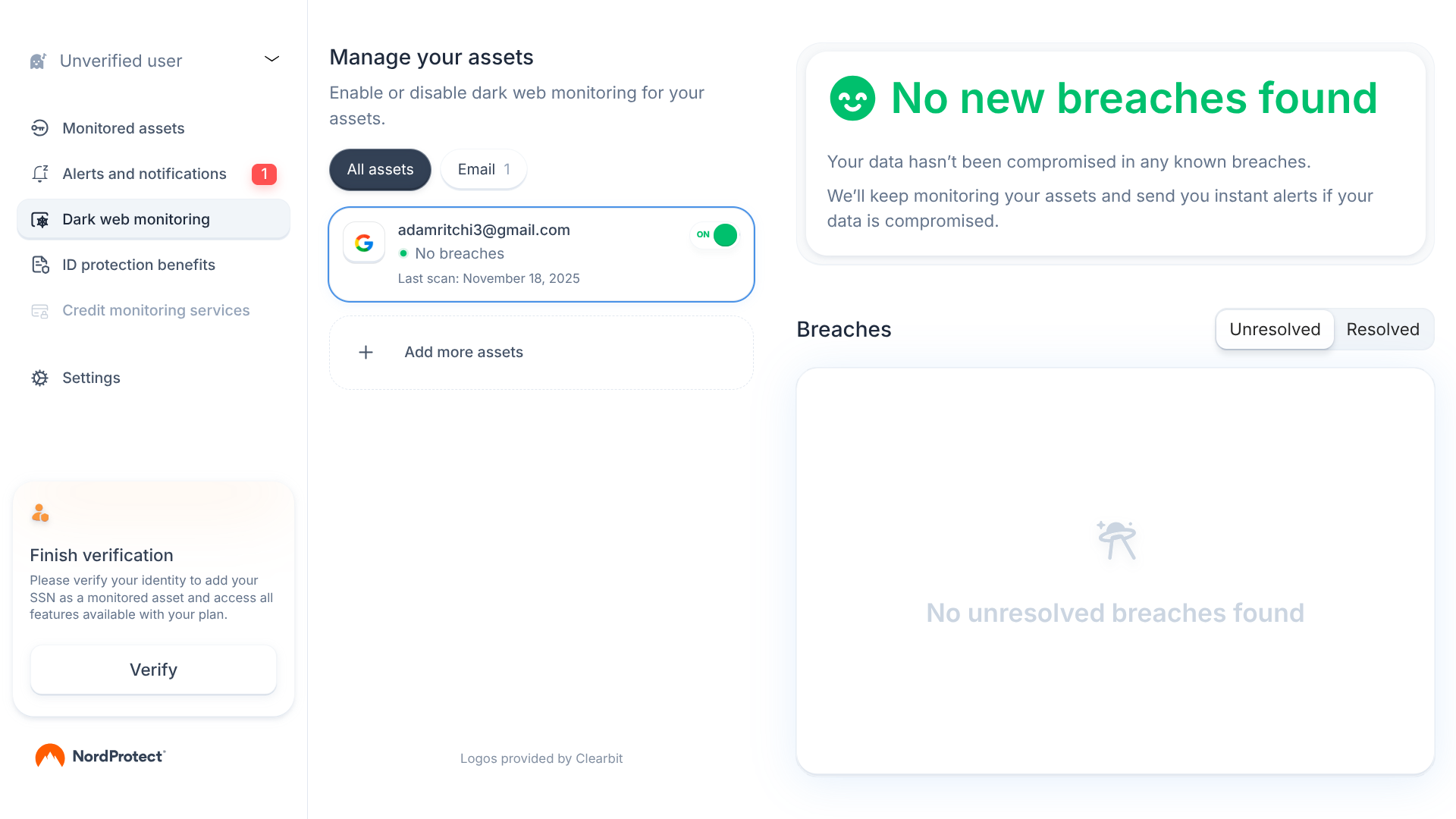
That said, NordProtect offers a range of other useful features, including dark web monitoring, criminal records monitoring, malware breach alerts, and a personal data removal service.
NordProtect’s VPN is particularly noteworthy here. It provides access to thousands of servers located in over 120 countries, as well as advanced features such as a kill switch, split tunneling, and double VPN/multi-hop capability.
Who is NordProtect best for?
NordProtect makes a lot of sense for those seeking both a VPN and identity theft protection.
Recent upgrades to NordProtect:
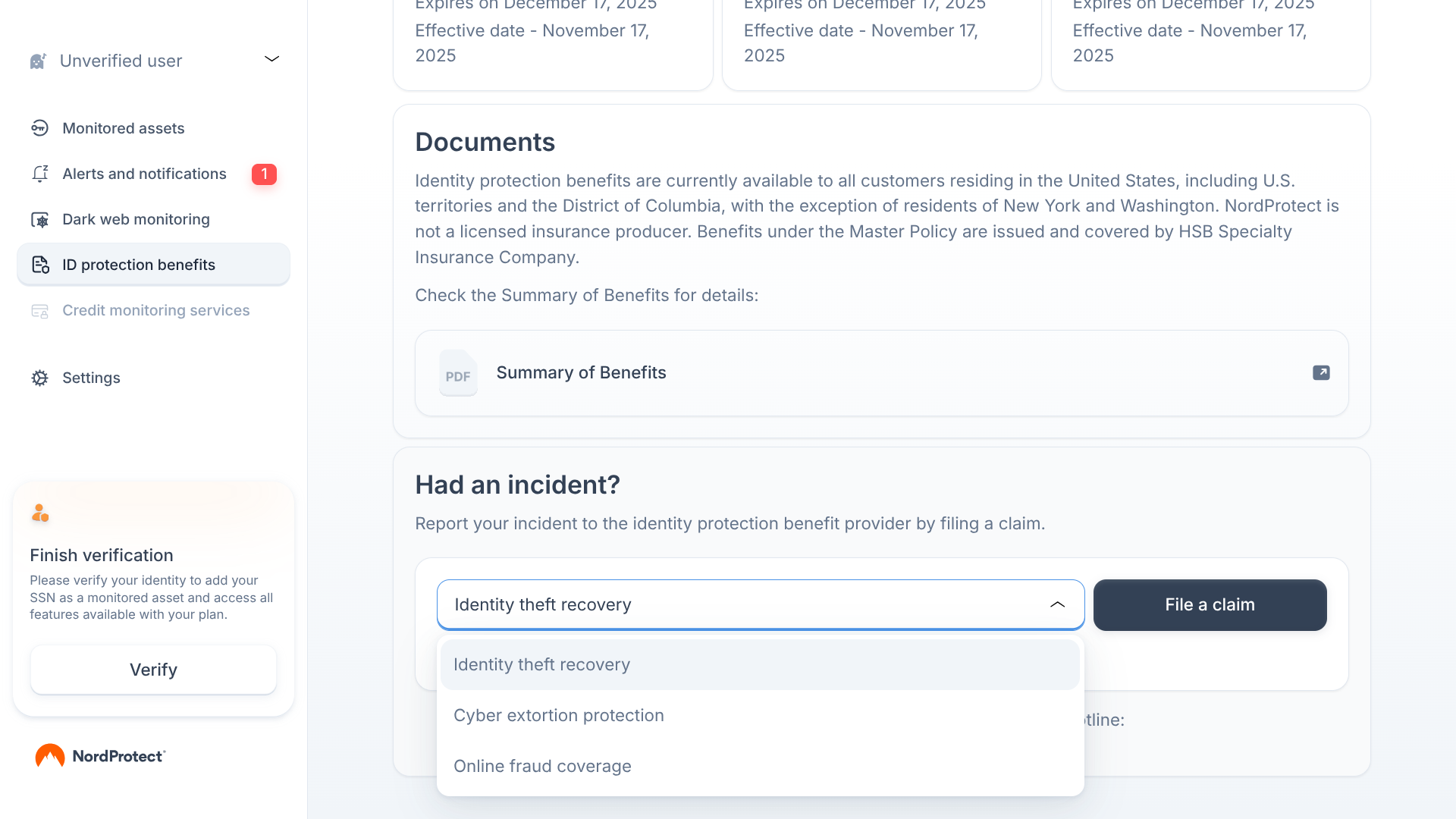
In 2025, NordProtect introduced online fraud insurance as a new feature. Even if your identity isn’t stolen, you still may suffer losses from cybercrime — this service provides up to $10,000 in coverage for fake money transfers, email spoofing, and other scams. This is in addition to the $10,000 in cyberattack coverage, $50,000 in cyber extortion protection, and $1 million in identity theft insurance already offered by NordProtect.
NordProtect’s pricing:
NordProtect offers three payment options for each of its plans: you can pay month-to-month, save money by paying for a year upfront, or save even more by paying for two years. For example, their Silver plan is $15.99 per month on a month-to-month basis, $83.88 for the first 12 months (then $167.88 per year), or $119.76 for the first 24 months (the renewal price for this option is also $167.88 per year).
Pros and cons of NordProtect:
To determine which services most deserved to be featured in this guide, I personally signed up for and tested the top options, evaluating them based on the following factors:
I prioritized services that provide reports from the three major credit bureaus (Equifax, Experian, and TransUnion), as this will allow you to spot credit inquiries that you didn’t initiate yourself.
Other security features I looked for include alerts for when your information has been leaked, dark web monitoring that helps you stay one step ahead of cybercriminals, and transaction monitoring that reviews your bank, credit card, and investment accounts for suspicious activity.
If your identity is ever stolen, quick and effective support will be necessary to limit the damage as much as possible. The best services provide 24/7 access to US-based identity remediation experts, who can handle all the legwork of contacting financial institutions and credit bureaus, completing the necessary paperwork, and disputing fraudulent activity on your behalf. Additionally, I searched for services that offered the highest limits of identity theft insurance coverage.
Identity theft protection services may have a web portal, a desktop application, or both. I tested out these platforms to make sure it’s easy to understand all the information that may be represented in a report or dashboard and quickly navigate to whichever features you may be interested in (e.g., if an app has a credit lock tool, it shouldn’t take much time for you to figure out how to find and use it).
Many services also offer a mobile app, and I tested these to ensure they provide fast performance and a user-friendly interface.
I analyzed the value each provider delivers for the cost, balancing security tools, support resources, and insurance limits against subscription price. For even more value, I looked for bundled extras, especially antivirus protection, a VPN, and a password manager. These three tools are particularly effective at preventing your personal data from being stolen in the first place.
All of the providers featured below offer a free trial or money-back guarantee. That means you’ll be able to test out any option that you’re seriously considering for yourself before you make a financial commitment.
I wanted to only include options that are accessible to the vast majority of people, so each of the services in this guide has either a web portal (can be used by anyone from their web browser of choice) or an app that’s available on all major operating systems (Windows, macOS, Android, and iOS). Extra points were awarded to providers that allow multiple household members (ideally, up to several adults and unlimited kids) to share the same plan.
Protecting your identity in 2026 requires more than just monitoring your credit. Personal data is constantly shared, stored, and exposed across online accounts, devices, and third-party databases, making identity theft a multi-layered risk. For comprehensive protection, consumers should consider a broader digital security approach that includes:
Many of the best identity theft protection services now bundle several of these tools into all-in-one security plans, offering stronger protection and greater peace of mind than standalone credit monitoring.
Identity theft protection services continuously monitor your personal and financial information for signs of fraud, such as new credit inquiries, data breaches, or suspicious transactions. When something looks off, they send you an alert, help you freeze or lock your credit if needed, and provide hands-on support to restore your identity and repair your accounts.
You might. With over a million identity theft reports filed each year, even careful consumers can have their data exposed in a breach they can’t control. Identity theft protection services help you spot problems faster than you likely could on your own and give you access to experts and insurance that can significantly reduce your out-of-pocket costs and stress.
Credit monitoring focuses mainly on changes to your credit reports, like new accounts or hard inquiries. Full identity theft protection offers much more: dark web monitoring, data breach alerts, bank and credit card transaction monitoring, social media and public records alerts, plus restoration services and insurance coverage in the event your identity is stolen.
Plans for the best identity theft protection services typically range from a few dollars per month for basic credit monitoring to $30–$40+ per month for comprehensive coverage with high insurance limits and family plans. When comparing prices, consider what’s included: three-bureau monitoring, restoration support, and extras like antivirus software, VPN, and a password manager can make a higher-priced plan a better overall value.
Yes, for many households. Family identity theft protection plans can cover multiple adults and children under a single subscription, which is often more cost-effective than purchasing separate accounts. These plans usually include child credit file monitoring, social media monitoring, and high shared coverage limits, helping protect everyone in the home from both financial fraud and online risks.
No service can guarantee you’ll never experience identity theft, but the best identity theft protection services make it much easier to detect fraud early and recover quickly. They combine proactive monitoring, 24/7 restoration support, and generous identity theft insurance so that if something does happen, you’re not handling it alone or paying all the costs yourself.

About The Password Manager, Gunnar Kallstrom:
Kallstrom, The Password Manager, is a Cyber Team Lead for a Department of Defense (DOD) contracting company in Huntsville, Alabama, and has worked as a Computer Network Defense (CND) Cyber Analyst. An author and content creator for a cybersecurity academy, Kallstrom spent nearly 15 years in the Army as a musician before entering the cybersecurity field.
He holds a bachelor’s degree in music from Thomas Edison State University and a master’s in organizational development and leadership from the University of the Incarnate Word.
Kallstrom has completed several CompTIA courses, including Security+, Network+, A+ Core 1, and A+ Core 2. He earned a Computing Technology Industry Association (CompTIA) Security+ Certification. Additionally, he has completed the Cyber Warrior Academy program with more than 800 hours of hands-on, intensive, and lab-driven technical training in cybersecurity methods and procedures.
Passionate about all things cyber, Kallstrom was a speaker on a panel at the 2022 InfoSec World conference, giving a talk entitled “Hacking into a Cyber Career – True Stories.” Kallstrom is also a mentor to entry-level cybersecurity candidates seeking to break into the field. When he’s not working, he still enjoys playing guitar and fishing (not phishing).