

By:Gunnar Kallstrom , Updated June 2, 2026 Head of Information Systems and Cybersecurity Research
Updated June 2, 2026Virtual private networks (or VPNs for short) can offer extra layers of security, help protect your private info, and open up more streaming entertainment options than what might be locally available. And while Apple likes to tout the security and privacy measures built into its Mac platform, adding a capable VPN service could make a good online experience even better.
Sorting through the best VPN services for Mac can be a daunting task, however, especially with all the stats and features on offer. For this guide, I’ll showcase the very best services and highlight what to look for when choosing the best option for your needs.


AES-256 encryption, no-logs policies, kill switches, and advanced protections like multi-hop and threat blocking.
Large worldwide server coverage ensures reliable speeds and access to geo-restricted content.
Works across desktop, mobile, browsers, and often smart TVs or routers.
Fair pricing with trials or money-back guarantees, plus intuitive apps that are easy to use.
| Starting Price (4.5/5) | Security (5/5) | Server Coverage (5/5) | UX (4.9/5) | Compatibility (5/5) | Connectivity (4.8/5) | Top Features |
|---|---|---|---|---|---|---|
| $3.09 per month (2-year plan) | Double VPN, kill switch, no logs policy | 8,800+ servers in 177 locations | Clean Mac app with a useful menu bar dropdown option | Mac, Windows, Linux, Android, iOS, Chrome, Firefox, Edge | Up to 10 devices at one time | — Threat Protection filter — Dark web monitoring — Meshnet — Dedicated IP — SmartPlay |
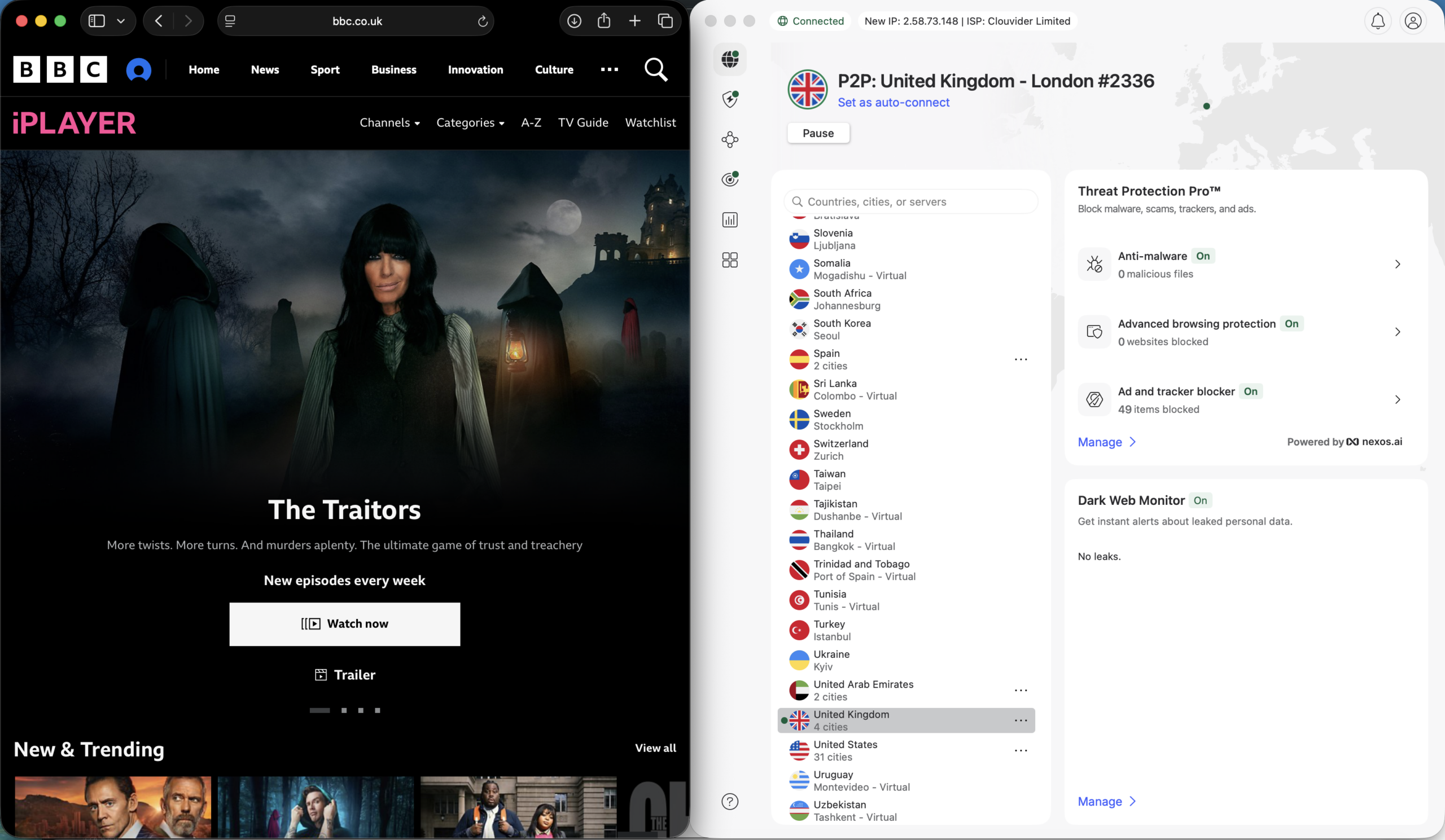
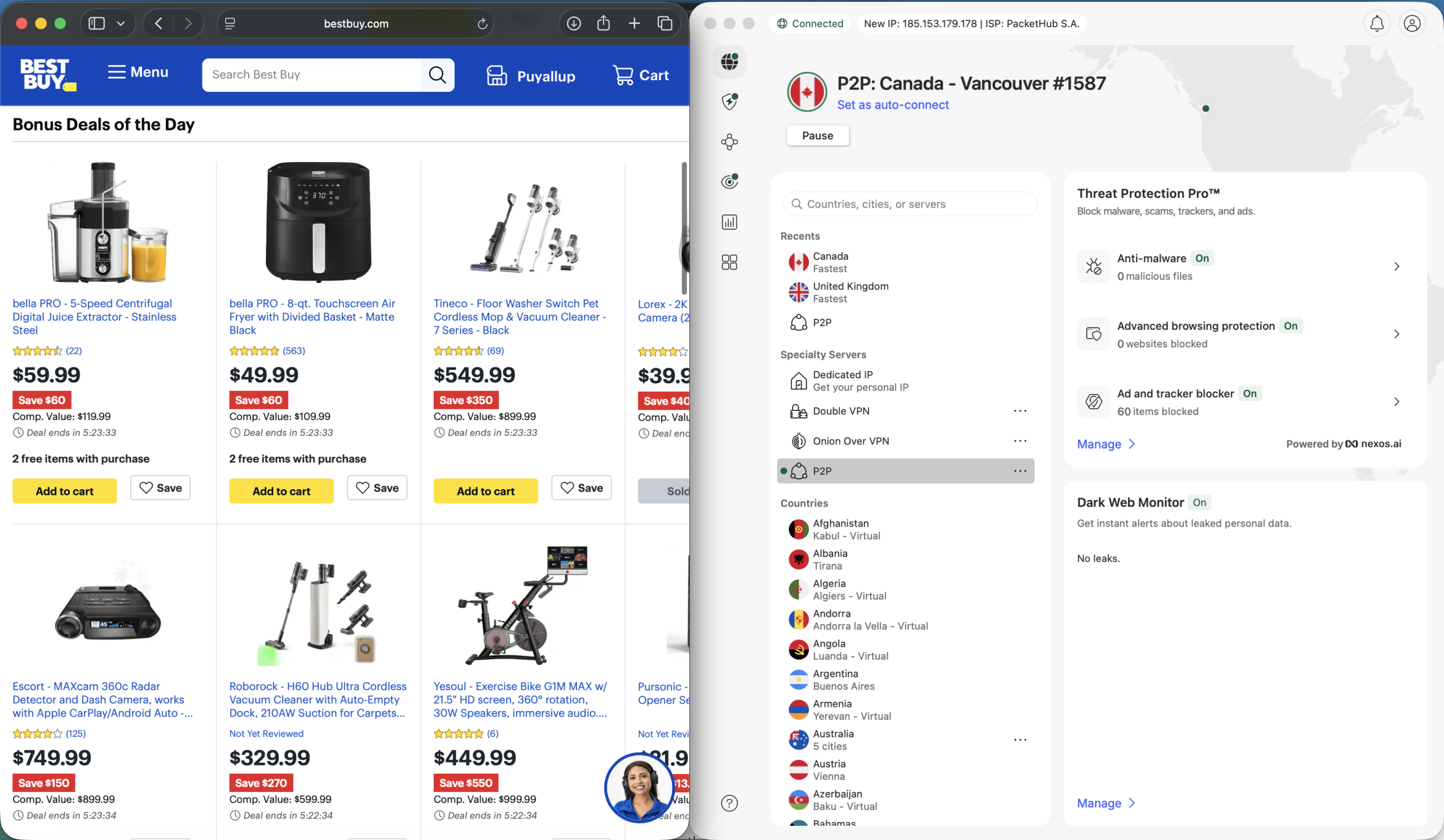
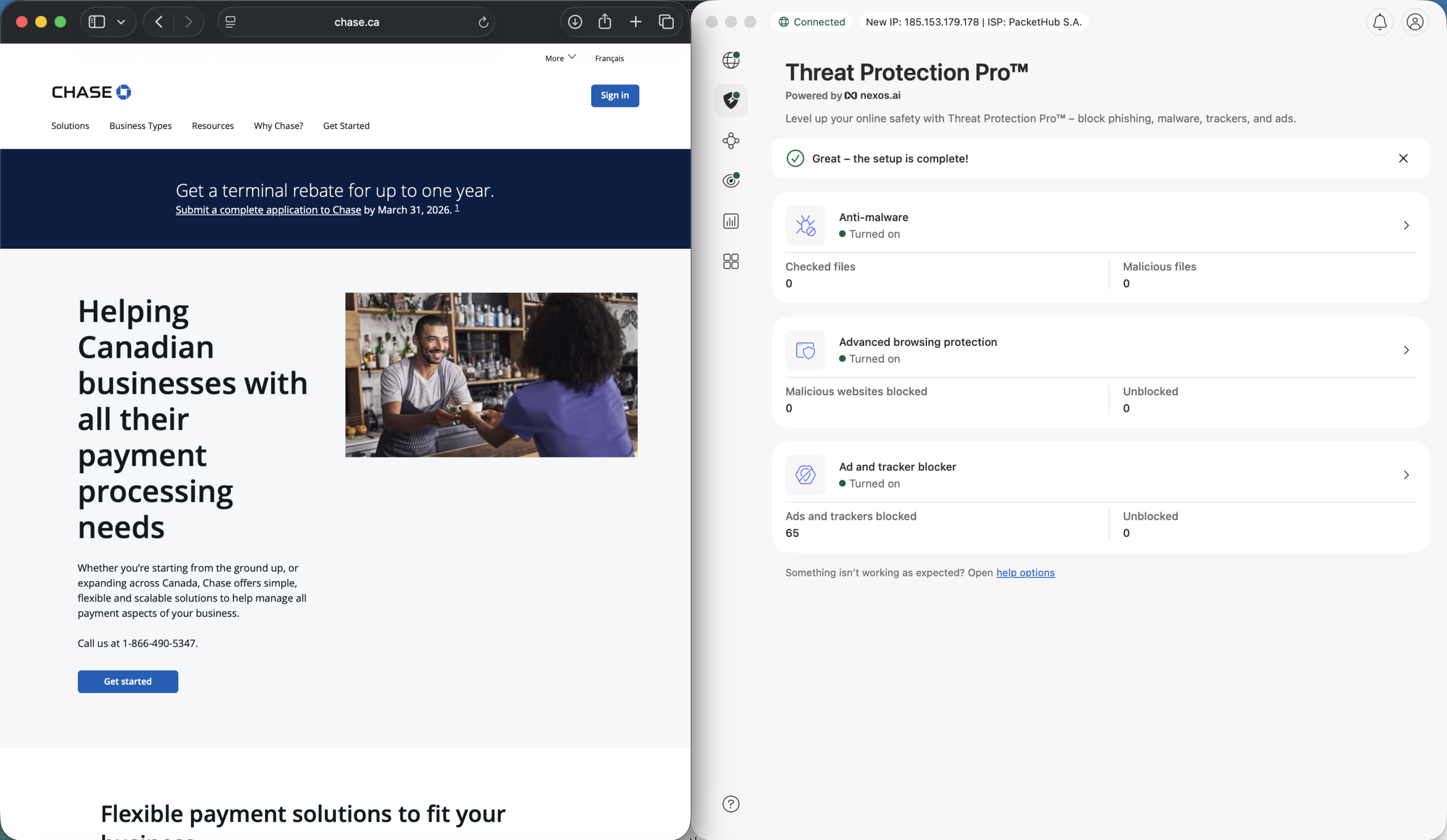
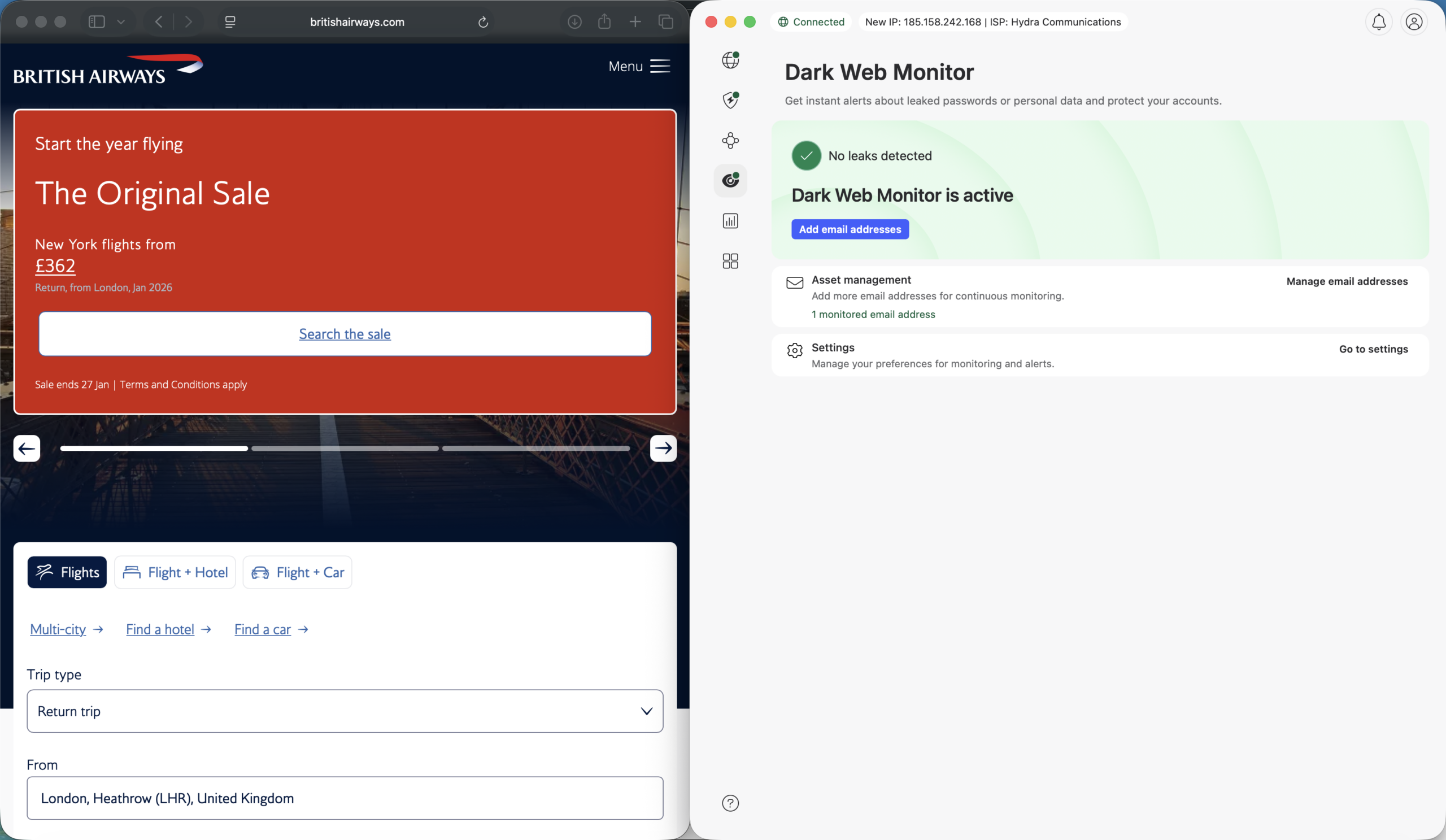
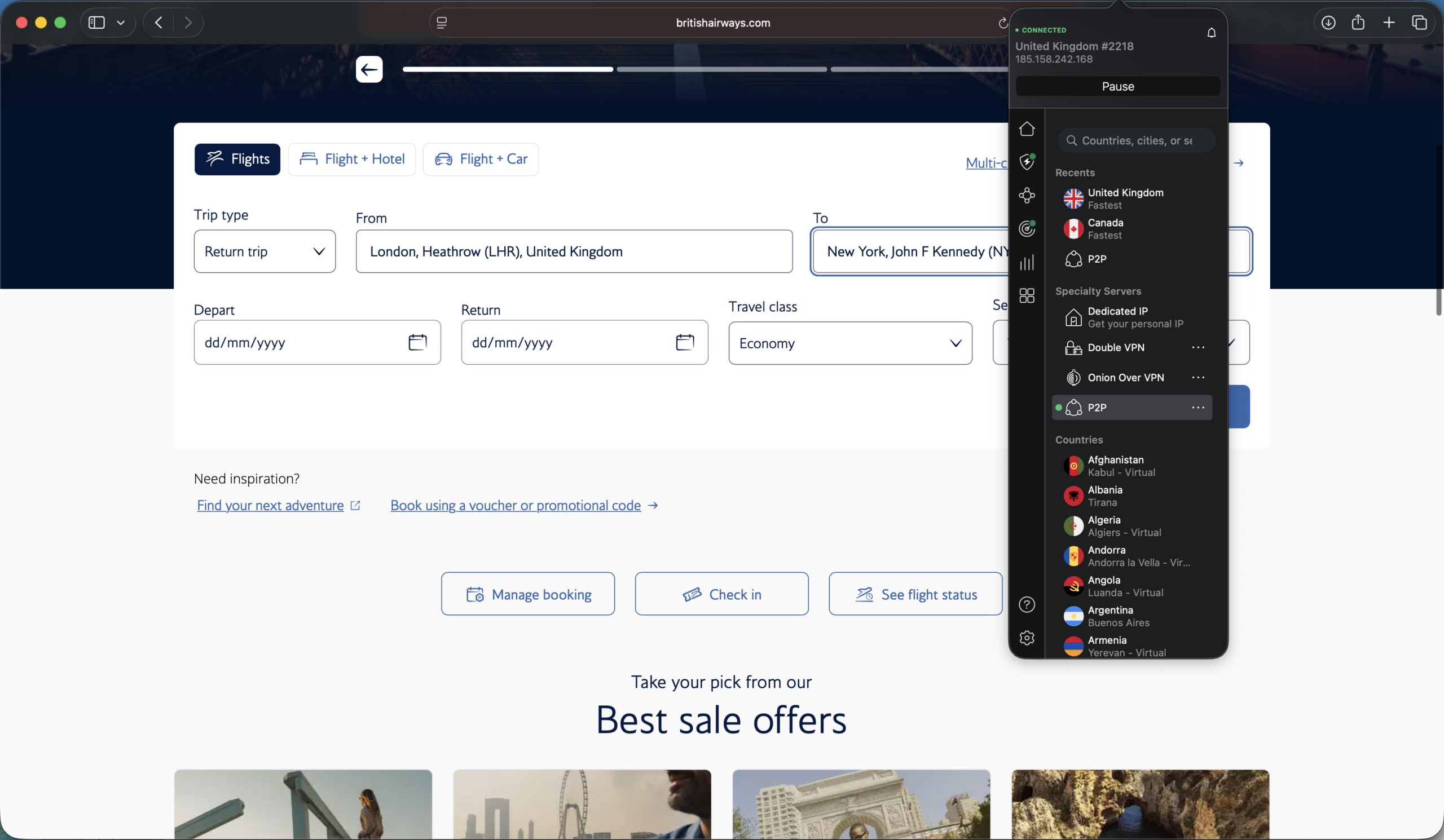
NordVPN combines solid security and privacy options with an impressive server count and wraps it all up in a clean, easy-to-use app that plays well with the current macOS design. On startup, the simple, well-organized menus make it easy to navigate through the list of available servers. From the app’s home screen, you can also keep tabs on NordVPN’s other features, such as Threat Protection Pro, which can block malware, trackers, ads, and other security threats.
Legible icons along the side lead to more in-depth options, like a dashboard for real-time statistics, and a section with offers for NordVPN’s other security services, like NordLocker (secure cloud storage).
You can also find more security settings in the profile area, including a kill switch option for preventing accidental data leaks. However, split tunneling is currently not available via NordVPN’s Mac app.
I wish the app window offered more resizing options — at its smallest, the app occupies more than a quarter of the screen. Those looking for more out-of-the-way controls should appreciate the drop-down menu bar option, which offers access to the server list and connect/disconnect options.
Who is NordVPN best for?
Those who value a clean, approachable app alongside robust security and privacy features should check out NordVPN. And if your desire for a safe online experience extends beyond what a VPN alone can offer, Nord Security’s other tools (like a password manager), could make some of its higher-tier plans more attractive.
Recent upgrades to NordVPN:
In December 2025, NordVPN added around 30 virtual locations to its roster. These offer access to a geographic location even though the physical server is located elsewhere. This latest upgrade brings NordVPN’s virtual location total to 79, with more scheduled to be added in the future.
NordVPN’s Pricing:
NordVPN offers a number of pricing plans and options, varying by term length and/or features offered. The Basic monthly plan starts at $3.39 per month for a two-year plan. The Plus, Complete, and Prime plans, ranging from $4.39 to $7.39 per month, add on attractive features like anti-malware protection, ad blockers, a password manager, and cloud storage. Those yearly plans offer significant discounts for the first one or two years of use, but the price increases after the promotional period.
Pros and cons of NordVPN
| Starting Price (4.7/5) | Security (5/5) | Server Coverage (4.9/5) | UX (4.4/5) | Compatibility (5/5) | Connectivity (5/5) | Top Features |
|---|---|---|---|---|---|---|
| $1.99 per month | Double VPN, kill switch, RAM-only servers, no logs policy | 4,500+ servers in 100 locations | Easy-to-use interface with responsive layout, but the menu bar dropdown lacks a full server list, and the Mac app isn’t resizable | Mac, Windows, Linux, Android, iOS, Chrome, Firefox, Edge | Unlimited devices at once | — Alternative ID feature — Optional identity theft coverage — Optional antivirus |
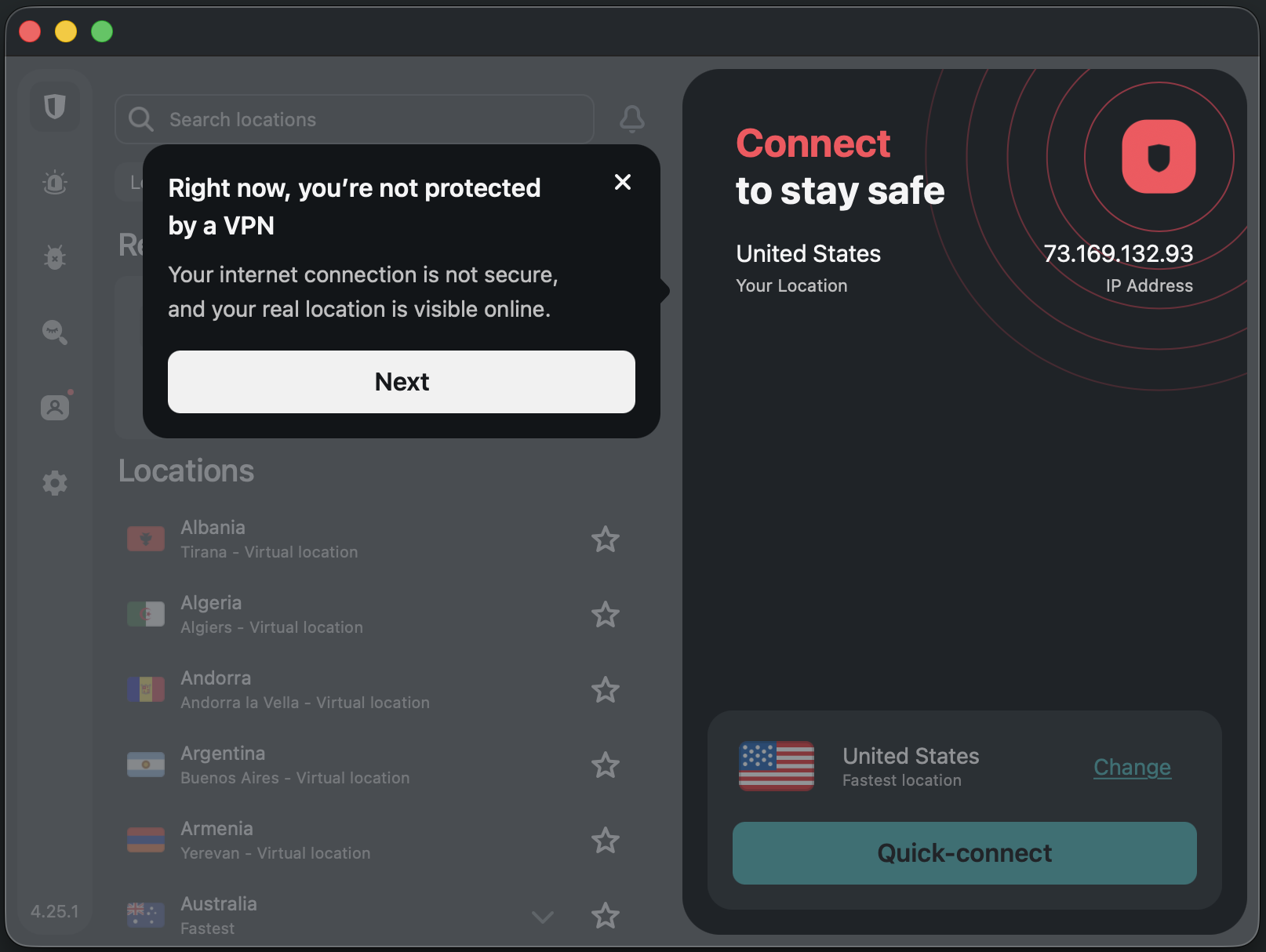
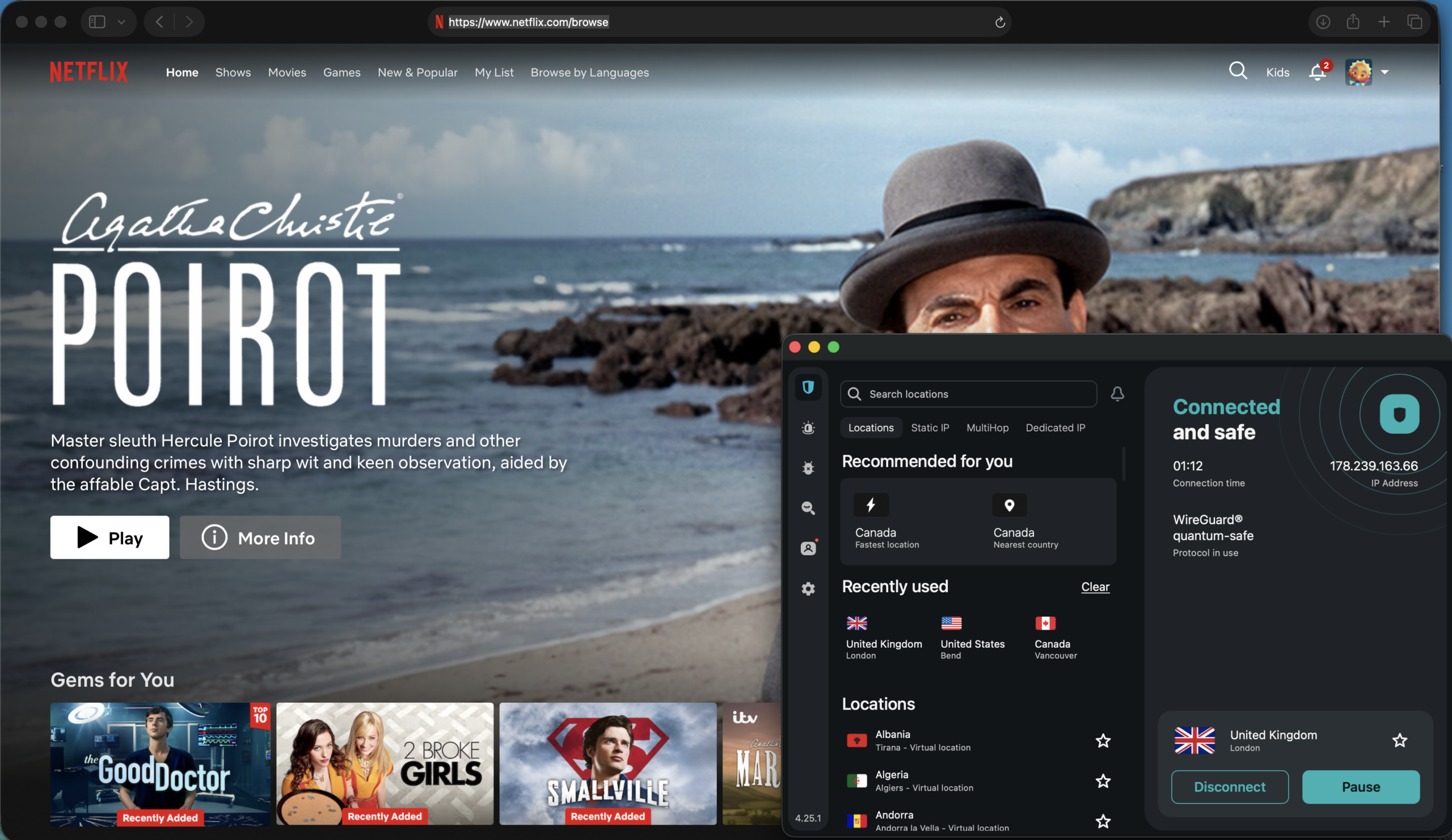
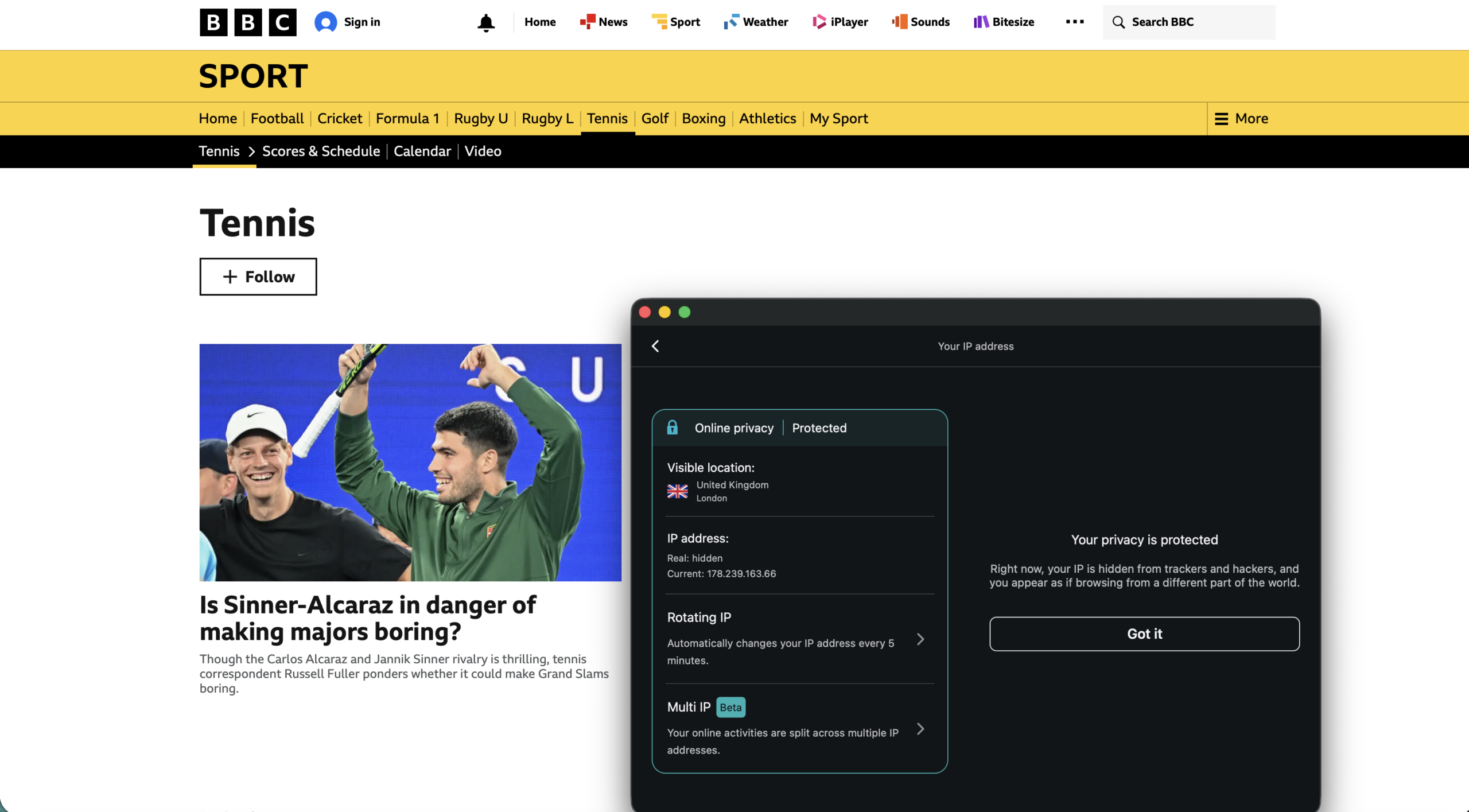

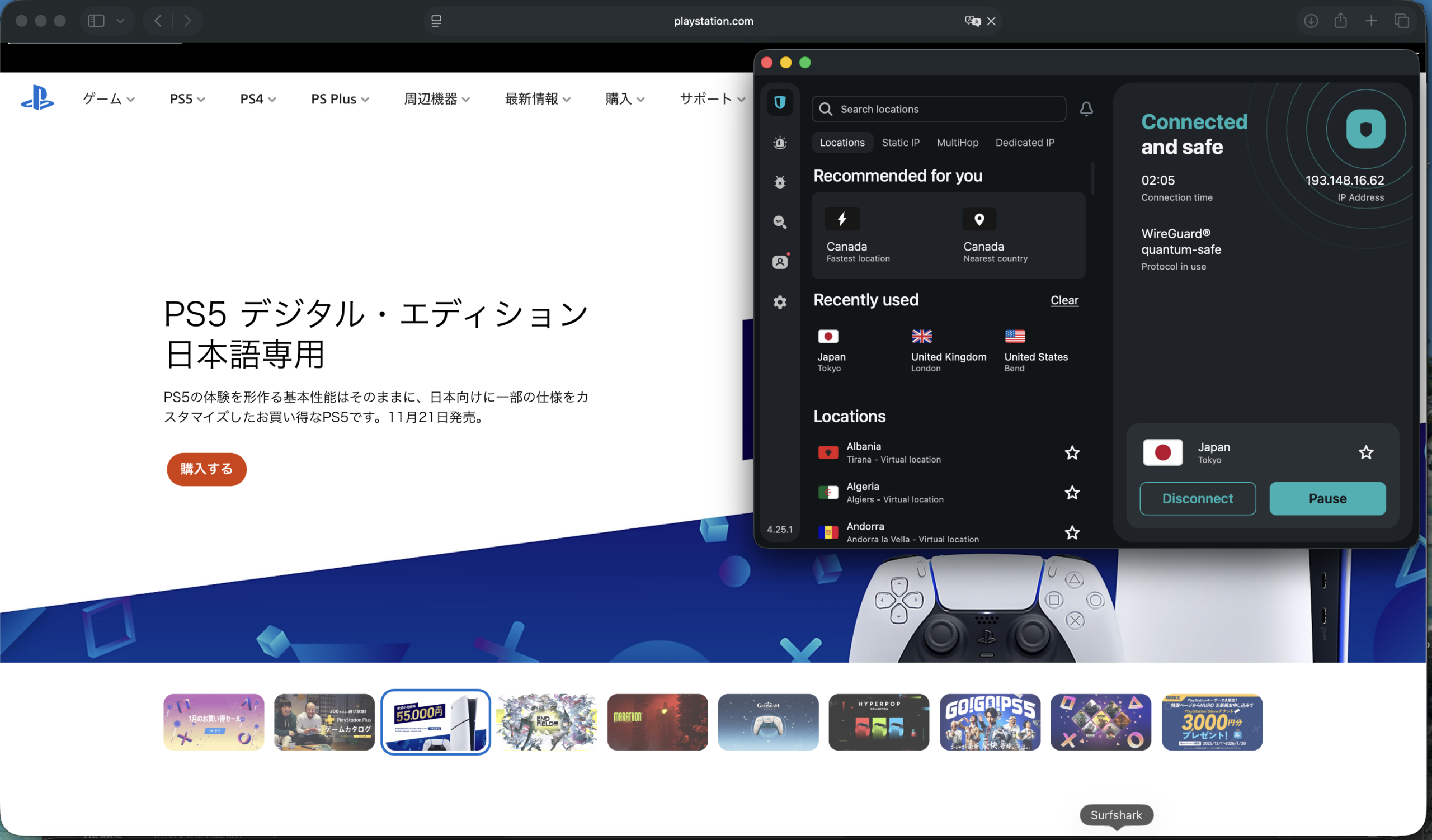
Surfshark’s Mac app offers a clean, accessible design with support for light and dark modes. Each menu and section is well-organized, and it’s easy to find what you’re looking for. The app itself isn’t resizable, so you’re stuck with the square window.
If that gets in the way, you can rely on the handy menu bar drop-down, which offers access to connect/disconnect controls, a pause menu, and recent servers. Mac users can also access split tunneling via a beta version of Surfshark’s Bypasser feature.
Beyond the long list of 4,500+ available servers, Surfshark also offers handy features like Alternative ID, which lets you create alternative email addresses and other personal details for use on sites and services. Other features, such as antivirus and safe search tools, are included in higher plans like One and One+.
Who is Surfshark best for?
Surfshark’s clean app, robust suite of security and privacy tools, and healthy discounts on longer-term plans make it a great option for those ready for a one- or two-year commitment.
Recent upgrades to Surfshark:
In October 2025, Surfshark increased its overall server count to more than 4,500 worldwide, with increased options in the US, UK, and Japan. It also added an email scam checker feature for its One and One+ subscribers.
Surfshark’s Pricing:
While Surfshark’s monthly pricing ($15.45) falls behind some competitors, the one- and two-year plans offer significant discounts if you’re ready for a longer-term plan. The Starter plan includes strong VPN tools and features, including Surfshark’s Alternative ID feature. Meanwhile, the higher-end One and One+ plans add antivirus, safe search, personal alerts, and more.
Pros and cons of Surfshark
| Starting Price (4.7/5) | Security (5/5) | Server Coverage (5/5) | UX (4.7/5) | Compatibility (4.6/5) | Connectivity (4.8/5) | Top Features |
|---|---|---|---|---|---|---|
| Free | No-logs policy, double VPN, kill switch, split tunneling (experimental on macOS) | 15,000+ servers in 129+ countries | Clean, responsive app, resizable down to a “sidebar” style, useful menu bar dropdown | Mac, Windows, Linux, Android, iOS, Chromebook, Chrome, Firefox, Android TV, Fire TV | Up to 10 devices at one time | — NetShield ad blocker — Optional secure cloud storage — Optional secure email |
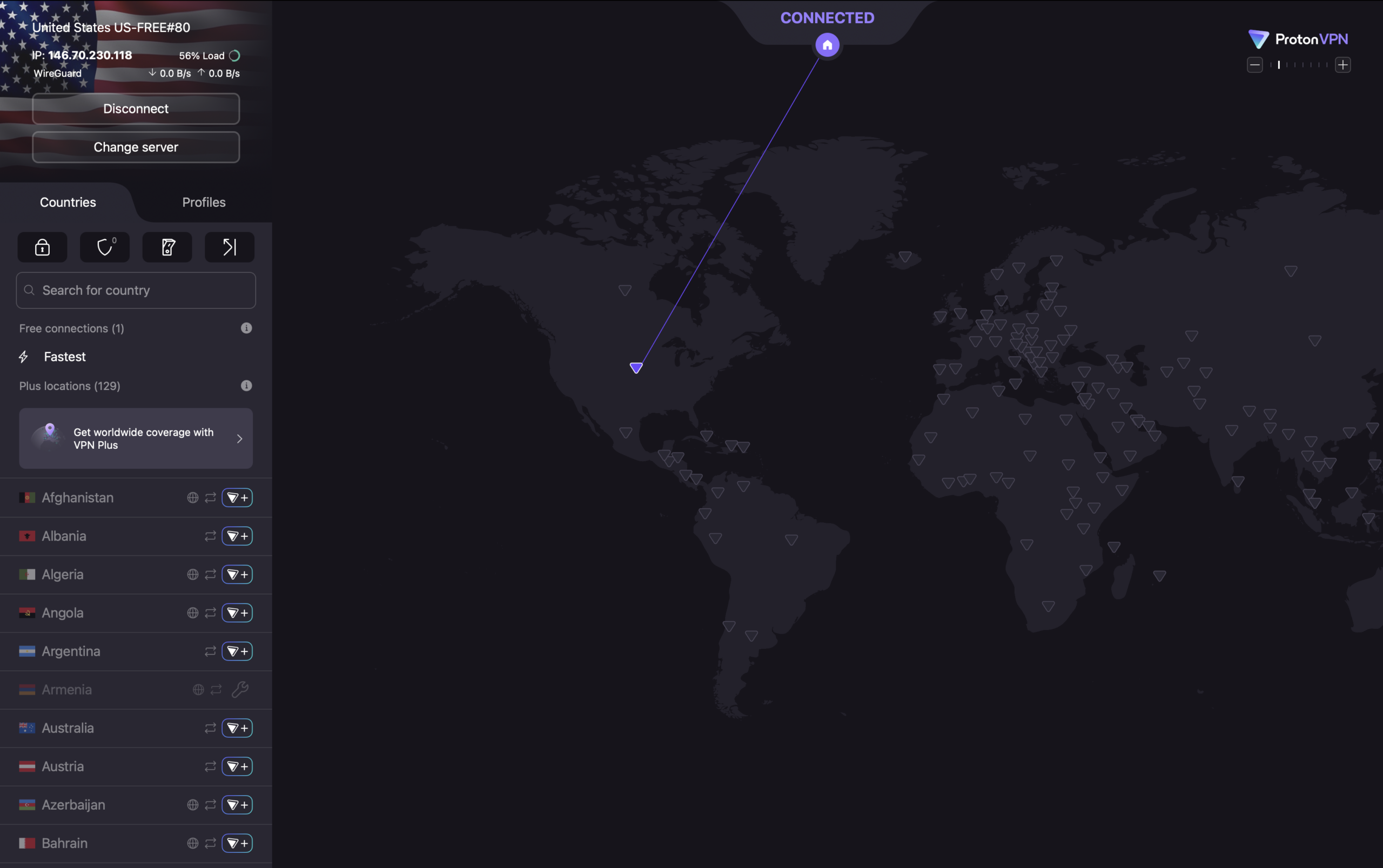
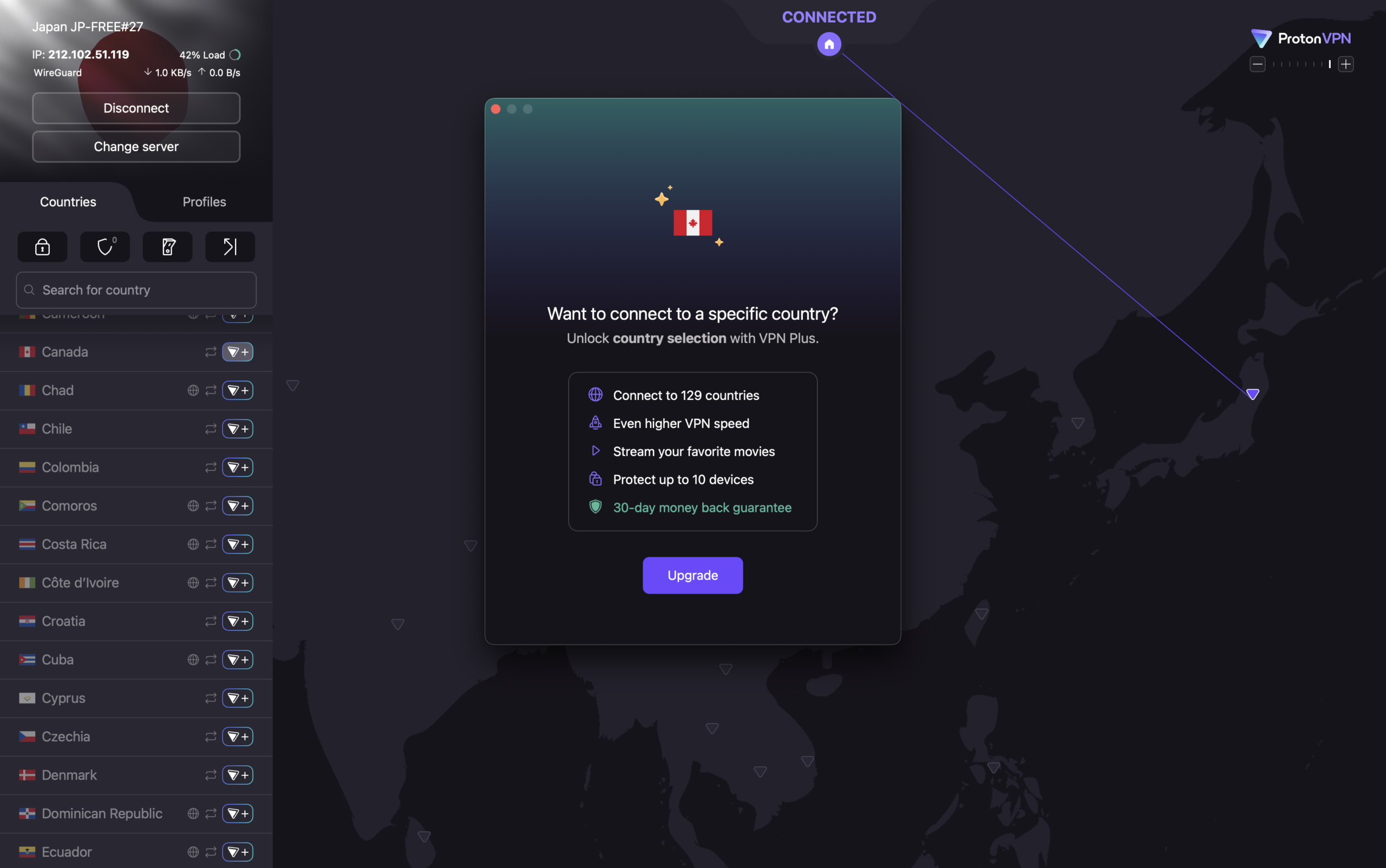
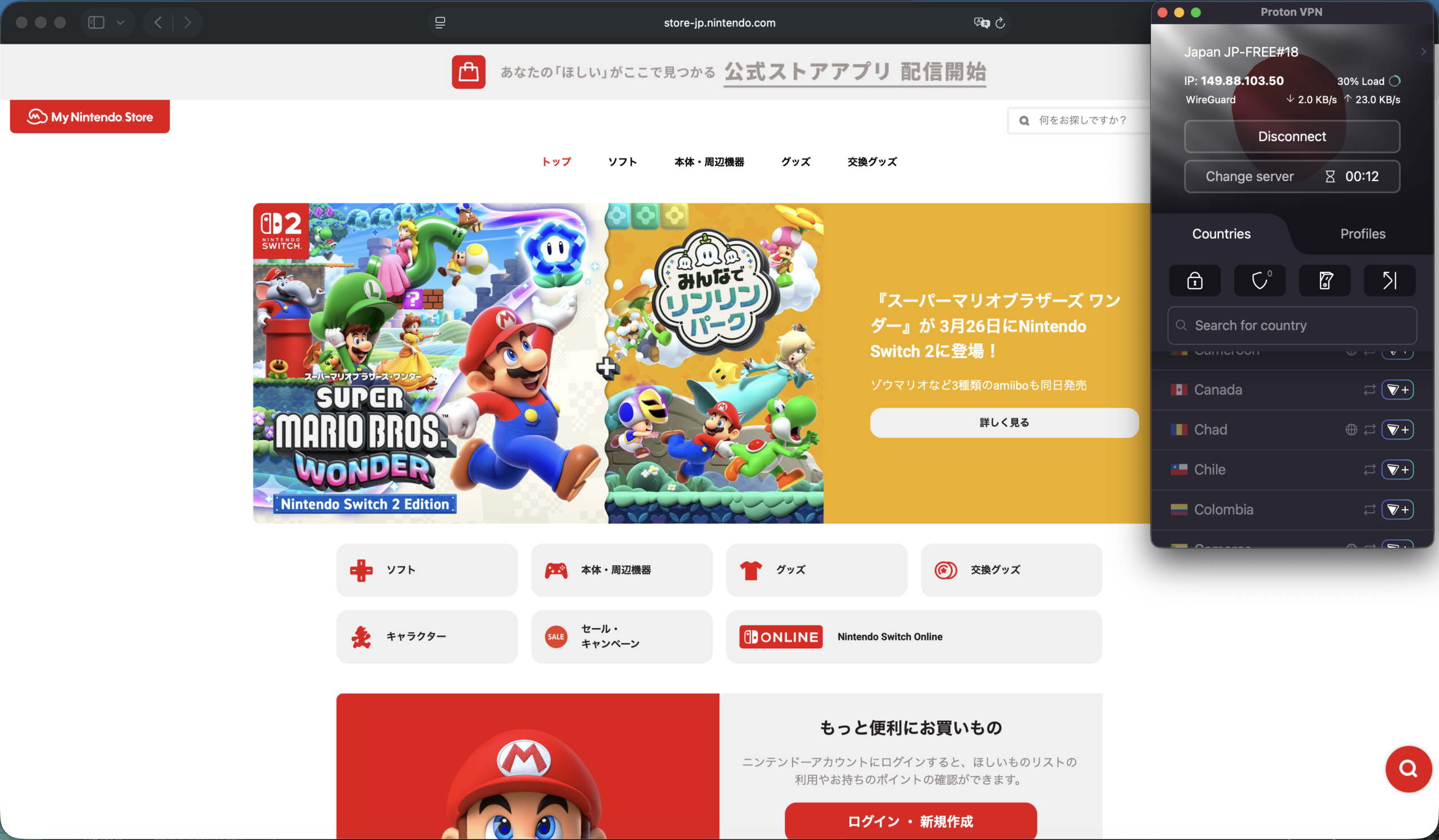

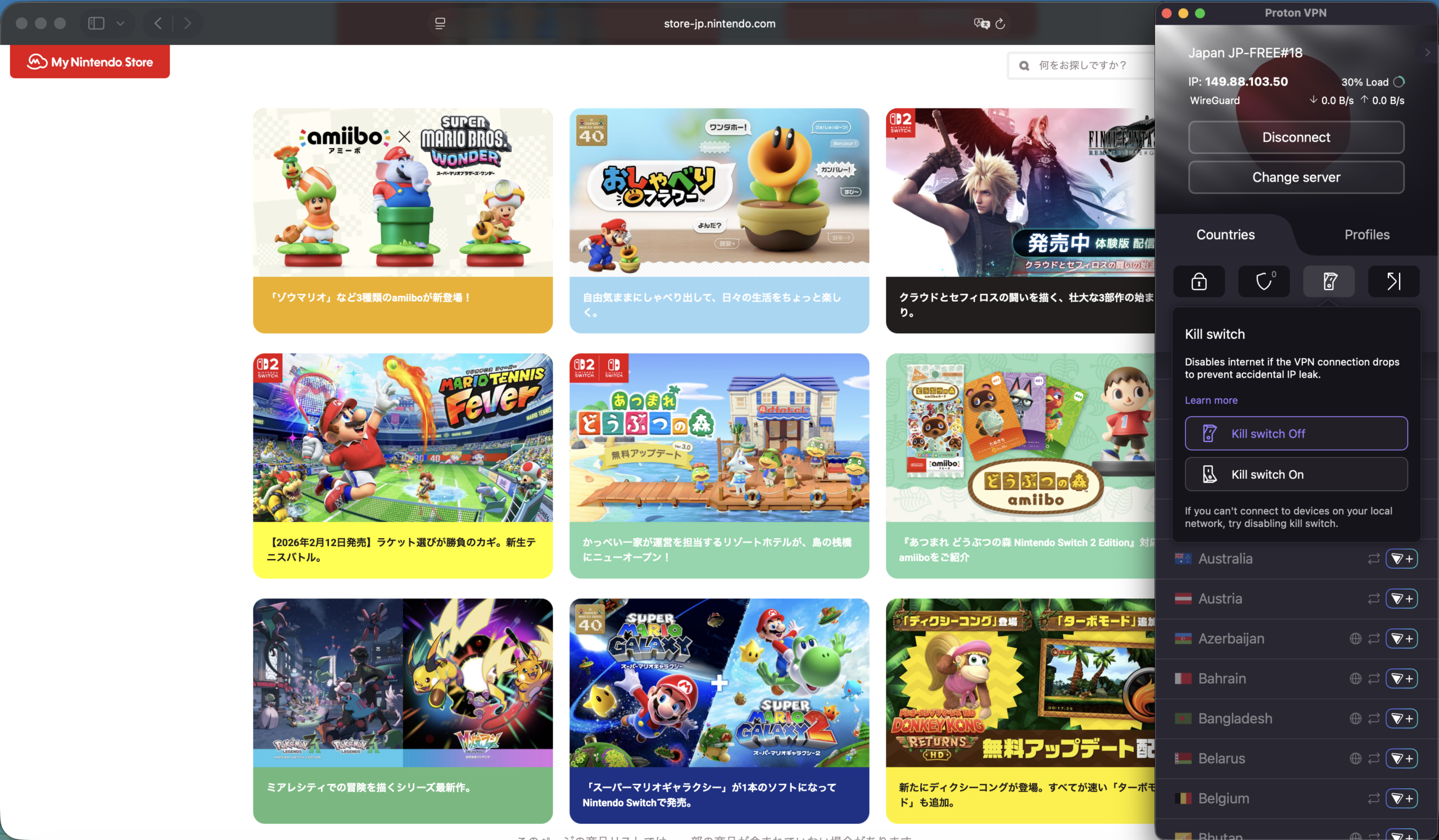
Proton VPN’s free tier offers users a great intro into the service’s offerings, and it might be just enough for certain users. The free option limits you to what the provider calls “medium” VPN speeds, but the available speeds seemed just fine for streaming and light gaming. You’re also limited to a subset of servers unless you opt for a paid plan.
The Mac app lacks some customization options, like support for light and dark modes. But the features on hand are useful, such as dedicated icons for port forwarding and a kill switch.
Unsurprisingly, many of the app’s more advanced features, like accessing the lengthy server list, are locked until you upgrade to a paid plan. That includes split tunneling, which ProtonVPN currently lists as “experimental” on its Mac app. Users on those plans can also create custom profiles to save favorite servers and set up custom protocols.
Who is Proton VPN best for?
Both experienced users and those exploring VPNs for the first time would be wise to check out Proton VPN — partly because of its limited, but useful free version, as well as the long list of features available in its paid plans.
Recent upgrades to Proton VPN:
In January 2026, Proton VPN announced that it would no longer support manual OpenVPN configuration files downloaded before September 2023. The move is part of an ongoing effort to shift to more modern VPN protocols, and a recent blog post lays out recommendations for anyone still using those older configs.
Proton VPN Pricing:
Beyond the appropriately named Proton Free plan, you can choose VPN Plus or Proton Unlimited, which cost $9.99 and $12.99 per month, respectively. Those monthly rates drop if you opt for one- or two-year plans. For example, the VPN Plus plan drops to $3.99 per month on a one-year plan. That plan unlocks Proton VPN’s full list of 15,000-plus servers, malware protection, and more. The Proton Unlimited plan adds more cloud storage and more robust, secure email and password manager features.
Pros and cons of Proton VPN
| Starting Price (4.6/5) | Security (5/5) | Server Coverage (4.6/5) | UX (4.7/5) | Compatibility (4.9/5) | Connectivity (5/5) | Top Features |
|---|---|---|---|---|---|---|
| $1.33 per month | No-logs policy, kill switch, double VPN/multi-hop, RAM-only servers | Servers in 90+ countries | Flexible, configurable Mac app, user-friendly menus | Mac, Windows, Linux, Android, iOS, Chrome, Firefox, FireTV, Chromecast, Apple TV, Roku TV, Chromebook, PlayStation, Xbox, Switch, Steam Deck, Routers | Unlimited devices at one time | — Highly configurable Mac app — Split tunneling support — Competitive pricing — Well-established name |
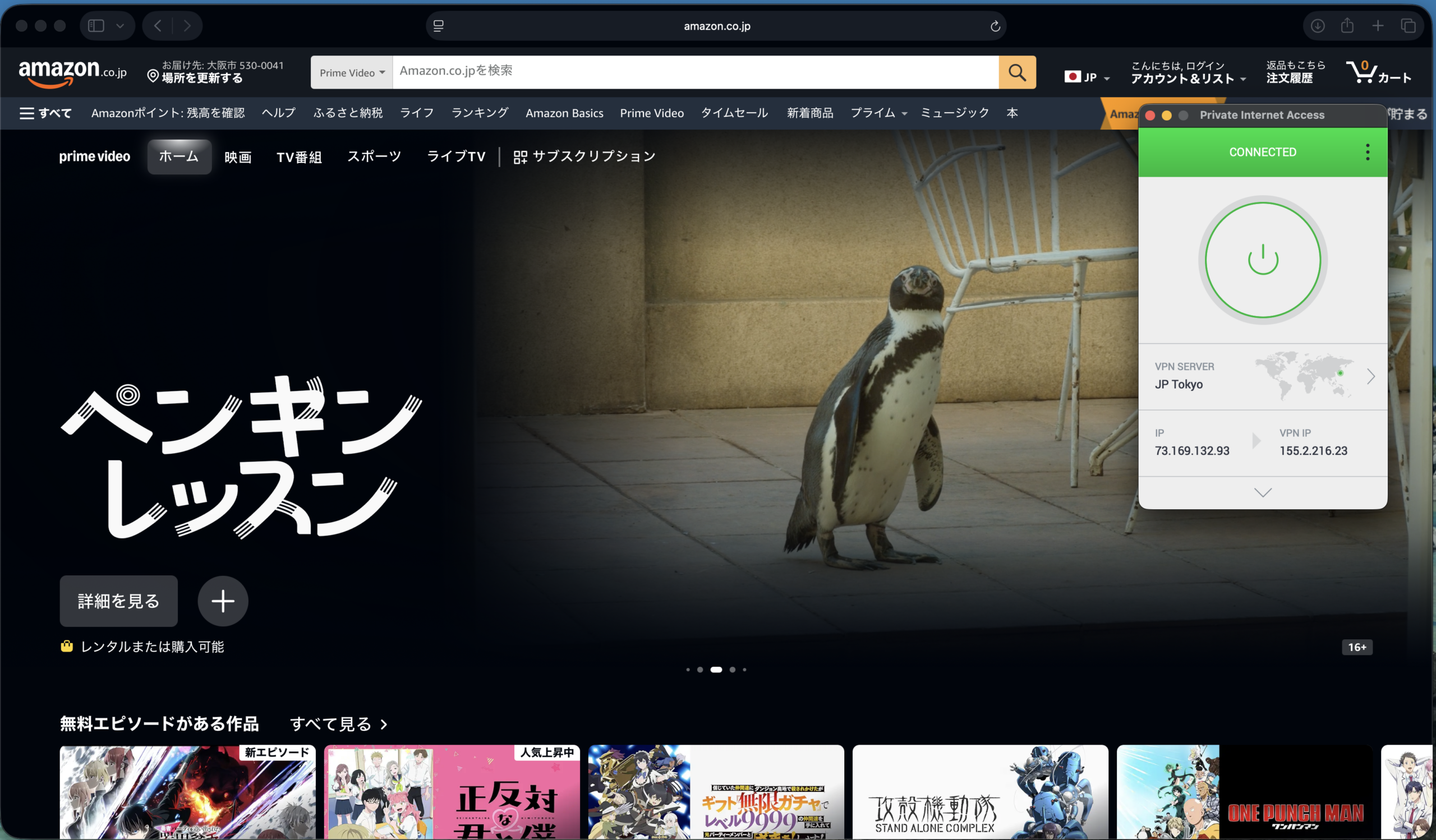



Private Internet Access combines solid security features, good pricing, and a highly configurable Mac app all into a competitive option. It might not be obvious at first, but the Mac app displays info in discrete modules that you can reorder and rearrange to your liking.
Overall performance was strong, but I did run into a few issues establishing a successful connection via the Mac app during testing.
Beyond the flexible app layout, the available features are impressive. Mac users get access to a kill switch feature, split tunneling, multi-hop, and more. That said, the overall look isn’t quite as modern-looking as some rivals.
Who is Private Internet Access best for?
Users on the hunt for a well-established VPN service with a strong feature set and a highly tweakable app should give Private Internet Access a long look.
Recent upgrades to Private Internet Access:
In 2024, Private Internet Access made a pair of moves that benefited Mac users in particular. One was the reintroduction of split tunneling to the service’s dedicated Mac app. Secondly, the service began allowing unlimited devices per account.
Private Internet Access’ Pricing:
Private Internet Access’s monthly pricing starts at $11.95 per month. Long-term plans include one-year and three-year (plus four months) options. You can also select add-ons like antivirus protection and a dedicated IP for additional monthly fees.
Pros and cons of Private Internet Access

| Starting Price (4.5/5) | Security (5/5) | Server Coverage (5/5) | UX (4.4/5) | Compatibility (4.7/5) | Connectivity (5/5) | Top Features |
|---|---|---|---|---|---|---|
| $12.99 per month | Double hop, RAM-only servers, kill switch | 3,200+ servers in 150+ locations | Optional tutorial on startup, large app window, menu bar drop-down is large but lacks server/country selector | Mac, Windows, Linux, Android, iOS, Chrome, Fire TV, Apple TV, Routers | Unlimited devices at once | — Optional cloud storage — Optional file sharing — eSIM data — Optional secure browser |
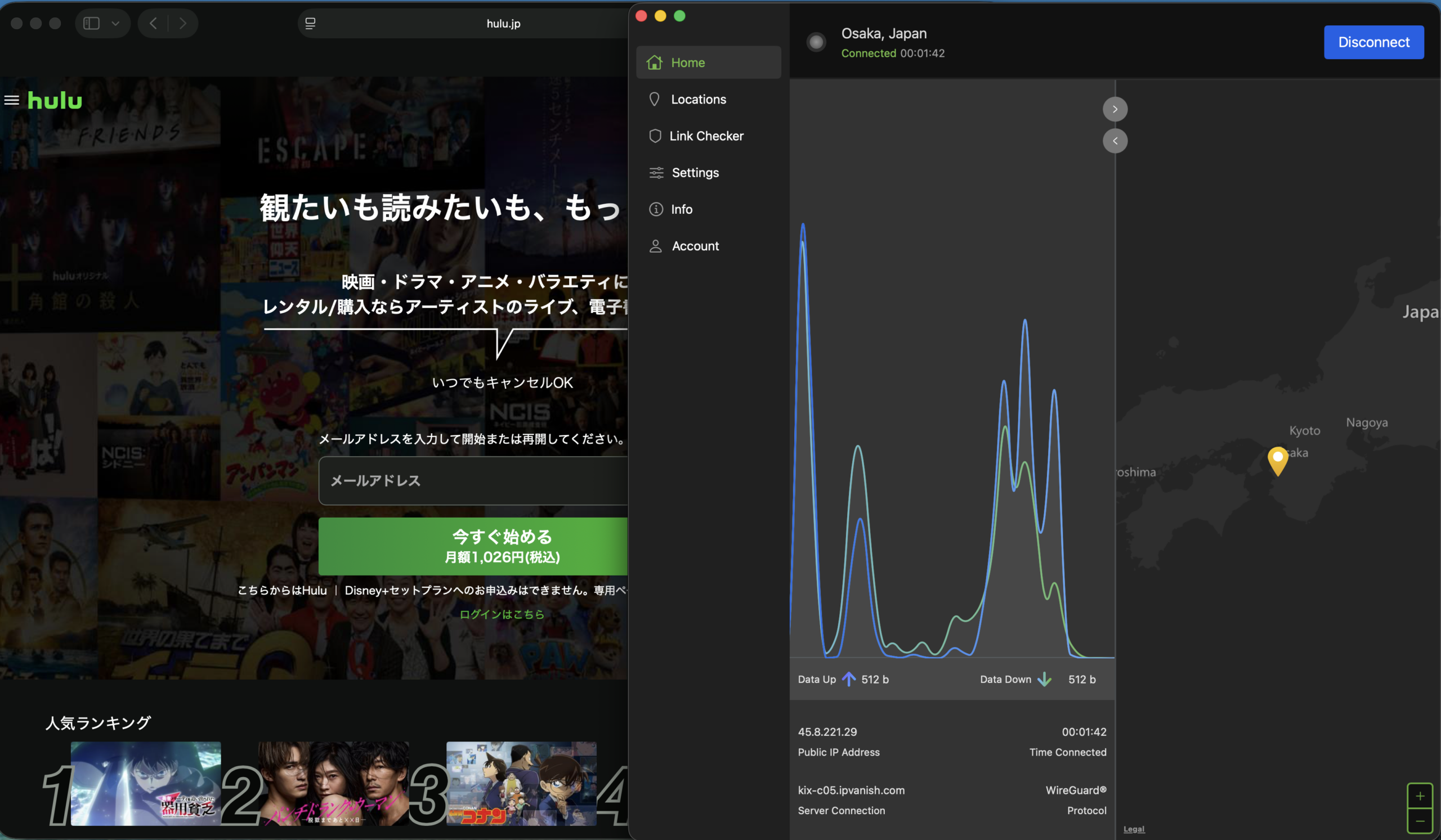
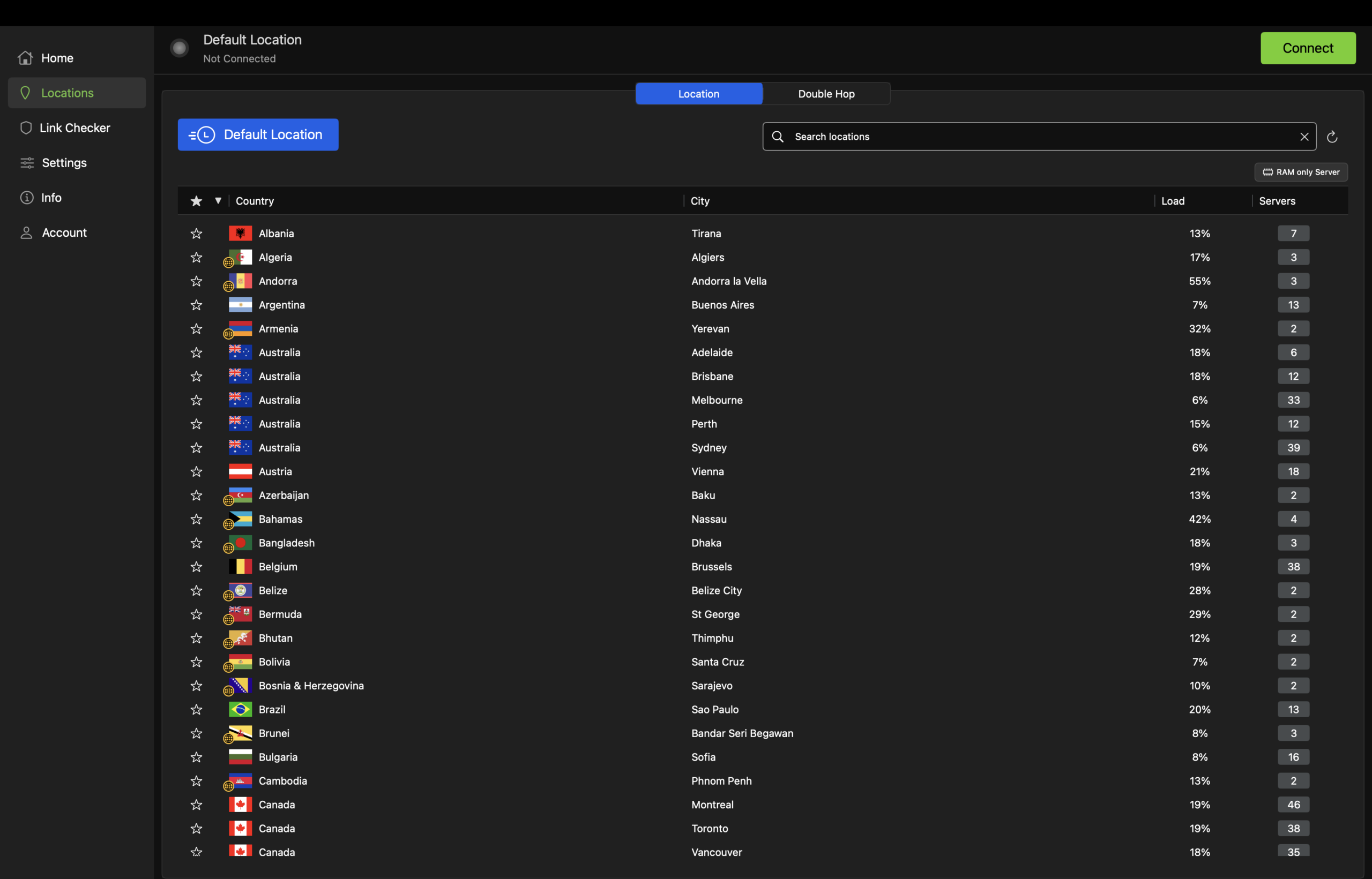
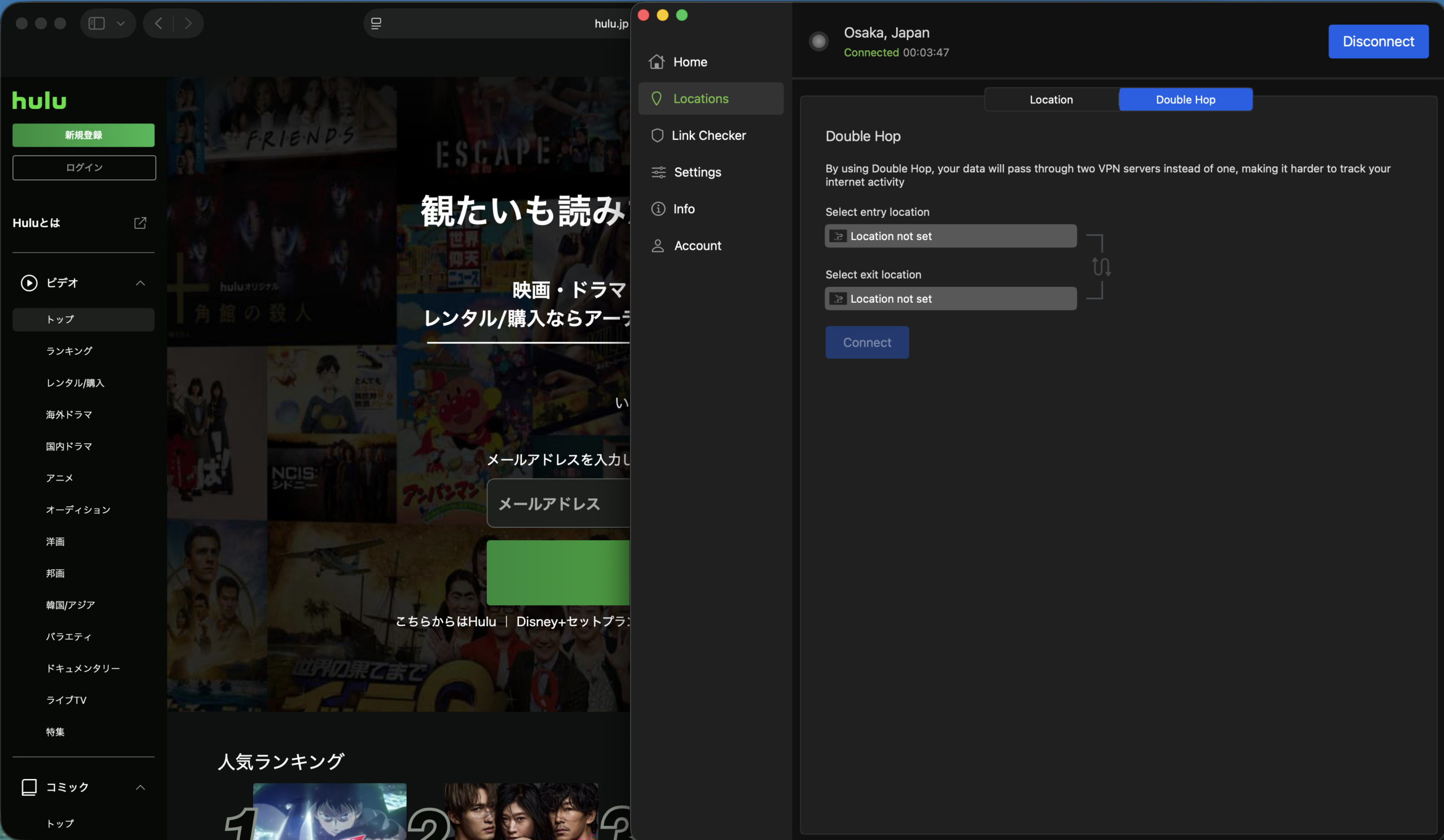
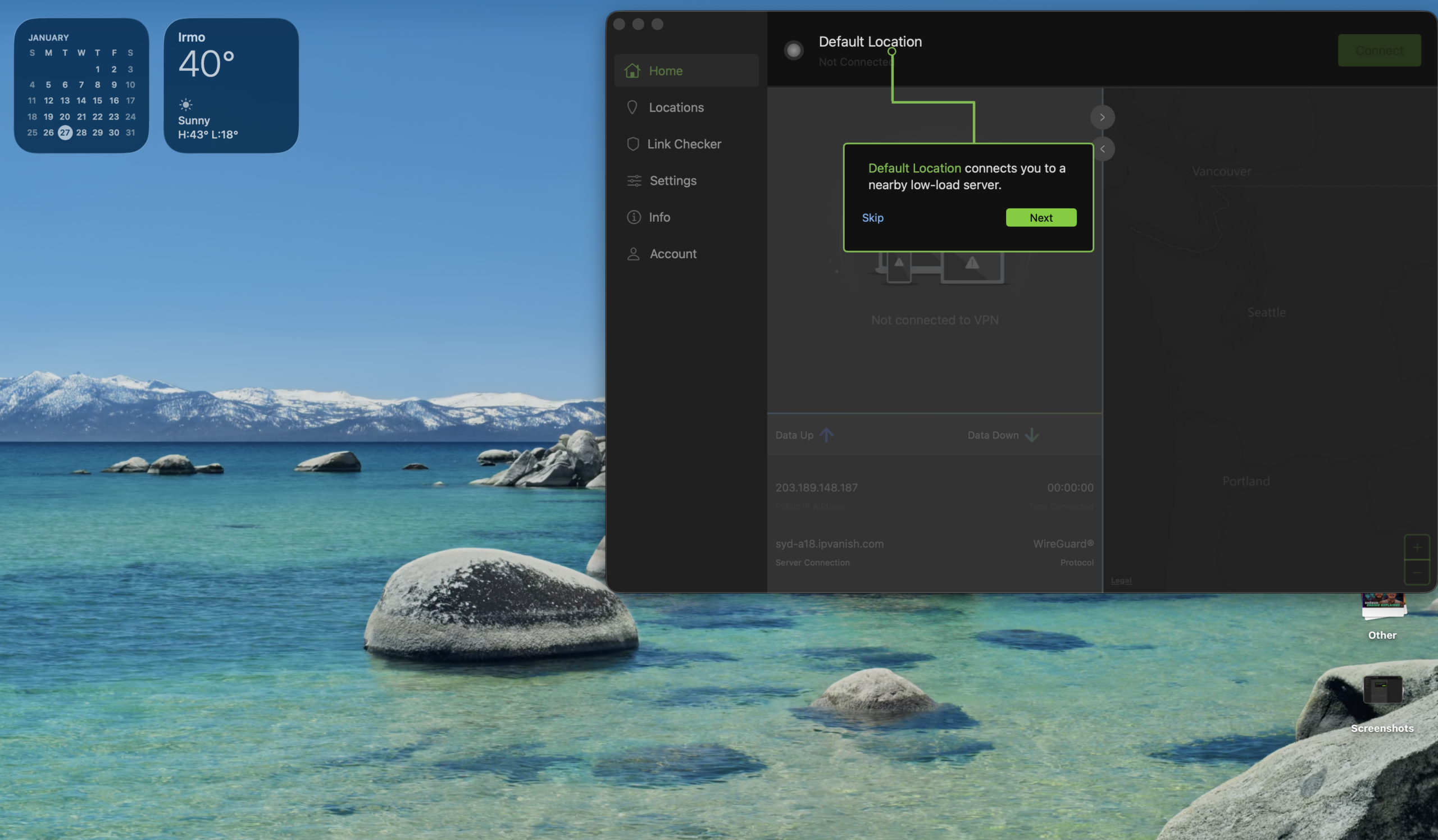
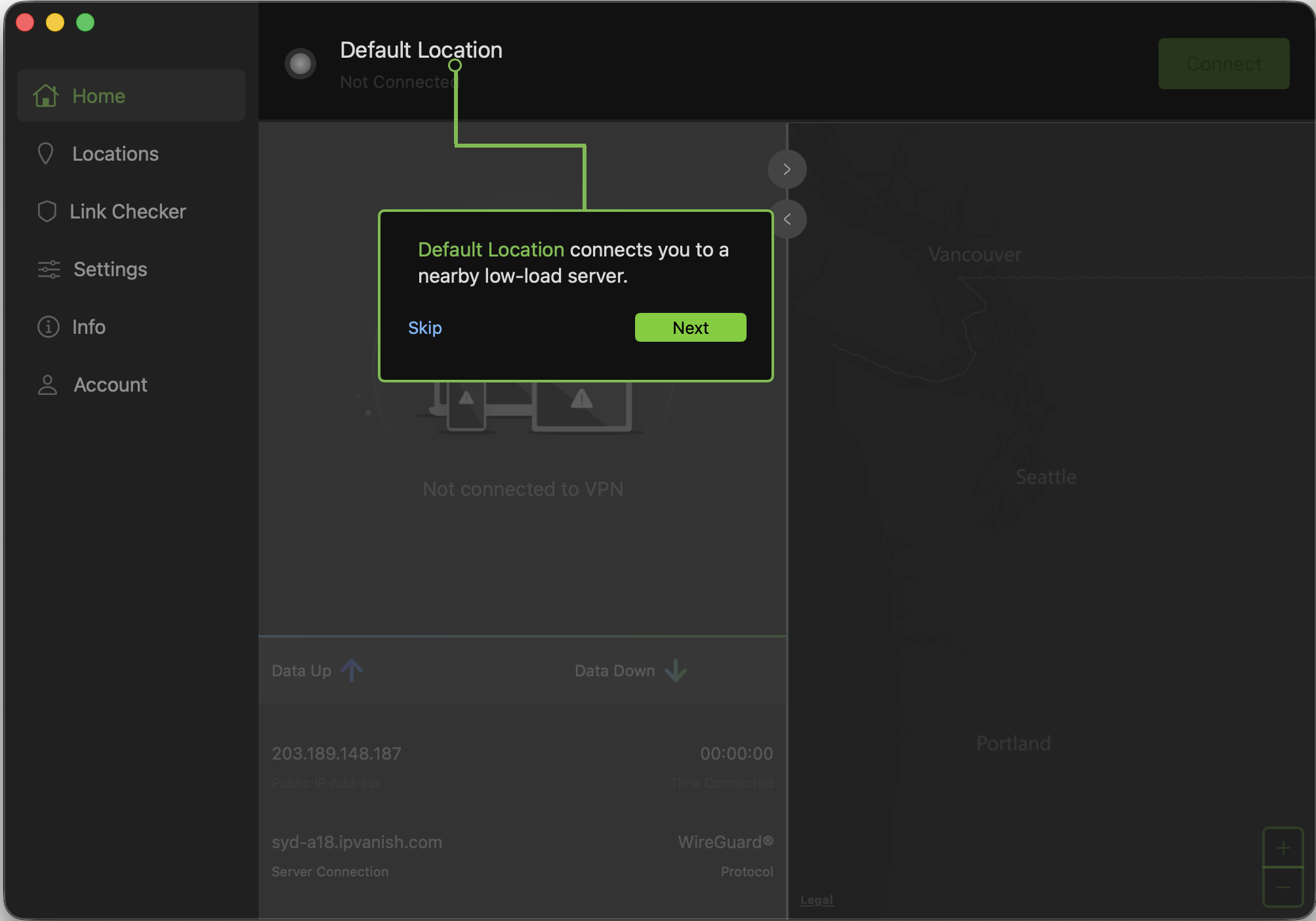
IPVanish is a solid VPN option, especially if perks like unlimited simultaneous device connections appeal to you. The Mac app experience isn’t quite as polished or pleasant as some rivals’, but navigation is still straightforward.
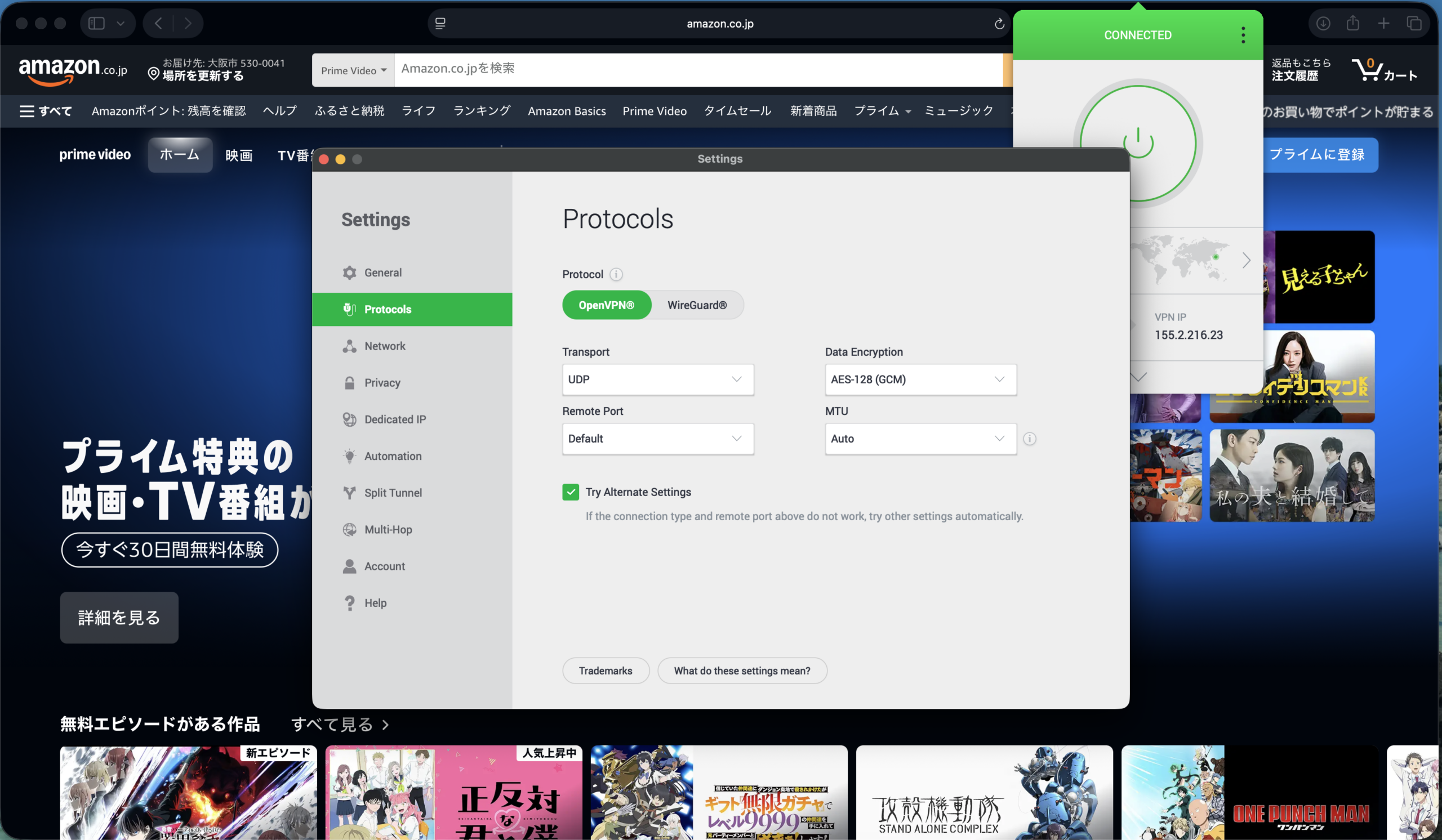
There’s a dedicated Link Checker tool, where you can paste in a web address to see if it’s been flagged for malicious activity. Meanwhile, you can select the active protocol, access split tunneling, and other features in the Settings menu.
The menu bar drop-down window is surprisingly large, but there’s a lot of unused space that could’ve been dedicated to, say, the server list (you’ll need to open the full app to gain access).
Overall, performance was strong, but I ran into a handful of issues while streaming Netflix content from other countries. Changing servers and reconnecting seemed to help, but I felt it was worth mentioning in case international streaming is high on your list of priorities.
In addition to security features like a user-configurable Double Hop, a kill switch, and split tunneling, premium plans offer access to a secure browser and cloud backups.
Who is IPVanish best for?
IPVanish could be a good fit for those who prioritize a healthy server count, good speeds, up-to-date security features, and useful perks like secure cloud storage.
Recent upgrades to IPVanish:
In November 2025, IPVanish announced it was rolling out support for RAM-only servers in 20 locations. Recent updates to the Mac app added the ability to filter the full server list to highlight the new RAM-only servers. IPVanish says it’s aiming to move all its servers to RAM-only by 2027.
IPVanish Pricing:
Pricing for IPVanish starts with the Essential plan at $12.99 per month. Upgrading to the Advanced plan for $14.99 per month adds access to a secure browser, cloud storage, secure file sharing, and more. Yearly plans start at $39.99 for the first year of Essential service, or $53.88 for the Advanced tier.
Pros and cons of IPVanish

| Starting Price (5/5) | Security (5/5) | Server Coverage (4.6/5) | UX (4/5) | Compatibility (5/5) | Connectivity (4.8/5) | Top Features |
|---|---|---|---|---|---|---|
| Free | No-logs policy, kill switch, double VPN/multi-hop | 2,600+ servers in 91 locations | Clean interface, logical layout, small text in some areas, non-resizable app window | Mac, Windows, Linux, Android, iOS, Chrome, Firefox, Edge, Apple TV, Fire TV, Android TV | Up to 10 devices at one time | — Streaming-optimized servers — Lifetime pricing guarantee maintains payment rate — Flexible payment options, including crypto — Free plan option |
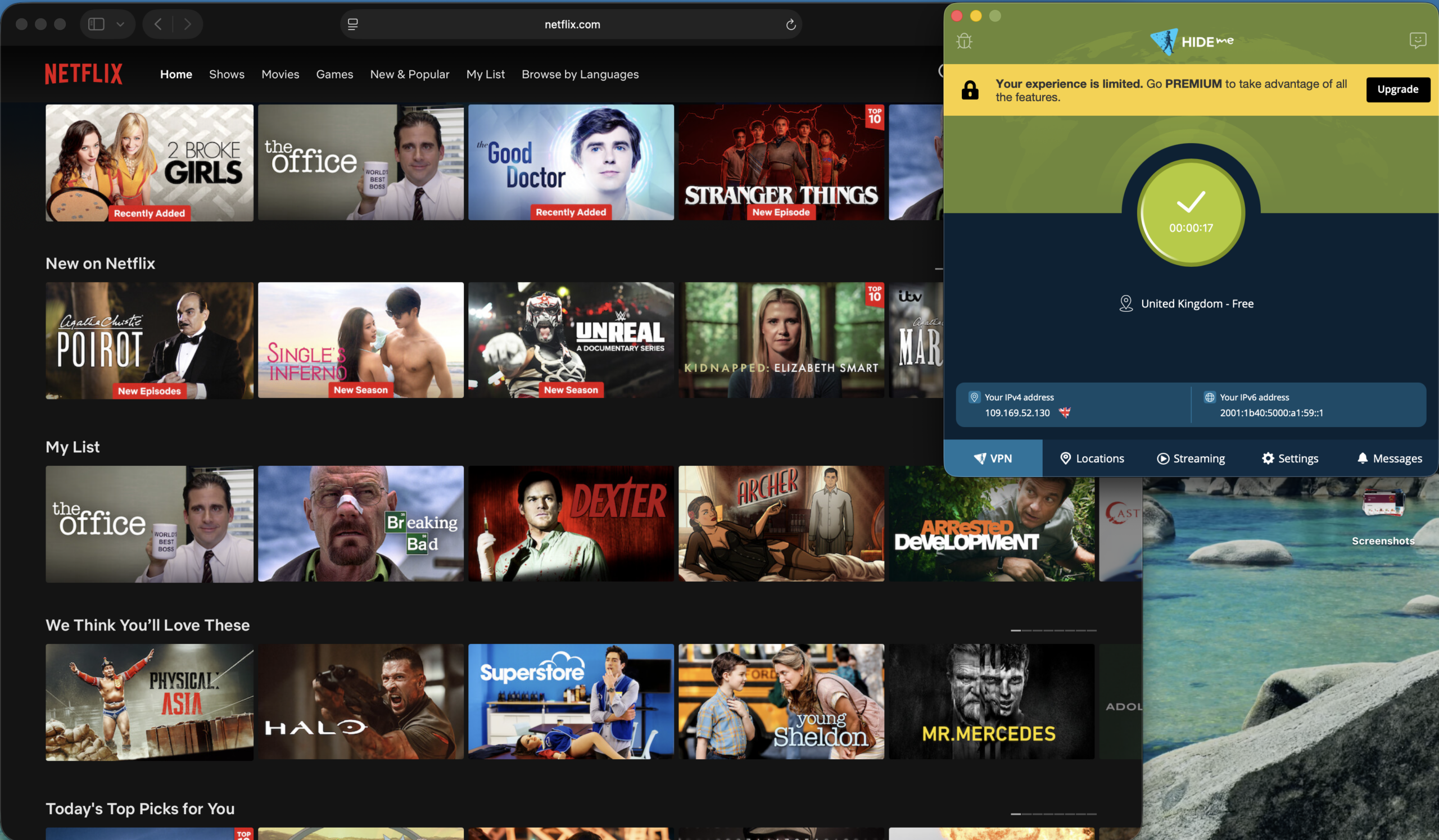
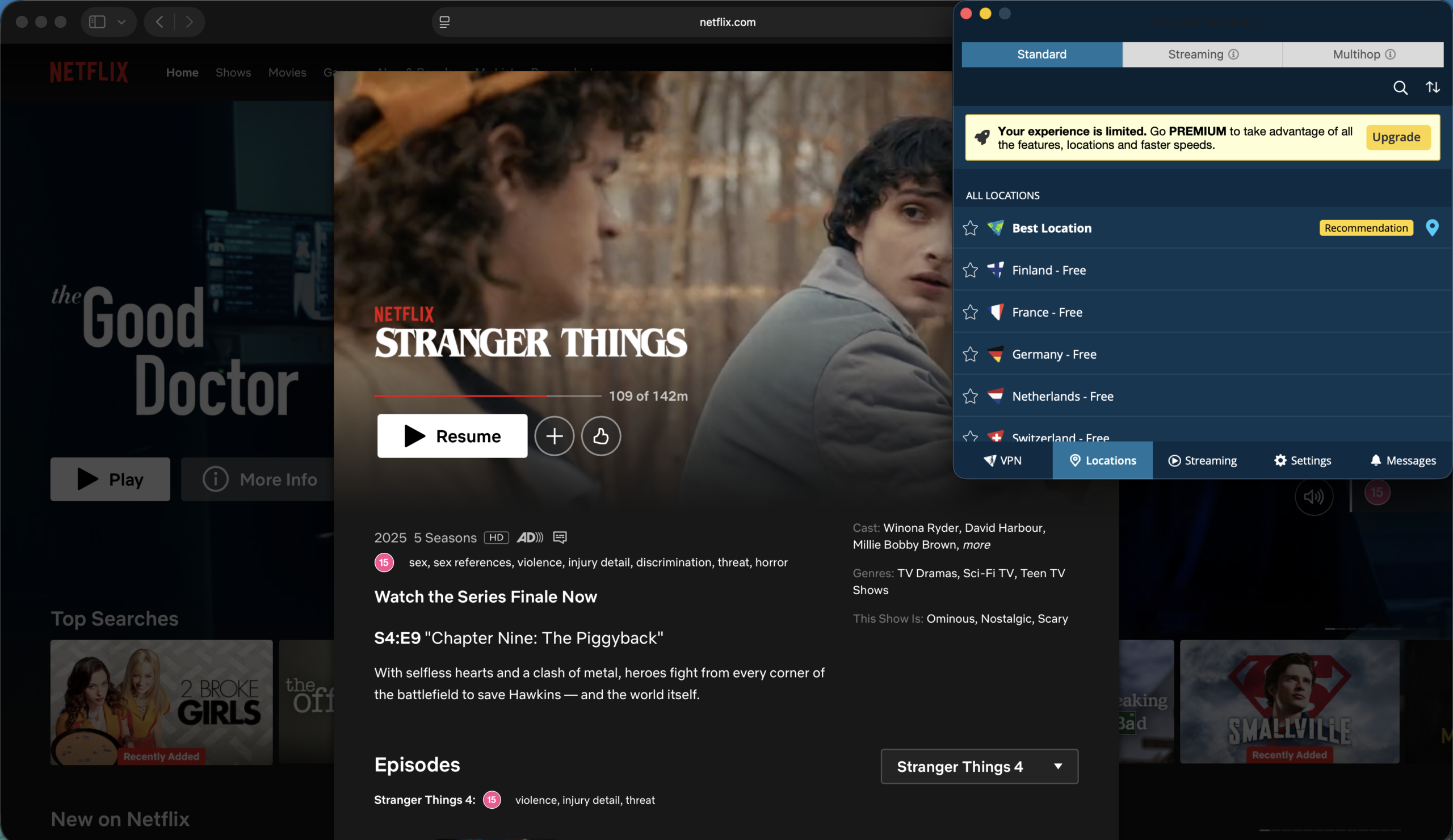
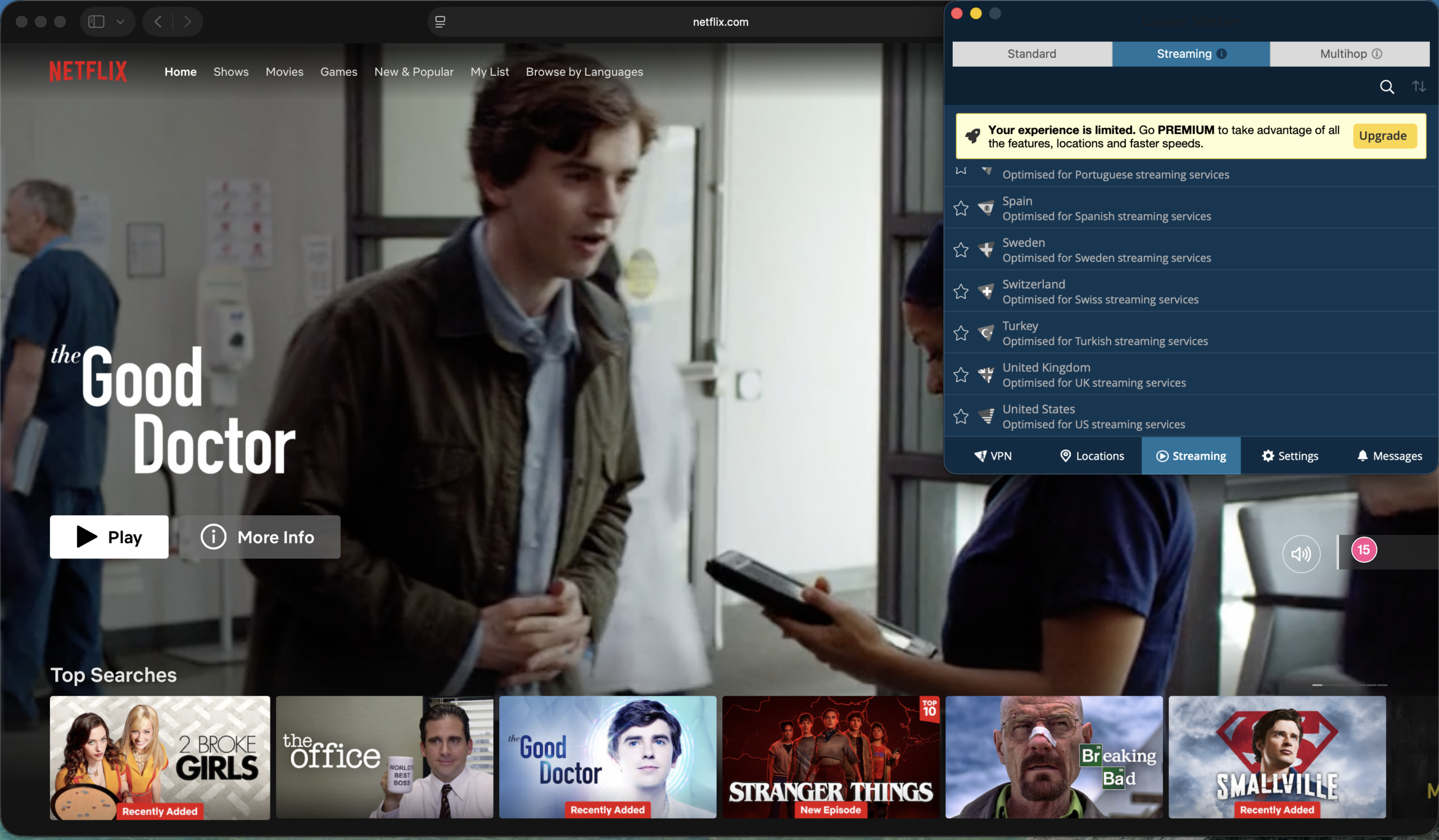
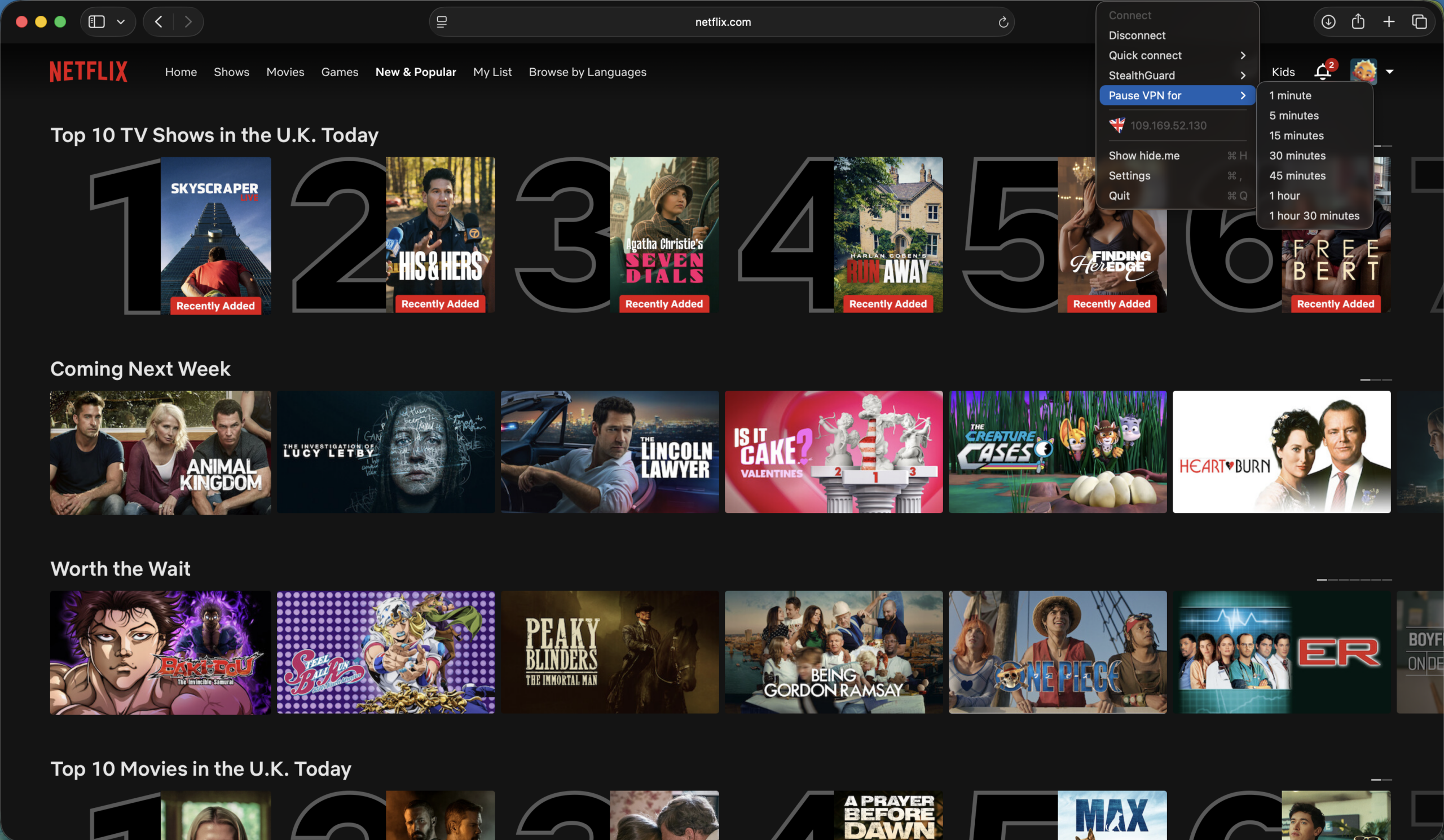
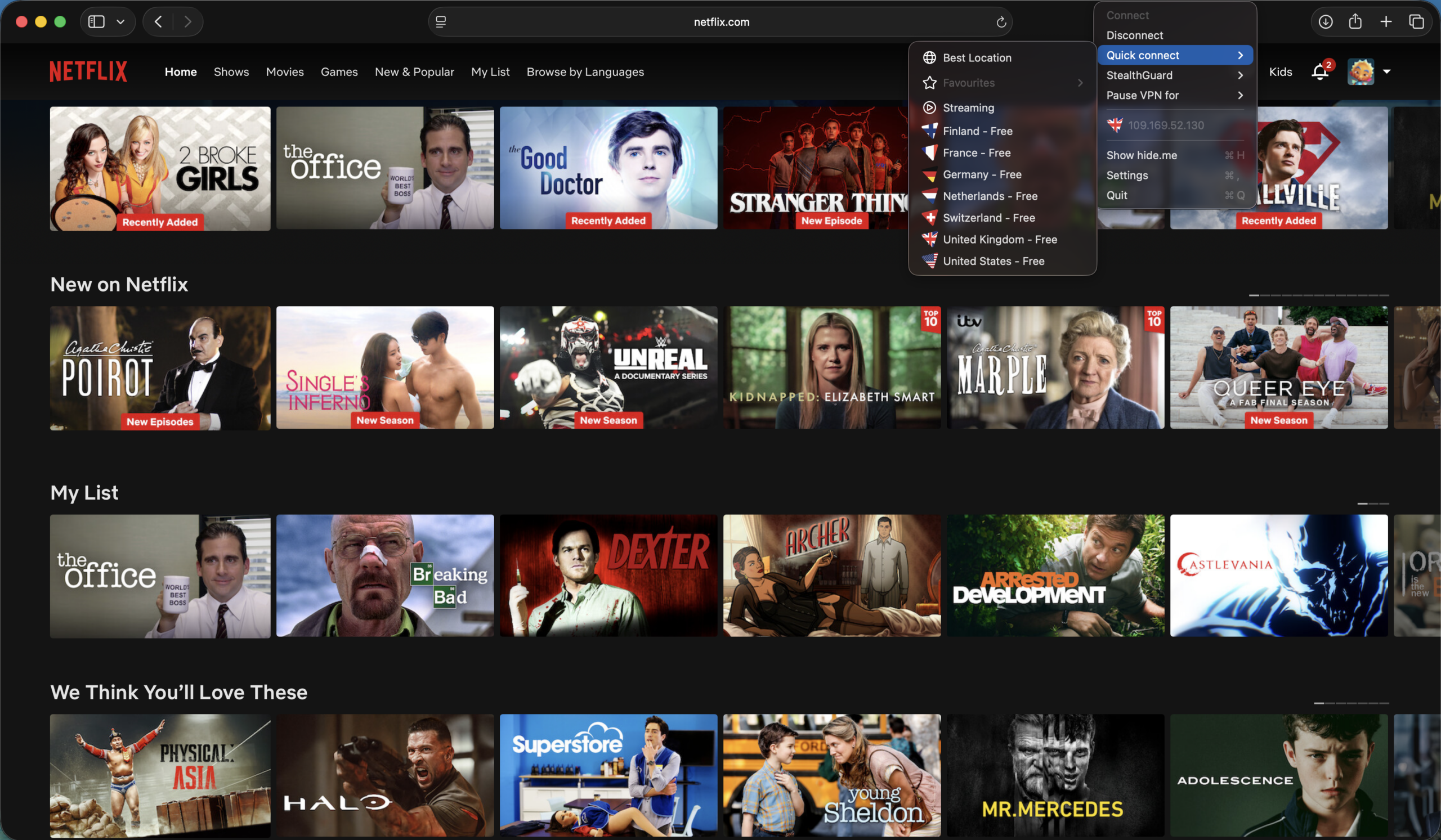
Hide.me is among a handful of VPN providers that offer a free plan for those testing the VPN waters. The free option limits you to eight server locations (compared to the paid version’s 2,600 servers in 91 locations). You’re also limited to one connection at a time, and the speed restriction was fairly noticeable during testing.
The Mac app experience lags behind some rivals in terms of refinement and design, but it shouldn’t take too long to get your bearings. There’s a row of tabs along the bottom that offer access to the full server list, a subset of streaming-optimized servers, and other options. The settings menu gets you access to features like split tunneling, port forwarding, and VPN protocol selection.
The service also touts its StealthGuard feature, which can set individual apps and services (or your internet connection as a whole) to only work when you’re connected to a VPN.
Who is Hide.me best for?
Hide.me’s app dedicated list of streaming-friendly servers located across the globe could make this an enticing option for users looking to access geographically locked streaming content.
Recent upgrades to Hide.me:
Last year, Hide.me announced a collaboration that bundles 36 months of its Premium plan with every purchase of the privacy-focused Freifon Giganti smartphone.
Hide.me’s Pricing:
Beyond its limited free plan, Hide.me’s paid options start at $11.99 per month. That monthly price drops dramatically if you opt for a 12-month or 26-month plan. Unlike some of its rivals, there are no additional, higher-end plans on offer — it’s either the Free or Premium plan.
Pros and cons of Hide.me

| Starting Price (4.5/5) | Security (4.7/5) | Server Coverage (4.7/5) | UX (4.3/5) | Compatibility (5/5) | Connectivity (4.9/5) | Top Features |
|---|---|---|---|---|---|---|
| $2.49 per month | No logs policy, kill switch, obfuscation | Servers in 105 countries | Light/dark modes, fast and responsive menus, can’t resize Mac app window, menu bar dropdown lacks country selection list | Mac, Windows, Linux, Android, iOS, Chrome, Routers | Up to 14 devices at once | — Optional password manager — TrustedServer Technology — Mac support for split tunneling — In-app speed test |
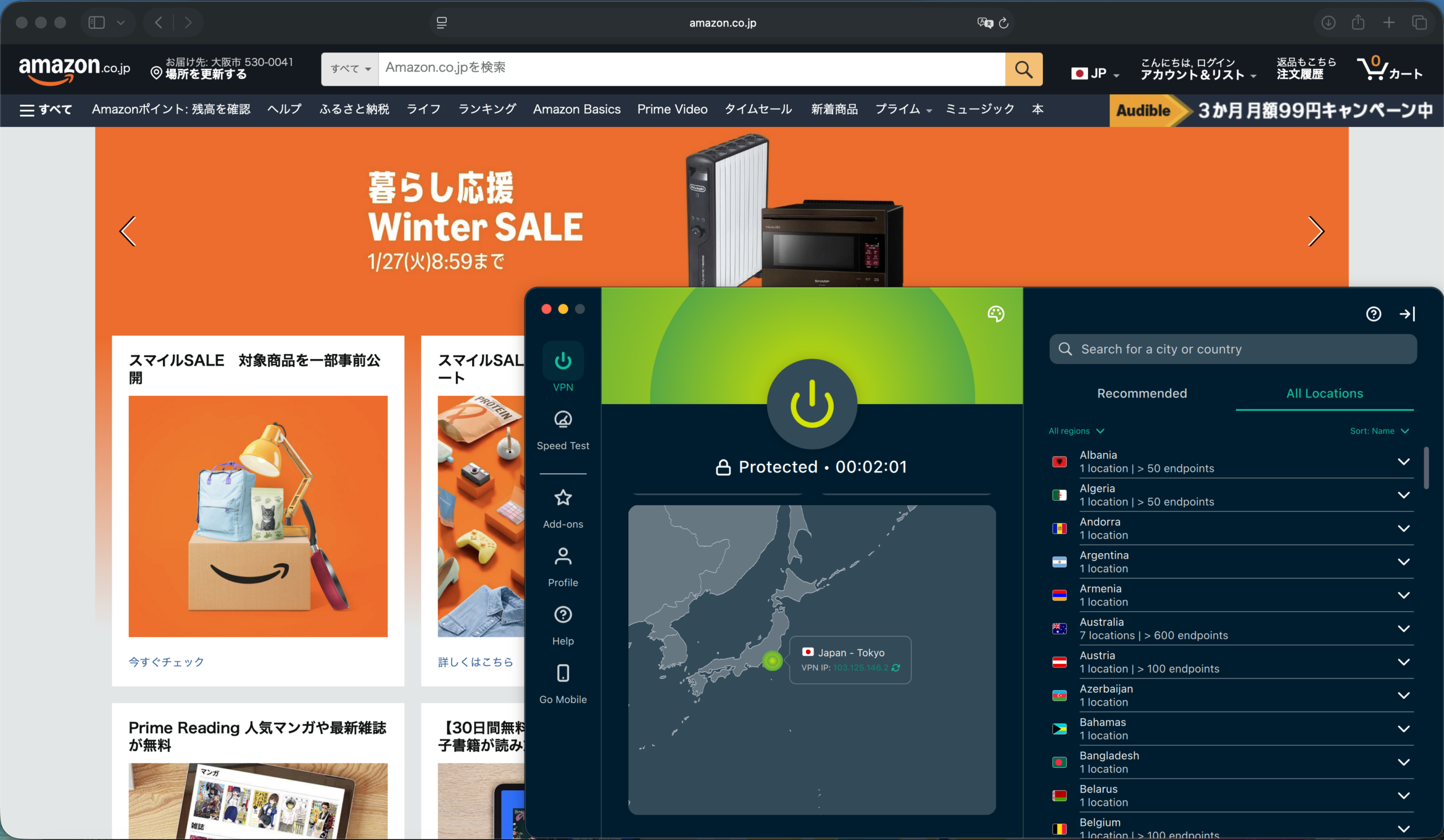
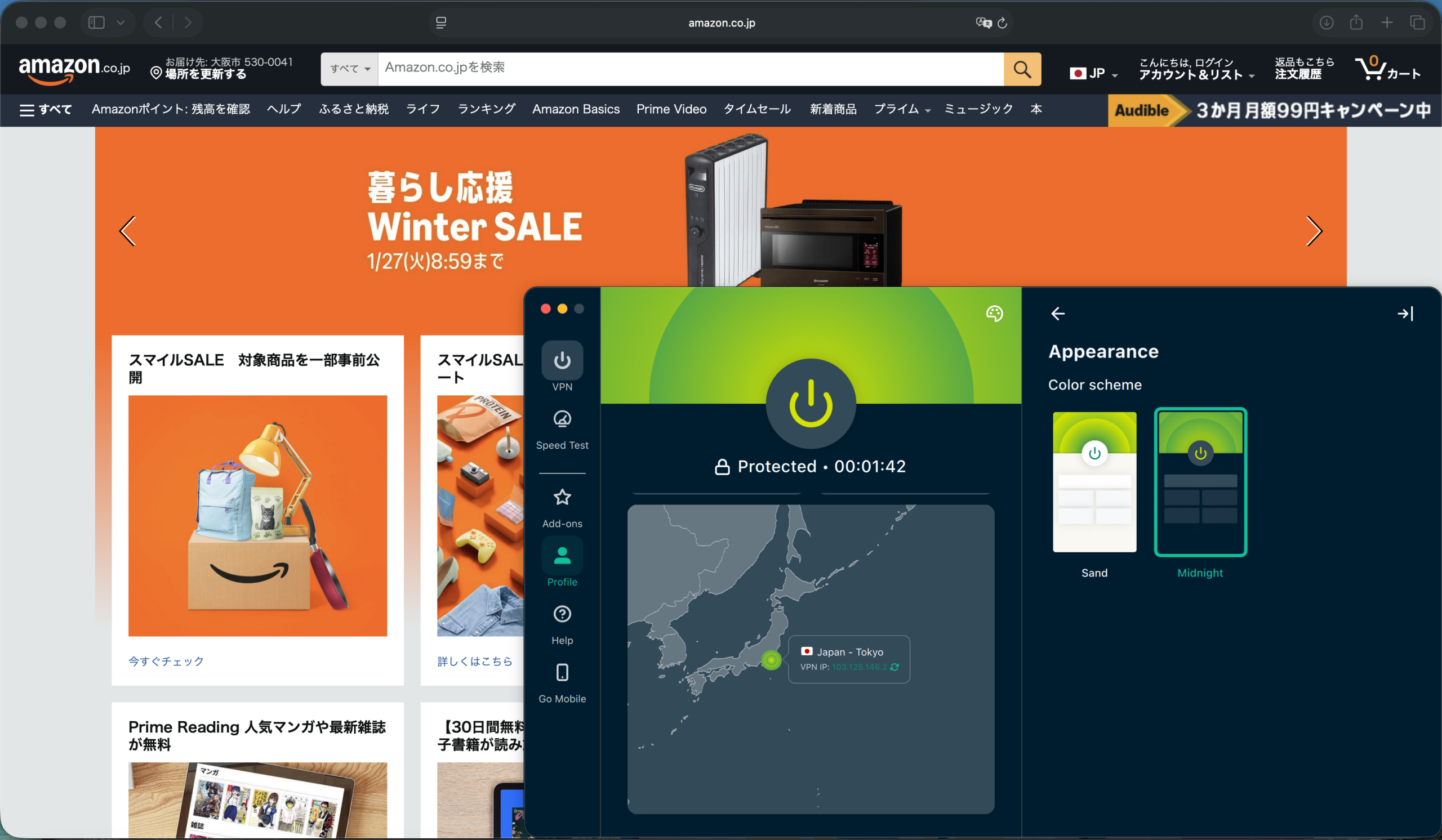
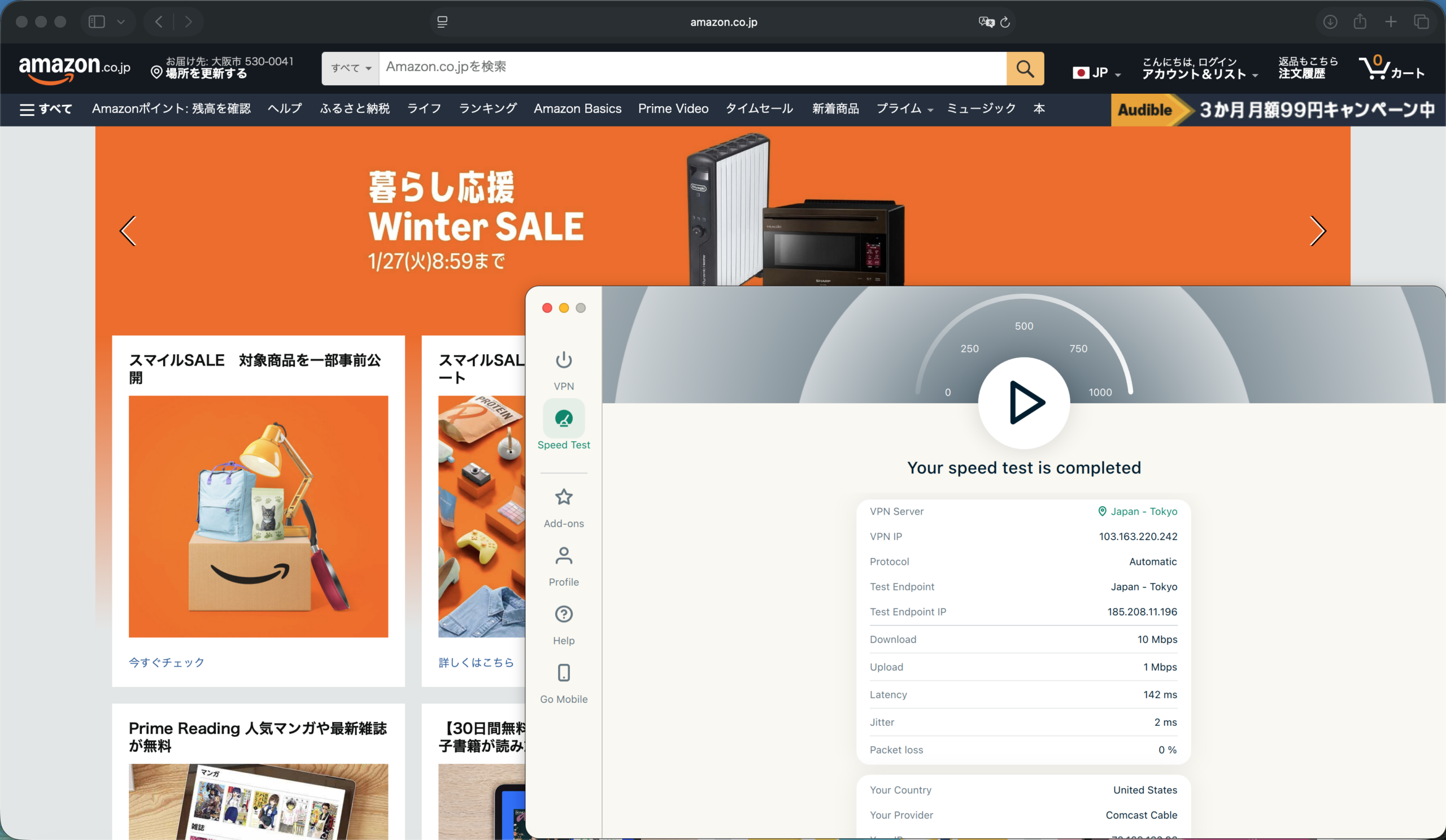
ExpressVPN offers fast, responsive performance and a pleasant-to-use app. Menus and sections animate swiftly, and it offers easy access to useful features, like a Speed Test tool to measure your connection’s performance.
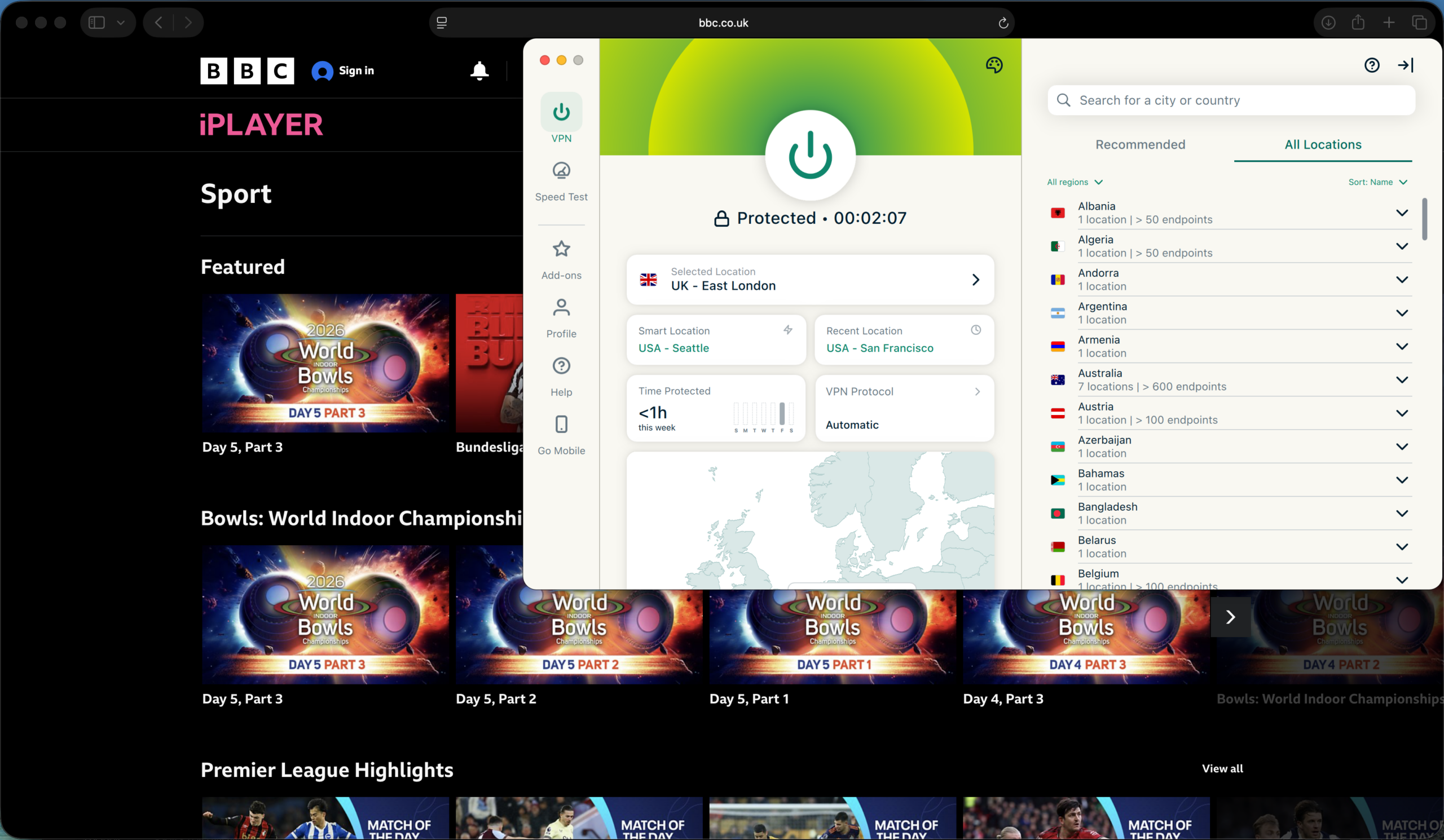
The lengthy server list offers several customization options, like pinning favorites, sorting by popularity, and choosing from recommended servers based on speed in your area. You can also filter the full server list by region.
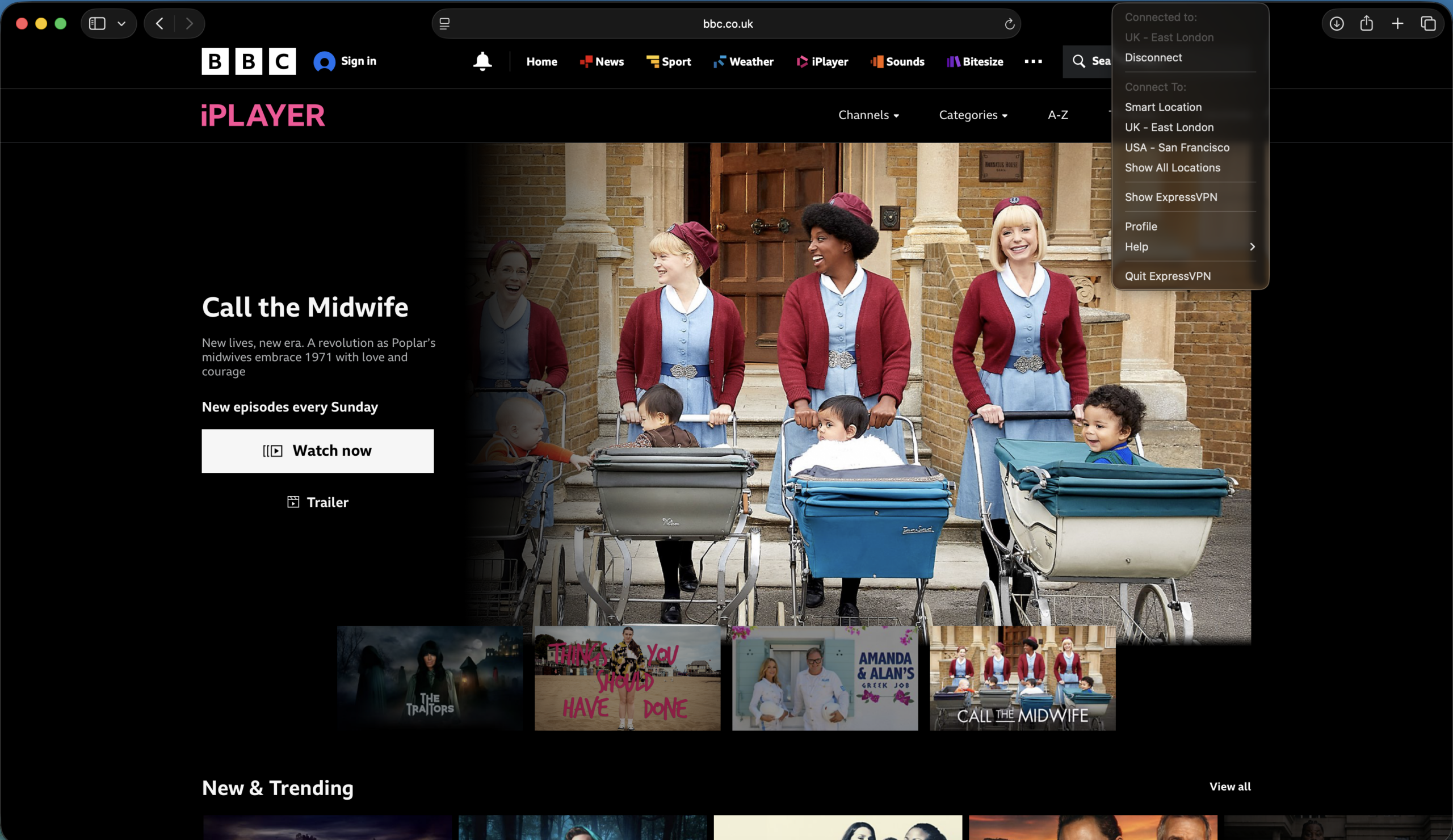
The Mac app offers light and dark mode color schemes (aka Sand and Midnight), and while the main app window isn’t resizable, the interface itself is pleasant to use. The menu bar drop-down offers quick access to recent servers and connect/disconnect toggles. Also, split tunneling is a recent addition to the Mac app’s settings menu.
Who is ExpressVPN best for?
If you value a clean, easy-to-use app experience alongside solid security features and strong platform compatibility, ExpressVPN is definitely worth a look.
Recent upgrades to ExpressVPN:
ExpressVPN has been rapidly updating its desktop apps for Mac, Windows, and Linux. A move to the Qt framework should make cross-platform development more efficient, meaning more even feature support across operating systems, including the recent addition of split tunneling to the Mac app.
ExpressVPN’s Pricing:
The Basic monthly plan starts at $12.99 per month and covers up to 10 simultaneous devices. The Advanced plan adds perks like improved ad blocking and tracker protection, a password manager, and support for 12 devices at once, for $13.99 per month. The $19.99 Pro plan adds dedicated IP support, improved identity theft protection, and a 14-device simultaneous limit, among other upgrades. One- and two-year plans drop the monthly price considerably before jumping to regular pricing once the promotional period ends.
Pros and cons of ExpressVPN

| Starting Price (5/5) | Security (4.5/5) | Server Coverage (4.4/5) | UX (4.3/5) | Compatibility (4.9/5) | Connectivity (5/5) | Top Features |
|---|---|---|---|---|---|---|
| Free | No logs policy, double hop | Servers in 69+ countries | Customizable app appearance, user-friendly | Mac, Windows, Linux, Chrome, Firefox, Edge, iOS, Android, Fire TV, Android TV, Apple TV, Routers | Unlimited devices at one time | — Free plan available — Malware-blocking R.O.B.E.R.T. tool — Team accounts for businesses — Customizable app |
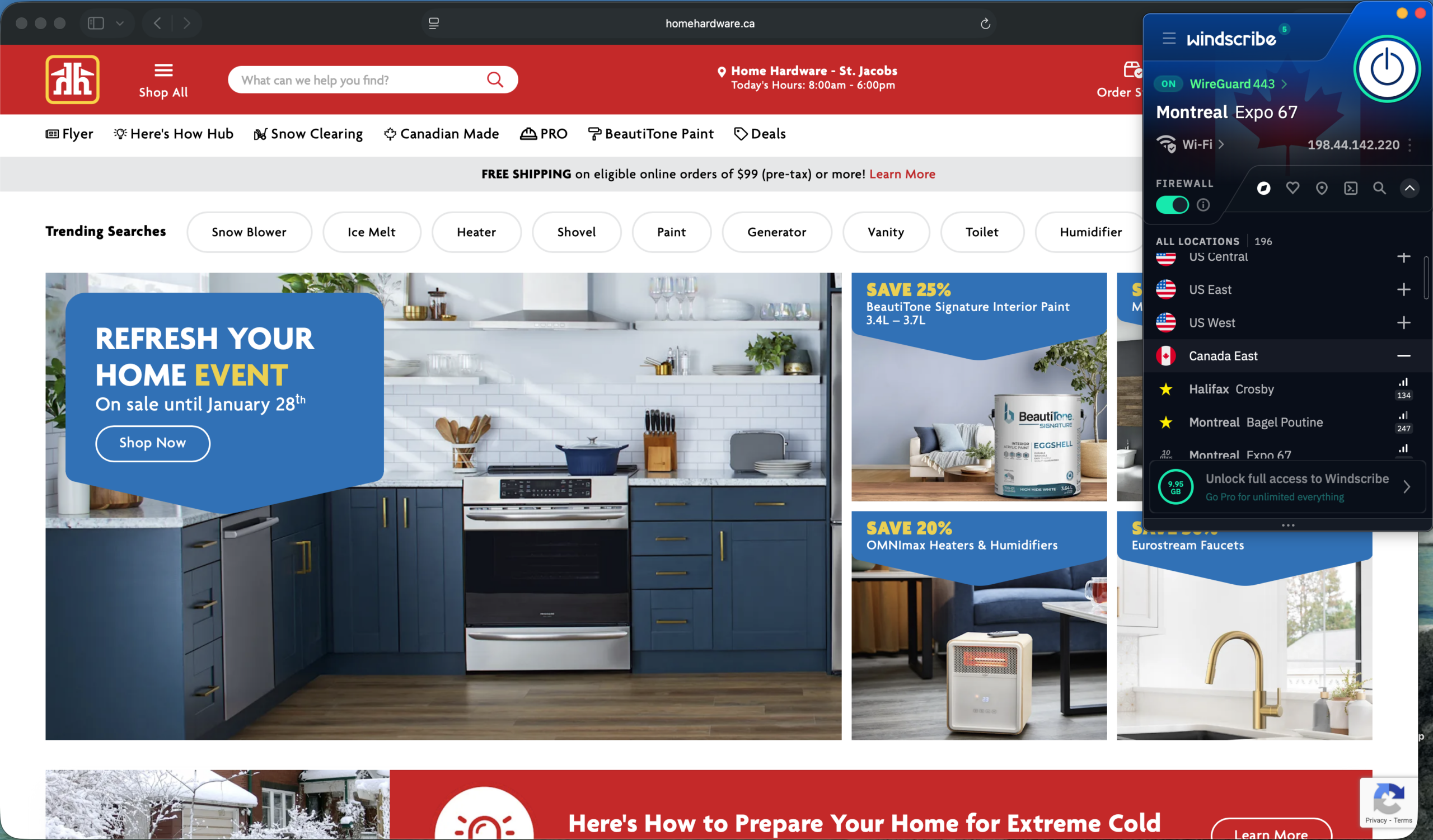
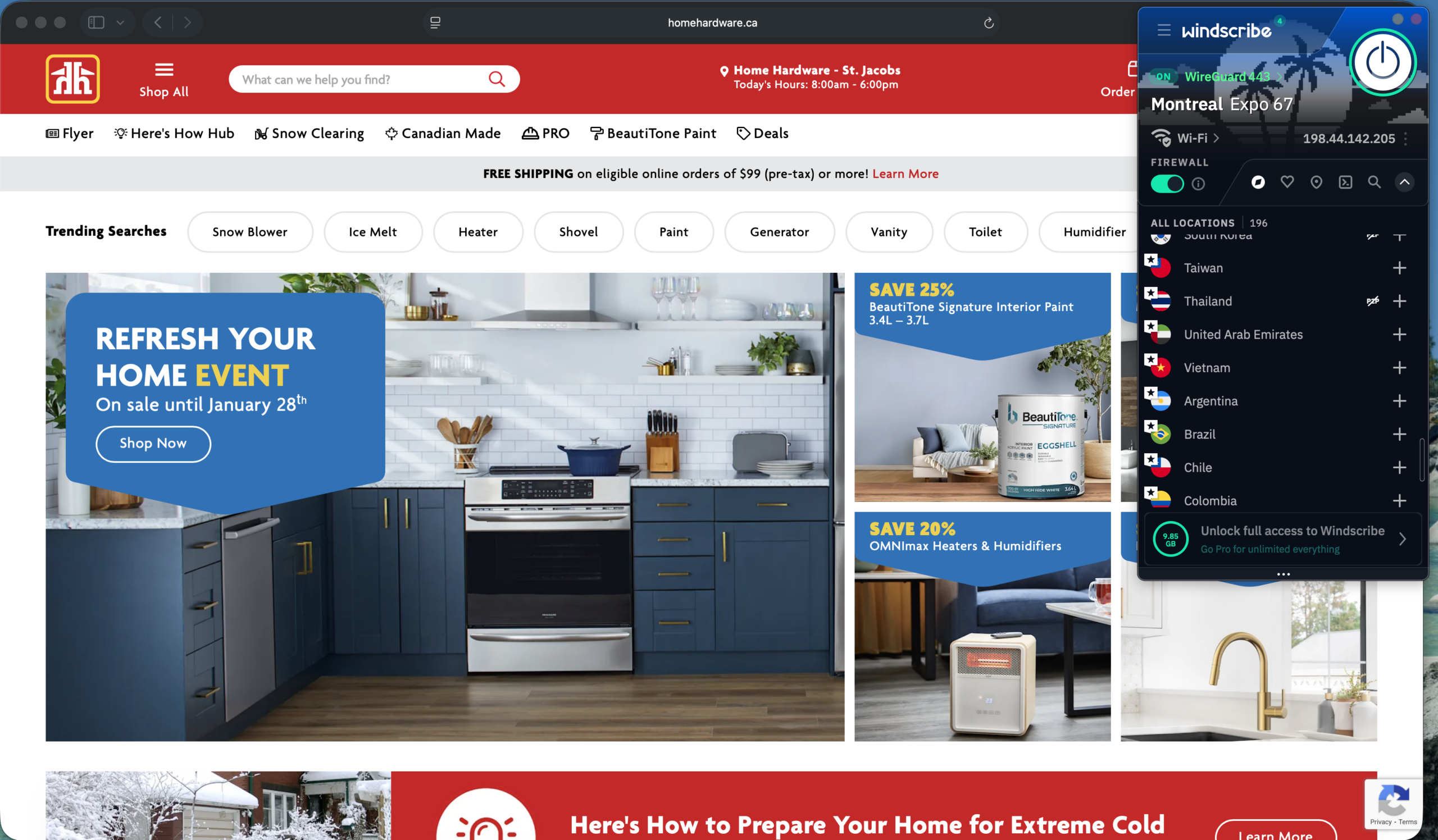
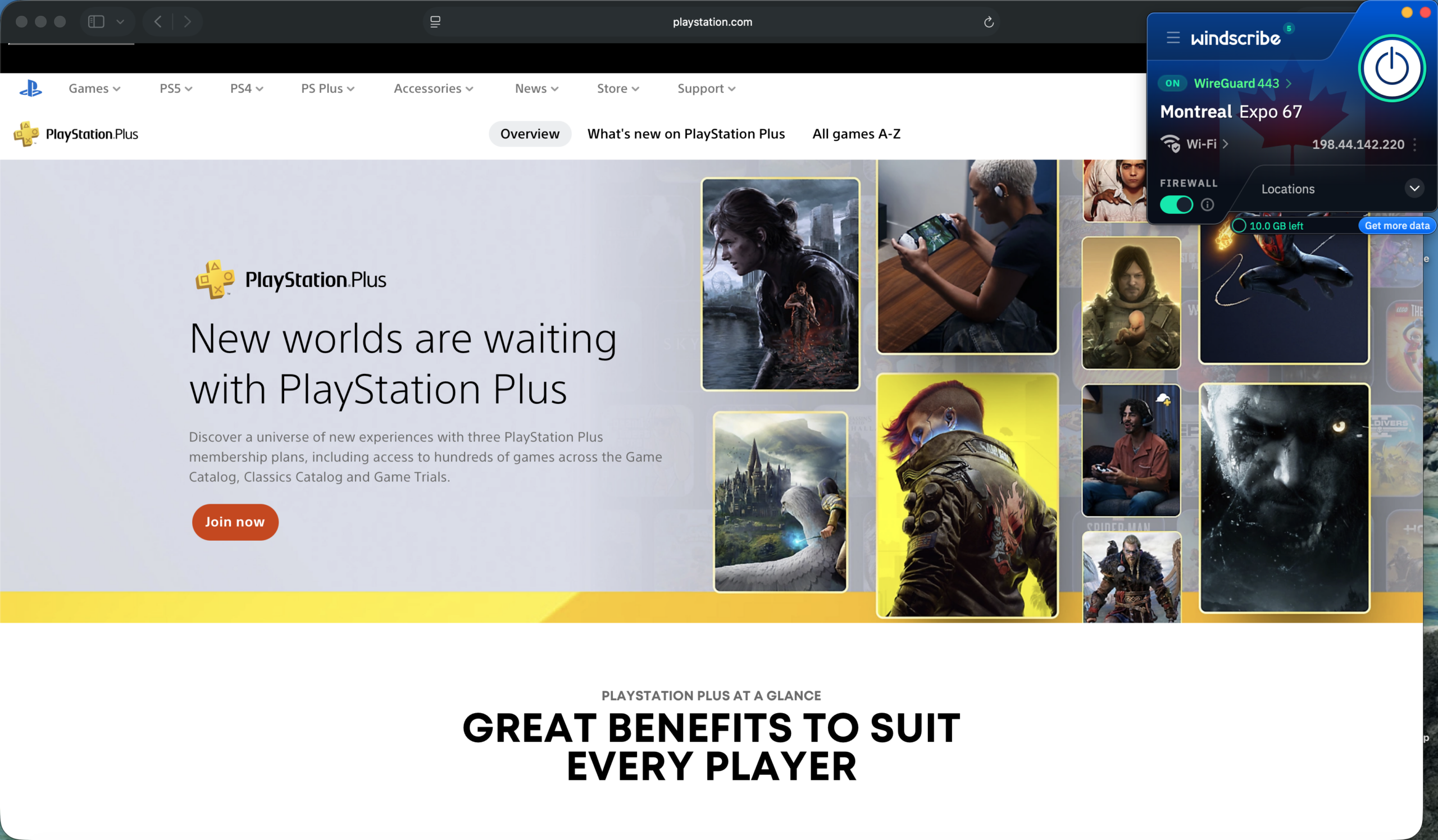
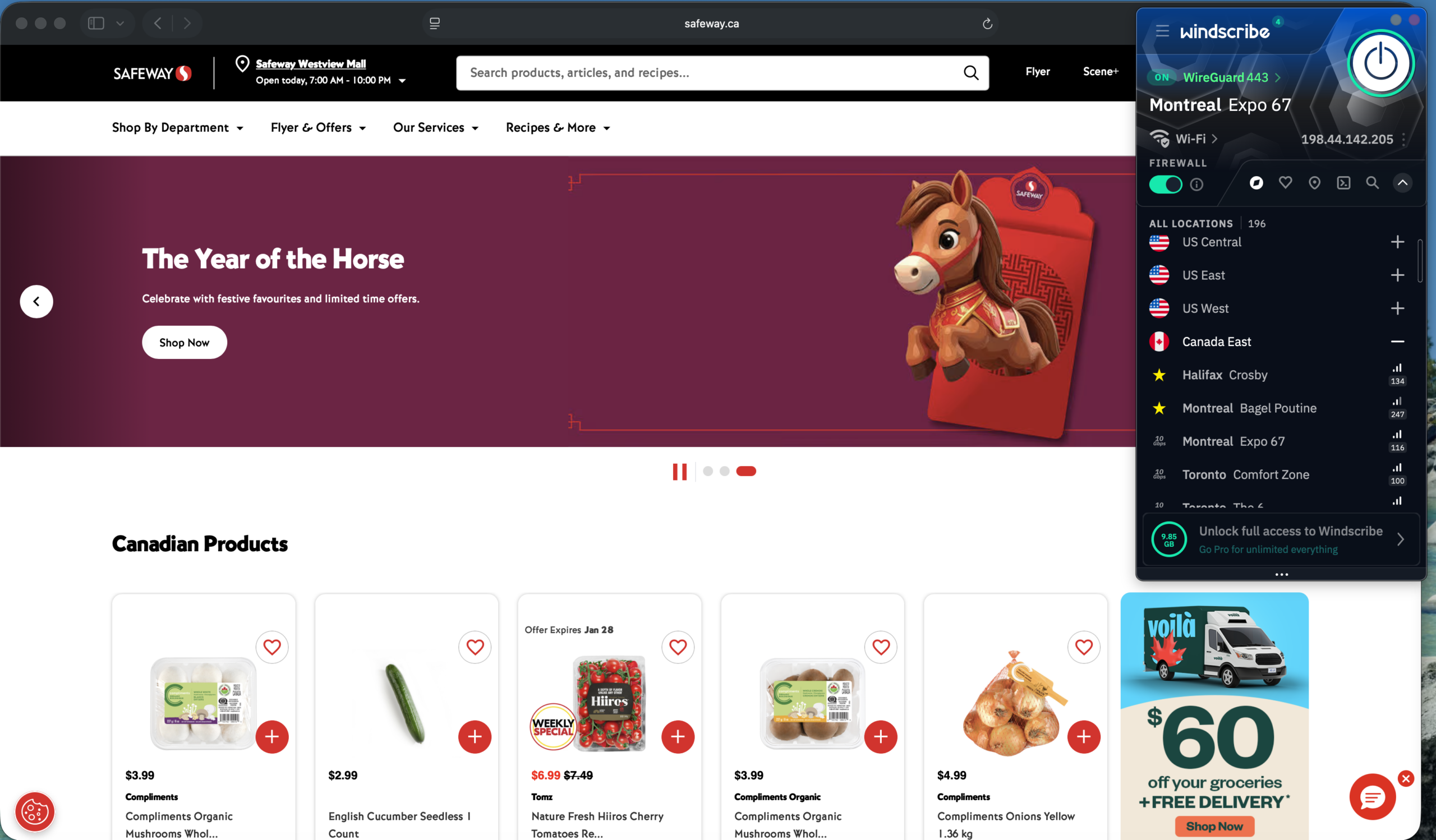
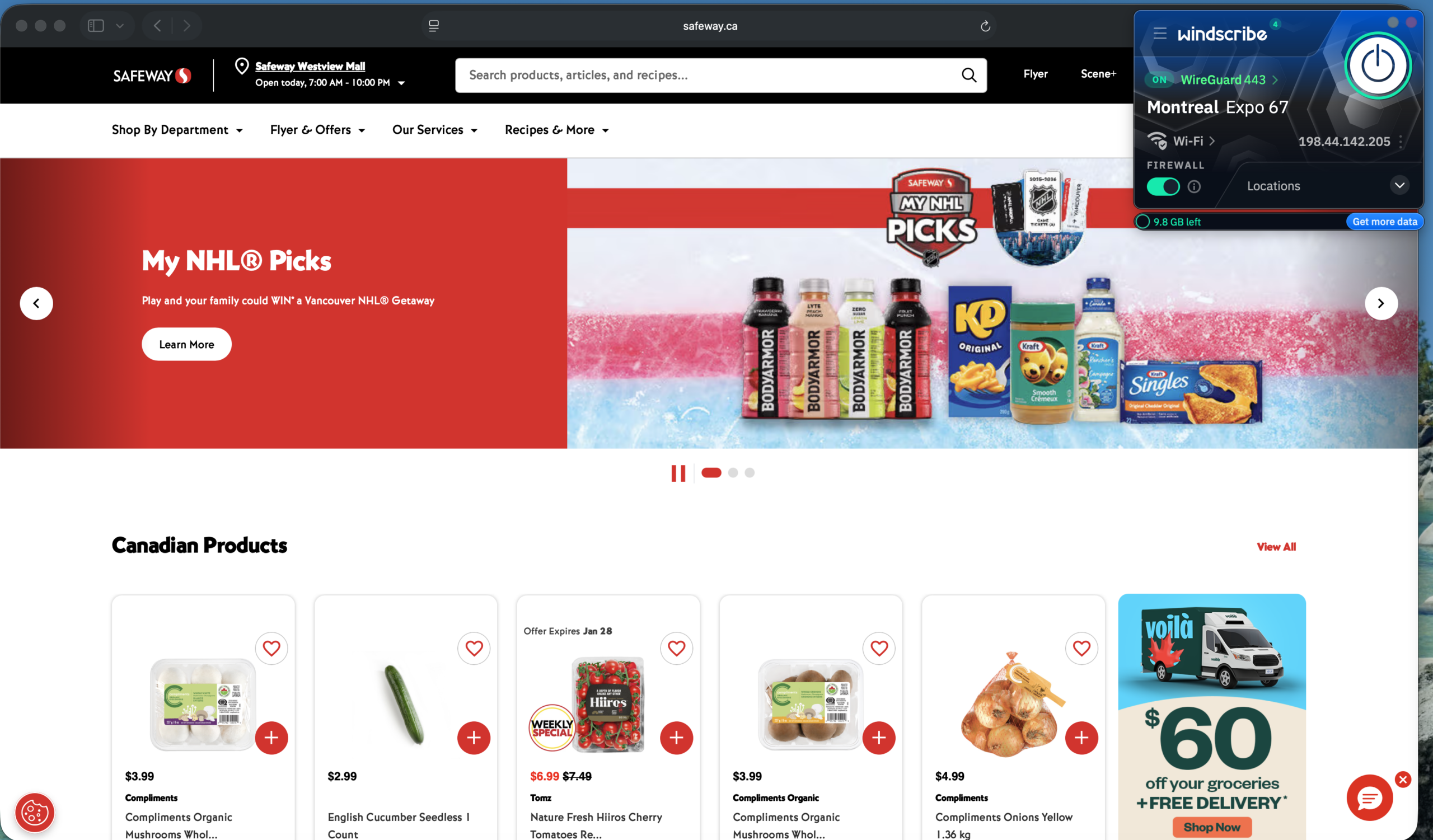
Speeds on Windscribe’s free plan were generally suitable for everyday browsing and streaming, though performance seemed more variable as I ventured out to international servers. That free plan also includes unlimited device connections, though you only get a limited amount of data for free. Users who supply a valid email address can use up to 10GB.
While resizing options are limited, Windscribe’s Mac app is highly customizable, with options for a more angular window design or the traditional squared-off look. You can also change the background to country flags, the included designs, or even your own photos.
At the risk of dating myself, I get a bit of a Winamp vibe from Windscribe’s appearance options — for better or worse. The edgy, technopunk aesthetic might not appeal to everyone.
Thankfully, the underlying features are pretty solid. You get double hop support, as well as R.O.B.E.R.T. — a customizable ad- and malware-blocking tool.
And while Windscribe does not offer a kill switch feature, it does have a Firewall feature that it claims is better-equipped to block data leaks.
Who is Windscribe best for?
Windscribe’s auto-connect feature might appeal to users who just want a secure connection the moment they log on. Meanwhile, businesses could benefit from ScribeForce, which offers centralized billing and team management tools.
Recent upgrades to Windscribe:
In late 2025, Windscribe added the ability to create a Hashed Account, a way to create a user account without providing an email address or other private info. The company also added initial split tunneling support to its Mac app in early 2025, and have been improving the feature ever since.
Windscribe Pricing:
Beyond the useful, but data-capped free plan, Windscribe’s paid offerings start at a reasonable $9 per month for Windscribe Pro. That gets you unlimited data and full access to servers in more than 69 countries. A yearly plan is available for $69. There’s also a Build A Plan option, which starts at $3 per month. Users can pick locations for $1 per month per location, and they can enable other add-ons from there.
Pros and cons of Windscribe

| Starting Price (5/5) | Security (4.5/5) | Server Coverage (4.9/5) | UX (4/5) | Compatibility (4.3/5) | Connectivity (5/5) | Top Features |
|---|---|---|---|---|---|---|
| Free | No logs policy, kill switch, | 8,000 servers in 46+ countries | Basic but charming app, fun customization options, minor layout issues | Mac, Windows, iOS, Android, Chrome, Firefox, Edge | Unlimited devices at once | — Fun, welcoming design — Useful free plan — Team plan for businesses — Paid plans offer unlimited device connections — Limited split-tunneling on Mac |
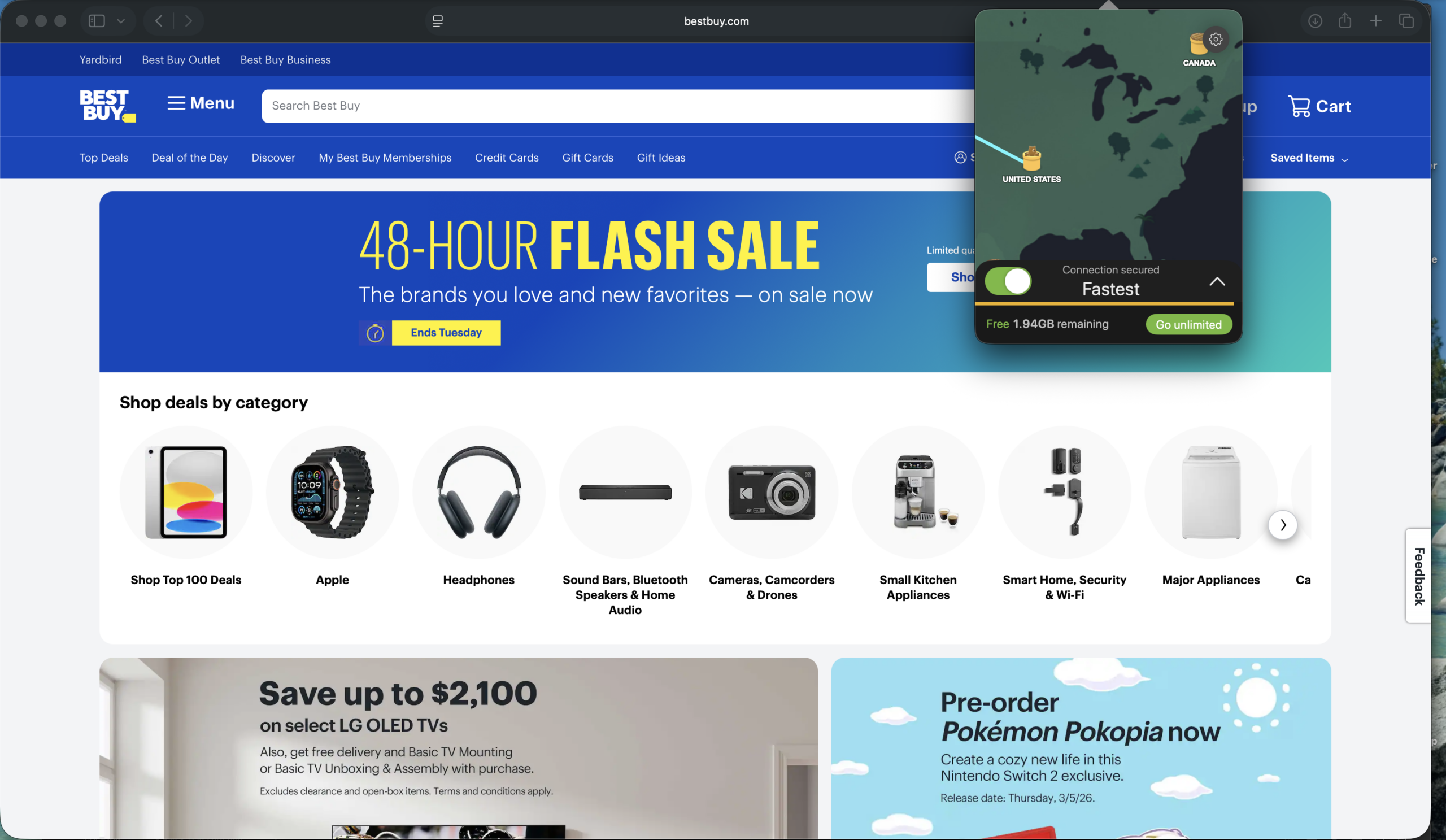
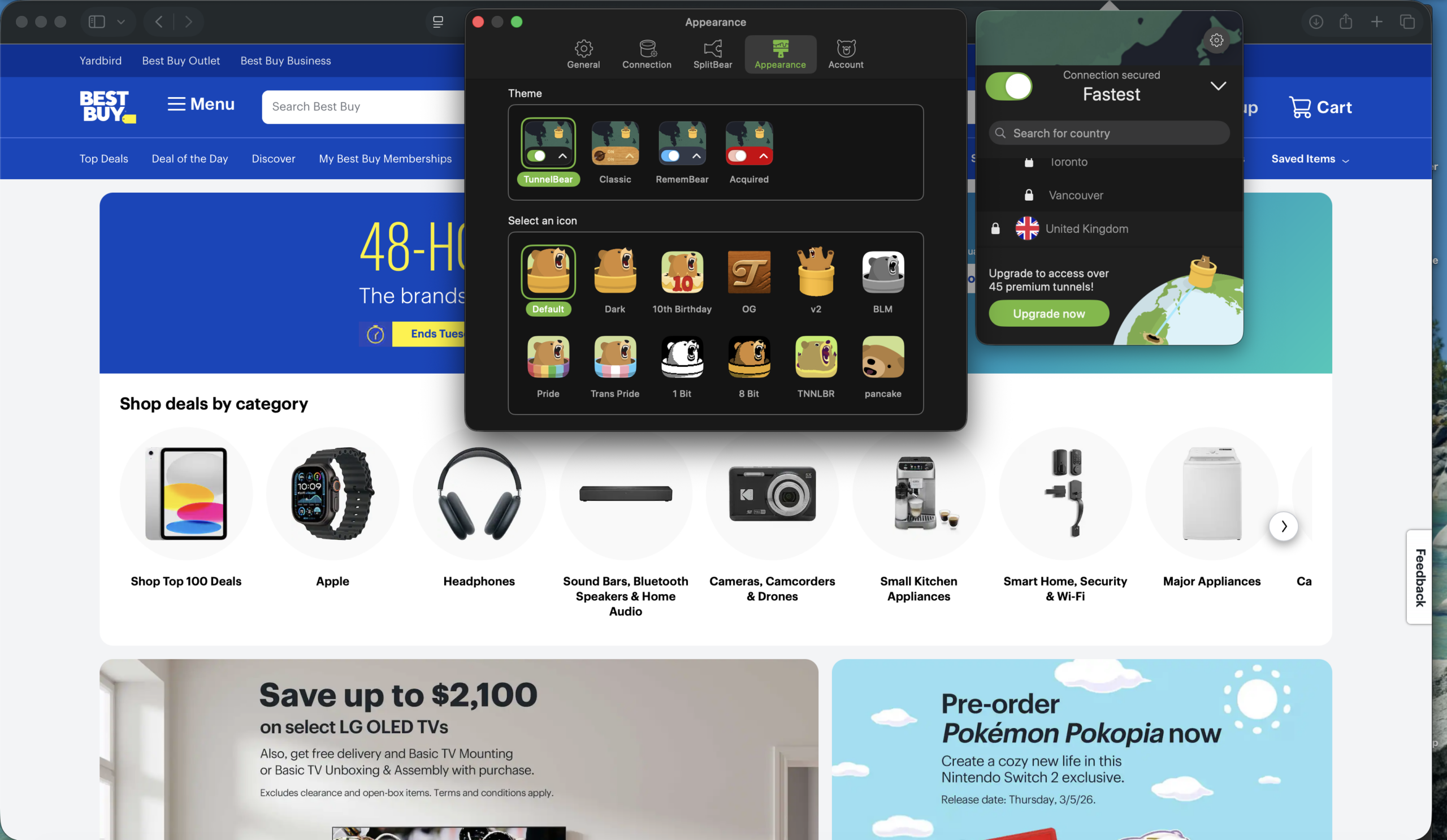
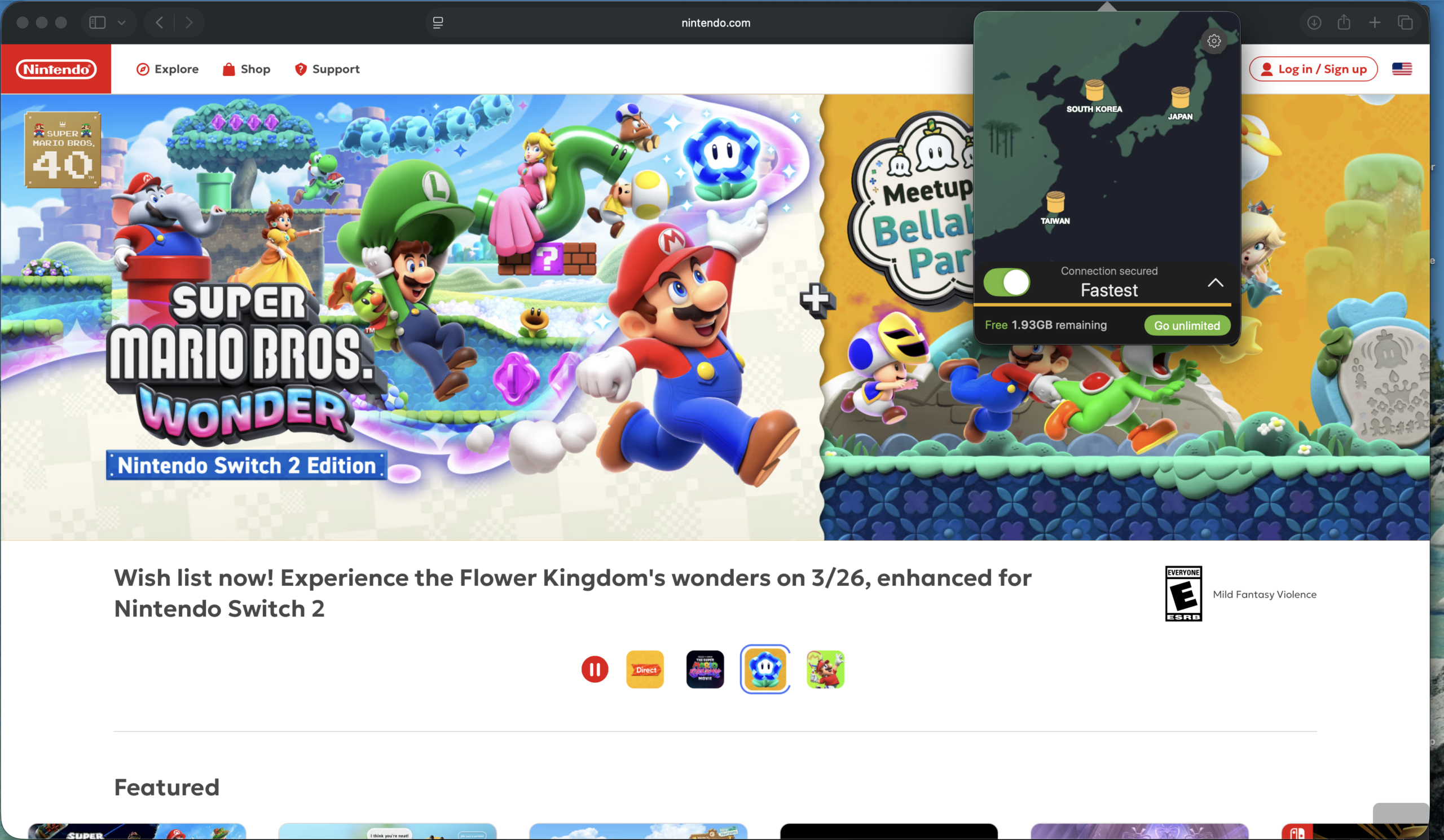
I don’t typically describe VPN services as “fun” or “delightful,” but TunnelBear puts forth a solid effort to bring on the charm. The app is chock full of theme and appearance options, fun animations, and design details — pay attention to the bear mascot when you set up your password.
The Mac app window can be resized from a narrow sliver on up to full-screen mode. If you don’t have a window currently open, clicking on the menu bar icon produces a narrow drop-down window that you can drag and resize (although doing this can sometimes cause resizing bugs).
As for features, you get access to more than 8,000 servers in 47 locations. You can also enable a kill switch and choose from several VPN protocols. Meanwhile, SplitBear, the service’s take on split tunneling, is among the features reserved for paid plans — a relatively recent change for Free plan users. Of note, SplitBear on Mac has some limitations compared to other platforms — websites can be exempted, but application-level split tunneling isn’t currently supported.
Who is TunnelBear best for?
Those who appreciate a fun, approachable app design, as well as businesses looking to integrate VPNs into their workflow, should give TunnelBear a close look.
Recent upgrades to TunnelBear:
In late 2025, TunnelBear announced it would remove a few features from its Free plan, including SplitBear (split tunneling) and country selection. The move doesn’t affect paid subscribers, who still retain access to those features.
TunnelBear’s Pricing:
The free plan gives you a decent taste of what the service offers, but paid plans offer significant perks, including unlimited data (free plans are limited to 2GB of browsing) and improved customer support. The Unlimited plan starts at $9.99 per month, with healthy discounts on offers for longer-term plans. The Teams plan starts at $5.75 per user per month, and the site offers a sliding scale so you can calculate costs based on your employee count.
Pros and cons of TunnelBear

| Starting Price (5/5) | Security (4.3/5) | Server Coverage (4/5) | UX (4.4/5) | Compatibility (4.9/5) | Connectivity (4.8/5) | Top Features |
|---|---|---|---|---|---|---|
| Free | No-log policy, kill switch | Servers in 50 countries | Clean and colorful app, useful home screen widgets, | Mac, Windows, Android, iOS, Chrome, Firefox, Edge, Apple TV, Fire TV, Android TV, Brave | Up to 10 devices at once | — User-friendly app — Split tunneling support on Mac — Competitive pricing — Dedicated home screen widgets |
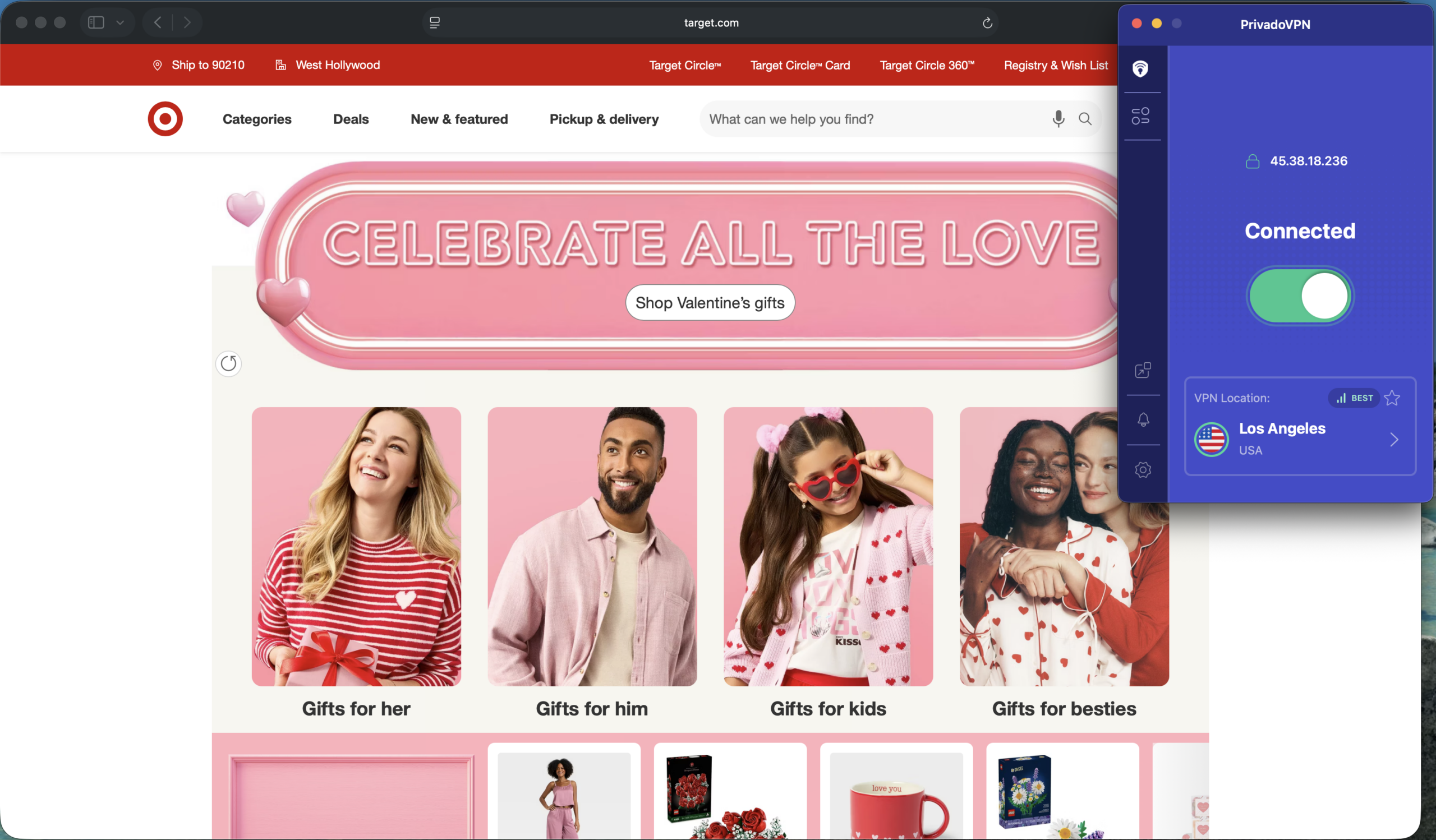
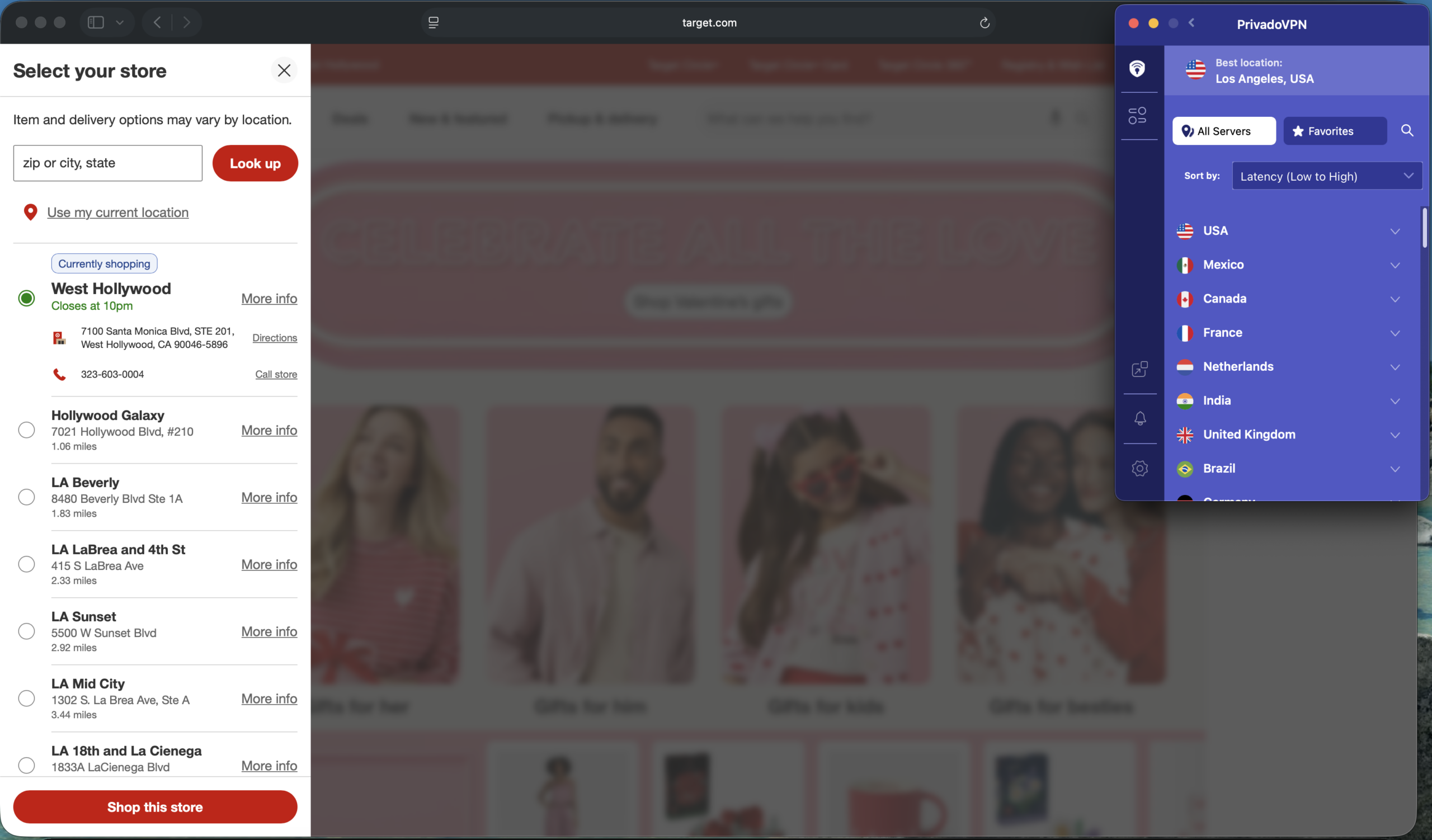
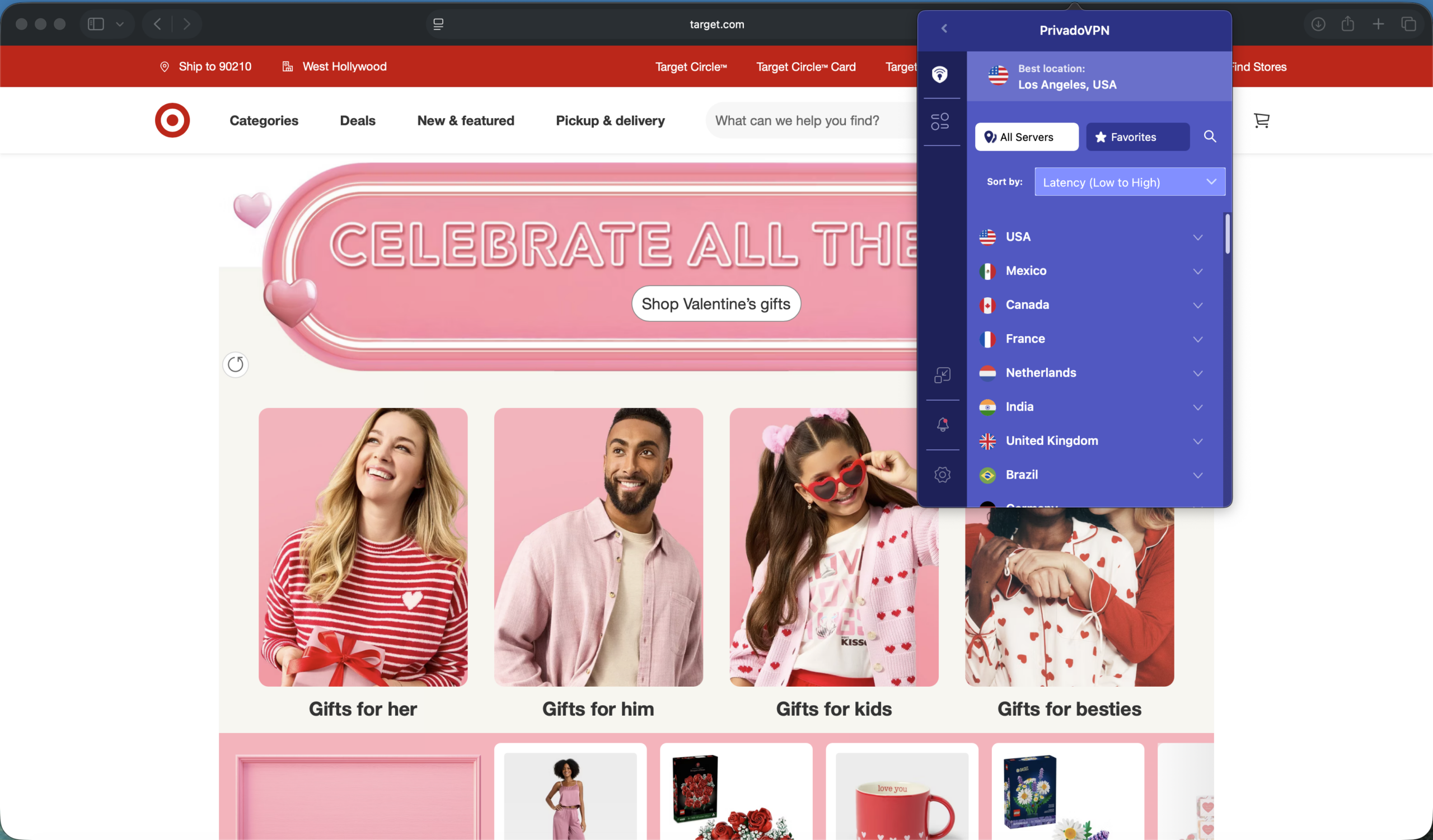
The PrivadoVPN app exudes simplicity — in a good way. The connect/disconnect control is oversized and placed front-and-center in the Mac app window. The full country and server list is tucked away behind an easily accessible menu, which might be a plus for anyone who dislikes being overwhelmed with options when first loading an app.
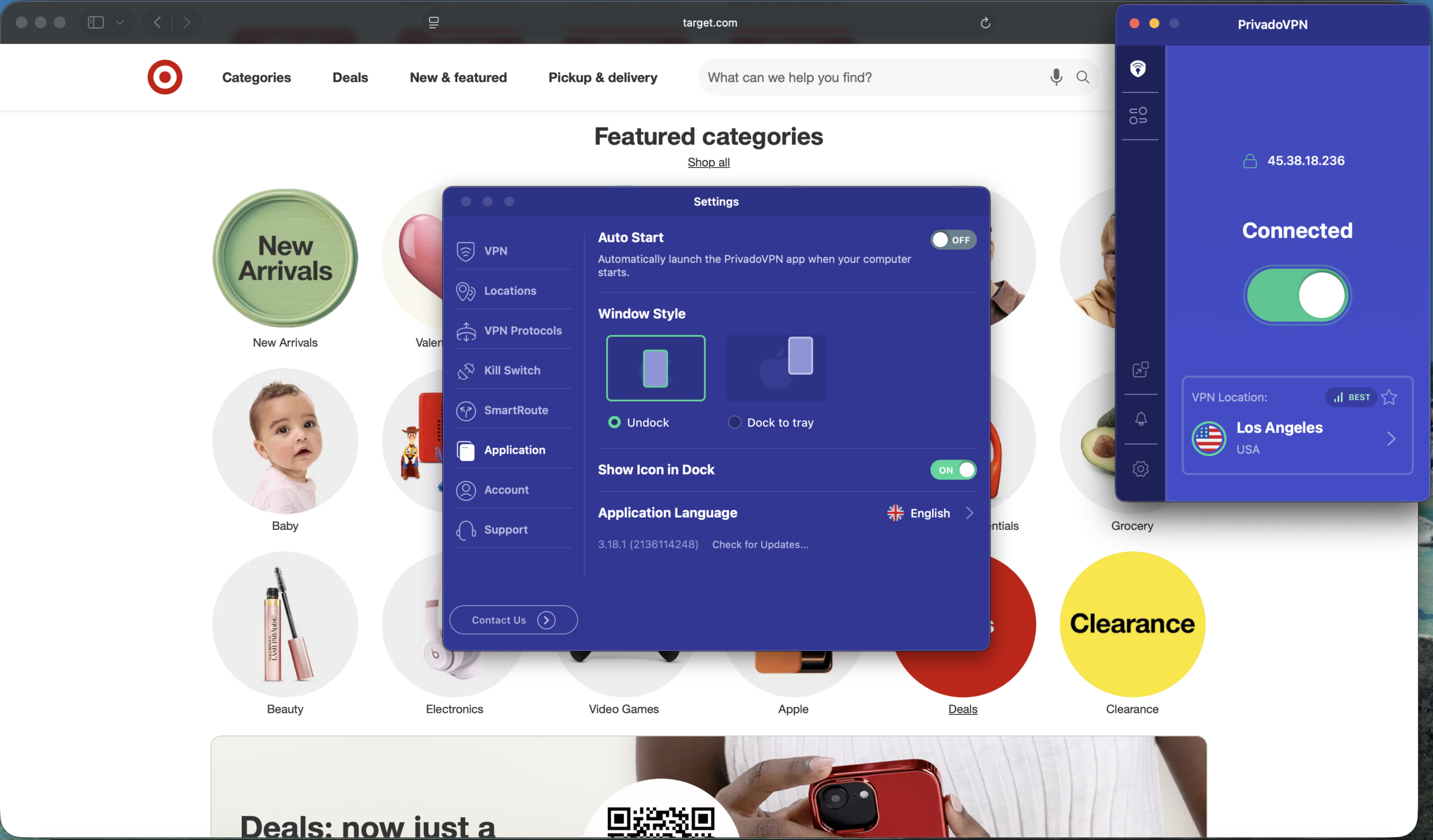
Other options are accessible via a pop-out settings menu, where you can select VPN protocols, enable a kill switch, and customize SmartRoute (aka split tunneling).
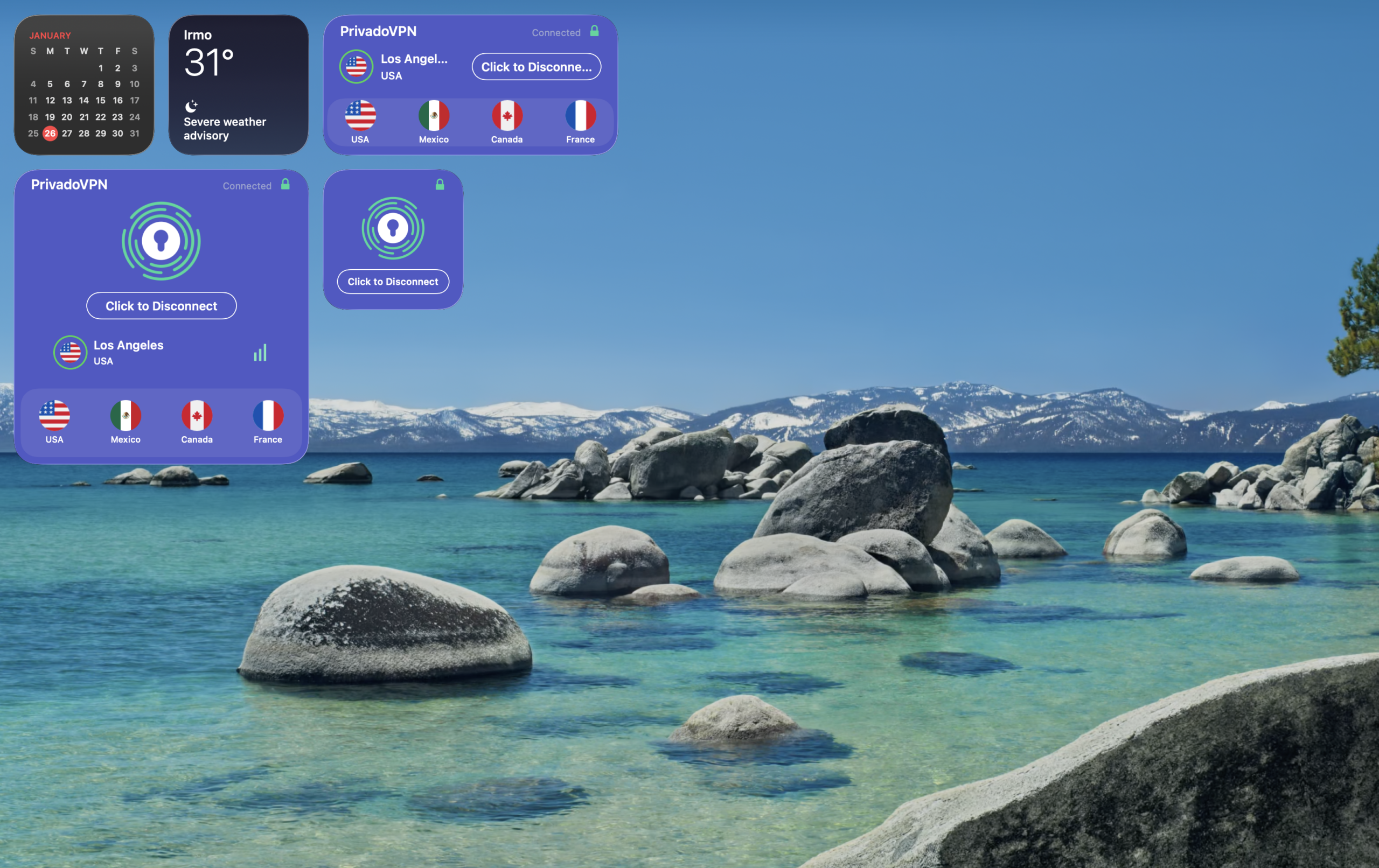
PrivadoVPN also offers macOS home screen widgets for quick access to connection status and recent servers.
PrivadoVPN’s free plan offers access to 13 servers. Unlike some other free plans, overall speeds were impressive. Bandwidth was more than enough to access streaming services, and general browsing was a breeze. That said, I did encounter a few dropped connections during testing.
It does trail competitors in some respects, including no multi-hop support and no third-party audits.
Who is PrivadoVPN best for?
Competitive pricing and a simple, responsive app could be highly attractive to VPN users seeking a set-and-forget experience.
Recent upgrades to PrivadoVPN:
In early 2026, PrivadoVPN added Email Relay to its Premium plans. The feature creates private email addresses you can use instead of your actual email inbox, which could be handy for newsletter signups or other subscriptions.
PrivadoVPN Pricing:
The free plan also caps data usage at 10GB every 30 days, which might be enough for certain users. Paid plans, which start at $10.99 per month, grant you access to servers in 50 countries worldwide, which doesn’t quite match some higher-profile competitors. You do get unlimited data usage on up to 10 devices at once when you upgrade.
Both the 12-month and 24-month plans offer significant discounts for their respective promotional periods and currently include an additional three months of service. Those longer-term plans offer a 30-day, money-back guarantee — but the month-to-month plans do not.
Pros and cons of PrivadoVPN
| Provider | Best Overall VPN Services for Mac Score (4.87) Starting Price $3.09 per month Money-Back Guarantee 30-day Server Network 8,800 servers in 177 countries Simultaneous Connections Up to 10 devices Platform Compatibility MacOS, Windows, Linux, iOS, Android, Android TV, Fire TV, Chromecast, Apple TV, Chromebook, Kindle, Raspberry Pi, Meta Quest 2, Routers, Xbox, Playstation, Nintendo Switch, Chrome/Firefox/Edge Browsers No-logs Policy  Kill Switch Split Tunneling Double VPN/Multi-hop Torrenting Support | Score (4.83) Starting Price $1.99 per month Money-Back Guarantee 30-day Server Network 3,200+ servers in 100+ countries Simultaneous Connections Unlimited devices Platform Compatibility MacOS, Windows, Linux, iOS, Android, Apple TV, Fire TV, Chrome/Firefox/Edge Browsers, Smart TVs, Gaming Consoles, Oculus 2, Vision Pro, Raspberry Pi No-logs Policy Kill Switch Split Tunneling Double VPN/Multi-hop Torrenting Support | Score (4.80) Starting Price $2.99 per month Money-Back Guarantee 30-day Server Network 15,000+ servers in over 120 countries Simultaneous Connections Up to 10 devices Platform Compatibility MacOS, Windows, Linux, iOS, Android, Chrome, Firefox, Chromebook, Android TV, Apple TV No-logs Policy Kill Switch Split Tunneling Double VPN/Multi-hop Torrenting Support | Score (4.80) Starting Price $1.33 per month Money-Back Guarantee 30-day Server Network Servers in 91 countries Simultaneous Connections Unlimited devices Platform Compatibility MacOS, Windows, Linux, iOS, Android, Chrome, Firefox, Android TV, Apple TV+, Gaming consoles, Routers, and Smart TV No-logs Policy Kill Switch Split Tunneling Double VPN/Multi-hop Torrenting Support | Score (4.73) Starting Price Free Money-Back Guarantee 30-day Server Network 2,600+ servers in 57 countries Simultaneous Connections Up to 10 devices Platform Compatibility MacOS, Windows, Linux, iOS, Android, Volla OS, Freifon, Routers, Apple TV, Fire TV, Android TV, Browser Extensions, Game Consoles, Smart TVs No-logs Policy Kill Switch Split Tunneling Double VPN/Multi-hop Torrenting Support | Score (4.68) Starting Price $2.49 per month Money-Back Guarantee 30-day Server Network Servers in 105 countries Simultaneous Connections Up to 14 devices Platform Compatibility MacOS, Windows, Linux, iOS, Android, Routers, Apple TV, Fire TV Stick, Android TV, Browser Extensions, Game Consoles, Smart TVs No-logs Policy Kill Switch Split Tunneling Double VPN/Multi-hop  Torrenting Support | Score (4.67) Starting Price Free Money-Back Guarantee 7-day Server Network Servers in 69 countries Simultaneous Connections Unlimited devices Platform Compatibility MacOS, Windows, Linux, iOS, Android, Fire TV, Android TV, Apple TV, Chrome/Firefox/Edge Browsers, Routers No-logs Policy Kill Switch Split Tunneling Double VPN/Multi-hop Torrenting Support |
|---|---|---|---|---|---|---|---|
| Score | (4.87) | (4.83) | (4.80) | (4.80) | (4.73) | (4.68) | (4.67) |
| Starting Price | $3.09 per month | $1.99 per month | $2.99 per month | $1.33 per month | Free | $2.49 per month | Free |
| Money-Back Guarantee | 30-day | 30-day | 30-day | 30-day | 30-day | 30-day | 7-day |
| Server Network | 8,800 servers in 177 countries | 3,200+ servers in 100+ countries | 15,000+ servers in over 120 countries | Servers in 91 countries | 2,600+ servers in 57 countries | Servers in 105 countries | Servers in 69 countries |
| Simultaneous Connections | Up to 10 devices | Unlimited devices | Up to 10 devices | Unlimited devices | Up to 10 devices | Up to 14 devices | Unlimited devices |
| Platform Compatibility | MacOS, Windows, Linux, iOS, Android, Android TV, Fire TV, Chromecast, Apple TV, Chromebook, Kindle, Raspberry Pi, Meta Quest 2, Routers, Xbox, Playstation, Nintendo Switch, Chrome/Firefox/Edge Browsers | MacOS, Windows, Linux, iOS, Android, Apple TV, Fire TV, Chrome/Firefox/Edge Browsers, Smart TVs, Gaming Consoles, Oculus 2, Vision Pro, Raspberry Pi | MacOS, Windows, Linux, iOS, Android, Chrome, Firefox, Chromebook, Android TV, Apple TV | MacOS, Windows, Linux, iOS, Android, Chrome, Firefox, Android TV, Apple TV+, Gaming consoles, Routers, and Smart TV | MacOS, Windows, Linux, iOS, Android, Volla OS, Freifon, Routers, Apple TV, Fire TV, Android TV, Browser Extensions, Game Consoles, Smart TVs | MacOS, Windows, Linux, iOS, Android, Routers, Apple TV, Fire TV Stick, Android TV, Browser Extensions, Game Consoles, Smart TVs | MacOS, Windows, Linux, iOS, Android, Fire TV, Android TV, Apple TV, Chrome/Firefox/Edge Browsers, Routers |
| No-logs Policy | | | | | | | |
| Kill Switch | | | | | | | |
| Split Tunneling | | | | | | | |
| Double VPN/Multi-hop | | | | | | | |
| Torrenting Support | | | | | | | |
| Learn more | Learn More On NordVPN’s official website | Learn More On Surfshark’s official website | Learn More On Proton VPN’s official website | Learn More On Private Internet Access’s official website | Learn More On IPVanish’s official website | Learn More On Hide.me’s official website | Learn More On ExpressVPN’s official website |
There’s a lot to consider when you’re searching for a VPN provider — from the number of available servers, to the Mac app experience, and more. In my journey to crown the best VPN services for Mac, I signed up for some of the biggest names in VPN services. In addition to gathering and comparing stats and features, I also conducted hands-on testing to see how they performed during real-world use. As I evaluated each VPN service, I paid close attention to a number of key categories.
Good VPN services should offer robust and up-to-date security and privacy features to keep your online activities safe and sound. Features like WireGuard support, double VPN, and no-log policies can help separate a great VPN service from the rest. Lastly, split tunneling (a feature that lets you dictate which apps and services go through your VPN and which ones can bypass it) has been challenging to implement on Macs due to somewhat recent changes to macOS. That said, some services are starting to find ways to implement the feature.
Some of the top VPN providers often boast about offering access to thousands of servers spread across hundreds of locations. In my hands-on testing, I looked for services that offered a wide range of server options all across the globe.
Even the most fully featured VPN service can be undone by hard-to-use or lackluster software. So I spent considerable hands-on time testing each app — navigating menus, and noting useful options or head-scratching quirks. I also explored apps that take advantage of Mac-specific features like home screen widgets and settings you can access straight from the menu bar.
Pricing and available plans also factored heavily in my testing. While a free or low-cost plan might seem highly attractive at first, many of the paid options offer compelling features and useful perks that can turn pricier plans into excellent values.
Most of us access the internet through a variety of devices. Good VPN services offer robust compatibility with the most common and popular operating systems, including macOS. And since it’s not uncommon for Macs to be part of a diverse ecosystem of devices in a household, broad VPN support for other platforms (like Windows, Linux, Android, and iOS) is a key feature to have.
Speaking of households, VPN services that offer protection for multiple devices at one time can help keep entire families safe and secure. After all, if you’re looking to keep one of your online devices safe and secure, you’re probably interested in keeping your other devices protected as well. Some of the biggest VPN services offer coverage for 10 or more devices at any one time, and others even boast unlimited device support.
While macOS includes strong built-in security features like Gatekeeper and XProtect, a VPN adds an extra layer of protection. A VPN encrypts your internet traffic, hides your IP address, and helps protect your data on public Wi-Fi networks. It can also allow you to access geo-restricted streaming content and reduce tracking from advertisers or ISPs.
The best VPN for Mac depends on your priorities. If you want a polished, Mac-friendly app with strong security features, options like NordVPN stand out. If you prefer a free plan to get started, Proton VPN offers one of the strongest free tiers available. Users who want unlimited device connections may prefer Surfshark or Private Internet Access.
Yes, several providers offer free plans for Mac users. Proton VPN offers a free plan with no data caps, while Windscribe and TunnelBear provide limited free tiers with monthly data allowances. Free VPNs can be a good starting point, but paid plans typically unlock faster speeds, more server locations, and advanced features like multi-hop connections and split tunneling.
Any VPN can slightly reduce internet speeds because your traffic is being encrypted and routed through a remote server. However, top providers minimize this impact by offering large server networks and modern protocols like WireGuard. In most cases, a high-quality VPN should still allow for smooth browsing, streaming, and video calls on a Mac.
Split tunneling has historically been more difficult to implement on macOS due to Apple’s system-level networking changes. That said, several providers now offer Mac-compatible versions of the feature, including ExpressVPN, Private Internet Access, and Surfshark (in beta). Availability and functionality may vary by app version.
Yes. Most VPN services allow you to install the app on multiple devices, including MacBooks, iMacs, iPhones, and iPads. Many providers support at least 10 simultaneous connections, and some — like Surfshark and IPVanish — allow unlimited devices under one subscription.
Using a VPN is legal in most countries, including the United States, Canada, the UK, and Australia. However, VPNs must still be used in accordance with local laws and service terms. While a VPN enhances privacy, it does not make illegal activity legal.

About The Password Manager, Gunnar Kallstrom:
Kallstrom, The Password Manager, is a Cyber Team Lead for a Department of Defense (DOD) contracting company in Huntsville, Alabama, and has worked as a Computer Network Defense (CND) Cyber Analyst. An author and content creator for a cybersecurity academy, Kallstrom spent nearly 15 years in the Army as a musician before entering the cybersecurity field.
He holds a bachelor’s degree in music from Thomas Edison State University and a master’s in organizational development and leadership from the University of the Incarnate Word.
Kallstrom has completed several Computing Technology Industry Association (CompTIA) courses, including Security+, Network+, A+ Core 1, and A+ Core 2. He earned a CompTIA Security+ Certification. Additionally, he has completed the Cyber Warrior Academy program with more than 800 hours of hands-on, intensive, and lab-driven technical training in cybersecurity methods and procedures.
Passionate about all things cyber, Kallstrom was a speaker on a panel at the 2022 InfoSec World conference, giving a talk entitled “Hacking into a Cyber Career – True Stories.” Kallstrom is also a mentor to entry-level cybersecurity candidates seeking to break into the field. When he’s not working, he still enjoys playing guitar and fishing (not phishing).