We put Duo to the test for plan value, compatibility, features, and security. See why The Password Manager rated Duo 4.8/5.
By:Gunnar Kallstrom , Updated October 27, 2025 Head of information systems and cybersecurity research
Updated October 27, 2025
Duo: A Quick Overview
Bottom line: Duo is a user-friendly multi-factor authentication (MFA) platform with an intuitive app and the scalability to support a wide range of users. With industry-specific security tools and simplified protections for individuals, it secures an expansive universe of apps, including a desktop app with an easy-to-navigate admin portal. However, the wide range of options for customizing configuration policies can be overwhelming.
Who should choose Duo? Duo accommodates individual users and companies of all sizes and offers solutions for healthcare, education, government, retail, legal, technology, and finance. The Free plan accommodates 1 to 10 users, and the most robust Premier plan is designed for enterprises of 500 or more.
Duo’s Editor Rating
Overall: 4.8
Duo accommodates individual users, companies of all sizes, and offers solutions for healthcare, education, government, retail, legal, technology, and finance. The Free plan accommodates 1 to 10 users and the most robust Beyond plan is designed for enterprises of 500 or more.
Duo is a highly reputable MFA, as part of Cisco, which protects data for more than 30,000 customers across the globe. Duo offers active device monitoring, and it is highly customizable, allowing the admin to set “policies” across the entire user base, create groups, or apply access policies to certain apps. Its Trust Monitor for threat detection flags security events, and the admin can also set security policies like detecting certain users, countries, IP addresses, or important applications. Duo allows you to secure more than 120 applications.
On the other hand, the depth of Duo could make you initially paralyzed with “What do I tackle first?” The great news is Duo’s U.S.-based customer support is top-notch. When I called to set up a user, the technician explained the process in terms I could understand and followed up with an email that I could respond to directly to reach him if I had additional questions.
Pros
Unlimited application integrations: Duo supports more than 120 applications across devices. It can integrate 2FA and single sign-on (SSO) across the organization.
Plan variety: Duo’s range of plans can suit a single user or enterprise business. I find it helpful that you can scale up easily and quickly add new users.
Customizable security rules: You can set specific security rules and access policies, applying them to all users, groups, or by application.
Robust support: I quickly got through to the phone help desk and the agent walked me through steps to add users, along with pointing me to Duo’s extensive online library of documents.
Cons
Limited features in the free trial: I downloaded the 30-day free trial, which is the second of four plans, called Duo Essentials. However, the trial does not include all MFA features, mainly telephony. However, Duo says if you want to test other plans to call their customer support line and speak with a salesperson.
Phone support not available with all plans: Duo’s Premium Support is not available with the Duo Free plan and Duo Care pricing is based on the number of user licenses you purchased.
Who Should Choose Duo?
Step1.Individual users: Duo’s Free plan for up to 10 users gives you unlimited application integrations, the push feature for iOS and Android, along with the ability to customize security for all users or specific apps. It covers the basics. A family could use it.
Step2.Small businesses: Duo allows you to scale up easily and add users as your company expands.
Step3.Enterprise organizations: Duo can accommodate organizations of more than 500 across a range of industries that require highly sensitive data protection, from healthcare to government.
Duo Plans and Pricing
Overall: (4.5)
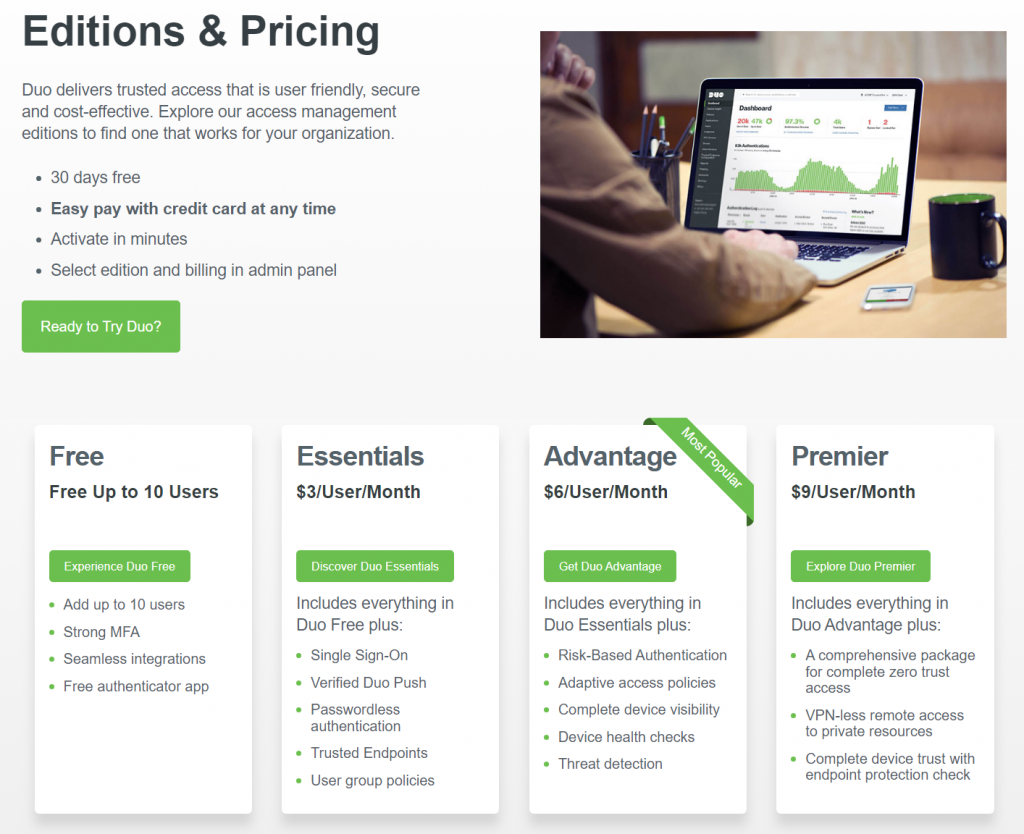
Duo Free accommodates up to 10 users and provides basic security for apps. It is the only plan that limits the number of users. For $3 per month per user, you can upgrade to Duo Essentials and gain important features that Free doesn’t offer, such as single sign-on, passwordless authentication, and unlimited application integrations.
The most popular plan is Duo AdvantageAccess for $6 per month per user, which includes additional functions like risk-based authentication, device health checks, adaptive access policies, machine-learning threat detection, and full-featured dashboards with comprehensive reporting. The most robust plan designed for enterprise businesses is Duo Premier for $9 per user per month. Premier builds on this menu with VPN-less remote access to private resources and a comprehensive package for complete zero-trust access.
Duo Free
Duo Essentials
Duo Advantage
Duo Premier
Price
Free
$3/month per user
$6/month per user
$9/month per user
Best for
New users and individuals
Small businesses with limited applications
Businesses wanting more customization and SSO capabilities
Enterprise organizations that require the most robust, customized protection
Free trial
Always Free
30-day
30-day
30-Day
Platform compatibility
Across all devices; Duo mobile for iOS and Android
Across all devices; Duo mobile for iOS and Android
Across all devices; Duo mobile for iOS and Android
Across all devices; Duo mobile for iOS and Android
Duo Platform Compatibility
Overall: (5)
Duo is compatible across all company-owned and bring-your-own-device (BYOD) platforms. Duo Mobile is compatible with the following:
Step1.iOS 16.0 and later (latest builds)
Step2.Android 11.0 and later; Android Go 11.0 and later
Duo can be used across all devices for all users, but specifically, the Duo Mobile application users and administrators access is compatible with iOS and Android. Duo recommends updating to the most recent version otherwise, you will not be able to download the most recent versions from the App Store or Play store. Duo mobile is not supported on ChromeOS or Huawei, and if you use it for non-standard Android like OnePlus or ColorOS, you will not be able to access support.
Duo UX
Overall: (4.5)
Getting started as a Duo admin and adding users is seamless, and so is connecting to the Duo Mobile app. It integrates easily into many programs and applications.
Duo has an administrator dashboard with a convenient menu that lets you gain insight into users’ devices and applications, adding users, setting security policies, and setting up groups.
Clickable icons along the top allow you to view endpoints that try to access Duo-protected applications. You can also view the “security hygiene” of mobile devices, and preview users’ experiences so you can suggest software updates if necessary. From the main dashboard, you can set up single sign-on for cloud applications.
The dashboard is fairly simple to navigate. For example, I added a user by simply clicking on the menu item and the task was completed in less than one minute.
Duo Form Filling
Overall: (5)
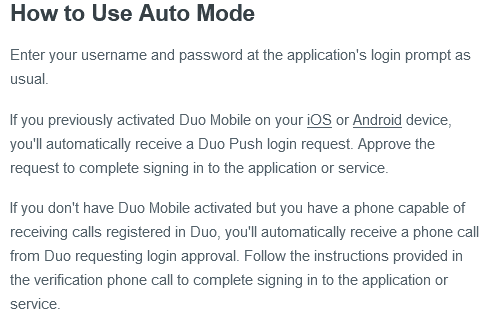
You can set up Auto Mode on Duo to send a Duo Push request or phone call to your supported two-factor device.
Duo Security
Overall: (5)
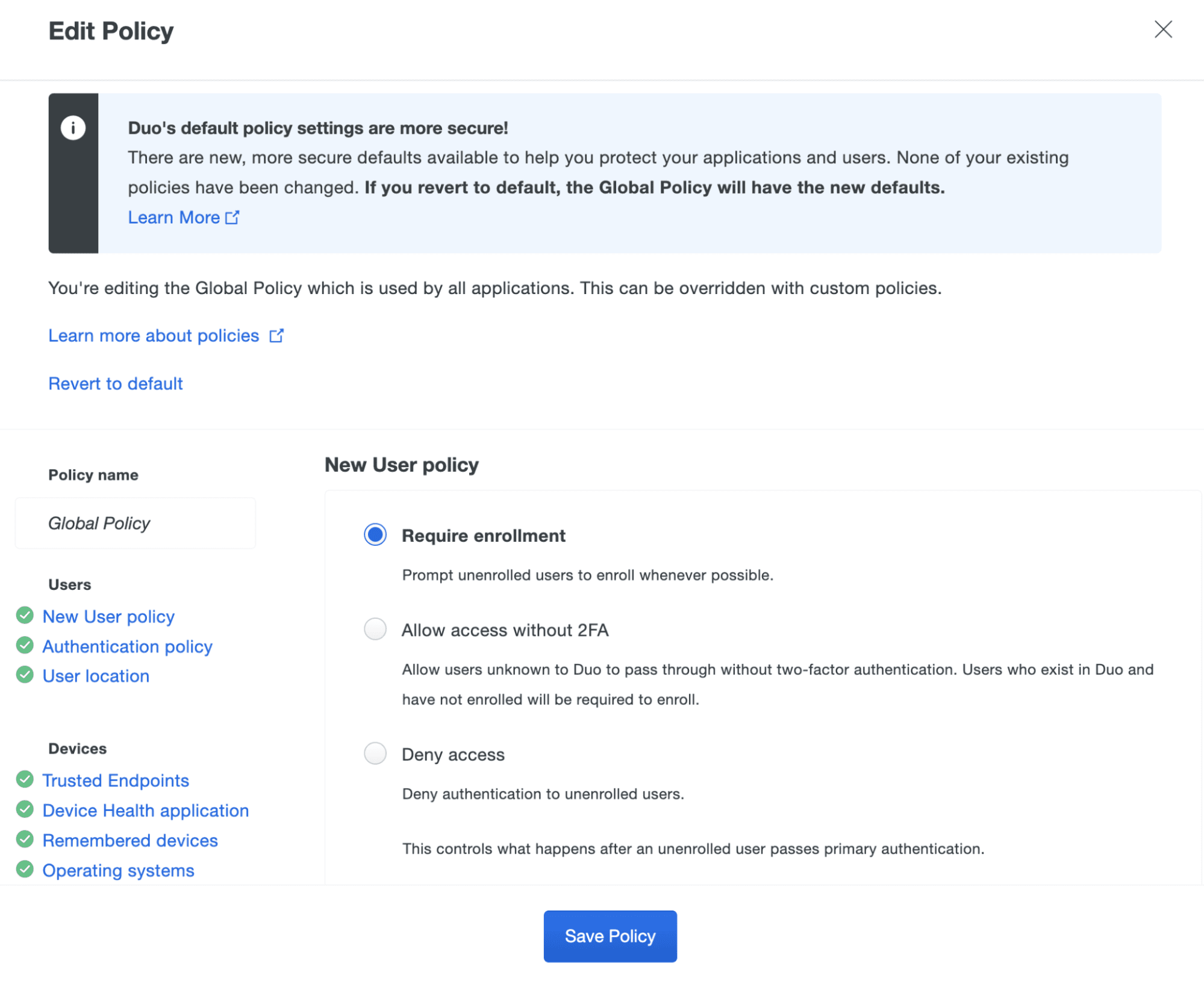
With the most popular Duo Access plan, you can customize the experience by creating rules based on networks, user location, and more.
Depending on your personal or business use, you might want to assign and enforce security policies across all devices or only for certain applications. There might be locations in the world that require closer monitoring when a device enters that field. You can also create rules for accurately using IP addresses and Wi-Fi fingerprints. Duo will provide you with a “trust assessment” with details of every login. I found this in the authentication logs. These are higher-level multi-factor authentication features that Duo offers with its top two plans.
Duo 2FA
Overall: (5)
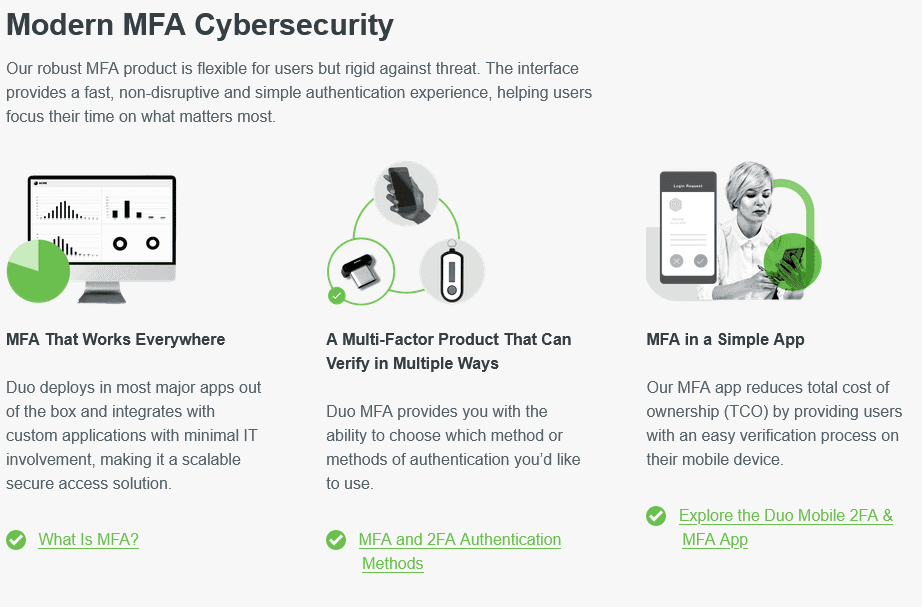
As a multi-factor authenticator app, Duo offers authentication using multiple methods, including mobile devices, security keys, and biometrics.
Recent Improvements to Duo
The latest update, released October 13, 2023, added the following features and improvements in addition to a number of bug fixes:
Step1.Added Instant Restore for Android: switch devices without old phone/Q‑code hassle.
Step2.Introduced Verified Duo Push: a 3‑digit code plus push to fight phishing.
Step3.Expanded phishing‑resistant IAM features: passwordless, proximity verification, seamless help‑desk onboarding.
Compare Duo Alternatives
Duo is seamless to deploy and highly scalable, which is ideal for growing companies and enterprise businesses that require stop-gap authentication and protection for complex environments. When I installed it, navigating the admin dashboard was easy to do and customer support was very helpful. There was no wait time, the help desk talked to me in layman’s terms, offered to walk me through it, and followed up with an email.
See how Duo compares to other top-tier multi-factor authentication platforms:
Platform & Device Compatibility Windows, macOS, Linux, Android, iOS, and popular browsers, such as Google Chrome, Firefox, Edge, Brave, Opera, and Safari
The pros to Duo far outweigh the cons. Duo offers four plans so you can scale up as needed, and the level of customization you can perform to set rules for security and access are built in. This could be a double-edged sword since there are so many ways for administrators to set and enforce specific policies – globally, by app, by IP address, by location, and more. So if this is more than you expect from a multi-factor authentication platform, it might feel overwhelming. That said, you can simply opt for Duo Free, pay nothing, and not access these customization features.
Can Duo be trusted?
Duo can be trusted. It is a platform of Cisco, which protects data for more than 40,000 customers worldwide. Duo adheres to a Zero Trust Strategy, which it describes as, “Never trust; always verify.” Authentication and continuous monitoring of login attempts protects your system. Calling Duo customer support made me feel confident that the company would back its product and wanted me to be successful using it.
Is it worth paying for Duo?
If you’re looking for less complex authentication and security for applications, you can get Duo Free at no cost. There is value in paying for Duo and the company says its Duo Access plan for $6 per month per user is the most popular. It is $3 less per user than the most robust plan and includes the full menu of risk-based authentication tools, policy enforcement/customization, single sign-on (SSO), and Duo Care premium support.
What Is Duo the Company?
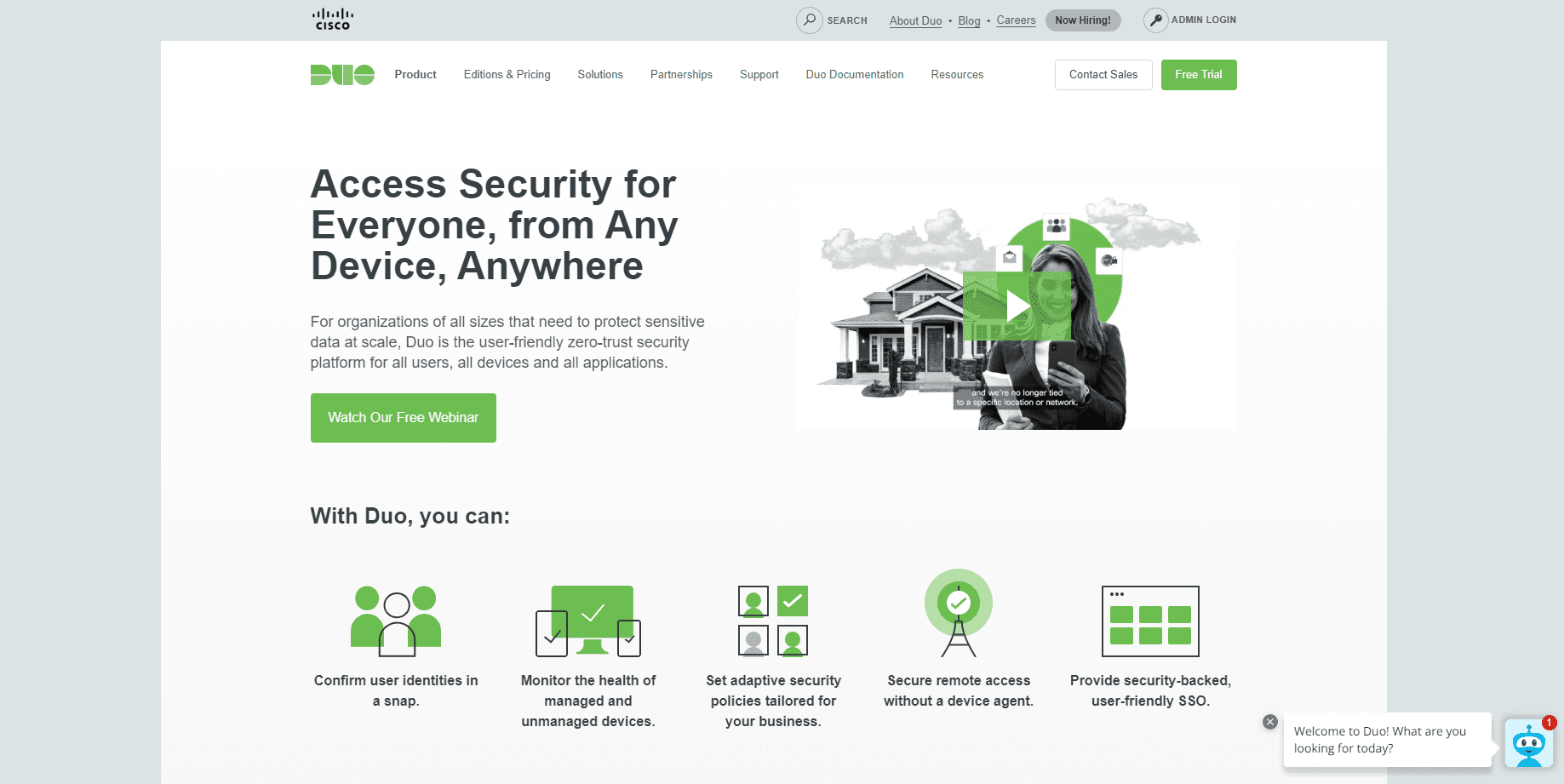
Duo is a two-factor authentication platform that verifies user identity and provides a secure connection to company networks and applications. Duo is part of Cisco Systems, which is a global digital communications tech corporation that develops and produces networking hardware, software, telecommunications equipment, and other high-tech services. Duo is a product of Cisco, and it is a Fortune 100 company.
Duo started in 2010 and was acquired by Cisco in 2018. It is headquartered in Ann Arbor, Michigan, and now has offices in Detroit, Austin, San Mateo, and London.
How I Rated Duo
Our rating process involves a thorough and detailed study of the various features stacked against the competition. I looked at the multiple facets and features provided by Duo compared to other significant industry players through direct testing to ensure an accurate rating. I’ve also applied my experience using Duo to provide a user’s perspective.
I signed up for a plan with Duo to test:
Plan value: Most password managers offer various subscription plans from free to around $20 per month. While free plans may be sufficient for some, those that need more functionality may prefer paid plans.
Platform compatibility: You likely access your online accounts from multiple devices, including desktops, laptops, tablets, phones, as well as through different web browsers. Your password manager should be compatible with various devices, operating systems and browsers, and sync seamlessly between them all.
UX: This is how you interface with all the features and functions of your new password manager — if it’s bad, you’ll be less likely to use the service. While this is a highly subjective category and some will disagree, it’s important to provide an overview based on my experience.
Form filling: A password manager doesn’t have to include form-filling, but it’s somewhat standard and the ease with which it performs that function can be the deciding factor in which password manager you ultimately choose.
Security: Since a password manager is first and foremost a security tool, it should come with all of the most up-to-date standard security features. This includes the highest level of available encryption (256-bit AES with PBKDF2-HMAC-SHA512); 2FA, such as biometric logins or multi-factor authentication, and a password generator.
Two-factor authentication (2FA): Used all over the internet to protect your accounts, this is quickly becoming a standard security practice. 2FA is a great way to secure more sensitive accounts to ensure they’re not breached.
Bottom line:Duo is a user-friendly multi-factor authentication (MFA) platform with an intuitive app and the scalability to support a wide range of users. With industry-specific security tools and simplified protections for individuals, it secures an expansive universe of apps, including a desktop app with an easy-to-navigate admin portal. However, the wide range of options for customizing configuration policies can be overwhelming.
Gunnar Kallstrom is a Cyber Team Lead for a DOD contracting company in Huntsville, AL, and has also worked as a CND Cyber Analyst. An author and content creator for a cybersecurity academy, Gunnar spent nearly 15 years in the Army as a musician before entering the cybersecurity field.
He holds a bachelor’s degree in music from Thomas Edison State University and a master’s in organizational development and leadership from the University of the Incarnate Word.
Kallstrom has completed several CompTIA courses, including Secruity+, Network+, A+ Core 1, and A+ Core 2. He earned a CompTIA Security+ Certification. Additionally, he has completed the Cyber Warrior Academy program with more than 800 hours of hands-on, intensive, and lab-driven technical training in cybersecurity methods and procedures.
Passionate about all things cyber, Kallstrom was a speaker on a panel at the 2022 InfoSec World conference, giving a talk entitled “Hacking into a Cyber Career – True Stories.” Kallstrom is also a mentor to entry-level cybersecurity candidates seeking to break into the field. When he’s not working, he still enjoys playing guitar and fishing (not phishing).
oneSafe is a unique addition to the password manager market. How does it stand against the competition? Read More
Codebook Review 2026: Expert Rated 3.9/5
We put Codebook password manager to the test for plan value, compatibility, features, and security. See why The Password Manager rated Codebook 3.9/5. Read More
KeePass Review 2026: Expert Rated 3.6/5
We put KeePass password manager to the test for plan value, compatibility, features, and security. See why The Password Manager rated KeePass 3.6/5. Read More
ManageEngine ADSelfService Plus Review 2026: Expert Rated 3.8/5
We put the ManageEngine ADSelfService Plus password manager to the test for plan value, compatibility, features, and security. See why The Password Manager rated ManageEngine ADSelfService Plus 3.8/5. Read More
Sticky Password is an effective, secure password manager with standard tools like auto form-filling and standout features like Wi-Fi syncing. Read More