

By:Gunnar Kallstrom , Updated April 2, 2026 Head of Information Systems and Cybersecurity Research
Updated April 2, 2026Using a virtual private network (VPN) will hide your IP address and route your web traffic through a more secure path. This allows you to protect your privacy, avoid being the victim of cybercrime, and access content that may be restricted in your local area.
But there are so many VPN providers available these days that it can be hard to know where to even start. In this guide, I’ll take you through the absolute best options available and help you decide which one is the best fit for your particular needs — whether you want the best VPN for streaming, the best VPN for gaming, or the best VPN for privacy.


AES-256 encryption, no-logs policies, kill switches, and advanced protections like multi-hop and threat blocking.
Large worldwide server coverage ensures reliable speeds and access to geo-restricted content.
Works across desktop, mobile, browsers, and often smart TVs or routers.
Fair pricing with trials or money-back guarantees, plus intuitive apps that are easy to use.

| Starting Price (4.9/5) | Security (4.8/5) | Server Coverage (4.9/5) | UX (4.9/5) | Compatibility (5/5) | Connectivity (4.9/5) | Top Features |
|---|---|---|---|---|---|---|
| $12.99 for month-to-month pricing or $3.49 per month with a 28-month contract | No-logs policy, kill switch | Servers located in 105 different countries | App offers a customizable interface and easy access to advanced capabilities | Windows, macOS, Linux, Android, iOS, Chrome, Firefox, Edge, Chromebook, Fire TV, Apple TV, Android TV, Kindle, Xbox, PlayStation, Routers, Meta Quest VR | Up to 14 devices can be connected at once |
|
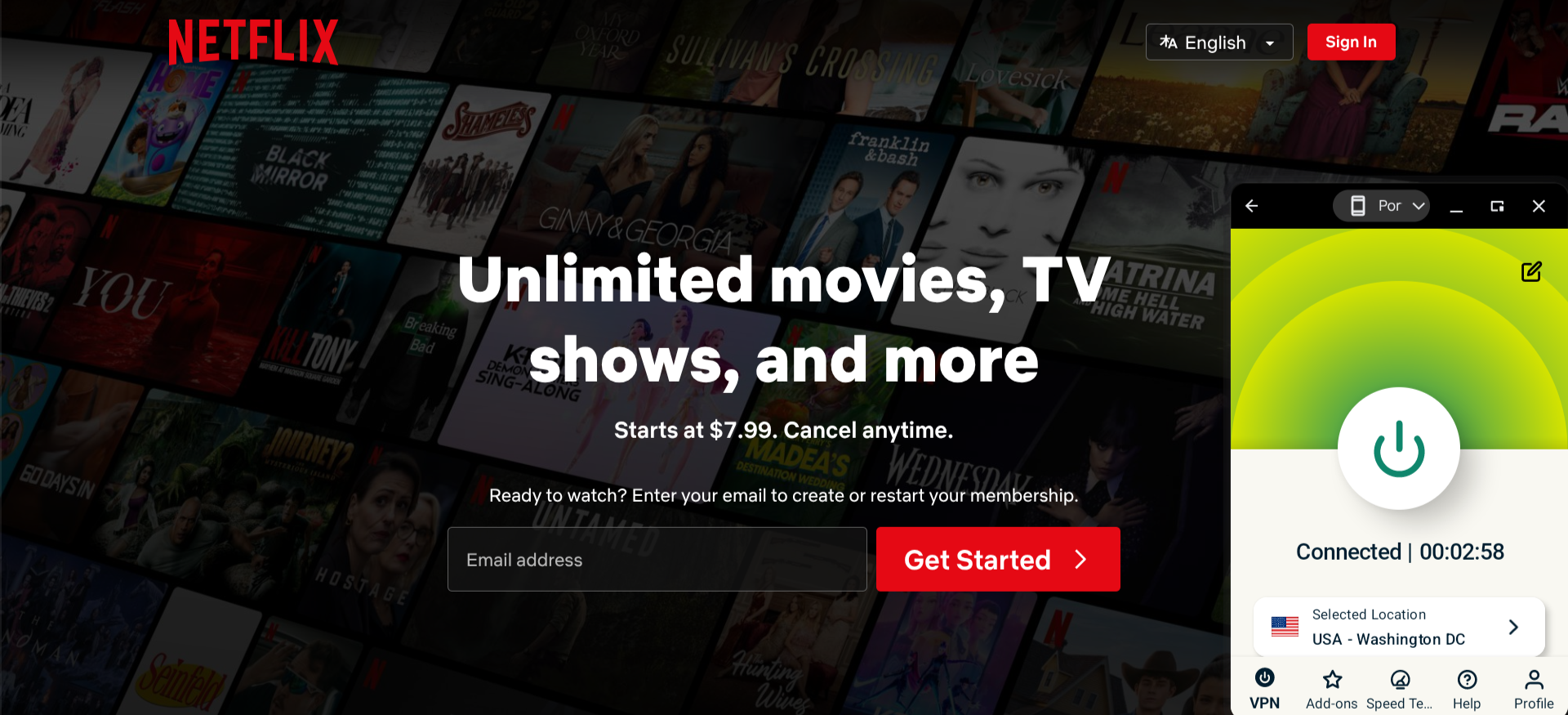
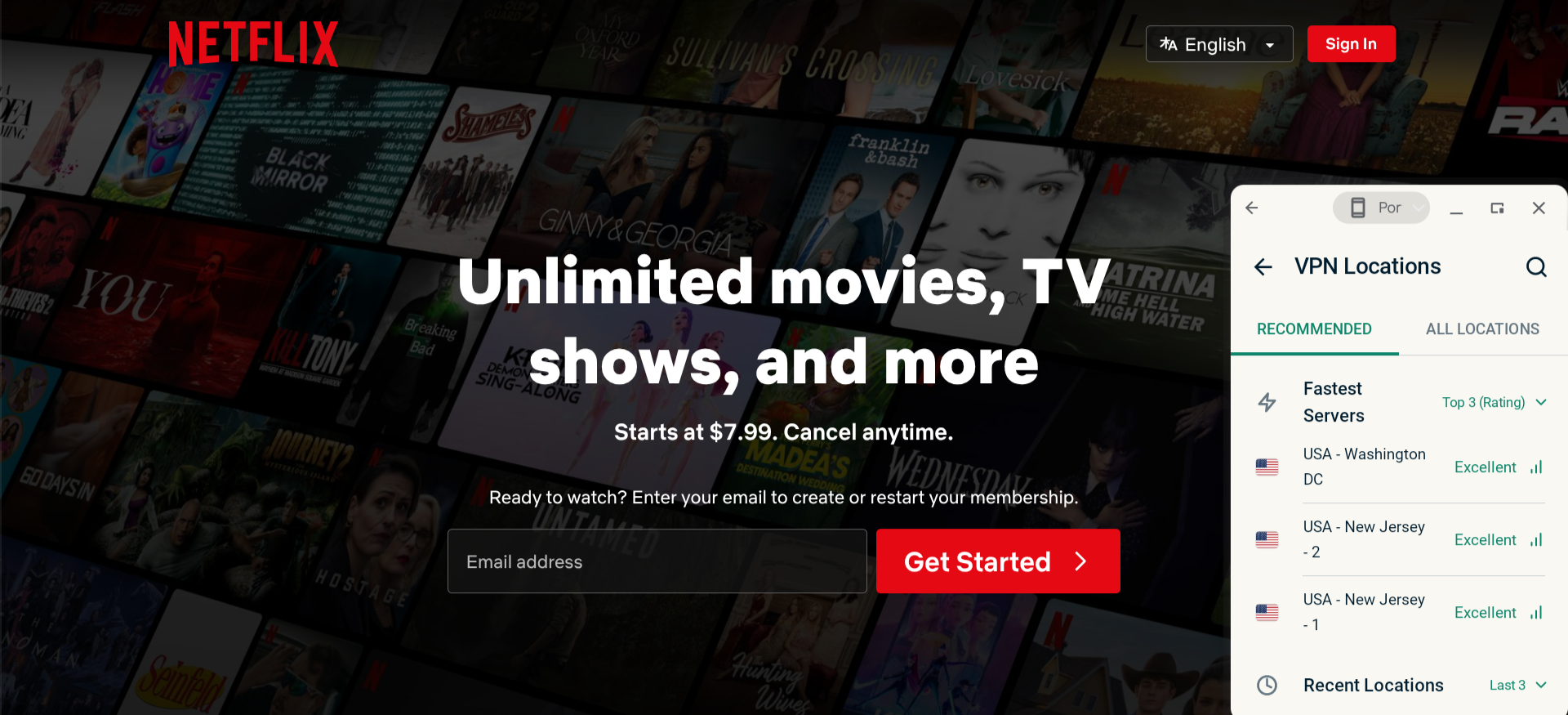
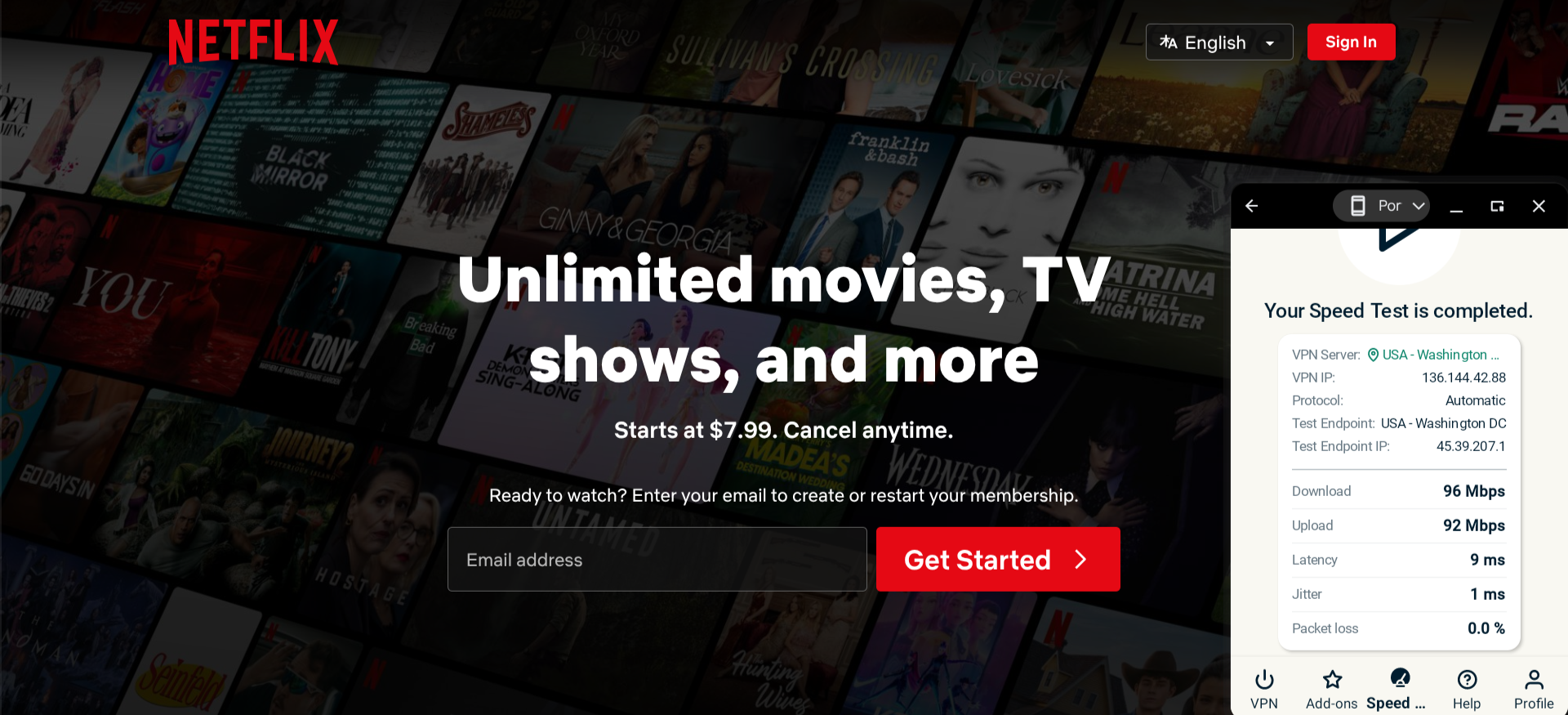
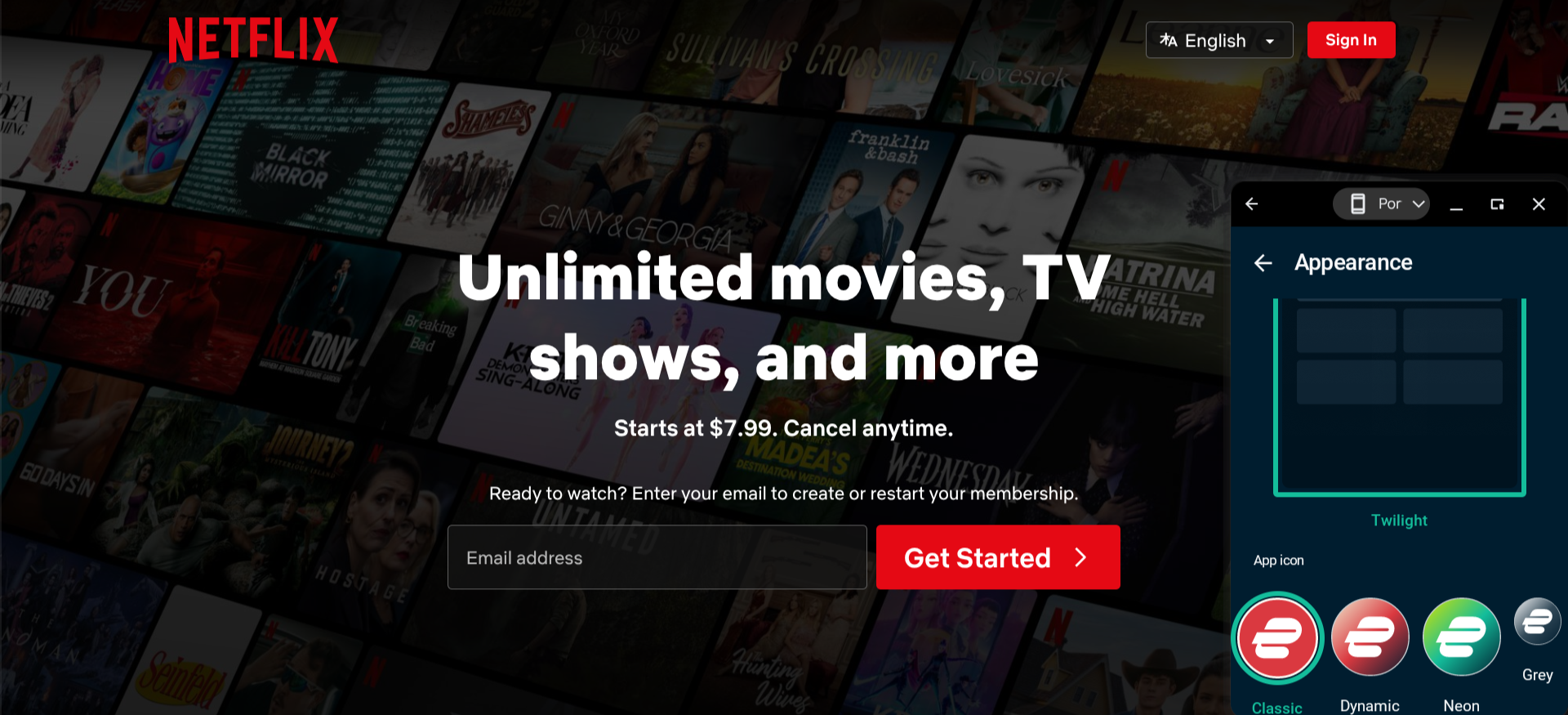
ExpressVPN truly lives up to its name. I found this service’s connection speed to be rather quick. One feature that sets ExpressVPN apart from other providers is that its app includes a built-in speed test tool, so you can immediately gauge the performance of any server you want to try.
Also, ExpressVPN makes it easy to determine which of their servers would be best for your specific situation. The app has a recommended section that highlights the fastest servers available and the most popular servers in your country.
I also liked that ExpressVPN gives you several different color schemes to choose from for their app, and there are a few options for the app icon as well. While this may not be as important as the service’s security features (which include their Advanced Protection web filter and proprietary TrustedServer technology), it’s a nice touch. Power users often call it the best VPN for a polished experience.
Who is ExpressVPN best for?
If you’re not too concerned about cost and want a secure, highly customizable VPN app, ExpressVPN is an excellent choice.
Recent upgrades to ExpressVPN:
The aforementioned speed test feature was just rolled out earlier this year. And as of July 2025, ExpressVPN now offers at least one proxy server location in each of the 50 U.S. states.
ExpressVPN’s pricing:
There are three monthly plans available: Basic ($12.99 for month-to-month pricing or $3.49 per month with a 28-month contract), Advanced ($13.99 for month-to-month pricing or $3.14 per month with a 28-month contract), and Pro ($14.99 for month-to-month pricing or $5.24 per month with a 28-month contract). The Basic plan includes this provider’s VPN service and allows up to 10 simultaneous connections. The Advanced plan adds the Advanced Protection filter and allows up to 12 connections. The Pro plan also includes a password manager and allows up to 14 connections. The Advanced and Pro plans also offer ExpressKeys, which includes unlimited secure storage for passwords, payment details, and more, and they offer all-in-one identity protection with Identity Defender, which includes up to $3M in theft insurance, automated data removal, credit alerts, and monitoring services, covering the dark web, address change and SSN.
Product details: ExpressVPN is a premium VPN known for fast, reliable speeds and strong streaming performance. It uses RAM-only TrustedServer technology, offers polished, customizable apps, and includes advanced privacy protections across a wide global server network.
Pros and cons of ExpressVPN:
| Starting Price (4.7/5) | Security (5/5) | Server Coverage (5/5) | UX (4.9/5) | Compatibility (5/5) | Connectivity (4.5/5) | Top Features |
|---|---|---|---|---|---|---|
| $3.39 per month (2-year plan) | No-logs policy, kill switch, double VPN/multi-hop | 8,900+ servers in 180 + countries | App has an especially clean, polished design | Windows, macOS, Linux, Android, iOS, Chrome, Firefox, Edge, Android TV, Fire TV, Chromecast, Apple TV, Chromebook, Kindle, Raspberry Pi, Meta Quest 2, Xbox, PlayStation, Nintendo Switch, Routers | Up to 10 devices can be connected at once |
|
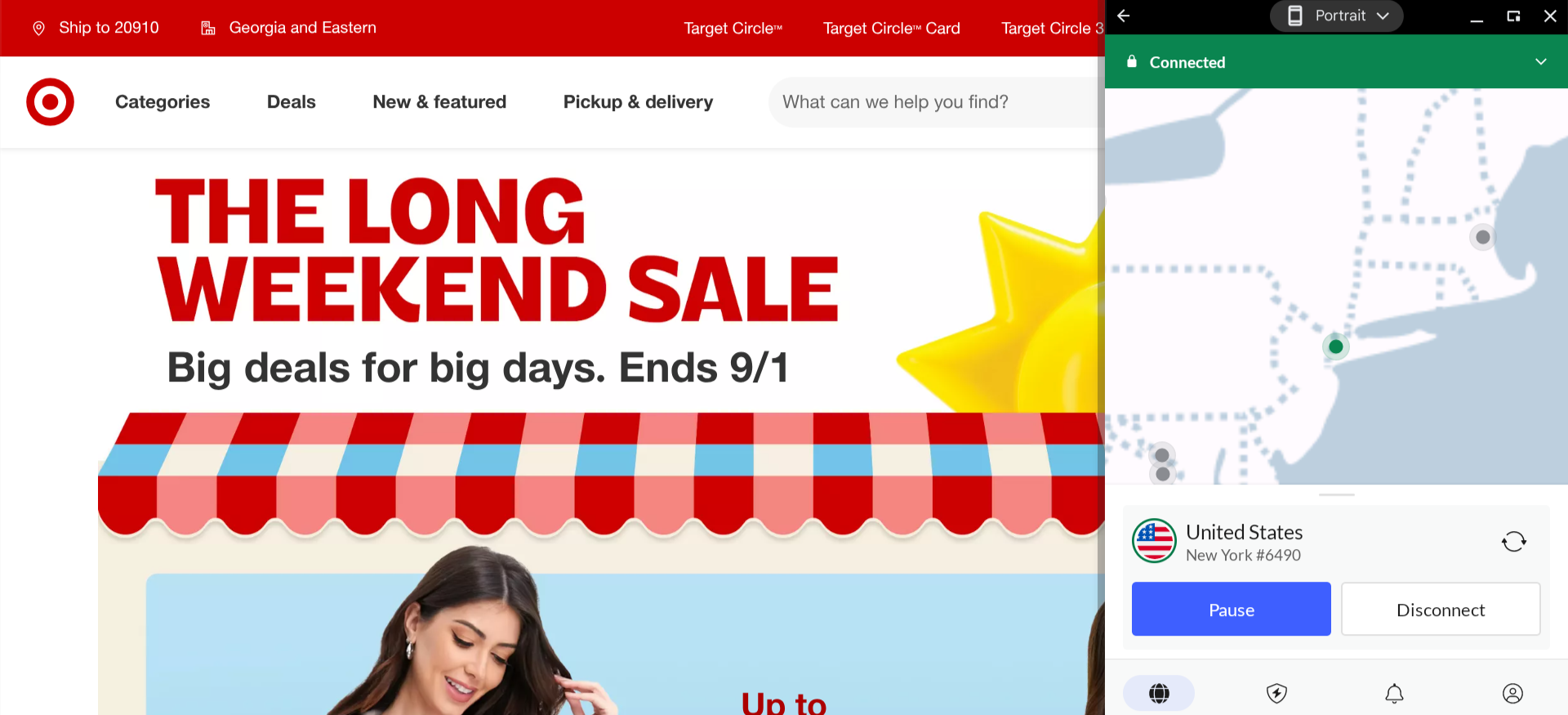
The NordVPN app offers an interactive map, which is a particularly intuitive feature for choosing which server you want to use (a simple list of all the server options is also available).
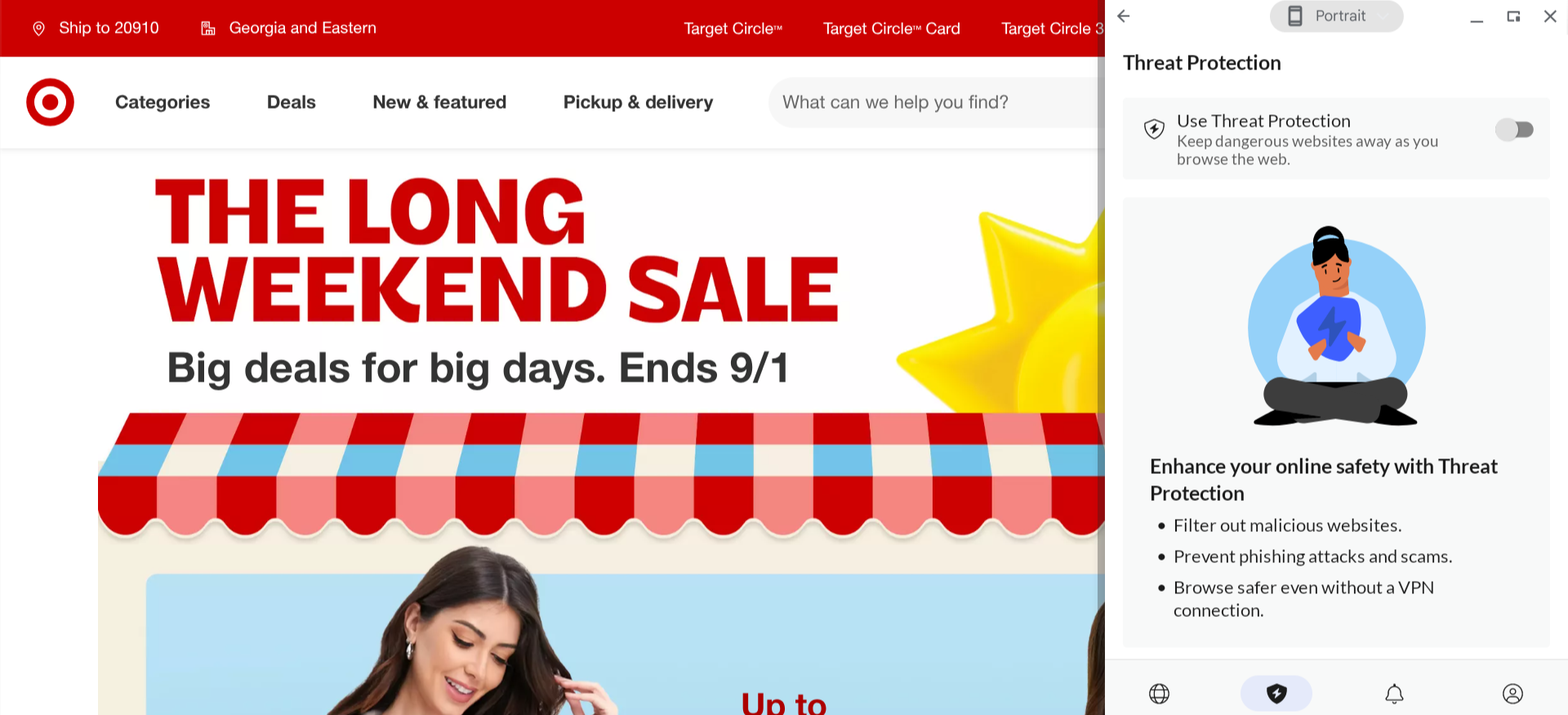
NordVPN’s Threat Protection feature filters your traffic to block ads and malicious domains, and I was impressed to see that you can leave it running even when you have the VPN turned off — most providers that offer a feature like this will only allow you to use it when you’re connected to their VPN.
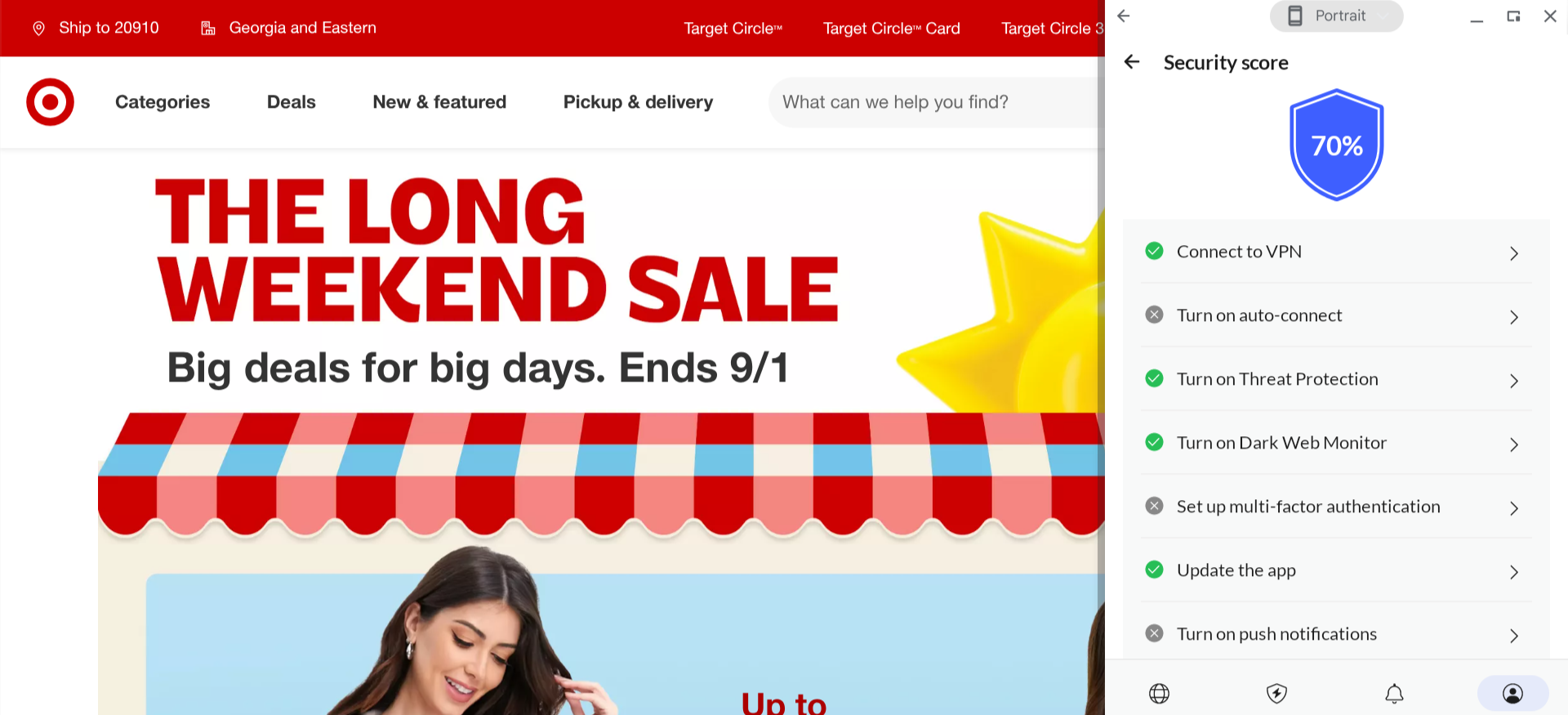
NordVPN has also gamified the process of protecting your privacy with its security score feature. This feature gives you a grade based on how many steps you’ve completed toward securing your connection. I thought it was a fun way to ensure you get the most out of this service.
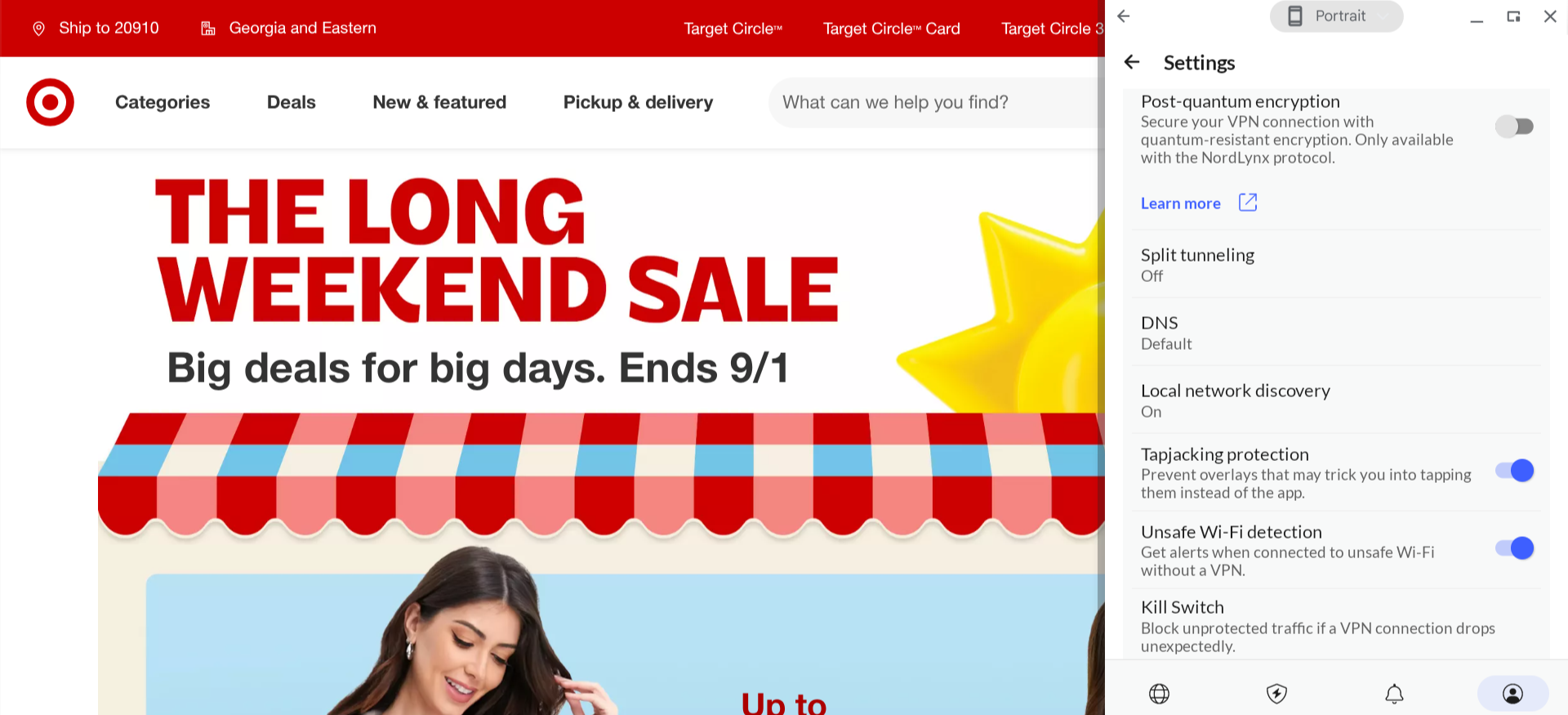
In your profile settings, you’ll find options for NordVPN’s more advanced security features, which include post-quantum encryption (protects you from attackers who have access to quantum computers) and unsafe Wi-Fi detection (when your VPN is off, you’ll get an alert whenever you connect to a potentially unsafe wireless network). Advanced users can also tweak tunneling choices if they’re comparing the best VPN protocol for their setup.
Who is NordVPN best for?
NordVPN is an excellent choice for users who want a fast, reliable, and highly secure VPN with consistently strong performance across streaming, gaming, and everyday browsing. Its large global server network, advanced privacy features like Threat Protection, double VPN, and SmartPlay, and polished apps make it a great fit for both beginners and power users.
Recent upgrades to NordVPN:
NordVPN’s recent updates emphasize improved usability, stronger security, and greater transparency. Highlights include passing its sixth independent no-logs audit by Deloitte in early 2026, redesigned dashboards for easier management, improved connection stability with auto-restore features, expanded server coverage, and tighter integration with Threat Protection Pro.
NordVPN’s pricing:
NordVPN offers several plans: Basic, Plus, Complete, and Prime. Basic is $3.39 monthly, with no contract, and includes only the VPN service. The other plans are slightly more expensive, ranging from $4.39 to $7.39 per month, but include additional perks, such as a password manager, cloud storage, and cyber insurance. These low prices are for two-year plans, and may increase after your contract expires.
Product Details: NordVPN is a premium VPN known for strong security, fast speeds, and broad server coverage. It includes Threat Protection, multi-hop connections, and optional bundles with a password manager, encrypted cloud storage, and cyber insurance.
Pros and cons of NordVPN:
| Starting Price (4.3/5) | Security (5/5) | Server Coverage (4.9/5) | UX (4.9/5) | Compatibility (5/5) | Connectivity (5/5) | Top Features |
|---|---|---|---|---|---|---|
| $15.45 per month | No-logs policy, kill switch, double VPN/multi-hop | 3,200+ servers in 100+ countries | Interface has a streamlined design and is easy to navigate | Windows, macOS, Linux, iOS, Android, Fire TV, Android TV, Apple TV, Chrome, Firefox, Edge, Xbox, PlayStation, Nintendo Switch, Oculus Quest 2, Apple Vision Pro, Raspberry Pi, Routers | Unlimited devices can be connected at once |
|
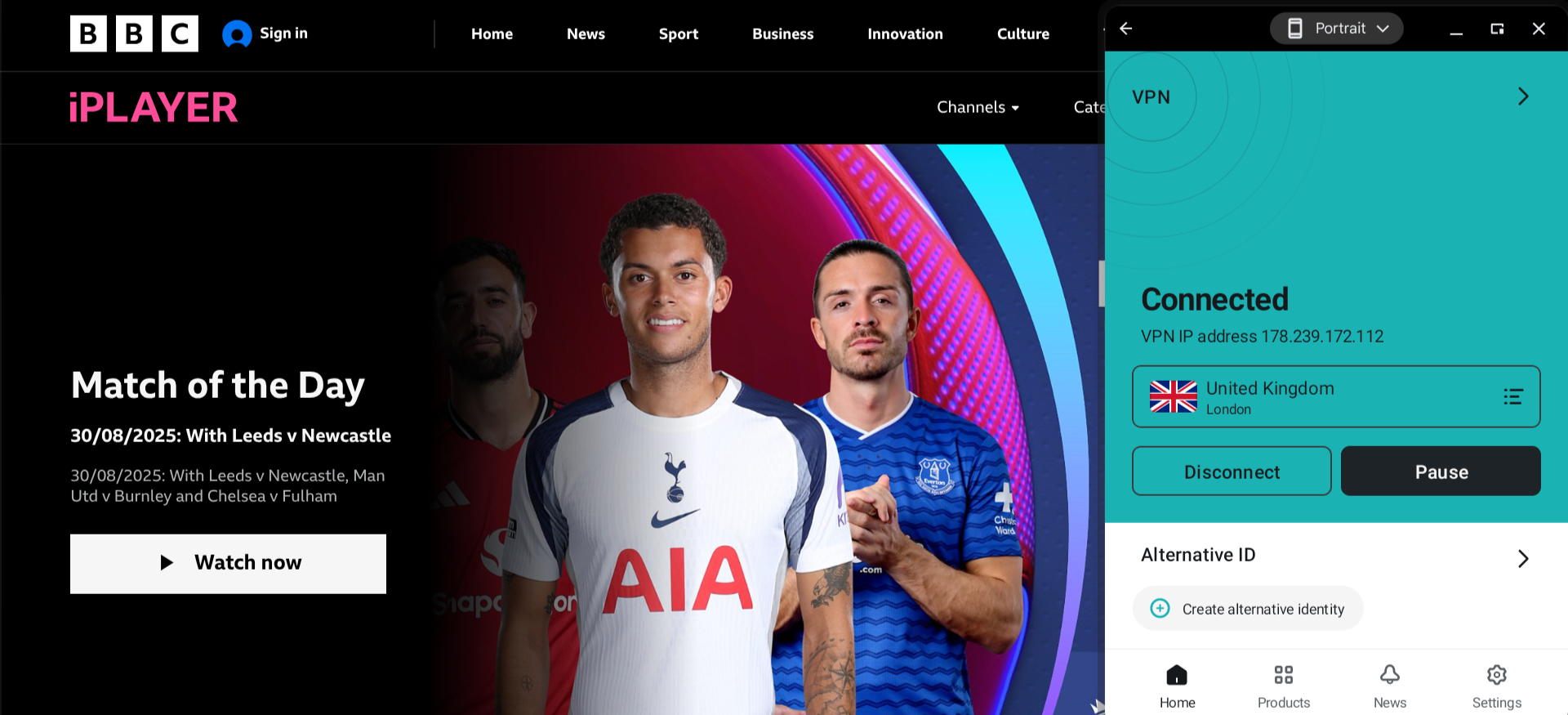
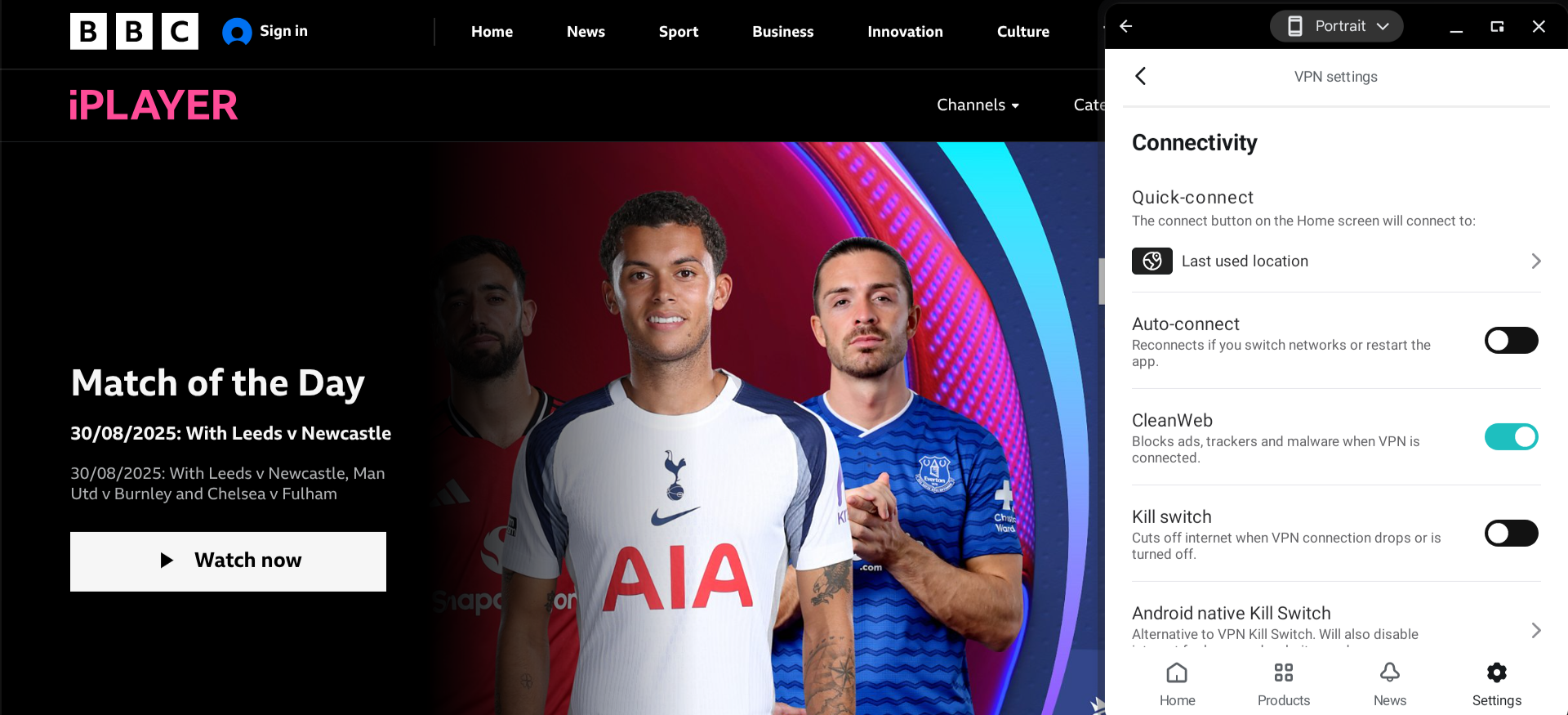
Surfshark’s app has a perfectly streamlined design — even though there were plenty of options available, I found that it was quite easy to browse through everything and configure the settings for my VPN connection.
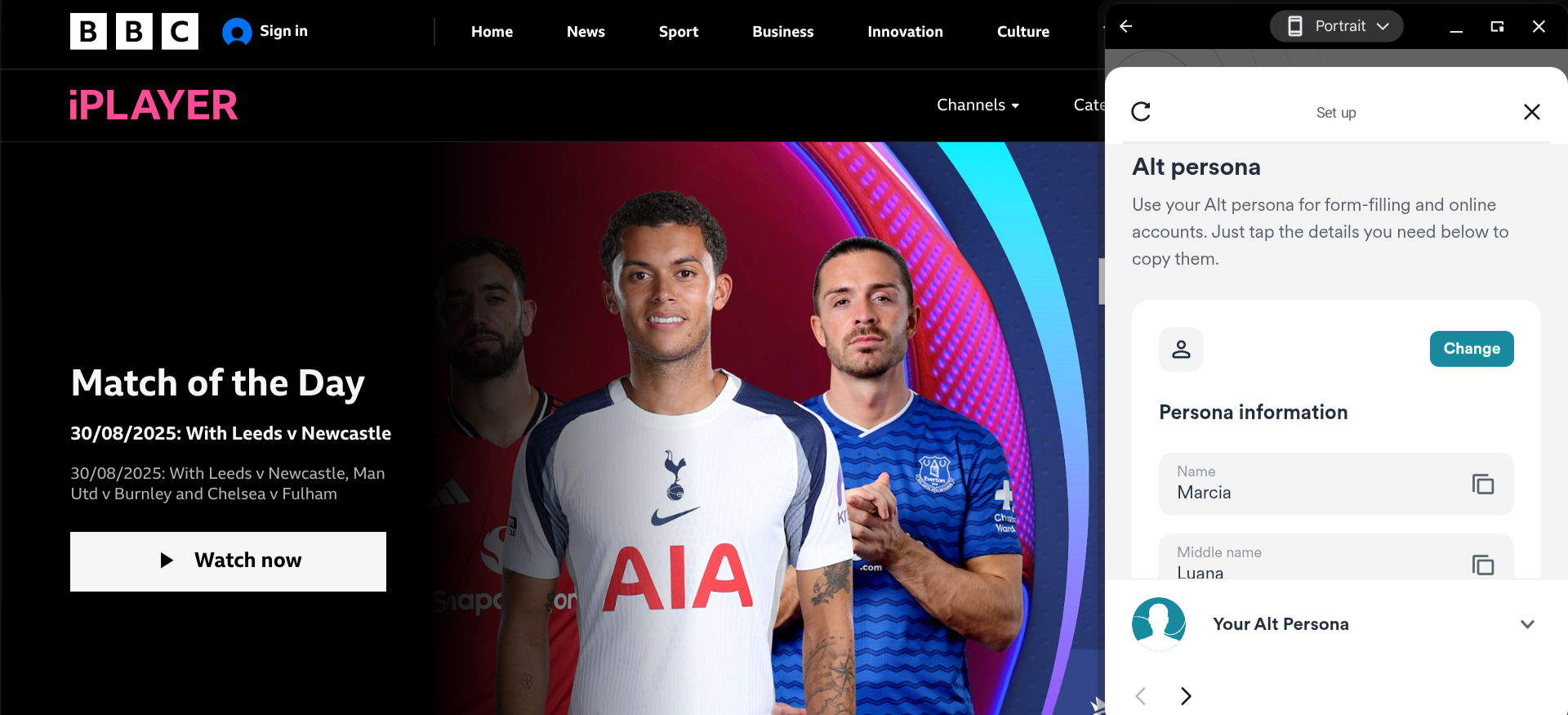
One unique feature offered by Surfshark is the Alternative ID tool, which you can use to sign up for sites that you don’t fully trust. These fake personal details (name, email, phone number, etc.) are generated randomly and can be edited manually.
Also, Surfshark’s CleanWeb filter blocks ads, trackers, and malware while you’re connected to their VPN. Heavy downloaders on forums often shortlist it as the best VPN for torrenting.
Who is Surfshark best for?
This highly secure and easy-to-use VPN service offers ultra-low rates for those willing to commit to a long-term plan. But if you want to pay month-to-month, you can save money by going with a different provider.
Recent upgrades to Surfshark:
In April 2025, Surfshark added the Bypasser feature to the macOS version of its app, which means it’s now available on all major platforms. Bypasser is Surfshark’s version of split tunnelling, allowing you to use your VPN connection only for certain apps or websites.
Surfshark’s pricing:
On a month-to-month basis, the most affordable price for Surfshark is $15.45 per month, but the long-term plans allow you to get this figure down to as low as $1.99 per month. All plans come with the VPN and Alternative ID services, while the most premium plans offer additional tools such as antivirus protection and data leak alerts.
Product details: Surfshark is a feature-rich VPN offering strong security, excellent privacy tools, and unlimited device connections. It stands out for its overall value, bundling a fast VPN with ad blocking, Alternative ID, and optional antivirus protection at competitive long-term pricing.
Pros and cons of Surfshark:
| Starting Price (4.7/5) | Security (5/5) | Server Coverage (5/5) | UX (5/5) | Compatibility (4.8/5) | Connectivity (4.5/5) | Top Features |
|---|---|---|---|---|---|---|
| Free | No-logs policy, kill switch, double VPN/multi-hop | 15,000+ servers in over 120 countries | App is sleek and highly customizable | Android, iOS, Windows, macOS, Linux, Chromebook, Android TV, Apple TV, Chromecast, Fire TV, Routers | Up to 10 devices can be connected at once |
|
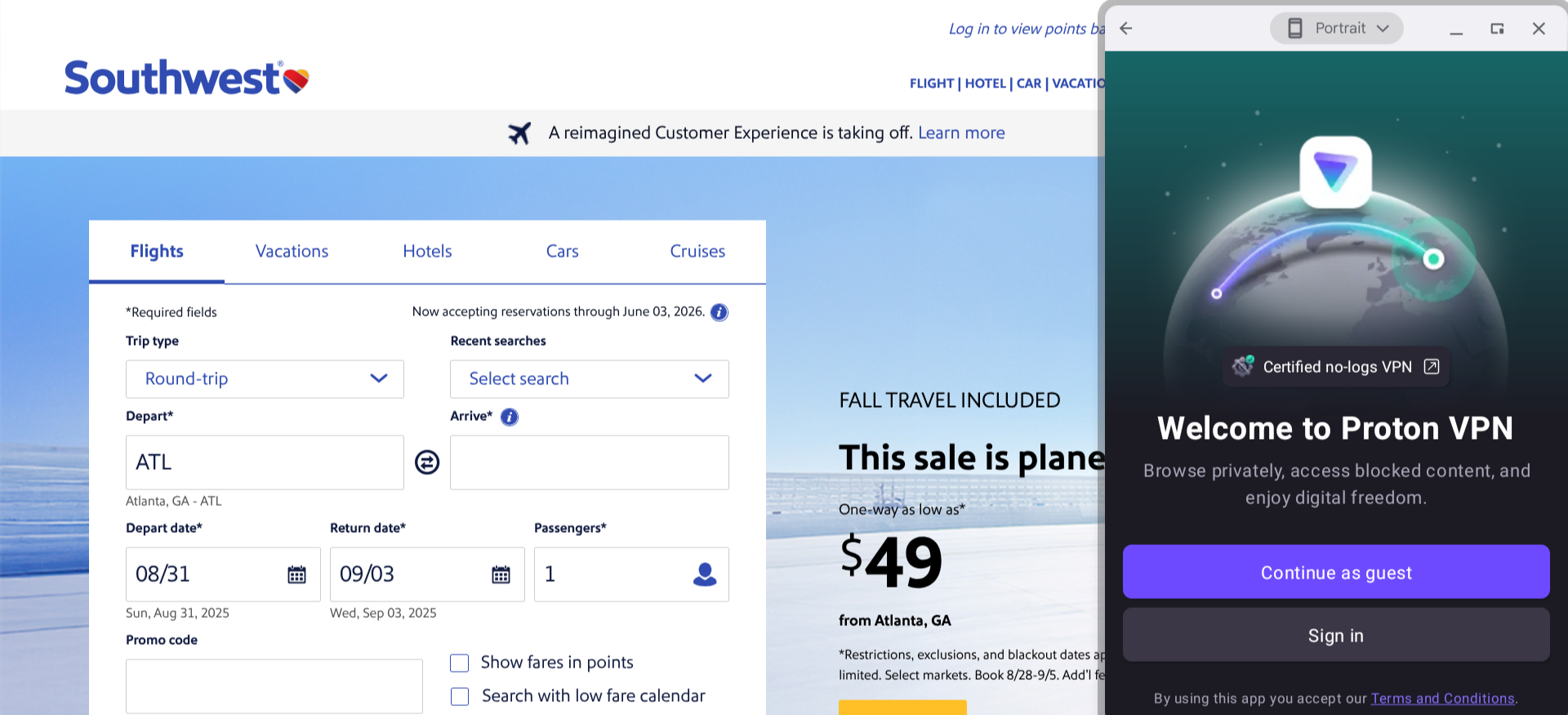
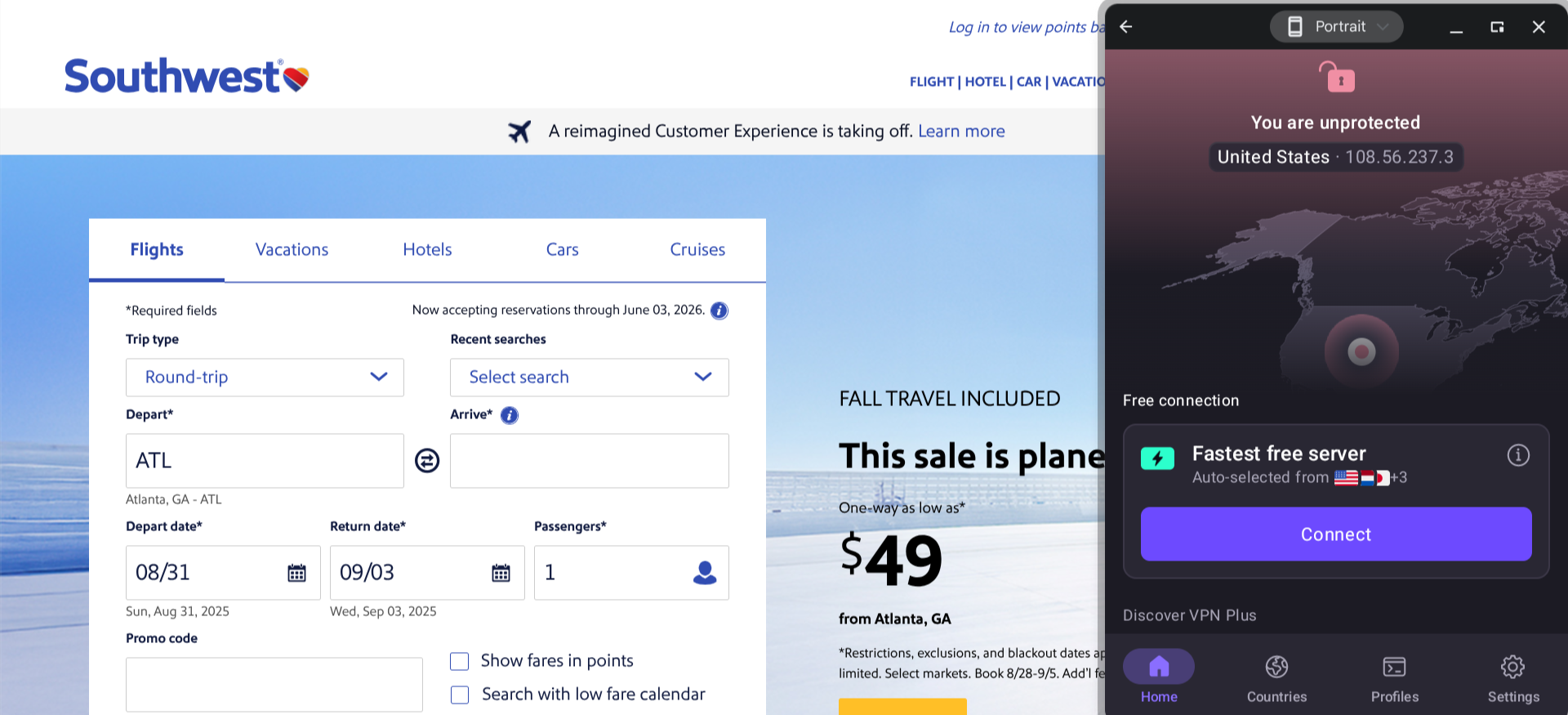
Proton VPN offers a free plan, and you don’t even need to create an account to start using this service. However, the free plan is restricted to medium speed (you’re also limited to one device and fewer proxy server options on this plan), but I didn’t find it to be all that slow. Rather than the old days of dial-up, where a single page might take minutes to load, it’s more like a slight delay. Additionally, you are limited to only a few select VPN server locations, of which you cannot choose. Proton VPN connects you to the one that is supposed to be closest or fastest.
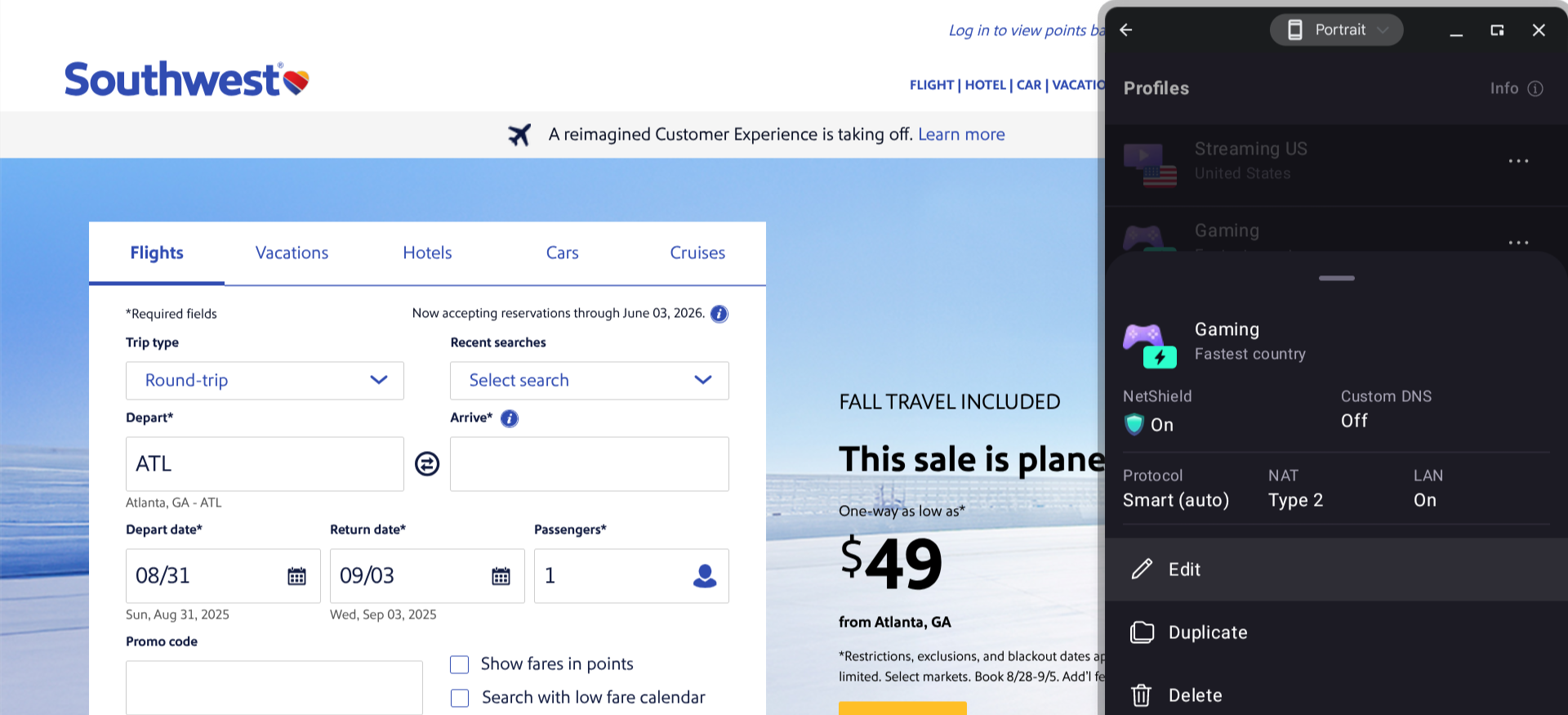
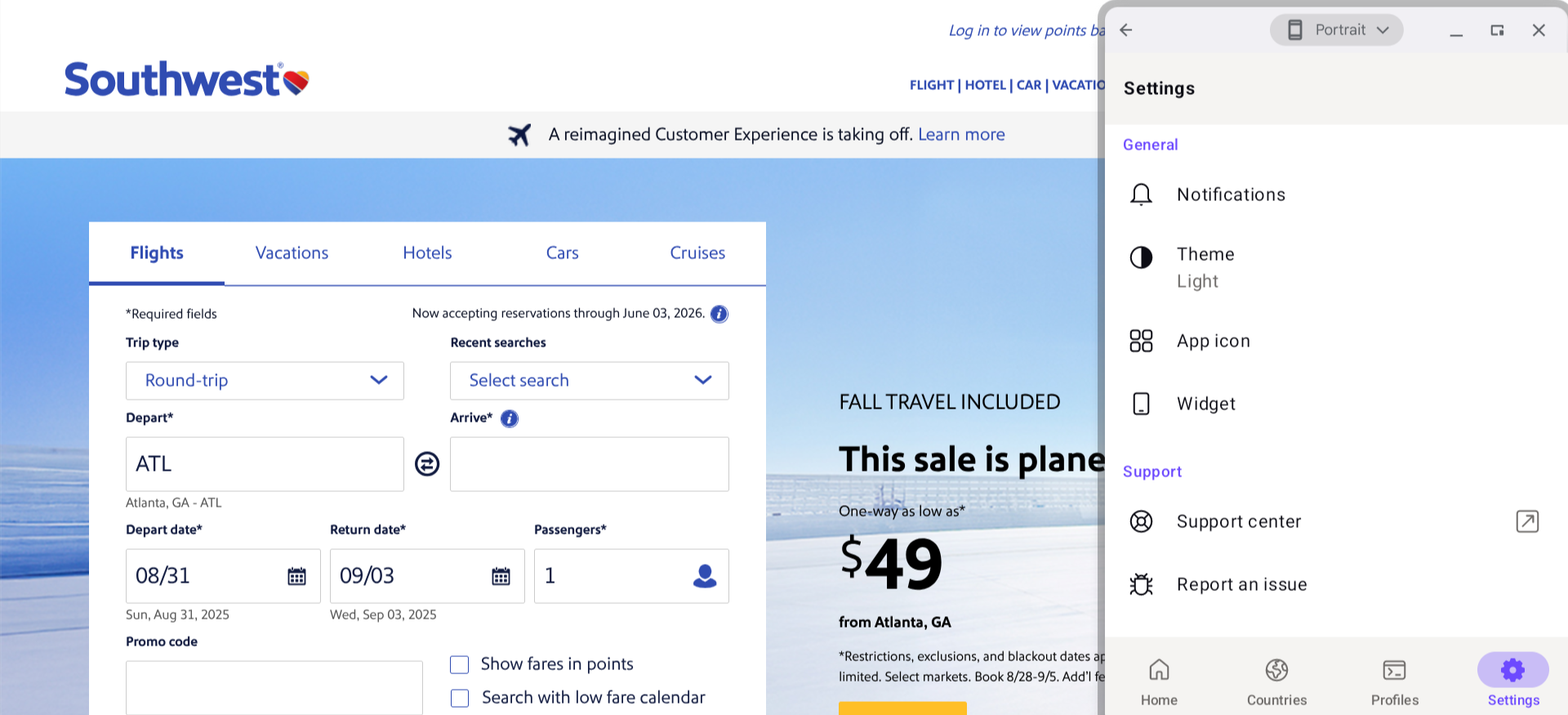
Another noteworthy aspect of Proton VPN is its Profiles feature, which allows you to save all the options you’ve set up for a particular connection for whenever you may want to use the same configuration later (this includes settings such as the server you’re connecting to, which VPN protocol you’re using, whether double VPN/multi-hop is enabled, etc.).
It’s a matter of personal taste, but I must say that I like the look of Proton VPN more than any of the other providers featured in this guide. It has a high-end feel, without being so flashy that it gets in the way of navigability.
The app’s appearance can be customized in several ways. There’s a light and a dark version, and several different icon options are available. Mobile users can even add Proton VPN as a widget to their home screen.
Who is Proton VPN best for?
With a usable free version and premium plans packed with extra features, Proton VPN is a great fit for just about anyone.
Recent upgrades to Proton VPN:
Proton VPN has been rapidly expanding its server coverage over the past year or so. In January 2024, this provider had around 5,000 servers, which is already a strong figure. They now have more than triple that number — you won’t find better coverage than this.
Proton VPN’s pricing:
In addition to the free plan, there’s a VPN Plus option that allows you to connect up to 10 devices simultaneously and access higher speeds, plus more features (this will cost you $9.99 per month on a month-to-month basis, though you can get the rate down to $4.49 per month if you commit to two years upfront). The Proton Unlimited plan, about twice the price of VPN Plus, also includes a password manager, encrypted email, and secure cloud storage.
Product details: Proton VPN is a privacy-focused VPN with a verified no-logs policy, open-source audited apps, and one of the best free plans available. Its premium tiers add ultra-fast servers, Secure Core routing, and advanced customization features.
Pros and cons of Proton VPN:
| Starting Price (4.6/5) | Security (5/5) | Server Coverage (4.6/5) | UX (4.9/5) | Compatibility (4.9/5) | Connectivity (5/5) | Top Features |
|---|---|---|---|---|---|---|
| $11.95 per month | No-logs policy, kill switch, double VPN/multi-hop | Servers located in 91 different countries | Well-designed, user-friendly app with plenty of customization options | Windows, macOS, Linux, Android, iOS, Chrome, Firefox, Fire TV, Chromecast, Apple TV, Roku TV, Chromebook, PlayStation, Xbox, Routers | Unlimited devices can be connected at once |
|
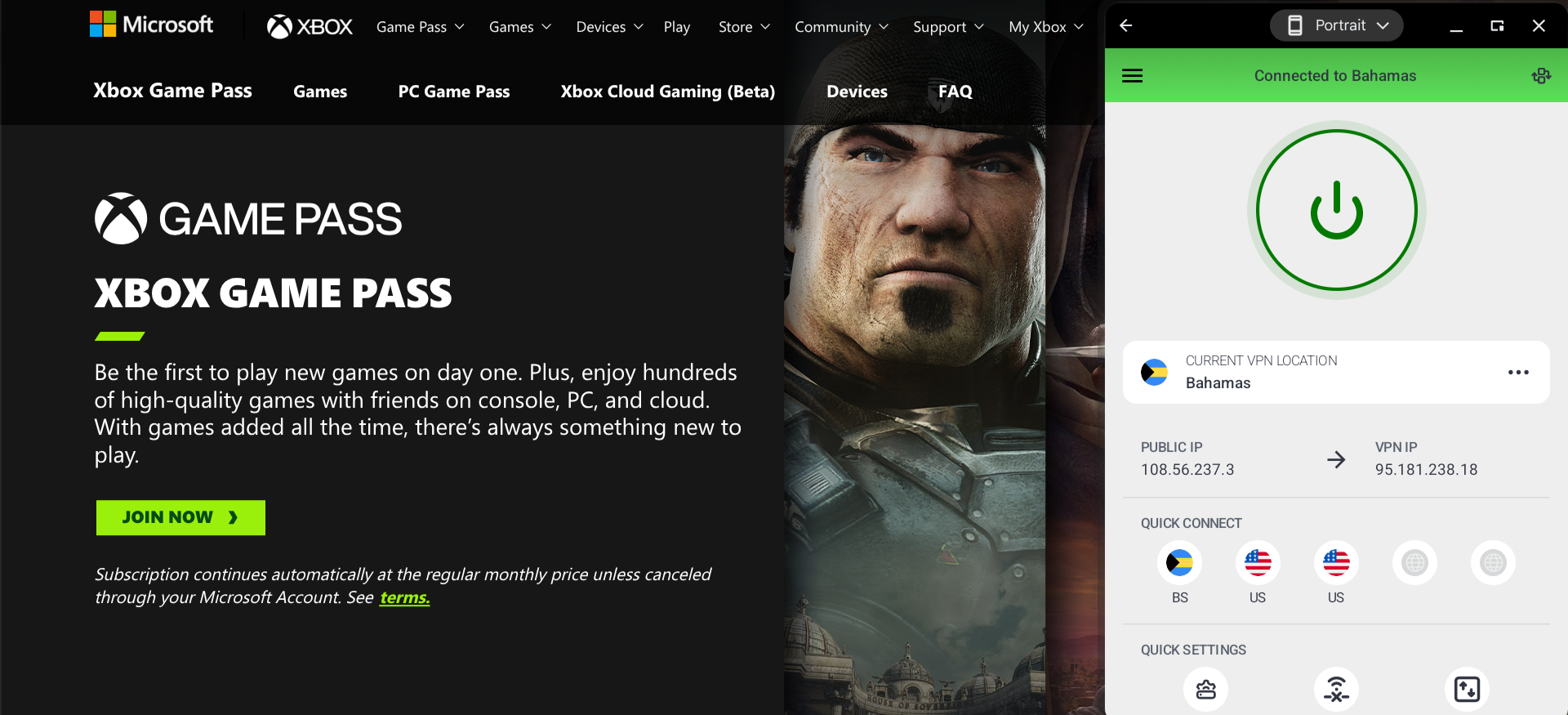
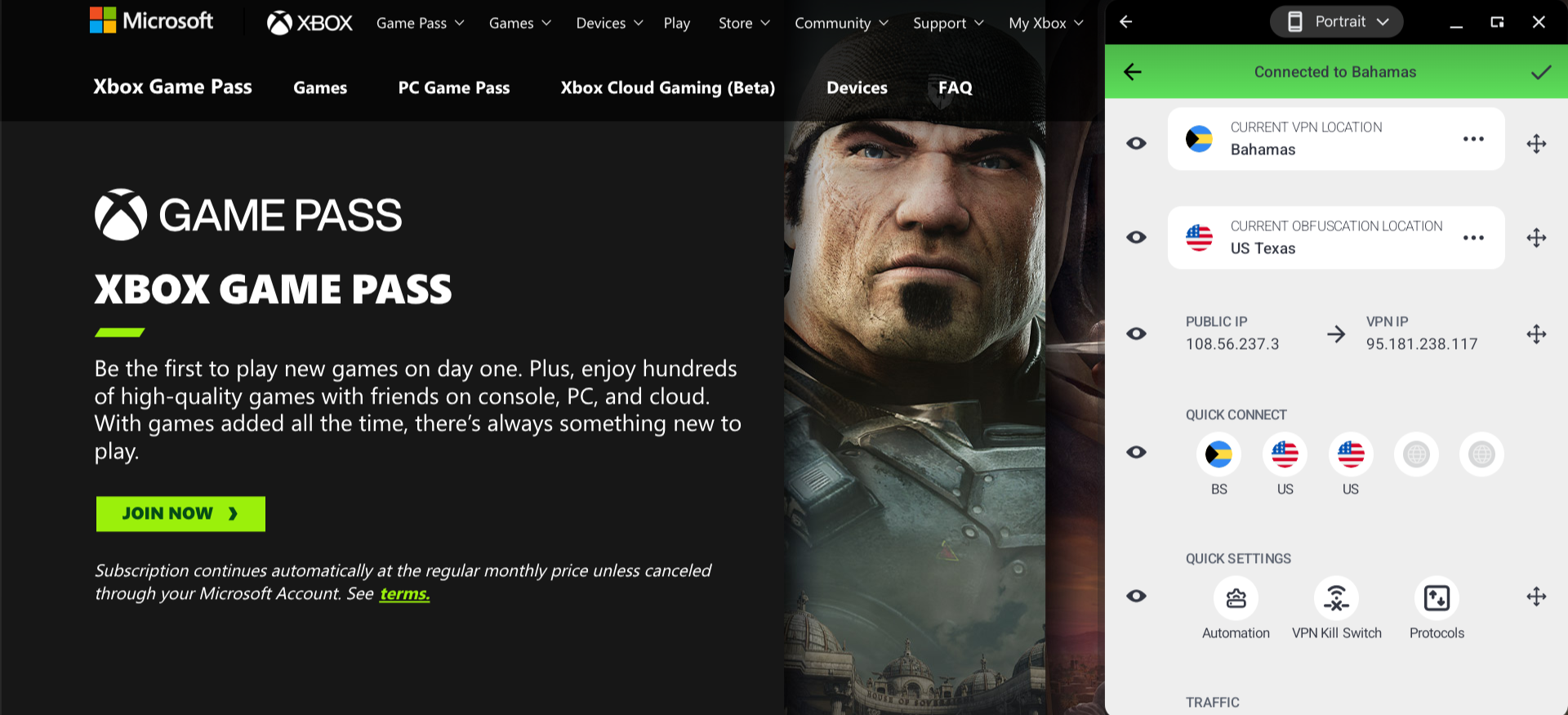
The Private Internet Access (PIA) app has a modern, intuitive interface. I like the Quick Connection feature on the main dashboard, which allows you to switch to any of the servers you’ve used most recently with just one click. For households, it can serve as the best VPN router option, thanks to its broad firmware support.
The main dashboard is fully customizable. You can rearrange how the information is displayed, and you can also hide and unhide specific sections.
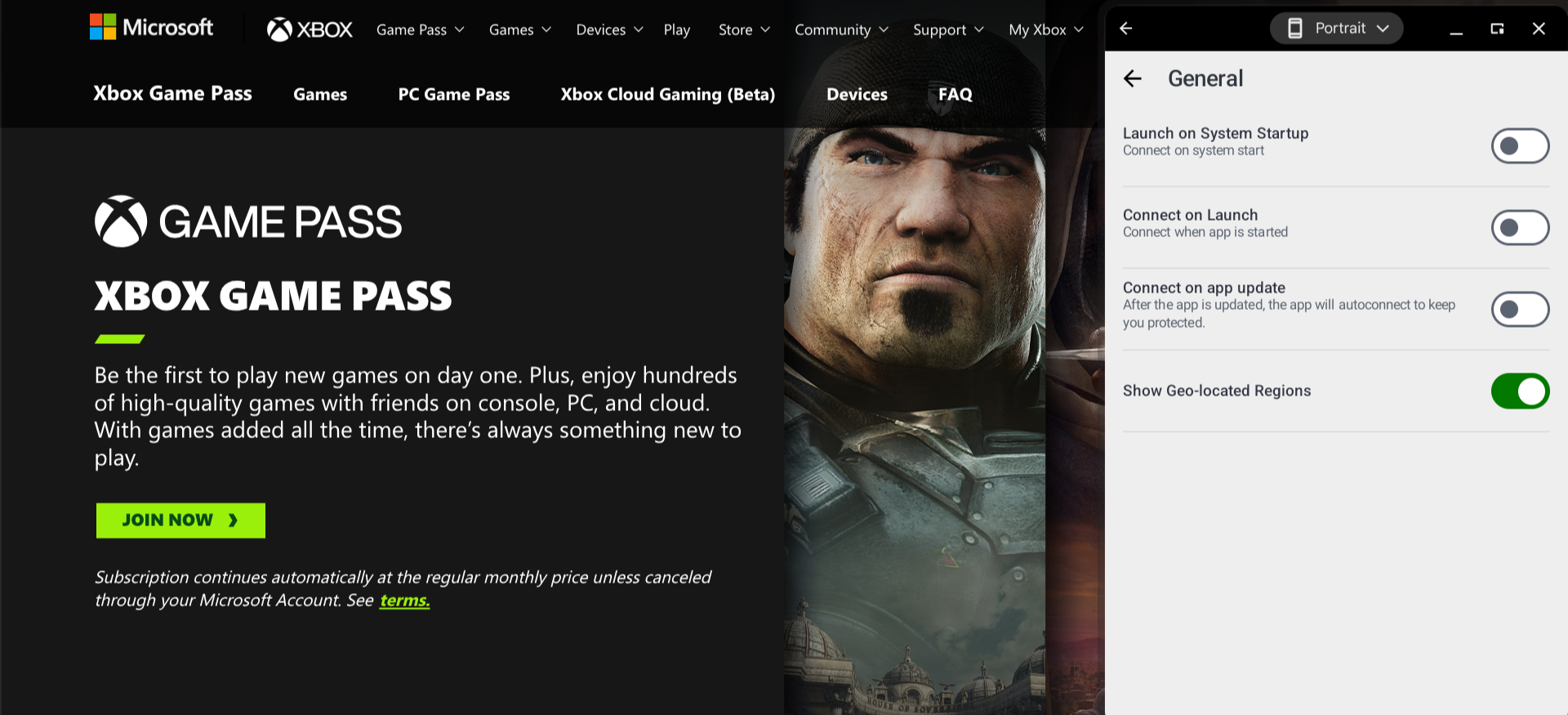
Through the system settings, you can set it up so that PIA automatically launches and connects to its VPN upon system startup. Combined with PIA’s kill switch feature, this ensures that your privacy or security is never at risk.
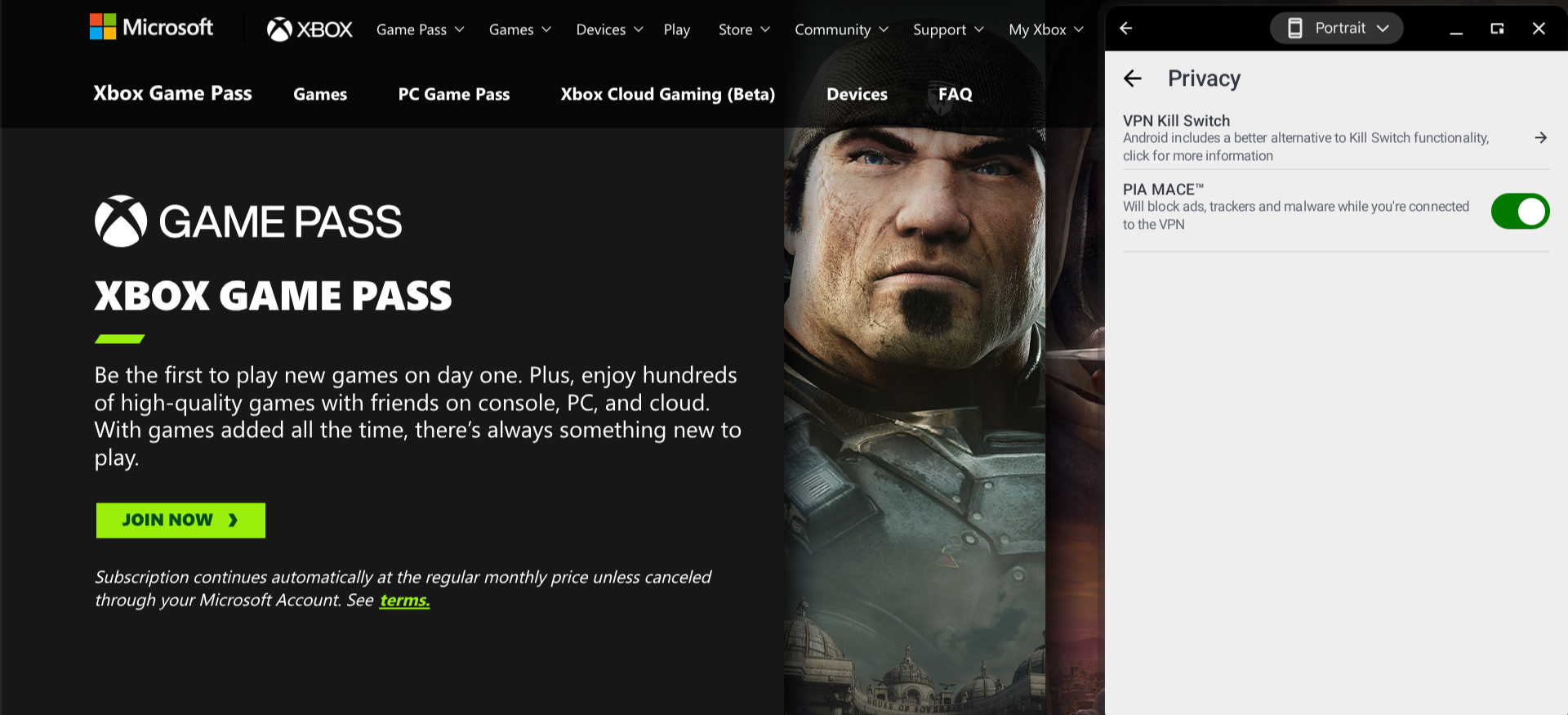
Another feature worth noting is PIA MACE. When this setting is enabled, ads, trackers, and malware will be blocked if you are connected to one of PIA’s VPN servers.
Who is PIA best for?
If your priority is security, then you should be able to find everything you’re looking for with PIA. Also, if you’re planning to make a multi-year commitment anyway, PIA’s rates for long-term plans are some of the best VPN deals.
Recent upgrades to PIA:
PIA used to allow only 10 simultaneous connections on each account, but starting last year, they now allow unlimited connections. This really sets them apart from many of your other options.
PIA’s pricing:
PIA is $11.95 monthly on a month-to-month basis, around the industry average. However, their long-term rates are significantly lower than many comparable plans offered by competitors (for example, the cost of PIA’s 3 Years + 3 Months plan works out to $2.03 per month).
Product details: Private Internet Access is a highly customizable VPN with a proven no-logs policy, strong encryption, and unlimited device connections. It offers solid global coverage, built-in ad and tracker blocking, and excellent value on long-term plans.
Pros and cons of PIA:

| Starting Price (5/5) | Security (5/5) | Server Coverage (4.5/5) | UX (4.2/5) | Compatibility (5/5) | Connectivity (4.5/5) | Top Features |
|---|---|---|---|---|---|---|
| Free | No-logs policy, kill switch, double VPN/multi-hop | 2,600+ servers in 57 countries | Somewhat clunky, but functional enough | Windows, macOS, Linux, Android, iOS, Fire TV, Android TV, Apple TV, Chrome, Firefox, Edge, PlayStation, Xbox, Nintendo, Volla OS, Routers | Up to 10 devices can be connected at once |
|
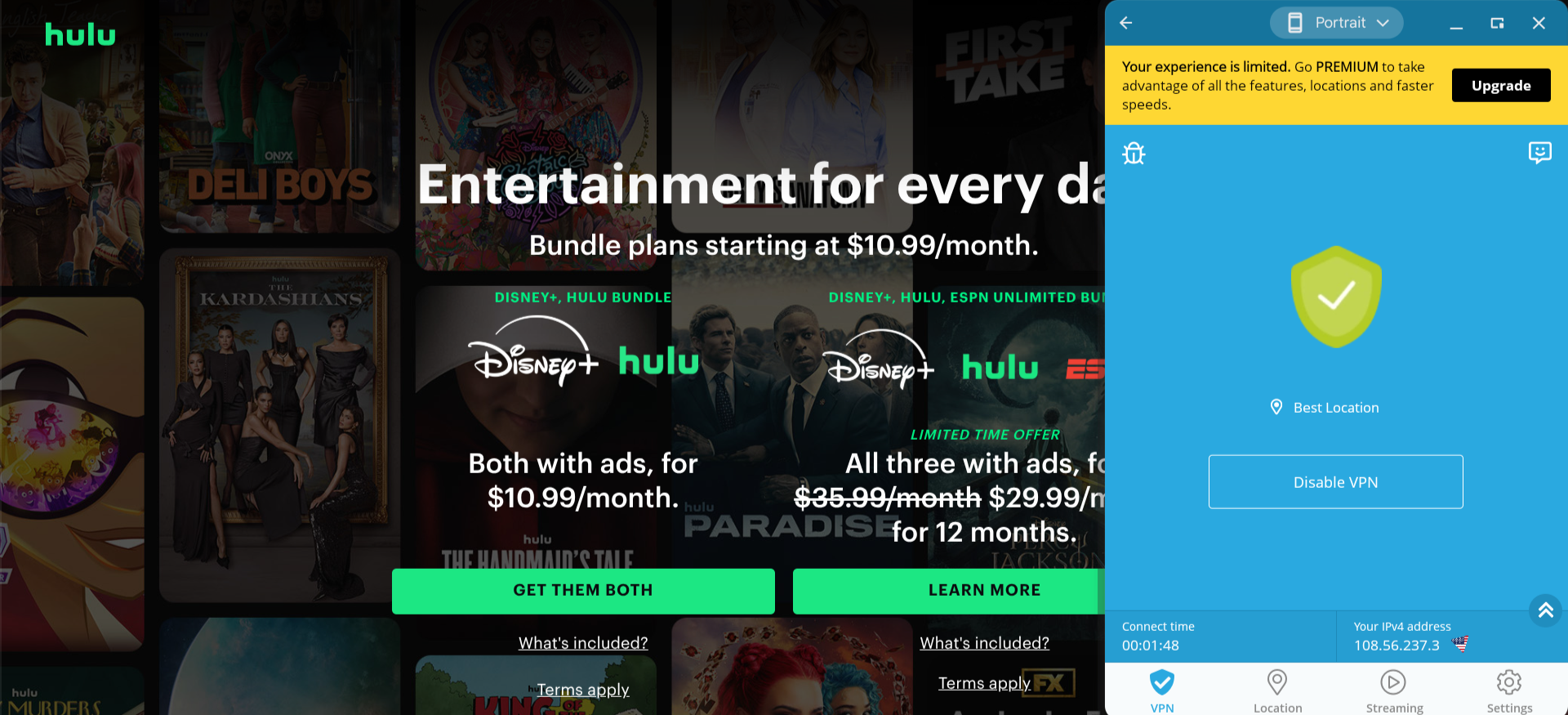
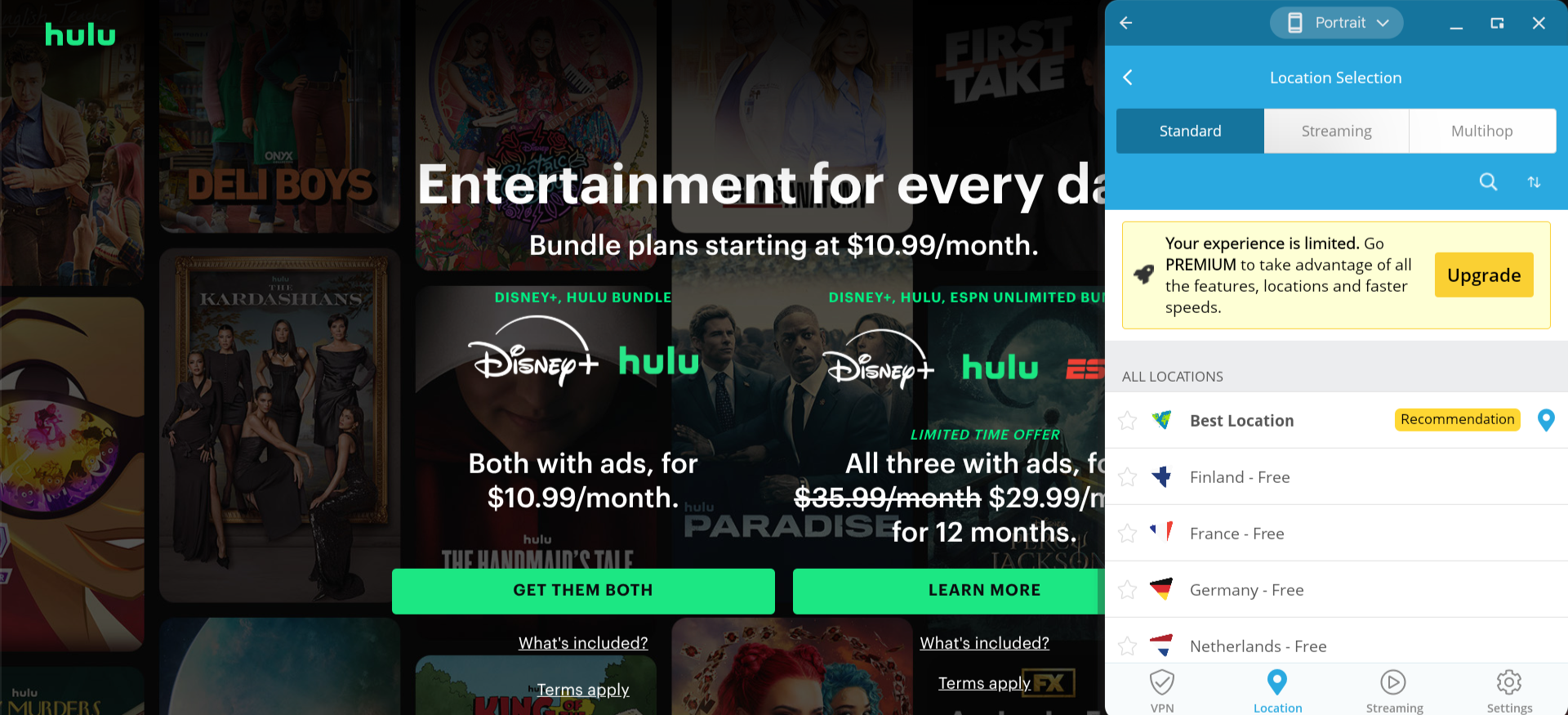
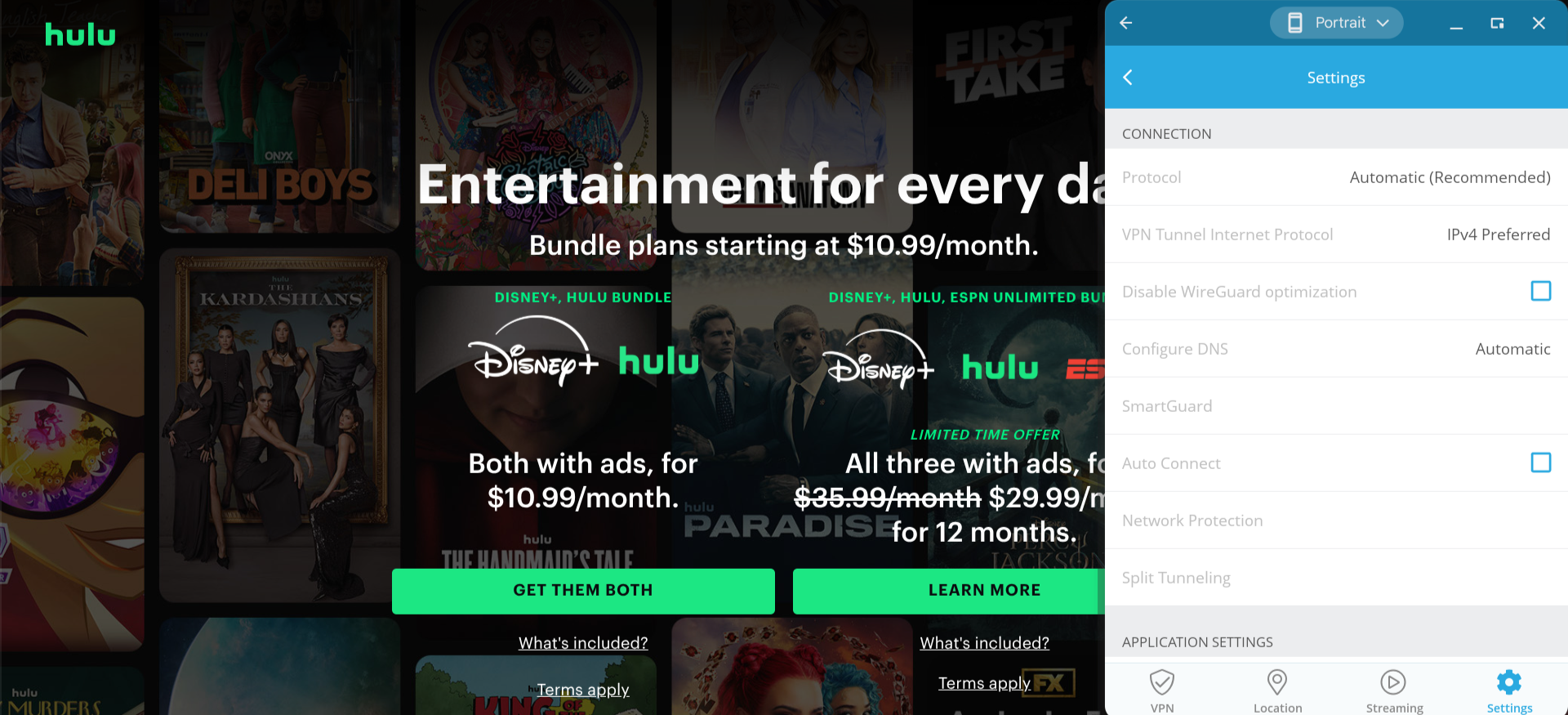
Hide.me’s interface could use some more polish. It was difficult for me to read the text in a few areas (the text color was too light against the app’s white background), and the alignment of several design elements is just a little off. But, to be fair, I could still configure and establish my connection to one of their servers without too much trouble.
You can access eight of Hide.me’s servers for free (though it should be noted that free users are limited to slower speeds). Premium users can access all of Hide.me’s servers include 20 servers optimized for streaming and a pair of multi-hop options.
In the app settings, you can enable features such as split tunneling, network protection (which includes a kill switch), and SmartGuard (a traffic filter available only to premium users, which allows you to block ads and malware as well as set up parental controls).
Who is Hide.me best for?
With its streaming-optimized servers, Hide.me stands out as a top option for those who plan to use their VPN primarily to watch movies or TV.
Recent upgrades to Hide.me:
Earlier this year, Hide.me announced a partnership with KuCoin Pay, giving customers over 800 cryptocurrency options for their subscription payments.
Hide.me’s pricing:
As mentioned above, Hide.me offers a free version, though it comes with significant limitations. The premium version is $9.95 per month on a month-to-month basis, with steep discounts available for those who sign up for a longer term. Also, once you sign up for a subscription, Hide.me guarantees that your plan will always be renewed at the same price.
Product details: Hide.me is a security-focused VPN offering a free plan with no ads or logging. It includes strong privacy features like multi-hop connections, streaming-optimized servers, and flexible payment options, including cryptocurrency with a lifetime price guarantee.
Pros and cons of Hide.me:

| Starting Price (5/5) | Security (4/5) | Server Coverage (4.3/5) | UX (4.9/5) | Compatibility (4.9/5) | Connectivity (5/5) | Top Features |
|---|---|---|---|---|---|---|
| Free | No-logs policy | Servers located in 69 different countries | App is user-friendly and highly customizable | Windows, macOS, Linux, Chrome, Firefox, Edge, iOS, Android, Fire TV, Android TV, Apple TV, Routers | Connect unlimited devices at once |
|
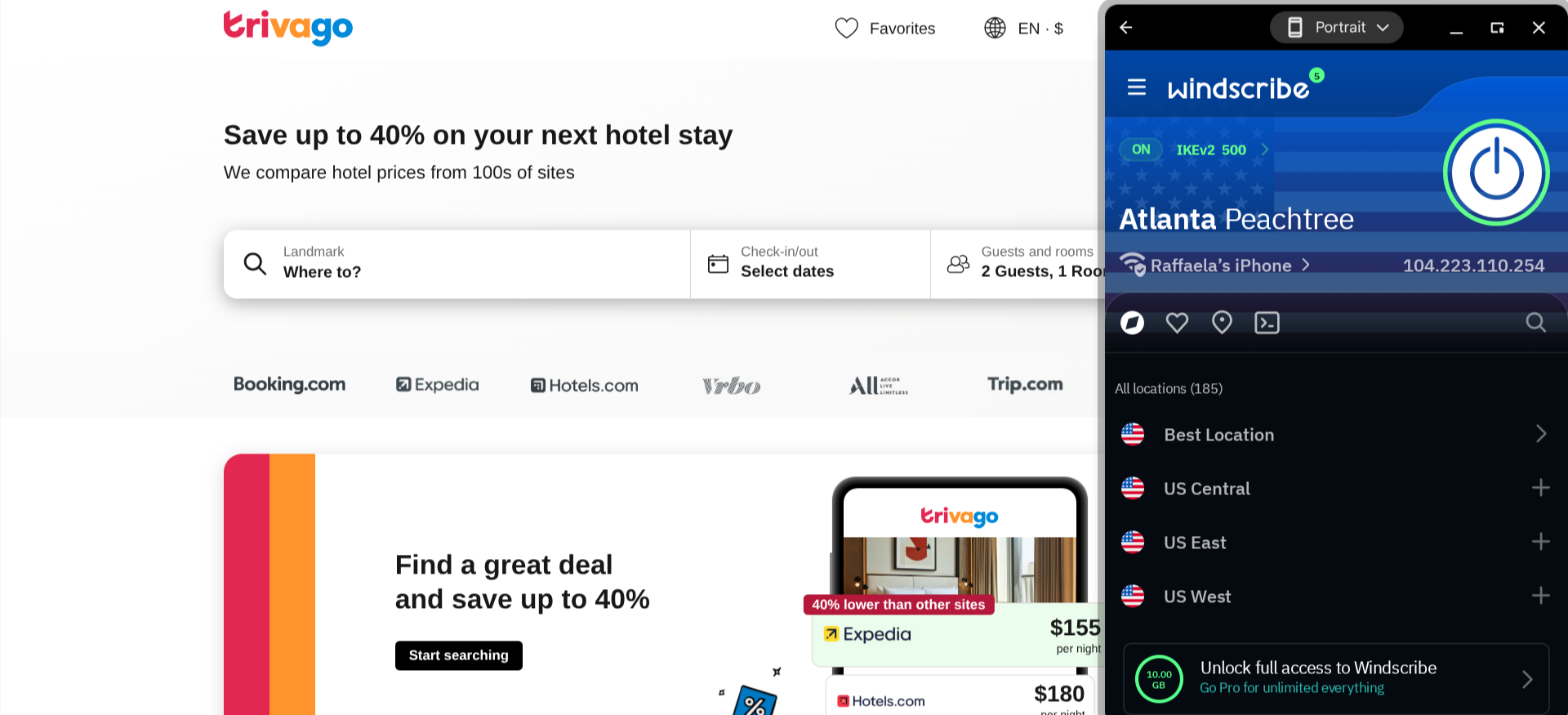
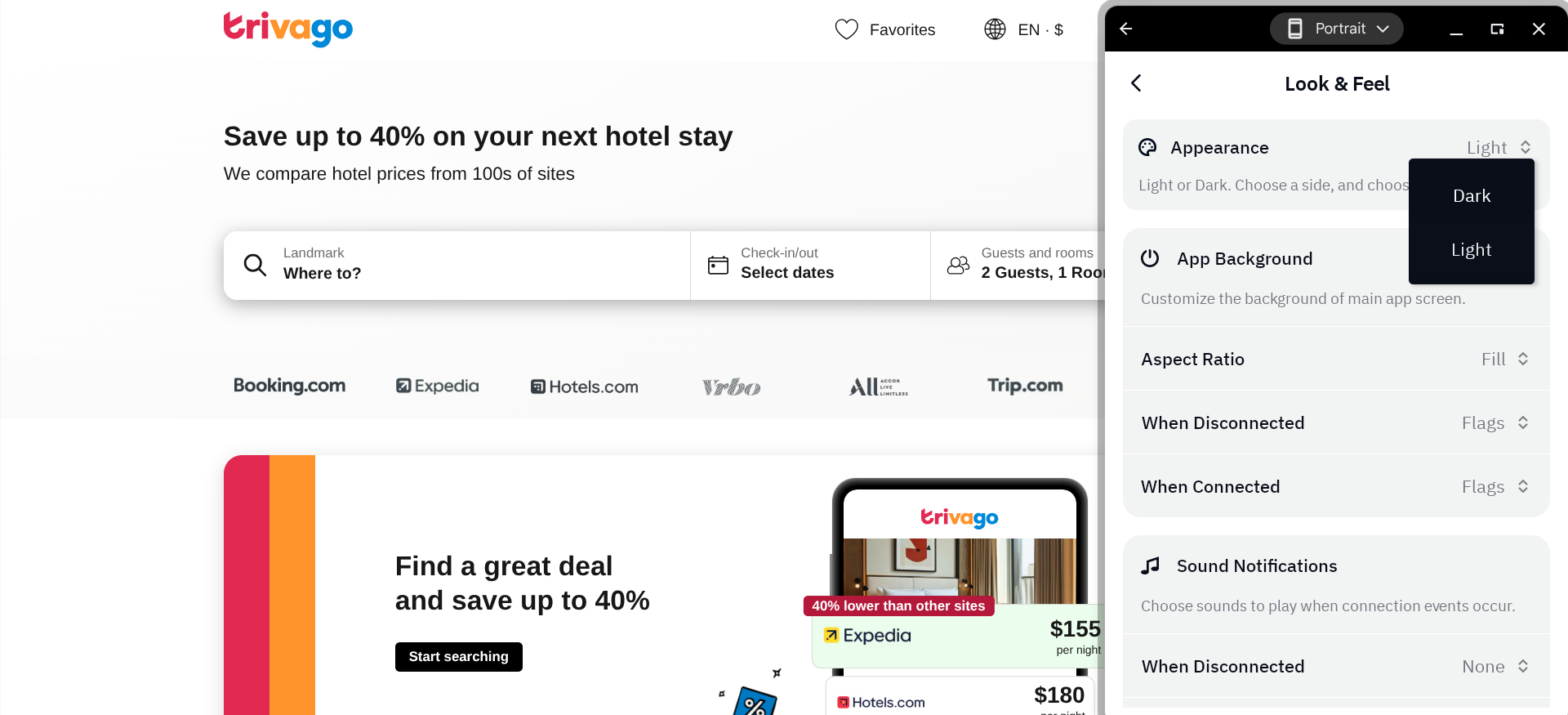
I found that even the free version of Windscribe offers fast connection speeds. With their Best Location feature, you can immediately connect to the exact server that should provide optimal performance.
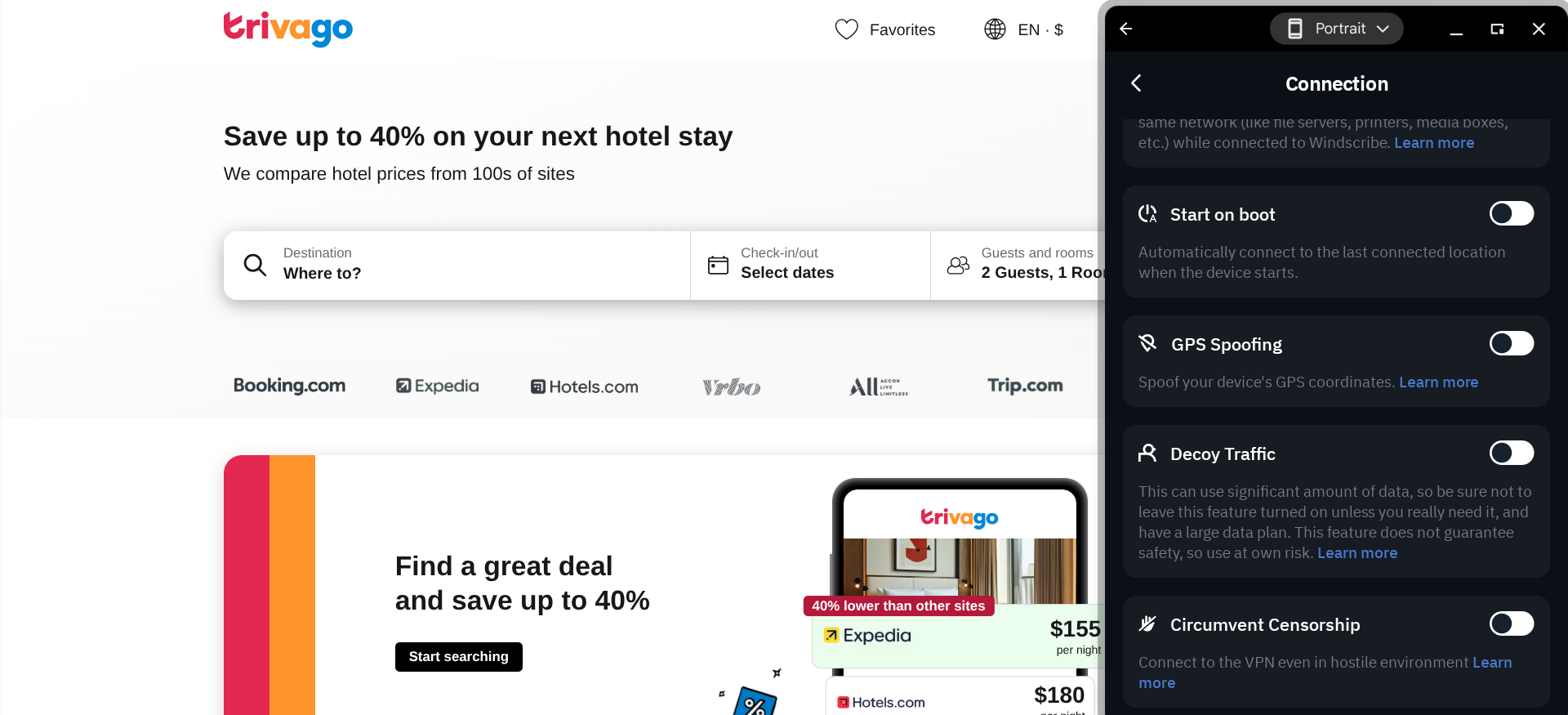
I also like that Windscribe lets you connect to a VPN whenever your device powers on automatically. Remember that there’s no built-in kill switch feature, so you may want to double-check that your connection is still established whenever having your VPN connection on is most important to you.
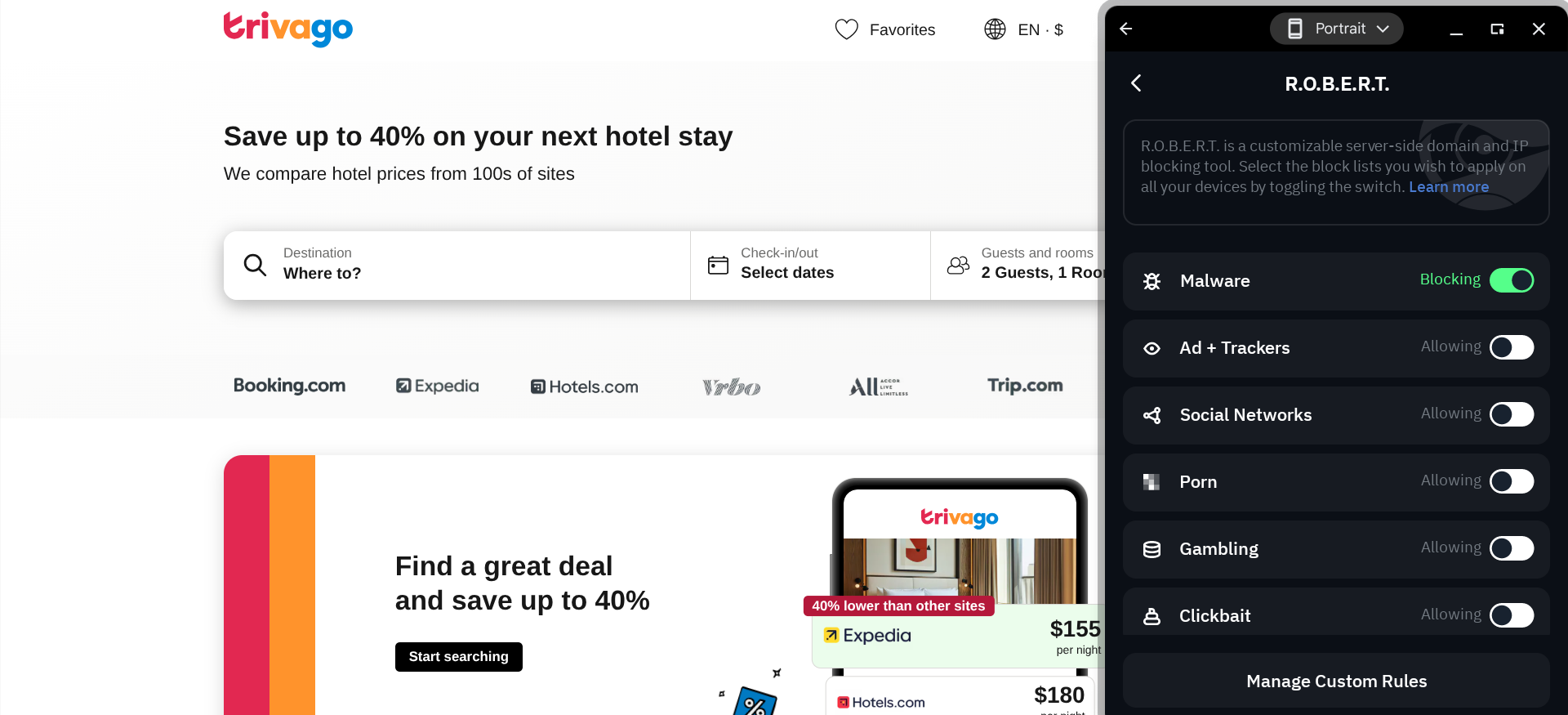
Another nice feature is their R.O.B.E.R.T. blocking tool, which you can use to create a custom blacklist of all the potential threats and types of content that you would like to be filtered out of your web traffic.
Regarding the app’s appearance, Windscribe is the most customizable option featured in this guide. You can choose a light or dark theme, add your own custom background image, and even rename the server locations.
Who is Windscribe best for?
Windscribe is a good option for business users, as its ScribeForce plan offers team management tools and centralized billing. If you plan to use a VPN on your TV, you should find Windscribe’s lazy login feature quite convenient.
Recent upgrades to Windscribe:
Many of the customization features mentioned above, such as the ability to rename servers, were just rolled out in August 2025. This update also included the ability to enable sound effects (you can add your own or choose from several pre-set options).
Windscribe’s pricing:
Windscribe has a free version that gives you an initial bandwidth allowance of 10 GB and then 2 GB monthly. The premium version of this service, Windscribe Pro, offers a Build Your Plan option that costs just $1 per month per proxy server location (minimum three locations/$3 per month). For access to all their servers and features, you can pay either $9 per month or $69 per year (which works out to $5.75 per month). ScribeForce is $3 per seat per month.
Product details: Windscribe is a flexible VPN with a generous free plan, unlimited device connections, and highly customizable apps. Its R.O.B.E.R.T. tool blocks ads, trackers, and malware, making it a strong choice for privacy-conscious and business users.
Pros and cons of Windscribe:

| Starting Price (4.8/5) | Security (4.5/5) | Server Coverage (4.2/5) | UX (4.6/5) | Compatibility (4.5/5) | Connectivity (4.8/5) | Top Features |
|---|---|---|---|---|---|---|
| $9.90 per month | No-logs policy, kill switch | 200+ servers in 63 countries | A bit spare, but fairly user-friendly | Windows, macOS, Linux, iOS, Android, Android TV, Fire TV, Routers | Up to 10 devices can be connected at once |
|
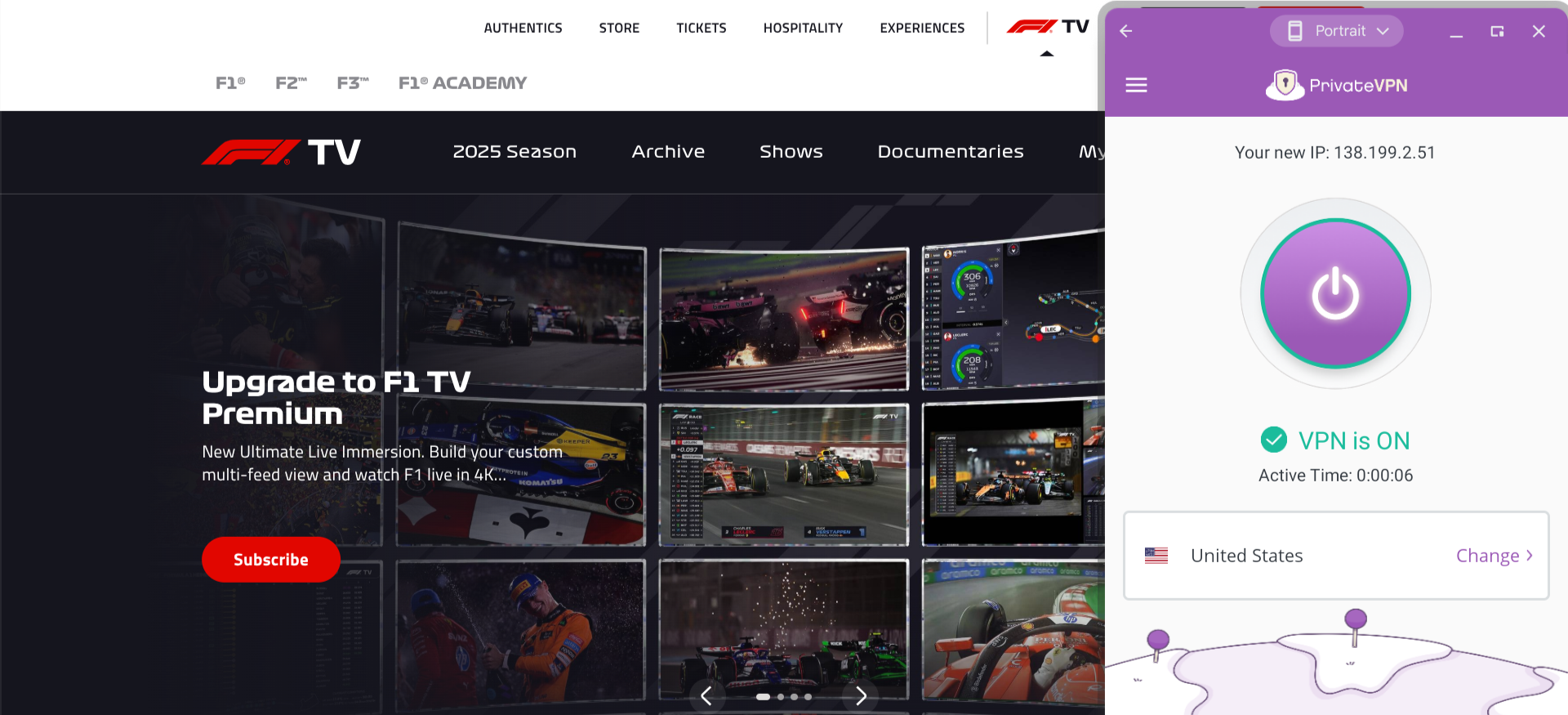
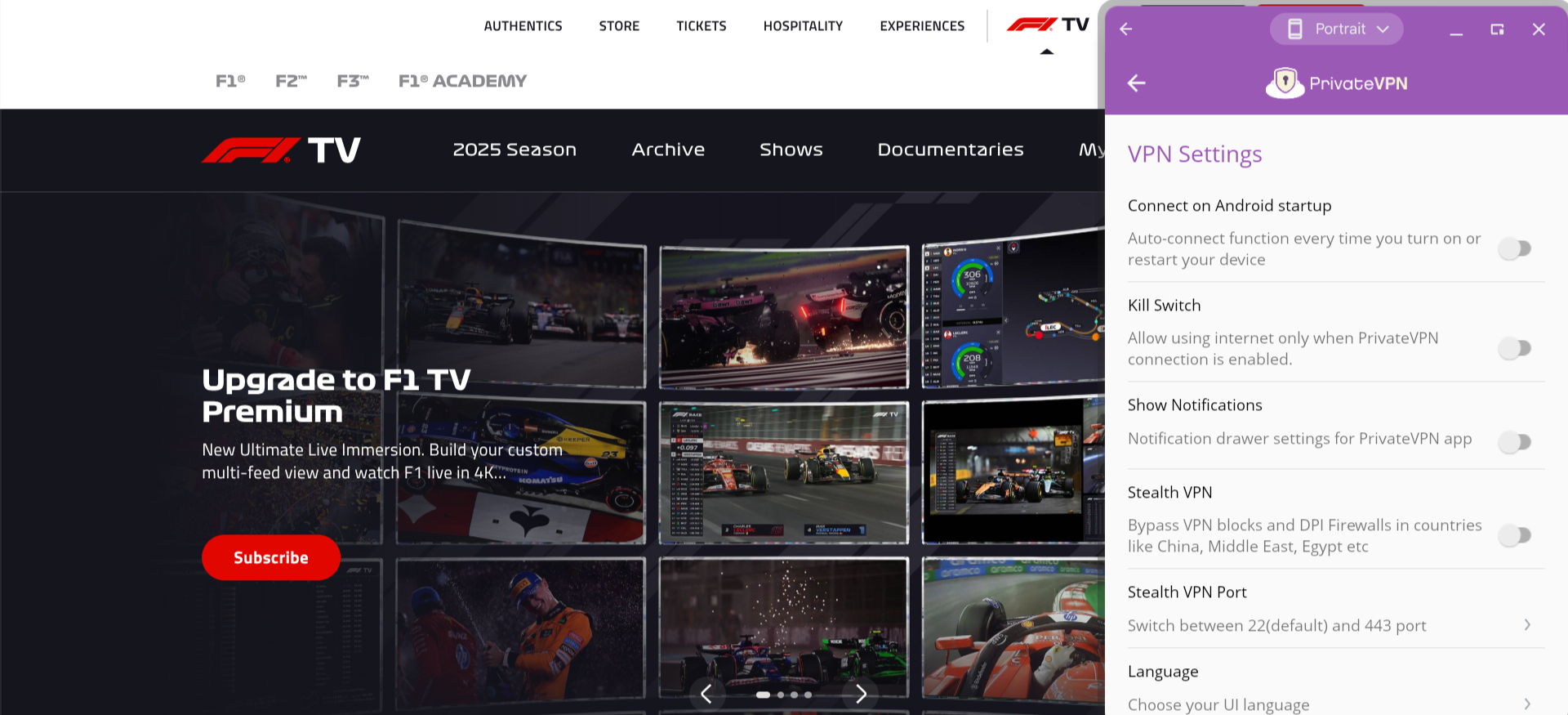
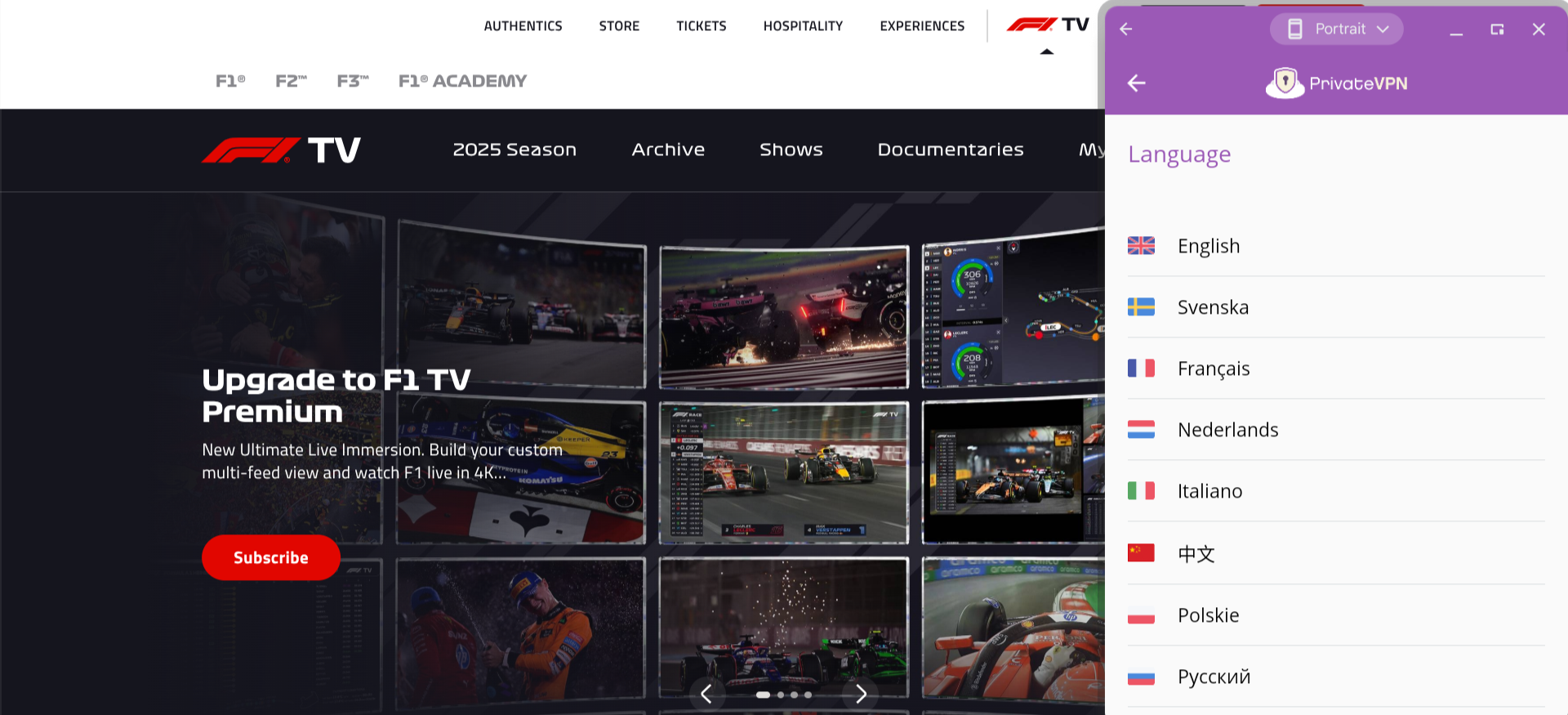
The PrivateVPN app has a somewhat barebones interface, but that won’t matter much if you’re not impressed by a flashy design or interested in a bunch of extra features anyway.
There are several useful security features that can be enabled in the app settings, including the ability to auto-connect on startup and a stealth mode for circumventing VPN blocks in regions like China and the Middle East. I was disappointed, though, to see that they don’t offer any double VPN/multi-hop options.
PrivateVPN offers native support for 14 different languages, including English, Spanish, Chinese, Russian, German, Italian, and Swedish.
Who is PrivateVPN best for?
For those who cost is a primary concern will find that outside of a free VPN (which are typically limited in terms of performance and features), you’re not going to find a much better deal than PrivateVPN’s three-year plan.
Recent upgrades to PrivateVPN:
PrivateVPN overhauled its iOS app last year, fixing layout issues for iPad users and making several backend improvements to enhance performance and reliability.
PrivateVPN’s pricing:
PrivateVPN is $9.90 per month on a month-to-month basis. A three-month plan costs $6 per month, and a three-year plan reduces this rate to $2 per month.
Pros and cons of PrivateVPN:

| Starting Price (5/5) | Security (4.5/5) | Server Coverage (4.5/5) | UX (4/5) | Compatibility (4.2/5) | Connectivity (5/5) | Top Features |
|---|---|---|---|---|---|---|
| Free | No-logs policy, kill switch | 8,000+ servers in over 45 countries | While it has a fun design, this app’s interface could use some work | Windows, macOS, Android, iOS, Chrome, Firefox, Edge | Connect unlimited devices at once |
|
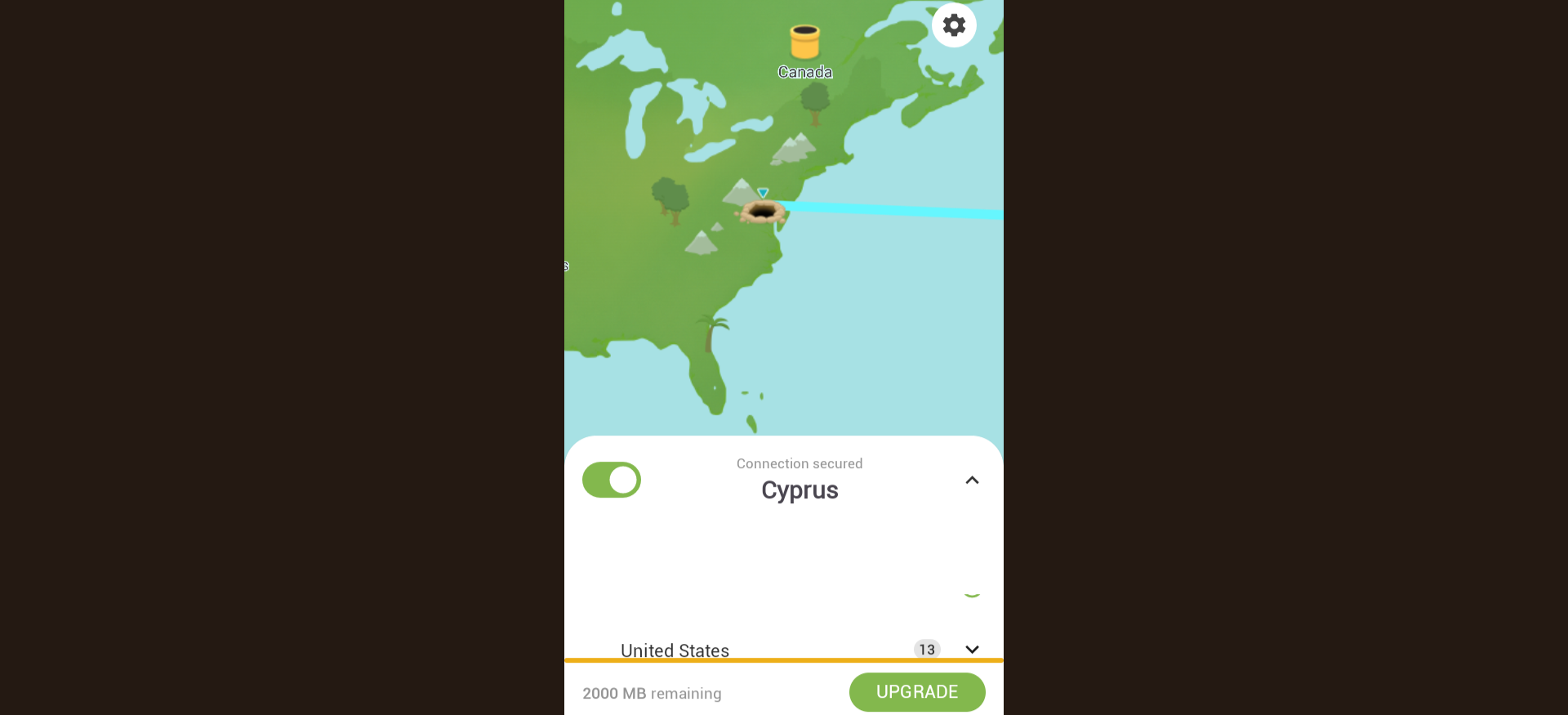
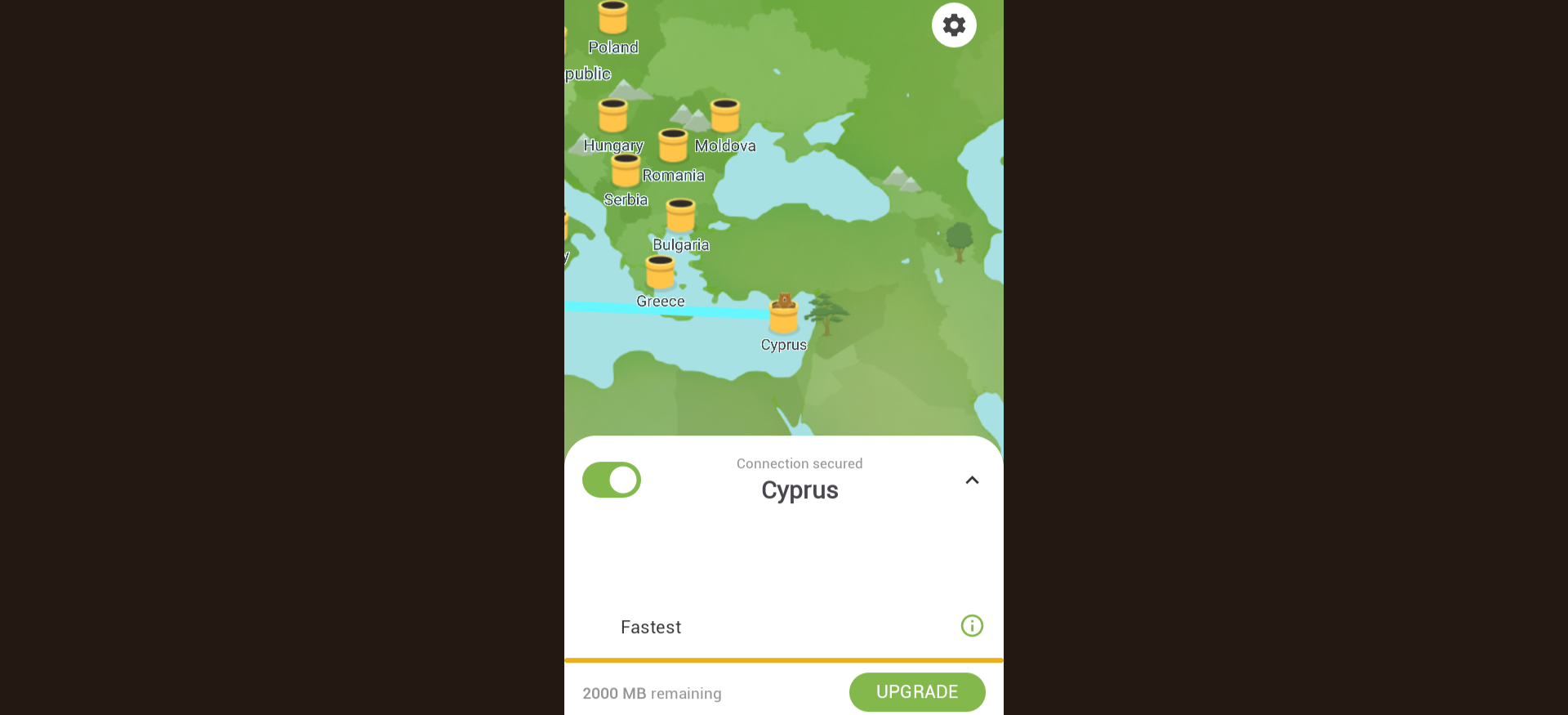
TunnelBear has a fun design — there’s a cartoon map on the app, and whenever you establish a connection, a bear is shown burrowing into the ground at your physical location and then popping up at the location of your proxy server.
However, it should be noted that, at least on the Android version of TunnelBear that I tried out on a Chromebook, the window for this app was awkwardly sized, and there were no alternative display options. The map part of the interface was also somewhat blurry.
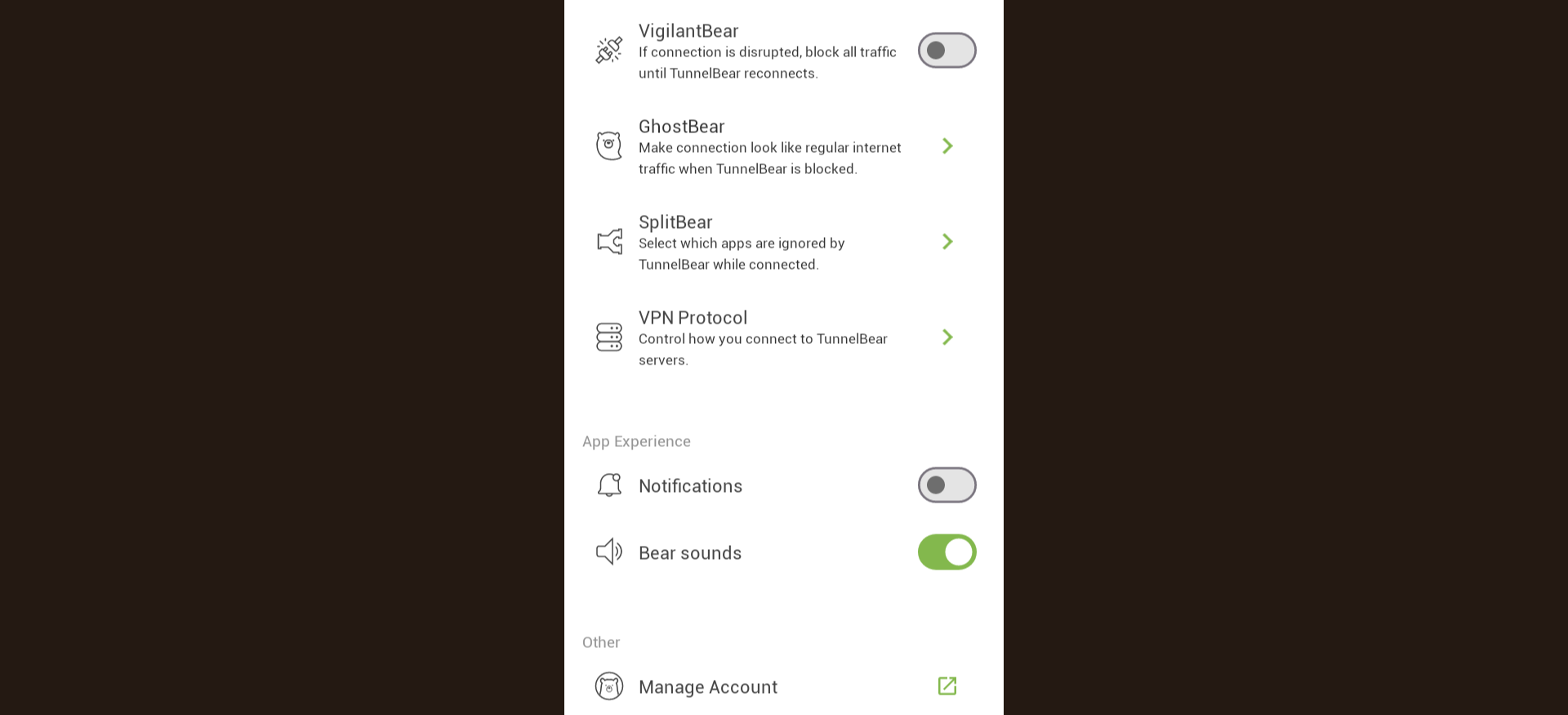
In the app settings, you’ll find options such as VigilantBear (the app’s kill switch) and SplitBear (the app’s split tunneling feature). There’s even an option for turning on bear sounds — if enabled, you’ll hear a roar each time you connect to and disconnect from a server. Teams that require a simple solution for multiple users may find it a suitable starter option as a best VPN for remote employees.
Who is TunnelBear best for?
With their Teams plan, which includes several convenient features for managing multiple users, TunnelBear is especially well-suited for businesses that want to start using a VPN.
Recent upgrades to TunnelBear:
TunnelBear has recently upgraded the amount of data allowed to free users from 500 MB to 2 GB per month.
TunnelBear’s pricing:
In addition to the free plan, TunnelBear offers an affordable Unlimited plan ($9.99 per month on a month-to-month basis, with a discount available for longer terms) that comes with no data cap, expanded server coverage, and other extras. The Teams plan includes features like user-level permissions and the ability to automatically claim TunnelBear accounts that sign up with your company email domain (the Teams plan is $69 per user per year).
Product details: TunnelBear is a beginner-friendly VPN with a fun, approachable interface and simple privacy controls. It offers a limited free plan, unlimited devices on paid tiers, and team features designed for small businesses and remote teams.
Pros and cons of TunnelBear:

| Starting Price (4.9/5) | Security (5/5) | Server Coverage (4.2/5) | UX (4.5/5) | Compatibility (4.2/5) | Connectivity (4.2/5) | Top Features |
|---|---|---|---|---|---|---|
| €5 per month | No-logs policy, kill switch, double VPN/multi-hop | 735 servers in 49 countries | Interface is somewhat spare, but easy to navigate | Windows, macOS, Linux, iOS, Android, Firefox | Up to 5 devices can be connected at once |
|
I have to say, this VPN service was a bit sluggish for me. There was a noticeable drop in speed as soon as I flipped my connection on.
On a more positive note, Mullvad offers a unique tool called DAITA (Defense against AI-guided Traffic Analysis) that hides patterns in your traffic, such as the size and frequency of the packets sent between you and the websites you visit. This will help protect you from the latest advances in traffic analysis, which sometimes make it possible to glean insights from a connection even when it is encrypted.
Mullvad also offers an option for a quantum-resistant tunnel. Overall, this provider’s security features are top-notch, and many travelers consider it when researching the best VPN to use in China if stealth and privacy are essential.
Who is Mullvad best for?
If security is your biggest priority, this is a viable option. But you should go with something faster if you have more demanding needs, such as gaming or video streaming.
Recent upgrades to Mullvad:
In August 2025, Mullvad started accepting payments through the Bitcoin Lightning Network, offering a faster, more private, and less expensive (lower fees) alternative to on-chain Bitcoin payments.
Mullvad’s pricing:
Since the company was founded in 2009, its rate has been exactly the same — €5 per month, without any extra add-ons or discounts. That’s a great month-to-month rate, though other providers offer better deals in exchange for a long-term commitment.
Pros and cons of Mullvad:
| Provider | Best Overall VPN Service  Score (4.9) Starting Price $12.99 for month-to-month pricing or $3.49 per month with a 28-month contract Money-Back Guarantee 30-day Server Network Servers in 105 countries Simultaneous Connections Up to 14 devices Platform Compatibility MacOS, Windows, Linux, iOS, Android, Routers, Apple TV, Fire TV Stick, Android TV, Browser Extensions, Game Consoles, Smart TVs No-logs Policy  Kill Switch Split Tunneling Double VPN/Multi-hop  Torrenting Support | Score (4.87) Starting Price $3.39 per month Money-Back Guarantee 30-day Server Network 8,900+ servers in 180+ countries Simultaneous Connections Up to 10 devices Platform Compatibility MacOS, Windows, Linux, iOS, Android, Android TV, Fire TV, Chromecast, Apple TV, Chromebook, Kindle, Raspberry Pi, Meta Quest 2, Routers, Xbox, Playstation, Nintendo Switch, Chrome/Firefox/Edge Browsers No-logs Policy Kill Switch Split Tunneling Double VPN/Multi-hop Torrenting Support | Score (4.85) Starting Price $15.45 per month Money-Back Guarantee 30-day Server Network 3,200+ servers in 100+ countries Simultaneous Connections Unlimited devices Platform Compatibility MacOS, Windows, Linux, iOS, Android, Apple TV, Fire TV, Chrome/Firefox/Edge Browsers, Smart TVs, Gaming Consoles, Oculus 2, Vision Pro, Raspberry Pi No-logs Policy Kill Switch Split Tunneling Double VPN/Multi-hop Torrenting Support | Score (4.83) Starting Price Free Money-Back Guarantee 30-day Server Network 15,000+ servers in over 120 countries Simultaneous Connections Up to 10 devices Platform Compatibility MacOS, Windows, Linux, iOS, Android, Chrome, Firefox, Chromebook, Android TV, Apple TV No-logs Policy Kill Switch Split Tunneling Double VPN/Multi-hop Torrenting Support | Score (4.83) Starting Price $11.95 per month Money-Back Guarantee 30-day Server Network Servers in 91 countries Simultaneous Connections Unlimited devices Platform Compatibility MacOS, Windows, Linux, iOS, Android, Chrome, Firefox, Android TV, Apple TV+, Gaming consoles, Routers, and Smart TV No-logs Policy Kill Switch Split Tunneling Double VPN/Multi-hop Torrenting Support | Score (4.7) Starting Price Free Money-Back Guarantee 30-day Server Network 2,600+ servers in 57 countries Simultaneous Connections Up to 10 devices Platform Compatibility MacOS, Windows, Linux, iOS, Android, Volla OS, Freifon, Routers, Apple TV, Fire TV, Android TV, Browser Extensions, Game Consoles, Smart TVs No-logs Policy Kill Switch Split Tunneling Double VPN/Multi-hop Torrenting Support | Score (4.68) Starting Price Free Money-Back Guarantee 7-day Server Network Servers in 69 countries Simultaneous Connections Unlimited devices Platform Compatibility MacOS, Windows, Linux, iOS, Android, Fire TV, Android TV, Apple TV, Chrome/Firefox/Edge Browsers, Routers No-logs Policy Kill Switch Split Tunneling Double VPN/Multi-hop Torrenting Support |
|---|---|---|---|---|---|---|---|
| Score | (4.9) | (4.87) | (4.85) | (4.83) | (4.83) | (4.7) | (4.68) |
| Starting Price | $12.99 for month-to-month pricing or $3.49 per month with a 28-month contract | $3.39 per month | $15.45 per month | Free | $11.95 per month | Free | Free |
| Money-Back Guarantee | 30-day | 30-day | 30-day | 30-day | 30-day | 30-day | 7-day |
| Server Network | Servers in 105 countries | 8,900+ servers in 180+ countries | 3,200+ servers in 100+ countries | 15,000+ servers in over 120 countries | Servers in 91 countries | 2,600+ servers in 57 countries | Servers in 69 countries |
| Simultaneous Connections | Up to 14 devices | Up to 10 devices | Unlimited devices | Up to 10 devices | Unlimited devices | Up to 10 devices | Unlimited devices |
| Platform Compatibility | MacOS, Windows, Linux, iOS, Android, Routers, Apple TV, Fire TV Stick, Android TV, Browser Extensions, Game Consoles, Smart TVs | MacOS, Windows, Linux, iOS, Android, Android TV, Fire TV, Chromecast, Apple TV, Chromebook, Kindle, Raspberry Pi, Meta Quest 2, Routers, Xbox, Playstation, Nintendo Switch, Chrome/Firefox/Edge Browsers | MacOS, Windows, Linux, iOS, Android, Apple TV, Fire TV, Chrome/Firefox/Edge Browsers, Smart TVs, Gaming Consoles, Oculus 2, Vision Pro, Raspberry Pi | MacOS, Windows, Linux, iOS, Android, Chrome, Firefox, Chromebook, Android TV, Apple TV | MacOS, Windows, Linux, iOS, Android, Chrome, Firefox, Android TV, Apple TV+, Gaming consoles, Routers, and Smart TV | MacOS, Windows, Linux, iOS, Android, Volla OS, Freifon, Routers, Apple TV, Fire TV, Android TV, Browser Extensions, Game Consoles, Smart TVs | MacOS, Windows, Linux, iOS, Android, Fire TV, Android TV, Apple TV, Chrome/Firefox/Edge Browsers, Routers |
| No-logs Policy | | | | | | | |
| Kill Switch | | | | | | | |
| Split Tunneling | | | | | | | |
| Double VPN/Multi-hop | | | | | | | |
| Torrenting Support | | | | | | | |
| Learn more | Learn More On ExpressVPN’s official website | Learn More On NordVPN’s official website | Learn More On Surfshark’s official website | Learn More On Proton VPN’s official website | Learn More On Private Internet Access’ official website | Learn More On Hide.me’s official website | Learn More On Windscribe’s official website |
There’s only so much you can learn about the best VPN providers VPN providers through the information that they have on their websites. In addition to thoroughly reviewing the pricing and features, I also signed up for and personally tested each of the best VPN services featured in this guide to get some hands-on experience with their user interfaces. Then, I was able to rate each provider based on the six factors that are most important for a VPN:
I only considered VPN services that offer AES-256 encryption, as this is the gold standard for ensuring secure communications.
Beyond that, I looked for the following three security features:
Many providers also offer additional security features, such as malware filters and the ability to automatically connect to your VPN as soon as your device starts up.
I looked for providers that offer a large number of proxy servers covering a wide geographical area. This ensures that most people will benefit from good performance — the closer a server is to you, the faster the connection speed will be. That’s another reason why I wanted to test out all of these services myself, as this allowed me to confirm that the performance was at least adequate for general web browsing.
Also, having access to servers in more countries will open up more opportunities for geo-restricted deals and content.
Yet another reason why I wanted to test out these providers myself is that this allowed me to get a feel for their app interfaces firsthand and truly evaluate the user experience (UX). Many VPN apps are sleek and user-friendly, while others are clunky and outdated.
All of the providers featured in this guide offer either a free version of their service or a money-back guarantee. That way, you can try the app out yourself and fully confirm that it works before you make any financial commitment. If you’re planning ahead, bookmark this list of the best VPN services 2026 to compare prices against next year’s best VPN 2027 landscape.
I prioritized providers offering a low month-to-month rate or a steep discount on long-term plans (and some offer both of these advantages). The pricier options in the list below have enough additional features or enhanced performance to be worth the extra cost.
I looked for VPNs that support a broad range of devices and operating systems. At a minimum, a VPN should offer desktop apps for Windows and macOS and mobile apps for Android and iOS. Many providers also offer support for more niche platforms.
Even if you only need a VPN for yourself, you may want to use it on several devices — your computer, phone, TV, etc. And if you want to share your VPN account with a family or small team, then you’ll certainly need your plan to cover multiple devices. I made sure to select providers that allow you to connect up to five devices at the very least, and many of these options will allow you to connect an unlimited number of devices.
A VPN (Virtual Private Network) creates a secure, encrypted connection between your device and the internet. It routes your traffic through a remote server, masking your IP address and making your online activity anonymous. This protects you from hackers, advertisers, and even your internet service provider (ISP), while also giving you access to geo-restricted content. VPNs are especially valuable when using public Wi-Fi or browsing sensitive information online. For the best vpn for public wifi, NordVPN is a strong pick thanks to its unsafe Wi-Fi detection, reliable kill switch, and Threat Protection that blocks malicious domains while you browse.
For most people, Proton VPN is the best all-around pick thanks to its excellent security, fast speeds, wide server coverage, and polished apps. Below are some excellent VPNs for some common VPN categories:
Always check local laws before using a VPN to access region-restricted apps or content.
Yes, VPNs are legal in most countries, including the United States, Canada, the UK, and the majority of the EU. However, some countries, like China, Russia, and Iran, heavily regulate or ban their use. While using a VPN is typically legal, using one to engage in illegal activities (e.g., piracy or black hat hacking) is not. Always check the laws in your region to ensure compliance. If you’re traveling or working abroad, Proton VPN and NordVPN are great choices as the best VPN in China and the best VPN for India due to their reliable encryption, fast speeds, and consistent ability to bypass regional restrictions.
Using a VPN may slightly reduce your internet speed due to the encryption process and rerouting of your data through a remote server. However, premium VPNs minimize this impact by offering fast, optimized servers and modern protocols like WireGuard or Lightway. In some cases, a VPN can even improve speed by avoiding ISP throttling.
Most VPN services support multiple device types, including Windows, macOS, Android, iOS, and Linux. Many also offer browser extensions and apps for smart TVs or routers. A single subscription typically covers multiple simultaneous connections, allowing you to protect your phone, laptop, tablet, and more simultaneously — whether you need the best VPN for pc, best VPN for mac, or best VPN app on mobile.
Free VPNs often come with limitations like slower speeds, data caps, fewer server options, and weaker privacy policies. In contrast, paid VPNs offer better performance, stronger encryption, no data limits, and more reliable customer support. If you’re serious about privacy and security, investing in a reputable paid VPN is highly recommended. However, if you’re looking for the best VPN for free, Proton VPN stands out as a top choice thanks to its unlimited bandwidth, no-logs policy, and solid performance even without a paid plan.
Yes. While a VPN protects your data in transit and helps maintain anonymity, it doesn’t detect malware or prevent viruses. Antivirus software scans and removes malicious files from your device, offering an essential layer of protection. For full digital security, using both a VPN and antivirus software is ideal.

About The Password Manager, Gunnar Kallstrom:
Kallstrom, The Password Manager, is a Cyber Team Lead for a Department of Defense (DOD) contracting company in Huntsville, Alabama, and has worked as a Computer Network Defense (CND) Cyber Analyst. An author and content creator for a cybersecurity academy, Kallstrom spent nearly 15 years in the Army as a musician before entering the cybersecurity field.
He holds a bachelor’s degree in music from Thomas Edison State University and a master’s in organizational development and leadership from the University of the Incarnate Word.
Kallstrom has completed several CompTIA courses, including Security+, Network+, A+ Core 1, and A+ Core 2. He earned a Computing Technology Industry Association (CompTIA) Security+ Certification. Additionally, he has completed the Cyber Warrior Academy program with more than 800 hours of hands-on, intensive, and lab-driven technical training in cybersecurity methods and procedures.
Passionate about all things cyber, Kallstrom was a speaker on a panel at the 2022 InfoSec World conference, giving a talk entitled “Hacking into a Cyber Career – True Stories.” Kallstrom is also a mentor to entry-level cybersecurity candidates seeking to break into the field. When he’s not working, he still enjoys playing guitar and fishing (not phishing).