Top 8 VPNs for Netflix
ExpressVPN is our top Netflix VPN pick because of MediaStreamer, its smart DNS feature that ExpressVPN says lets smart TVs and consoles access streaming services. Here is the full ranked list.


By:Gunnar Kallstrom , Updated October 2, 2026 Head of Information Systems and Cybersecurity Research
Updated October 2, 2026A Netflix VPN keeps your viewing private. Providers say it can let you watch your own Netflix account while traveling or on networks that restrict streaming, and that it can stop your internet provider from slowing Netflix traffic. It routes your connection through an encrypted server, so Netflix sees that server’s location instead of yours. The best VPN for Netflix in 2026 has apps for smart TVs and streaming sticks, servers in the countries you need, and enough speed for 4K.
Netflix actively detects VPN connections, and not every provider can keep up. In this guide, I cover eight VPNs whose own sites mention Netflix, what each one says about Netflix regions and restrictions, and what to do when Netflix shows a proxy error. For streaming Hulu, Disney+ and more, see our best VPNs for streaming guide. For the full ranking, see our best VPN services.


AES-256 encryption and no-logs policies from each provider. Six of eight have a named third-party no-logs audit.
Most providers on this list run 10 Gbps servers, though measured playback results vary by provider and location.
Fire TV Stick and Android TV apps from all eight. Seven of eight also have Apple TV apps.
Prices start at $2.00/mo. Seven of eight offer a 30-day money-back guarantee (conditions vary by provider).
ExpressVPN is our top Netflix VPN pick because of MediaStreamer, its smart DNS feature that ExpressVPN says lets smart TVs and consoles access streaming services. Here is the full ranked list.

| Starting Price (4.9/5) | Security (4.8/5) | Server Coverage (4.9/5) | UX (4.9/5) | Compatibility (5/5) | Connectivity (4.9/5) | Top Features |
|---|---|---|---|---|---|---|
| $2.99/mo (28 mo), billed $83.72; $4.99/mo (15 mo); $14.99/mo monthly | AES-256, KPMG audited (June 2025), BVI | 113 countries, 214 locations | Lightway protocol, TrustedServer RAM-only | 10 devices (Basic); Fire TV, Apple TV, Android TV, routers | Lightway and WireGuard protocols |
|
ExpressVPN is the best VPN for Netflix if you watch on a smart TV or console that cannot run VPN apps. Its MediaStreamer smart DNS feature works on Samsung and LG TVs, PlayStation, Xbox and Nintendo Switch. You register your home IP address in your ExpressVPN account and enter the MediaStreamer DNS addresses on the device. ExpressVPN’s support pages say “You cannot change locations with MediaStreamer.” MediaStreamer does not encrypt your traffic, so it is not a full VPN, but ExpressVPN says it lets those devices access streaming services.
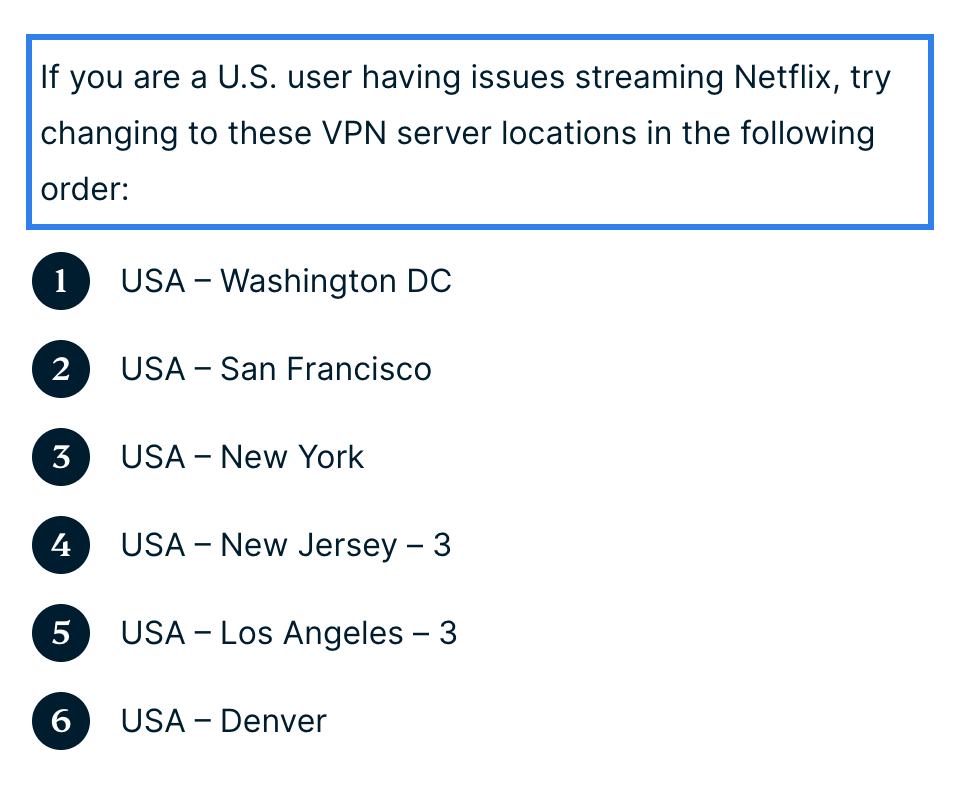
ExpressVPN says it is “optimized to work with Netflix” and has a Netflix troubleshooting page that lists US servers to try: Washington DC, San Francisco, New York, New Jersey 3, Los Angeles 3 and Denver. Its Netflix FAQ says Netflix has “a limited Netflix VPN ban, which disallows VPN use for ad-supported plans and live events.” If Netflix detects a VPN, ExpressVPN says it “will only show you content that it has global rights for.” A Netflix region list was not found on the ExpressVPN pages we checked.
One important note: ExpressVPN’s support pages say you should connect to a server in the country where you are currently located. Using the VPN to get around a streaming service’s geographic restrictions “is strictly prohibited and constitutes a breach” of its Terms of Service. This is stated on its Netflix, BBC iPlayer and general streaming pages.
Who is ExpressVPN best for?
People who watch Netflix on smart TVs, game consoles or other devices that do not support VPN apps. MediaStreamer fills the gap.
Recent upgrades to ExpressVPN:
Added Vega OS support for the Fire TV Stick 4K Select, expanded to 113 countries, and introduced post-quantum protection by default on Mac.
ExpressVPN’s pricing:
Basic is $2.99/mo on a 28-month plan, billed $83.72 up front. A 15-month plan is $4.99/mo, billed $74.85. Month to month is $14.99. The Basic plan renews at $99.95 per year. The monthly plan renews at $14.99 each month. The 30-day money-back guarantee applies to new users only and does not cover renewals, redemption-code purchases or Apple App Store and Google Play in-app purchases. Advanced ($4.49/mo) and Pro ($7.49/mo) tiers add a password manager, identity insurance and more devices.
Product details: ExpressVPN is registered in the British Virgin Islands. It runs RAM-only TrustedServer hardware that wipes data on every reboot. KPMG completed its third security audit in June 2025. It supports Lightway (its own open-source protocol), WireGuard, OpenVPN and IKEv2. Basic allows 10 simultaneous devices. Read our full ExpressVPN review.
Pros and cons of ExpressVPN:
| Starting Price (4.7/5) | Security (5/5) | Server Coverage (5/5) | UX (4.9/5) | Compatibility (5/5) | Connectivity (4.5/5) | Top Features |
|---|---|---|---|---|---|---|
| $3.49/mo (27 mo), billed $94.23; $5.49/mo (12 mo); $14.99/mo monthly | AES-256, PwC and Deloitte audits, Panama | 7,300+ servers, 225+ locations | NordLynx protocol | 10 devices; Fire TV, Apple TV, Android TV apps | SmartPlay automatic streaming support |
|
NordVPN says it is the fastest VPN, citing tests by Artifact Security and West Coast Labs. It advertises 817+ Mbps without saying which test produced that number. The page notes that some supporting sources were published through paid partnerships.
SmartPlay is built into every NordVPN app and turns on automatically. NordVPN says it combines VPN encryption with smart DNS to support streaming without extra setup. For older Samsung or LG TVs, NordVPN offers SmartDNS, a DNS-only feature that lists Netflix Originals among its eight supported services. SmartDNS has no encryption and supports IPv4 only.
NordVPN’s help center does not promise that Netflix will work. Its streaming article is titled “Netflix doesn’t work with NordVPN” and provides troubleshooting steps: change server in the same country, clear cache, turn off location services, turn off DNS over HTTPS, and pause Threat Protection. NordVPN says frequent region switching “can lock your visible region.” A Netflix region list was not found on the NordVPN pages we checked. Using NordVPN to bypass copyright regulations violates its Terms of Service.
Who is NordVPN best for?
Netflix viewers who care about speed. NordVPN advertises 817+ Mbps, and SmartPlay means there is nothing to configure.
Recent upgrades to NordVPN:
Added a Vega OS Fire TV app, Apple Vision Pro and Meta Quest 3 apps, and updated speed testing.
NordVPN’s pricing:
Basic is $3.49/mo on a 27-month plan, billed $94.23 up front. A 12-month plan is $5.49/mo, billed $65.88. Month to month is $14.99. Long-term plans renew at $139.08 per year. The monthly plan renews at $14.99 each month. The 30-day money-back guarantee covers the initial purchase only. Renewals are not refundable unless local law requires it. Apple App Store, Amazon Appstore and retailer purchases go through that seller’s refund process. Google Play refunds go through NordVPN support within the guarantee terms. Complete ($4.49/mo) and Prime ($7.49/mo) tiers add antivirus, a password manager and cloud storage.
Product details: NordVPN is registered in Panama. Its no-logs policy has been reviewed by PwC (2018, 2020) and Deloitte. All servers are 10 Gbps and RAM-only. It supports NordLynx, OpenVPN and IKEv2. Ten simultaneous devices on one account. Read our full NordVPN review.
Pros and cons of NordVPN:
| Starting Price (4.7/5) | Security (5/5) | Server Coverage (5/5) | UX (5/5) | Compatibility (4.8/5) | Connectivity (4.5/5) | Top Features |
|---|---|---|---|---|---|---|
| $2.99/mo (24 mo), billed $71.76; $3.99/mo (12 mo); $9.99/mo monthly | AES-256, Securitum audited (2026, fifth year), Swiss | 20,000+ servers, 140+ countries | VPN Accelerator for faster connections | 10 devices; Fire TV, Apple TV, Android TV apps | All Plus servers optimized for streaming |
|
Proton VPN publishes the most detailed Netflix region list here. Per Proton’s streaming guide, Netflix works in 26 regions: Australia, Belgium, Canada, France, Germany, Hong Kong, India, Italy, Japan, Lithuania, Malaysia, Netherlands, Philippines, Poland, Portugal, Romania, Slovakia, South Korea, Spain, Sweden, Switzerland, Turkey, Ukraine, United Kingdom, United States and Mexico. We have not tested them.
Streaming runs on Proton’s Plus servers, which the site says are all optimized for streaming. A separate streaming server type or smart DNS feature was not found on its site as of September 2026. For Roku, Samsung TVs and consoles, Proton’s answer is a router. It has native apps for Fire TV (including Vega OS), Apple TV (tvOS 17+, paid only) and Android TV.
Proton is transparent about Netflix’s own rules. Its streaming hub FAQ quotes Netflix’s terms and says “using a VPN to watch content that’s not licensed for the area you’re currently in is against Netflix’s policy.” Its Netflix page frames the pitch as keeping your home catalog while traveling: “a US-based subscriber connected to a US server sees the catalog meant for US audiences.” Proton says Secure Core (its multi-hop feature) is not recommended for streaming because exit servers “do not always support streaming.”
Who is Proton VPN best for?
People who want to know exactly which Netflix regions a provider claims to support before subscribing. Proton publishes the most detailed list.
Recent upgrades to Proton VPN:
Expanded to 20,000+ servers in 140+ countries, completed its fifth Securitum audit in 2026, and added a Vega OS Fire TV app.
Proton VPN’s pricing:
Plus is $2.99/mo on a 24-month plan, billed $71.76 up front. A 12-month plan is $3.99/mo, billed $47.88. Month to month is $9.99. Long-term plans renew at $83.88 per year. The monthly plan renews at $9.99 each month. The 30-day money-back guarantee applies to each plan.
Product details: Proton VPN is based in Switzerland. Securitum has audited its no-logs policy every year since 2022, five times so far. All apps are open source. It supports OpenVPN, IKEv2, WireGuard and Stealth (for blocked networks). Ten simultaneous devices on paid plans. Read our full Proton VPN review.
Pros and cons of Proton VPN:
| Starting Price (4.3/5) | Security (5/5) | Server Coverage (4.9/5) | UX (4.9/5) | Compatibility (5/5) | Connectivity (5/5) | Top Features |
|---|---|---|---|---|---|---|
| $2.49/mo (27 mo), billed $67.23; $3.39/mo (15 mo); $16.45/mo monthly | AES-256, Deloitte audited (2023, 2025), Netherlands | 4,500+ servers, 100 countries (per Surfshark) | CleanWeb ad blocker, Bypasser split tunneling | Unlimited devices (fair-use policy); Fire TV, Apple TV, Android TV apps | WireGuard, 10 Gbps servers |
|
Surfshark allows unlimited devices on every plan (its Terms of Service say it “reserves the right to enable limits of an immoderate number of simultaneously connected devices”). Good for households with several devices watching Netflix at the same time.
Surfshark names Netflix on its streaming pages and says “Connect to your home country’s Surfshark VPN server” to watch. Its help center has a Netflix-specific article covering the “unblocker or proxy” error (code m7111-5059). Per that article, Netflix can flag a profile, and the flag “should automatically be removed within 24 to 48 hours.” A Netflix region list was not found on the Surfshark pages we checked.
Surfshark shut down its SmartDNS on February 2, 2026. Roku, Samsung and LG TVs now need a router or a shared hotspot. Surfshark has native apps for Fire TV (including Vega OS), Apple TV (tvOS 17+) and Android TV (Android 7.0+). For budget-focused picks across all uses, see our best cheap VPNs.
Who is Surfshark best for?
Households with many devices that want to watch Netflix without counting connections.
Recent upgrades to Surfshark:
Completed its second Deloitte no-logs report in 2025, added Vega OS Fire TV support, and expanded to 4,500+ servers.
Surfshark’s pricing:
Starter is $2.49/mo on a 27-month plan, billed $67.23 up front. A 15-month plan is $3.39/mo, billed $50.85. Month to month is $16.45. Long-term Starter plans renew at $79 per year. Monthly plans renew at $16.45. The 30-day money-back guarantee applies to the initial purchase only and is limited to one refund per service. Sign-ups through resellers are excluded, except those through Paddle, Google Play or Cleverbridge. Prepaid or gift card purchases, Alternative Number purchases, anonymous Dedicated IP purchases and free trials of 30 days or longer are also excluded. One ($2.79/mo) and One+ ($4.49/mo) tiers add antivirus, a search tool and data-breach alerts.
Product details: Surfshark is based in the Netherlands. Deloitte completed no-logs assurance reports in 2023 and 2025. It supports WireGuard, OpenVPN and IKEv2. Servers are RAM-only and 10 Gbps. Read our full Surfshark review.
Pros and cons of Surfshark:

| Starting Price (4.6/5) | Security (5/5) | Server Coverage (4.6/5) | UX (4.9/5) | Compatibility (4.9/5) | Connectivity (5/5) | Top Features |
|---|---|---|---|---|---|---|
| $2.03/mo (3 yr + 3 mo), billed $79; $3.99/mo (12 mo); $11.95/mo monthly | AES-256, Deloitte audit, open source | 104 countries, 170 locations, all 50 US states | WireGuard and OpenVPN (both open source) | Unlimited devices; Fire TV, Apple TV, Android TV apps | 10 Gbps NextGen servers |
|
PIA offers two features for Netflix viewers. Its apps include streaming-optimized servers with IPs that PIA says are “regularly refreshed” to avoid blocks. For Roku and other devices without VPN apps, PIA has Smart DNS, which changes your virtual location without routing traffic through a VPN server.
PIA’s Netflix page mentions streaming-optimized servers in 10+ countries, including the US, UK, Canada, Australia, Japan and India. PIA frames Netflix use as reaching your usual content from home while you travel. Its streaming pages say that using a server in another country to reach another country’s catalog “goes against our terms of service and is not acceptable.”
Who is PIA best for?
Roku owners and anyone who needs Smart DNS for Netflix on devices without VPN apps.
Recent upgrades to PIA:
Expanded to 104 countries and 170 locations with 10 Gbps NextGen servers. Added an Apple TV app.
PIA’s pricing:
The 3-year + 3-month plan is $2.03/mo, billed $79 up front, and renews at $79 every 3 years. A 12-month plan is $3.99/mo, billed $47.88, and renews at $47.88 per year. Month to month is $11.95 and renews at $11.95 each month. Renewal pricing is flat at every term. The 30-day money-back guarantee applies to new or first-time users only and does not cover app-store purchases or users who requested a refund in the previous three months.
Product details: PIA’s apps are open source. Deloitte has audited its no-logs policy (the year was not found on the pages we checked). It supports WireGuard and OpenVPN, both open source. RAM-only servers. Unlimited simultaneous devices.
Pros and cons of PIA:

| Starting Price (5/5) | Security (4/5) | Server Coverage (4.3/5) | UX (4.9/5) | Compatibility (4.9/5) | Connectivity (5/5) | Top Features |
|---|---|---|---|---|---|---|
| $5.75/mo (yearly, billed $69); $9/mo monthly; Build-a-Plan from $3/mo | Packetlabs audit (June 2024, server stack), RAM-only | 69+ countries, 135+ cities, 195 datacenters | R.O.B.E.R.T. ad and malware blocker | Unlimited devices (personal use only); Fire TV, Apple TV (tvOS 17.5+), Android TV | WireGuard default, 10 Gbps on 139 datacenters |
|
Windscribe’s streaming feature is Windflix: servers “designed specifically for streaming” that are maintained to keep access working. Windscribe names Netflix as a service that works with Windflix. There is also an “Unlock Streaming” toggle in the account dashboard that turns on the optimized streaming servers.
Windscribe is honest about limits. Its knowledge base says it “can’t guarantee that all streaming services will work.” A separate Netflix article says you “might only have access to Netflix Original titles” and “We can’t make any promises or guarantees about this.” A Netflix region list was not found on the Windscribe pages we checked. For torrenting and file sharing, see our best VPNs for torrenting guide.
Windscribe has apps for Fire TV, Android TV and Apple TV (tvOS 17.5+). For Roku, Samsung, LG and consoles, options include a router, a Secure Hotspot from a PC, or Control D (a DNS service from Windscribe’s founders).
Who is Windscribe best for?
People who want to pay per location instead of a flat subscription. Build-a-Plan starts at $3/mo for the locations you choose.
Recent upgrades to Windscribe:
Expanded 10 Gbps support to 139 datacenters, added an Apple TV app (tvOS 17.5+), and the Unlock Streaming toggle.
Windscribe’s pricing:
Pro yearly is $5.75/mo, billed $69 per year. Pro monthly is $9. Build-a-Plan starts at $3/mo for locations you choose. Windscribe says “the price you signed up for is the price you pay. Forever.” The refund window is 7 days, under 10 GB used on the paid plan and first payment only; support troubleshooting is required before a refund is approved. Renewals are not refundable.
Product details: Windscribe uses bare-metal, RAM-only servers. Packetlabs audited its server stack in June 2024. An independent audit of the no-logs policy was not found on its site as of September 2026. It supports WireGuard, OpenVPN, IKEv2, Stealth and WStunnel. Unlimited devices for personal use; account sharing is prohibited, and extreme use may result in a ban.
Pros and cons of Windscribe:

| Starting Price (5/5) | Security (5/5) | Server Coverage (4.5/5) | UX (4.2/5) | Compatibility (5/5) | Connectivity (4.5/5) | Top Features |
|---|---|---|---|---|---|---|
| $2.69/mo (26 mo), billed $69.99; $4.23/mo (13 mo); $11.99/mo monthly | AES-256, Securitum audited, Malaysia | 2,600+ servers, 92 locations, 57 countries | Kill switch (on by default on desktop, per hide.me); StealthGuard locks chosen apps to the VPN; Bolt protocol | Up to 10 devices; Fire TV, Apple TV, Android TV apps | WireGuard, full native IPv6 |
|
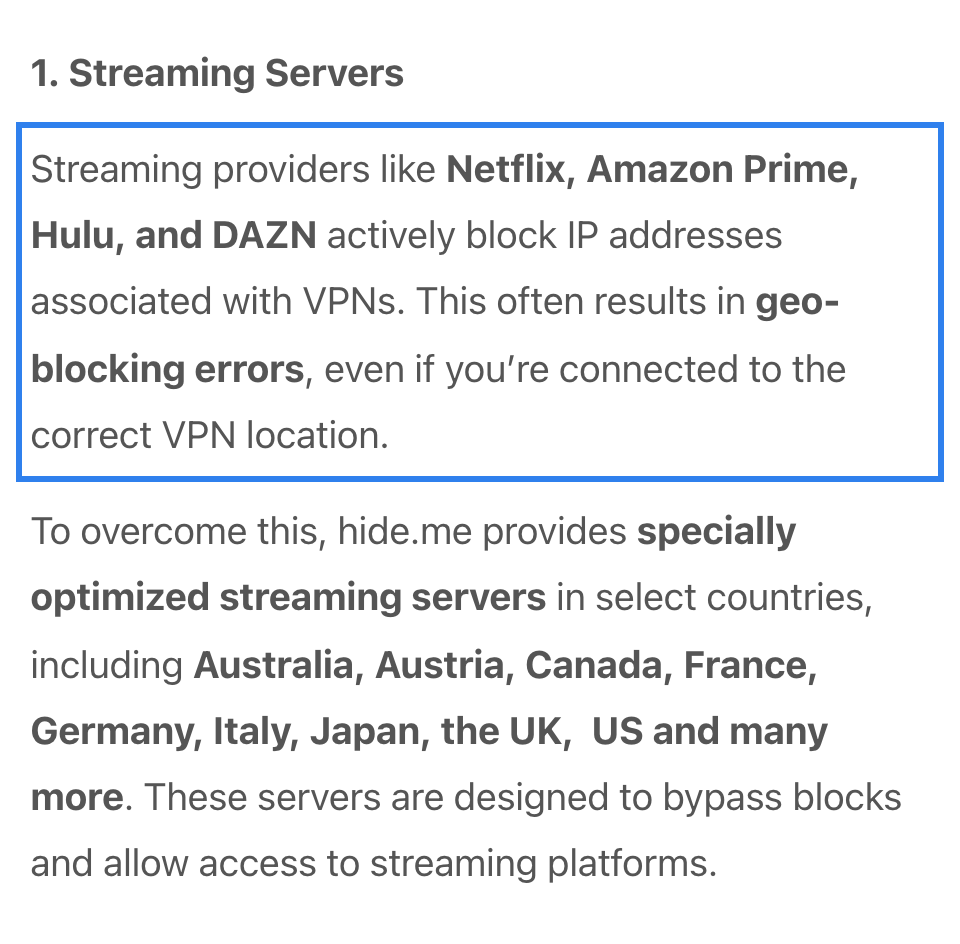
hide.me runs a separate set of streaming servers under a “Streaming” tab in its app. These servers are available in select countries, including Australia, Austria, Canada, France, Germany, Italy, Japan, the UK and the US. They are Premium only.
A March 2026 help article names Netflix as a service that “actively blocks IP addresses associated with VPNs” and says hide.me’s streaming servers are “designed to bypass blocks.” A 2020 blog post claims “all regions for Netflix,” but that claim is six years old. A current Netflix region list was not found on the pages we checked.
hide.me has apps for Fire TV (2nd gen+), Apple TV and Android TV. Roku and consoles need a router.
Who is hide.me best for?
People who want dedicated streaming servers in the app for Netflix and a pricing guarantee that keeps renewal identical to signup.
Recent upgrades to hide.me:
Added a Securitum no-logs audit, expanded to 2,600+ servers, and added an Apple TV app.
hide.me’s pricing:
The 26-month plan is $2.69/mo, billed $69.99. A 13-month plan is $4.23/mo, billed $54.99. Month to month is $11.99. The pricing guarantee means every plan renews at the same price and duration. The 30-day money-back guarantee covers the first order only, requires written email notice within 30 days, and applies only if you have not previously claimed a refund or violated the terms. App-store purchases follow the store’s rules.
Product details: hide.me is based in Malaysia. Securitum audited its no-logs policy. It supports WireGuard, OpenVPN, IKEv2, SoftEther and SSTP, plus its Bolt protocol on Windows. Up to 10 simultaneous devices. Servers run at 10 Gbps.
Pros and cons of hide.me:

| Starting Price (4.8/5) | Security (4.5/5) | Server Coverage (4.2/5) | UX (4.6/5) | Compatibility (4.5/5) | Connectivity (4.8/5) | Top Features |
|---|---|---|---|---|---|---|
| $2.00/mo (36 mo); $6.00/mo (3 mo), billed $17.99; $9.90/mo monthly | AES-256, Swedish jurisdiction, no audit found | 200+ servers, 63 countries (per PrivateVPN; help FAQ says 43) | WireGuard, OpenVPN, IKEv2 | 10 devices; Fire TV and Android TV apps only | HQN (High Quality Network) connections |
|
PrivateVPN makes the most direct Netflix claim here. Its Netflix page says you can “access the full US catalogue of movies and TV shows as soon as you sign up.” Its FAQ says “In most cases, Netflix will not detect your use of a VPN.” These are PrivateVPN’s own claims; we have not tested them.
A Smart DNS feature was not found on the pages we checked. PrivateVPN names one streaming server, in Dublin, for RTE Player. Its network feature is HQN (High Quality Network): capacity purchased directly from transit providers. Apps cover Fire TV and Android TV only. Apple TV, Roku and consoles need a router.
PrivateVPN has the smallest network here: 200+ servers in 63 countries (per its main site; its help FAQ says 43). It has 12 US cities and 2 UK cities.
Who is PrivateVPN best for?
People willing to trade a smaller server network for a provider that makes direct claims about US Netflix access.
Recent upgrades to PrivateVPN:
Added WireGuard support, a Chrome browser extension and a Dublin server for RTE Player.
PrivateVPN’s pricing:
The 36-month plan is $2.00/mo. A 3-month plan is $6.00/mo, billed $17.99. Month to month is $9.90. PrivateVPN’s pricing page says it bills $72 every 12 months after the first 36 months. The 30-day money-back guarantee is for new customers only, requires a stated reason, and excludes purchases below $45, renewals, crypto payments and upgrades or added licenses. App Store purchases are refunded by Apple, not PrivateVPN.
Product details: PrivateVPN is based in Sweden. An independent audit of its no-logs policy was not found on its site as of September 2026. It supports OpenVPN, WireGuard, IKEv2, L2TP/IPsec and PPTP. Ten simultaneous connections.
Pros and cons of PrivateVPN:
ExpressVPN leads overall, but each provider handles Netflix differently. The table below compares all eight side by side.
| Provider | Best VPN for Netflix on Smart TVs  Score (4.9) Starting Price $2.99/mo (28 mo); $14.99 monthly Money-Back Guarantee 30 days (conditions apply) Server Network 113 countries, 214 locations Simultaneous Connections 10 (Basic) Platform Compatibility Windows, macOS, Linux, iOS, Android, Fire TV, Apple TV, Android TV, routers No-logs Policy  Kill Switch Split Tunneling Netflix Support (Per Provider) Named on its site; region list not found on the pages we checked Torrenting Support Not found on the pages we checked | Score (4.87) Starting Price $3.49/mo (27 mo); $14.99 monthly Money-Back Guarantee 30 days (conditions apply) Server Network 7,300+ servers, 225+ locations Simultaneous Connections 10 Platform Compatibility Windows, macOS, Linux, iOS, Android, Fire TV, Apple TV, Android TV, routers No-logs Policy Kill Switch Split Tunneling (Android, Android TV, Windows) Netflix Support (Per Provider) Help article with troubleshooting; region list not found on the pages we checked Torrenting Support Yes, all standard servers | Score (4.83) Starting Price $2.99/mo (24 mo); $9.99 monthly Money-Back Guarantee 30 days Server Network 20,000+ servers, 140+ countries Simultaneous Connections 10 Platform Compatibility Windows, macOS, Linux, iOS, Android, Fire TV, Apple TV, Android TV, routers No-logs Policy Kill Switch Split Tunneling Netflix Support (Per Provider) Lists 26 Netflix regions Torrenting Support Yes, all servers (Plus) | Score (4.85) Starting Price $2.49/mo (27 mo); $16.45 monthly Money-Back Guarantee 30 days (conditions apply) Server Network 4,500+ servers, 100 countries (per Surfshark) Simultaneous Connections Unlimited (fair-use policy) Platform Compatibility Windows, macOS, Linux, iOS, Android, Fire TV, Apple TV, Android TV, routers No-logs Policy Kill Switch Split Tunneling (Bypasser) Netflix Support (Per Provider) Named on its site; help article covers proxy error Torrenting Support P2P on most locations |  Score (4.83) Starting Price $2.03/mo (3 yr + 3 mo); $11.95 monthly Money-Back Guarantee 30 days (conditions apply) Server Network 104 countries, 170 locations Simultaneous Connections Unlimited Platform Compatibility Windows, macOS, Linux, iOS, Android, Fire TV, Apple TV, Android TV, routers No-logs Policy Kill Switch Split Tunneling Netflix Support (Per Provider) Named on its site; servers in 10+ countries Torrenting Support Yes, all servers | Score (4.68) Starting Price $5.75/mo (yearly); $9 monthly Money-Back Guarantee 7 days (conditions apply) Server Network 69+ countries, 135+ cities Simultaneous Connections Unlimited (personal use only) Platform Compatibility Windows, macOS, Linux, iOS, Android, Fire TV, Apple TV, Android TV, routers No-logs Policy Kill Switch Firewall (desktop); Always-On VPN (mobile) Split Tunneling Netflix Support (Per Provider) Windflix servers; says it cannot guarantee access Torrenting Support P2P on Pro except blocked locations; on Build-a-Plan only on purchased locations (per Windscribe) | Score (4.7) Starting Price $2.69/mo (26 mo); $11.99 monthly Money-Back Guarantee 30 days (conditions apply) Server Network 2,600+ servers, 92 locations Simultaneous Connections Up to 10 Platform Compatibility Windows, macOS, Linux, iOS, Android, Fire TV, Apple TV, Android TV, routers No-logs Policy Kill Switch Split Tunneling Netflix Support (Per Provider) Named on its site (2020 "all regions" claim) Torrenting Support Not on streaming servers | Score (4.57) Starting Price $2.00/mo (36 mo); $9.90 monthly Money-Back Guarantee 30 days (conditions apply) Server Network 200+ servers, 63 countries (per PrivateVPN) Simultaneous Connections 10 Platform Compatibility Windows, macOS, Linux, iOS, Android, Fire TV, Android TV, routers No-logs Policy Kill Switch Split Tunneling Not found on its site Netflix Support (Per Provider) Claims full US catalog Torrenting Support Yes, P2P supported |
|---|---|---|---|---|---|---|---|---|
| Score | (4.9) | (4.87) | (4.83) | (4.85) | (4.83) | (4.68) | (4.7) | (4.57) |
| Starting Price | $2.99/mo (28 mo); $14.99 monthly | $3.49/mo (27 mo); $14.99 monthly | $2.99/mo (24 mo); $9.99 monthly | $2.49/mo (27 mo); $16.45 monthly | $2.03/mo (3 yr + 3 mo); $11.95 monthly | $5.75/mo (yearly); $9 monthly | $2.69/mo (26 mo); $11.99 monthly | $2.00/mo (36 mo); $9.90 monthly |
| Money-Back Guarantee | 30 days (conditions apply) | 30 days (conditions apply) | 30 days | 30 days (conditions apply) | 30 days (conditions apply) | 7 days (conditions apply) | 30 days (conditions apply) | 30 days (conditions apply) |
| Server Network | 113 countries, 214 locations | 7,300+ servers, 225+ locations | 20,000+ servers, 140+ countries | 4,500+ servers, 100 countries (per Surfshark) | 104 countries, 170 locations | 69+ countries, 135+ cities | 2,600+ servers, 92 locations | 200+ servers, 63 countries (per PrivateVPN) |
| Simultaneous Connections | 10 (Basic) | 10 | 10 | Unlimited (fair-use policy) | Unlimited | Unlimited (personal use only) | Up to 10 | 10 |
| Platform Compatibility | Windows, macOS, Linux, iOS, Android, Fire TV, Apple TV, Android TV, routers | Windows, macOS, Linux, iOS, Android, Fire TV, Apple TV, Android TV, routers | Windows, macOS, Linux, iOS, Android, Fire TV, Apple TV, Android TV, routers | Windows, macOS, Linux, iOS, Android, Fire TV, Apple TV, Android TV, routers | Windows, macOS, Linux, iOS, Android, Fire TV, Apple TV, Android TV, routers | Windows, macOS, Linux, iOS, Android, Fire TV, Apple TV, Android TV, routers | Windows, macOS, Linux, iOS, Android, Fire TV, Apple TV, Android TV, routers | Windows, macOS, Linux, iOS, Android, Fire TV, Android TV, routers |
| No-logs Policy | | | | | | | | |
| Kill Switch | | | | | | Firewall (desktop); Always-On VPN (mobile) | | |
| Split Tunneling | | (Android, Android TV, Windows) | | (Bypasser) | | | | Not found on its site |
| Netflix Support (Per Provider) | Named on its site; region list not found on the pages we checked | Help article with troubleshooting; region list not found on the pages we checked | Lists 26 Netflix regions | Named on its site; help article covers proxy error | Named on its site; servers in 10+ countries | Windflix servers; says it cannot guarantee access | Named on its site (2020 "all regions" claim) | Claims full US catalog |
| Torrenting Support | Not found on the pages we checked | Yes, all standard servers | Yes, all servers (Plus) | P2P on most locations | Yes, all servers | P2P on Pro except blocked locations; on Build-a-Plan only on purchased locations (per Windscribe) | Not on streaming servers | Yes, P2P supported |
| Learn more | LEARN MORE On ExpressVPN's official website | LEARN MORE On NordVPN's official website | LEARN MORE On Proton VPN's official website | LEARN MORE On Surfshark's official website | LEARN MORE On PIA's official website | LEARN MORE On Windscribe's official website | LEARN MORE On hide.me's official website | LEARN MORE On PrivateVPN's official website |
Install a VPN app on your streaming device, connect to a server in the country you are in, and open Netflix. Here are the steps in detail.
NordVPN’s streaming page says HD needs “around 5 to 8 Mbps” and 4K “may need even 25 Mbps.” NordVPN also says “a VPN usually has a negative impact on speed” unless your provider is already throttling you.
Netflix may show an error saying “You seem to be using an unblocker or proxy” (error code m7111-5059 per Surfshark’s help center). Per thebestvpn.com, possible causes include a flagged server IP, overloaded servers, and DNS or WebRTC leaks. Here is what providers say to do.
Netflix checks IP addresses against known VPN server lists. Per thebestvpn.com, Netflix also uses traffic pattern analysis and geolocation databases. ExpressVPN’s Netflix FAQ says Netflix has “a limited Netflix VPN ban, which disallows VPN use for ad-supported plans and live events.” If Netflix detects a VPN, it may show only content it has global rights for, or block playback entirely.
ExpressVPN says geo-circumvention “is strictly prohibited and constitutes a breach” of its own Terms of Service. Proton VPN’s streaming hub FAQ says “using a VPN to watch content that’s not licensed for the area you’re currently in is against Netflix’s policy.” PIA says using a server in another country to reach another country’s catalog “goes against our terms of service and is not acceptable.” We did not find Netflix’s own account-enforcement policy in the research files.
I evaluated each VPN on six factors. The scores reflect overall performance, not Netflix alone.
A Netflix VPN still needs to protect your traffic. I looked at encryption, no-logs policies and audits, plus these three features:
More locations mean more options when Netflix blocks a server. Proton VPN leads with 20,000+ servers in 140+ countries. For Netflix, US and UK variety matters: ExpressVPN and PIA each cover all 50 US states.
A good Netflix VPN needs minimal setup. NordVPN says SmartPlay handles streaming automatically. ExpressVPN’s Smart Location picks a nearby server. hide.me’s TV apps have automatic server selection, per hide.me.
Prices range from $2.00/mo (PrivateVPN, 36 months) to $5.75/mo (Windscribe, yearly). Renewal prices vary widely: PIA and hide.me keep the price flat, and Windscribe says its price stays the same, while NordVPN renews at $139.08/yr and ExpressVPN at $99.95/yr. For a price-focused ranking, see our best cheap VPNs.
Netflix runs on TVs, sticks and consoles. I looked at which providers have native apps for Fire TV Stick, Apple TV and Android TV, and which offer Smart DNS or MediaStreamer for devices without apps. ExpressVPN (MediaStreamer), NordVPN (SmartDNS) and PIA (Smart DNS) stand out.
4K Netflix needs about 25 Mbps, per NordVPN. NordVPN advertises 817+ Mbps without naming the test. Most providers claim 10 Gbps servers.
ExpressVPN is our top pick for Netflix because of MediaStreamer, its smart DNS feature for devices that cannot run VPN apps. NordVPN says it is the fastest VPN and advertises 817+ Mbps. Proton VPN publishes the longest Netflix region list, with 26 on its streaming guide.
Yes. Netflix actively detects and blocks VPN connections, per thebestvpn.com, using IP blacklists, traffic pattern analysis and geolocation databases. ExpressVPN’s Netflix FAQ says Netflix has “a limited Netflix VPN ban, which disallows VPN use for ad-supported plans and live events.” If detected, Netflix may show only titles with global rights or block playback entirely, per ExpressVPN. Proton VPN says “We can only guarantee access to streaming services if you have a Proton VPN paid plan.” Windscribe says it “can’t guarantee that all streaming services will work.”
Yes. Per thebestvpn.com, Netflix checks IPs against known VPN server lists, uses traffic pattern analysis and checks geolocation databases. ExpressVPN’s Netflix FAQ says Netflix has “a limited Netflix VPN ban, which disallows VPN use for ad-supported plans and live events.”
Possible causes include a flagged server IP, overloaded servers, and DNS or WebRTC leaks, per thebestvpn.com. Surfshark’s help center says Netflix can also flag a profile. Try switching to a different server in the same country. Clear your browser cache or use incognito mode. Try the Netflix app instead of a browser, or vice versa. Per Surfshark, a profile flag “should automatically be removed within 24 to 48 hours.” If nothing helps, contact the VPN provider’s support.
ExpressVPN says to connect to a server in the country where you are currently located. Surfshark says to connect to your home country’s server. Proton VPN says a US-based subscriber connected to a US server sees the catalog meant for US audiences. Proton lists Netflix support in 26 regions, with the US, UK, Japan, Canada and Australia among them. PIA names Netflix streaming servers in the US, UK, Canada, Australia, Japan and India. Each provider’s catalog depends on its servers and Netflix’s detection at that moment.
Install the VPN app on your streaming device. Connect to a server in the country you are in. Open Netflix and play. If Netflix blocks the connection, try a different server in the same country. Clear the app cache, restart the app, or try a browser. For Roku, ExpressVPN says to use a hotspot or router, NordVPN says to use a router or shared PC connection, and PIA offers Smart DNS. For consoles, ExpressVPN offers MediaStreamer, NordVPN says to use a router or shared PC, and PIA says to configure a compatible router.
Free VPNs have limited success with Netflix, per the providers on this list. For free options, see our best free VPNs guide.

About The Password Manager, Gunnar Kallstrom:
Kallstrom, The Password Manager, is a Cyber Team Lead for a Department of Defense (DOD) contracting company in Huntsville, Alabama, and has worked as a Computer Network Defense (CND) Cyber Analyst. An author and content creator for a cybersecurity academy, Kallstrom spent nearly 15 years in the Army as a musician before entering the cybersecurity field.
He holds a bachelor’s degree in music from Thomas Edison State University and a master’s in organizational development and leadership from the University of the Incarnate Word.
Kallstrom has completed several CompTIA courses, including Security+, Network+, A+ Core 1, and A+ Core 2. He earned a Computing Technology Industry Association (CompTIA) Security+ Certification. Additionally, he has completed the Cyber Warrior Academy program with more than 800 hours of hands-on, intensive, and lab-driven technical training in cybersecurity methods and procedures.
Passionate about all things cyber, Kallstrom was a speaker on a panel at the 2022 InfoSec World conference, giving a talk entitled “Hacking into a Cyber Career – True Stories.” Kallstrom is also a mentor to entry-level cybersecurity candidates seeking to break into the field. When he’s not working, he still enjoys playing guitar and fishing (not phishing).