Top 8 Best Torrent VPNs
Proton VPN is the best VPN for torrenting overall because it offers port forwarding on its P2P servers, per Proton’s support page. Here is the full ranked list.


By:Gunnar Kallstrom , Updated October 2, 2026 Head of Information Systems and Cybersecurity Research
Updated October 2, 2026A VPN for torrenting hides your IP address from the peers in a BitTorrent swarm. ExpressVPN says a VPN encrypts your traffic, preventing your ISP from identifying specific content. The best torrent VPN services allow P2P traffic on their servers and include a kill switch designed to block your connection if the VPN drops. Some also offer port forwarding, which can improve download speeds. For the full ranking across all use cases, see our best VPN services.
Not every VPN allows torrenting. Some restrict P2P to certain servers, some limit it to paid plans, and a few do not state a P2P policy at all. In this guide I walk through the 8 best VPNs for torrenting I reviewed, with each provider’s P2P policy, port forwarding support, kill switch behavior, SOCKS5 proxy availability and copyright terms, all confirmed on the provider’s own website as of September 30, 2026.


Strong encryption, no-logs policies and a kill switch designed to block traffic if the VPN drops while torrenting.
Servers across dozens of countries. See each provider's P2P policy in its section below.
Native apps for Windows, macOS, Android and iOS, with most also supporting Linux.
Competitive monthly prices on long-term plans, with clear refund terms.
Proton VPN is the best VPN for torrenting overall because it offers port forwarding on its P2P servers, per Proton’s support page. Here is the full ranked list.
| Starting Price (4.7/5) | Security (5/5) | Server Coverage (5/5) | UX (5/5) | Compatibility (4.8/5) | Connectivity (4.5/5) | Top Features |
|---|---|---|---|---|---|---|
| $2.99/mo (24 mo, billed $71.76), $3.99/mo (12 mo, billed $47.88), $9.99/mo monthly. Long-term plans renew at $83.88/yr; monthly renews at $9.99/mo. | AES-256, 4096-bit RSA, no-logs audited by Securitum (2022 to 2026, per Proton) | 20,000+ servers, 140+ countries (per Proton) | Clean design, P2P tab in the app | Windows, macOS, Linux, iOS, Android | 10 devices, 10 Gbps servers (per Proton) |
|
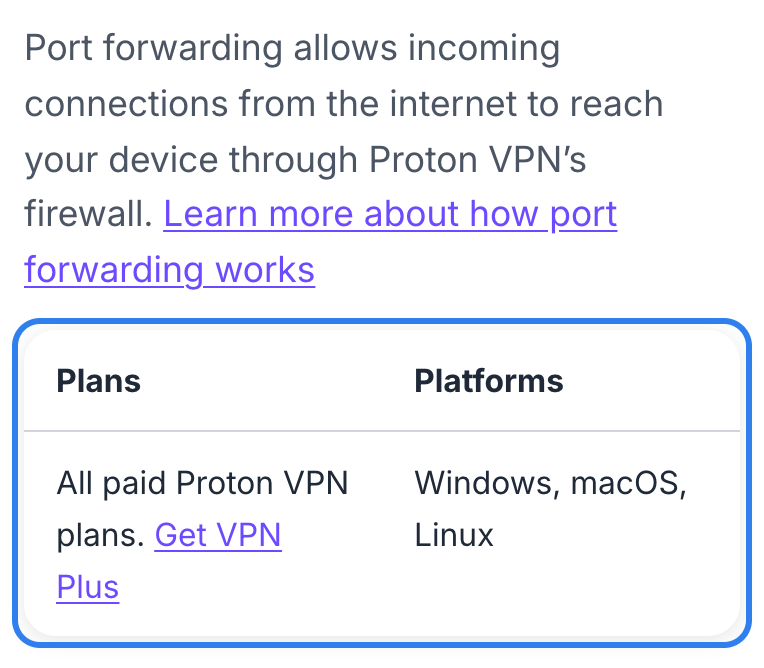
Proton VPN is the best VPN for torrenting because it is one of the few providers that offers port forwarding directly in its VPN app. Port forwarding lets other peers in the swarm connect to you, which can speed up downloads and seeding, per Proton’s support page. On Proton, port forwarding works on P2P servers on all paid plans, across Windows, macOS and Linux (macOS is listed as early access on Proton’s site). The server picks a random port that usually changes when you reconnect. Read our full Proton VPN review.
P2P traffic is allowed on Proton’s dedicated P2P servers, which are marked with a two-arrow icon in the app. These require a paid Proton VPN plan. Proton’s own pages give conflicting information about whether torrenting works on non-P2P servers: the download page says Plus users can torrent on any server, but the support page says to connect to a dedicated P2P server. The safe approach is to use the P2P servers.
Proton publishes a guide for binding qBittorrent to the Proton VPN interface. Proton warns that choosing the regular connection instead of the VPN interface “can expose your real IP address while torrenting, even when kill switch is enabled.” Proton also warns that macOS may briefly expose your IP when switching servers and that some Apple DNS requests may bypass the VPN. Proton says its kill switch is available on all paid plans. Proton says DNS leak protection is included in all Proton VPN apps, but warns that custom DNS settings and DNS over HTTPS can bypass it. IPv6 connections are blocked, per Proton. Proton says it does not offer a SOCKS5 proxy and never will, because SOCKS5 does not encrypt data.
Who is Proton VPN best for?
Proton VPN is best for torrenters who want port forwarding built into the VPN app, backed by Swiss privacy laws and five consecutive annual no-logs audits.
Recent upgrades to Proton VPN:
Proton expanded to 20,000+ servers in 140+ countries, completed its fifth annual Securitum no-logs audit (2026) and added macOS port forwarding as an early-access feature.
Proton VPN’s pricing:
Plus is $2.99/mo on a 24-month plan, billed $71.76 up front. A 12-month plan is $3.99/mo, billed $47.88. Month to month is $9.99. Long-term plans renew at $83.88 per year. The monthly plan renews at $9.99 each month. The 30-day money-back guarantee applies to each plan.
Product details: Proton VPN is based in Switzerland. Securitum has audited its no-logs policy every year since 2022, five times so far. All apps are open source. It supports OpenVPN, IKEv2, WireGuard and Stealth (for blocked networks). Ten simultaneous devices on paid plans. Read our full Proton VPN review.
Pros and cons of Proton VPN:

| Starting Price (4.6/5) | Security (5/5) | Server Coverage (4.6/5) | UX (4.9/5) | Compatibility (4.9/5) | Connectivity (5/5) | Top Features |
|---|---|---|---|---|---|---|
| $2.03/mo (39 mo, billed $79), $3.99/mo (12 mo, billed $47.88), $11.95/mo monthly. Renews flat: $79/3yr, $47.88/yr, $11.95/mo. | AES-256 or AES-128, WireGuard, no-logs audited by Deloitte (per PIA) | 104 countries, 170 locations (per PIA) | Customizable, open-source apps | Windows, macOS, Linux, iOS, Android | Unlimited devices (PIA’s terms allow action against resale and non-personal use), 10 Gbps servers |
|
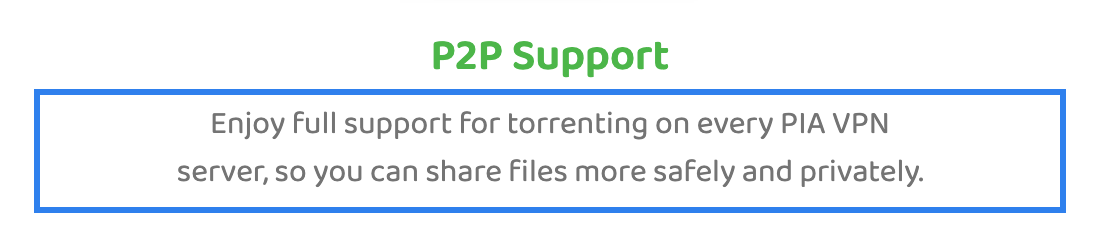
Private Internet Access is the best VPN for torrenting if you want P2P allowed on every server with no separate server group to find. PIA says it supports “fast P2P downloads on all servers” and “doesn’t cap your bandwidth, speed, or data,” per its features page. PIA’s terms reserve the right to throttle bandwidth for “excessive usage.” Port forwarding is available on selected server locations, but PIA’s help site says it is not available on US servers. PIA assigns the port automatically in the app.
PIA says the kill switch is on by default. The Windows app adds an Advanced Kill Switch that PIA says works even when the PIA app is closed, using firewall rules to block traffic outside the tunnel. DNS leak protection is included, per PIA. PIA’s DMCA policy says it keeps no logs and cannot identify users, but it also says it terminates accounts of confirmed repeat infringers.
PIA offers a SOCKS5 proxy, but only as a hop inside its Multi-Hop feature within the app. The SOCKS5 connection uses separately generated credentials and runs through a Netherlands hostname. A standalone SOCKS5 proxy for use directly in a torrent client was not found on PIA’s site.
Who is PIA best for?
PIA is best for torrenters who want the simplest setup: PIA says P2P works on every server, the kill switch starts on, and the price stays flat at renewal. For a deeper look at VPN pricing, see our best cheap VPNs.
Recent upgrades to PIA:
Expanded to 104 countries and 170 locations with 10 Gbps NextGen servers. Added an Apple TV app.
PIA’s pricing:
The 3-year + 3-month plan is $2.03/mo, billed $79 up front, and renews at $79 every 3 years. A 12-month plan is $3.99/mo, billed $47.88, and renews at $47.88 per year. Month to month is $11.95 and renews at $11.95 each month. Renewal pricing is flat at every term. The 30-day money-back guarantee applies to new or first-time users only and does not cover app-store purchases or users who requested a refund in the previous three months.
Product details: PIA’s apps are open source. Deloitte has audited its no-logs policy (the year is not stated on the official site). It supports WireGuard and OpenVPN, both open source. RAM-only servers. Unlimited simultaneous devices (PIA’s terms allow action against resale and non-personal use).
Pros and cons of PIA:
| Starting Price (4.7/5) | Security (5/5) | Server Coverage (5/5) | UX (4.9/5) | Compatibility (5/5) | Connectivity (4.5/5) | Top Features |
|---|---|---|---|---|---|---|
| $3.49/mo (27 mo, billed $94.23), $5.49/mo (12 mo, billed $65.88), $14.99/mo monthly. Long-term: $139.08/yr; monthly: $14.99/mo. | AES-256, NordLynx, no-logs reviewed by PwC and Deloitte (per NordVPN), Panama | 7,300+ servers, 225+ locations (per NordVPN) | Intuitive map-based interface | Windows, macOS, Linux, iOS, Android | 10 devices, 10 Gbps servers (per NordVPN) |
|
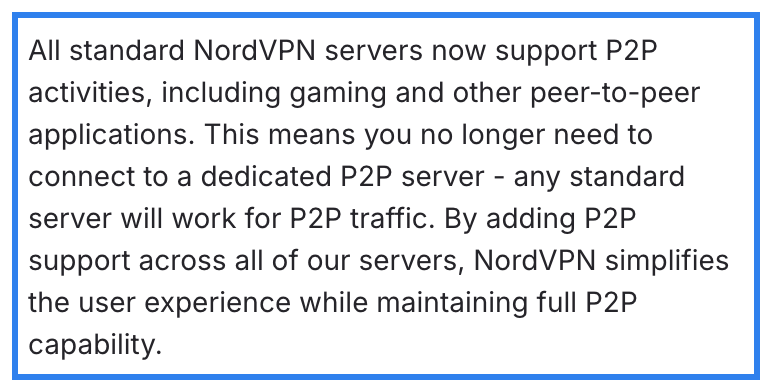
NordVPN says P2P is supported on all standard servers. The company removed the separate P2P server category from its apps starting with version 9.0.0 on mobile and 8.0.0 on Windows, so you no longer need to look for a dedicated P2P server. Any standard server works for torrenting, per NordVPN’s support page. Read our full NordVPN review.
NordVPN publishes official SOCKS5 proxy setup guides for BitTorrent and qBittorrent (guides for Deluge and uTorrent are also listed). The proxy runs on 12 hostnames in the Netherlands, Sweden and the US, using port 1080. Each proxy connection counts as one of your 10 device slots, per NordVPN’s terms.
NordVPN does not offer port forwarding on regular servers, per its support page. Port forwarding is available only on the paid Dedicated Server add-on, which costs extra and is limited to four locations (US, UK, Germany, France). NordVPN says the kill switch is available on Windows, macOS, Android, iOS and Linux, but it is off by default and must be turned on in the app settings.
Who is NordVPN best for?
NordVPN is best for torrenters who want P2P on every standard server, a SOCKS5 proxy option for their torrent client and a well-audited no-logs policy.
Recent upgrades to NordVPN:
Added post-quantum encryption, expanded to 225+ server locations and launched NordWhisper, a new protocol for bypassing restrictions on tightly controlled networks.
NordVPN’s pricing:
Basic is $3.49/mo on a 27-month plan, billed $94.23 up front. A 12-month plan is $5.49/mo, billed $65.88. Month to month is $14.99. Long-term plans renew at $139.08 per year. The monthly plan renews at $14.99 each month. The 30-day money-back guarantee covers the initial purchase only. Renewals are not refundable unless local law requires it. Apple App Store, Amazon Appstore and retailer purchases go through that seller’s refund process. Google Play refunds go through NordVPN support within the guarantee terms. Complete ($4.49/mo) and Prime ($7.49/mo) tiers add antivirus, a password manager and cloud storage.
Product details: NordVPN is registered in Panama. NordVPN says its no-logs policy has been reviewed by PwC (2018, 2020) and Deloitte. The page introduction claims six reviews total, while other sections of the same page report five. All servers are 10 Gbps and RAM-only. It supports NordLynx, OpenVPN and IKEv2. Ten simultaneous devices on one account. Read our full NordVPN review.
Pros and cons of NordVPN:
| Starting Price (4.3/5) | Security (5/5) | Server Coverage (4.9/5) | UX (4.9/5) | Compatibility (5/5) | Connectivity (5/5) | Top Features |
|---|---|---|---|---|---|---|
| $2.49/mo (27 mo, billed $67.23), $3.39/mo (15 mo, billed $50.85), $16.45/mo monthly. 2-yr Starter renews at $79/yr; monthly stays $16.45. | AES-256-GCM, WireGuard, no-logs audited by Deloitte (2023, 2025, per Surfshark) | 4,500+ servers, 100 countries (per Surfshark) | Simple app, one-click connect | Windows, macOS, Linux, iOS, Android | Unlimited devices (fair use), 10 Gbps servers |
|
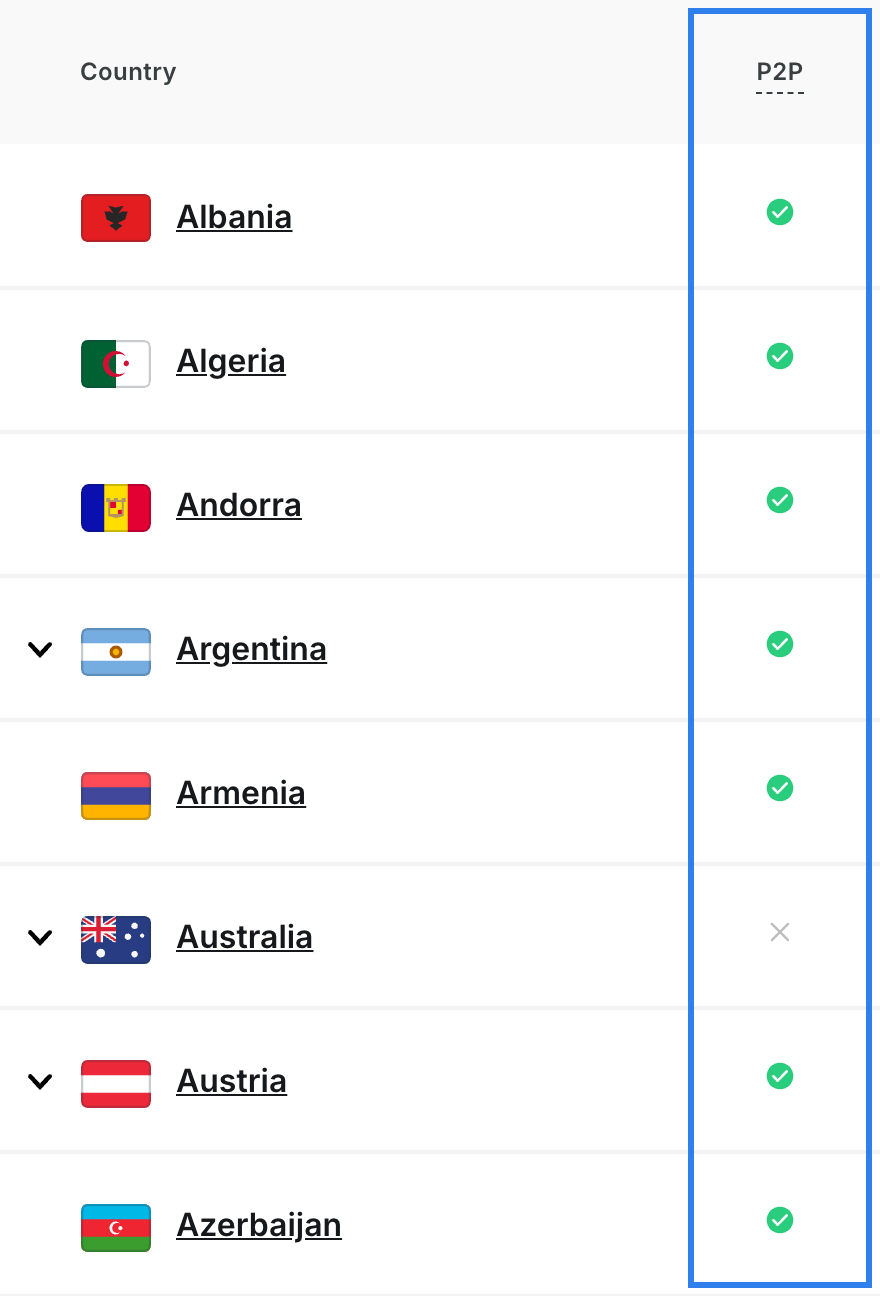
Surfshark marks P2P as available in 86 of the 97 countries on its server list. A written torrenting policy was not found on the pages we checked, and no torrenting page was found, but the P2P column on the server page is the only official signal. Countries marked without P2P include Australia, Chile, Colombia, Croatia, Greece, Ireland, Mexico, New Zealand, Taiwan, Turkey and the United Arab Emirates. Surfshark says it does not support port forwarding because it creates a potential entry point that compromises security, per a September 2026 blog post. Read our full Surfshark review.
Surfshark’s kill switch has two modes, per its feature page: soft (designed to block traffic only if the VPN drops unexpectedly) and strict (designed to block internet anytime the VPN is off). Surfshark links the kill switch directly to file sharing on its feature page, noting that sharing files with strangers can expose your IP if the VPN disconnects. Surfshark says IPv6 is not supported and warns there is a chance your IP may leak when using IPv6. Surfshark recommends disabling IPv6 on your device.
A SOCKS5 proxy was not found on Surfshark’s site as of September 2026. Surfshark’s Terms of Service ban distributing copyright-protected material and allow account termination on a complaint. Surfshark’s transparency report shows 374,719 DMCA requests received in April to June 2026, with none resulting in user data disclosure.
Who is Surfshark best for?
Surfshark is best for households with many devices that need a low-cost VPN with P2P support in most countries, where port forwarding is not needed.
Recent upgrades to Surfshark:
Completed its second Deloitte no-logs report in 2025 and expanded to 4,500+ servers, per Surfshark.
Surfshark’s pricing:
Starter is $2.49/mo on a 27-month plan, billed $67.23 up front. A 15-month plan is $3.39/mo, billed $50.85. Month to month is $16.45. Long-term Starter plans renew at $79 per year. Monthly plans renew at $16.45. The 30-day money-back guarantee applies to the initial purchase only and is limited to one refund per service. Sign-ups through resellers are excluded, except those through Paddle, Google Play or Cleverbridge. Prepaid or gift card purchases, Alternative Number purchases, anonymous Dedicated IP purchases and free trials of 30 days or longer are also excluded. One ($2.79/mo) and One+ ($4.49/mo) tiers add antivirus, a search tool and data-breach alerts.
Product details: Surfshark is based in the Netherlands. Deloitte completed no-logs assurance reports in 2023 and 2025. It supports WireGuard, OpenVPN and IKEv2. Servers are RAM-only and 10 Gbps. Read our full Surfshark review.
Pros and cons of Surfshark:

| Starting Price (4.9/5) | Security (4.8/5) | Server Coverage (4.9/5) | UX (4.9/5) | Compatibility (5/5) | Connectivity (4.9/5) | Top Features |
|---|---|---|---|---|---|---|
| $2.99/mo (28 mo, billed $83.72), $4.99/mo (15 mo, billed $74.85), $14.99/mo monthly. Long-term: $99.95/yr; monthly: $14.99/mo. | AES-256, Lightway protocol, KPMG-audited (June 2025, per ExpressVPN), BVI | 113 countries, 214 locations (per ExpressVPN) | Polished interface, Smart Location | Windows, macOS, Linux, iOS, Android, routers | 10 devices (Basic), up to 40 Gbps (per ExpressVPN) |
|
An explicit P2P policy was not found on the pages we checked, but ExpressVPN markets P2P file sharing as a use case on its homepage and feature pages, saying a VPN “keeps your IP address private, letting you download with increased anonymity.” P2P-labeled servers, a P2P server count and a SOCKS5 proxy were not found on ExpressVPN’s site. Read our full ExpressVPN review.
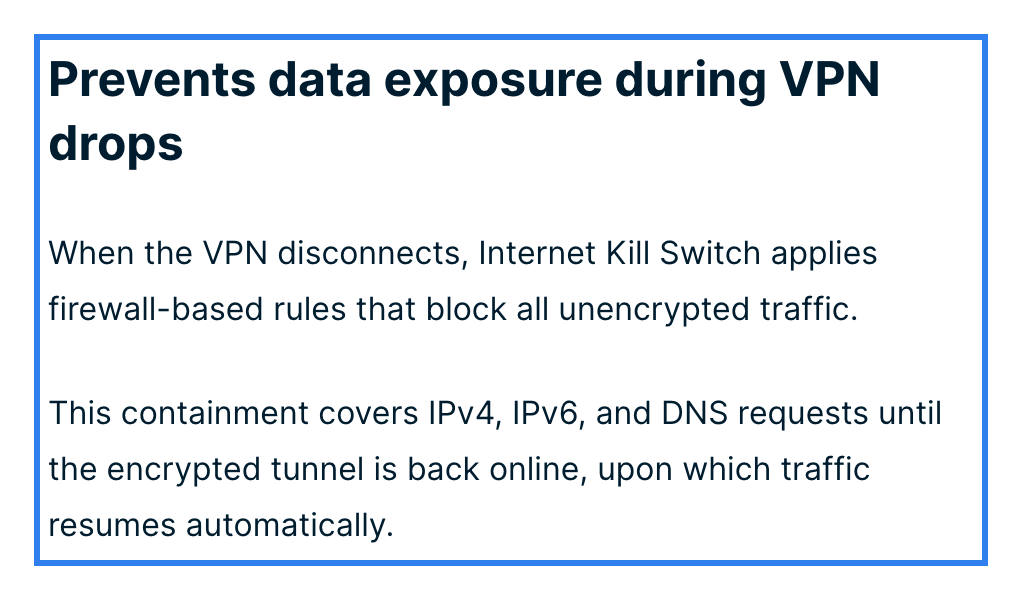
What puts ExpressVPN on this list is its leak protection. ExpressVPN says the kill switch (called Network Lock) is on by default on Windows, Mac and Linux and stays on across network changes. ExpressVPN says it prevents IP, DNS and WebRTC leaks with built-in safeguards and runs private DNS on every server. ExpressVPN also publishes open-source leak-testing tools that include a BitTorrent leak test.
ExpressVPN does not support port forwarding on its VPN servers, per its support page. Port forwarding is available on routers running ExpressVPN’s router app, including Aircove and Aircove Go, with forwarded ports outside the VPN tunnel. ExpressVPN’s support page notes that to bind a torrent client to the VPN interface on Windows, you must disable Lightway Turbo first.
Who is ExpressVPN best for?
ExpressVPN is best for torrenters who want a kill switch that ExpressVPN says is already on and do not need port forwarding.
Recent upgrades to ExpressVPN:
Expanded to 113 countries, per ExpressVPN. Added post-quantum protection by default on Mac, per ExpressVPN.
ExpressVPN’s pricing:
Basic is $2.99/mo on a 28-month plan, billed $83.72 up front. A 15-month plan is $4.99/mo, billed $74.85. Month to month is $14.99. All long-term plans renew at $99.95 per year. The monthly plan renews at $14.99 each month. The 30-day money-back guarantee applies to new users only and does not cover renewals, redemption-code purchases or Apple App Store and Google Play in-app purchases. Advanced ($4.49/mo) and Pro ($7.49/mo) tiers add a password manager, identity insurance and more devices.
Product details: ExpressVPN is registered in the British Virgin Islands. It runs RAM-only TrustedServer hardware that wipes data on every reboot. KPMG completed its third security audit in June 2025. It supports Lightway (its own open-source protocol), WireGuard, OpenVPN and IKEv2. Basic allows 10 simultaneous devices. Read our full ExpressVPN review.
Pros and cons of ExpressVPN:

| Starting Price (5/5) | Security (4/5) | Server Coverage (4.3/5) | UX (4.9/5) | Compatibility (4.9/5) | Connectivity (5/5) | Top Features |
|---|---|---|---|---|---|---|
| $5.75/mo (yearly, billed $69), $9.00/mo monthly. Build-a-Plan from $3/mo (2+ locations). | WireGuard, OpenVPN, no independent no-logs audit found on Windscribe’s site | 69+ countries (per Windscribe) | Detailed app with Firewall modes | Windows, macOS, Linux, iOS, Android | Unlimited devices (personal use only; account sharing prohibited, extreme use may result in a ban, per Windscribe) |
|
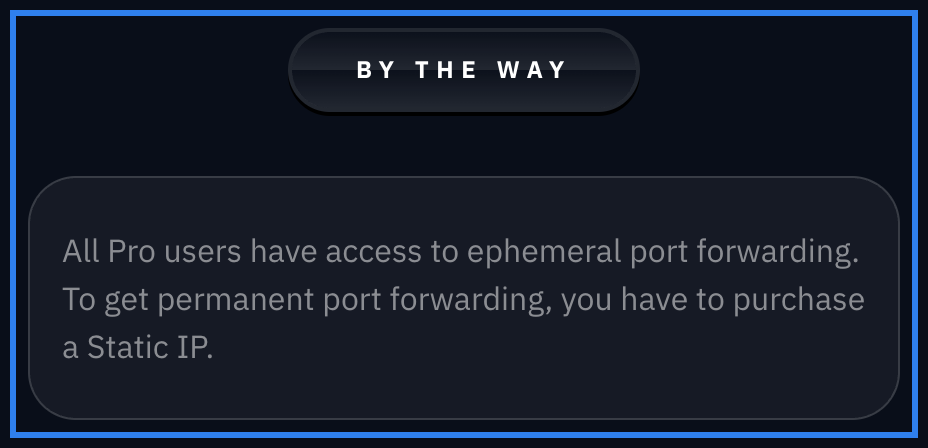
Windscribe supports port forwarding on its Pro plan with ephemeral ports that last 7 days and work on all servers, per Windscribe’s knowledge base. You request the port in your account settings and it applies to any Windscribe location you connect to. Permanent port forwarding requires a paid Static IP add-on. Port forwarding requires the full Pro plan; Build-a-Plan does not include it.
Windscribe does not call its feature a kill switch. Instead, it offers a Firewall that Windscribe says blocks all connectivity outside the VPN tunnel. Windscribe says the Firewall “fails closed,” meaning it is designed to block traffic before the VPN connects and continue blocking after a disconnect. The Always On mode holds through crashes and restarts, per Windscribe. The official torrenting guide says to set the Firewall to Always On, connect, then open the torrent client, and close the client before disconnecting.
P2P requires a paid plan (Full Pro or Build-a-Plan on the locations you pay for). Windscribe lists countries where P2P is blocked, including Cyprus, Lithuania, Albania, Bosnia, India, Russia, South Africa, Indonesia, Philippines, South Korea and Thailand, plus several North American locations with provider restrictions. Windscribe publishes an official qBittorrent setup guide that includes binding the client to the Windscribe network interface and verifying with a torrent leak test. Windscribe discontinued its SOCKS5 proxy servers in April 2022.
Who is Windscribe best for?
Windscribe is best for torrenters who want port forwarding on a Pro plan with a Firewall that Windscribe says blocks traffic before, during and after the VPN connection.
Recent upgrades to Windscribe:
Added Windflix streaming-optimized servers and an Apple TV app, per Windscribe.
Windscribe’s pricing:
Pro yearly is $5.75/mo, billed $69 per year. Pro monthly is $9. Build-a-Plan starts at $3/mo for locations you choose. Windscribe says “the price you signed up for is the price you pay. Forever.” The refund window is 7 days, under 10 GB used on the paid plan and first payment only; support troubleshooting is required before a refund is approved. Renewals are not refundable.
Product details: Windscribe uses bare-metal, RAM-only servers. Packetlabs audited its server stack in June 2024. An independent audit of the no-logs policy was not found on its site as of September 2026. It supports WireGuard, OpenVPN, IKEv2, Stealth and WStunnel. Unlimited devices for personal use; account sharing is prohibited, and extreme use may result in a ban.
Pros and cons of Windscribe:

| Starting Price (5/5) | Security (5/5) | Server Coverage (4.5/5) | UX (4.2/5) | Compatibility (5/5) | Connectivity (4.5/5) | Top Features |
|---|---|---|---|---|---|---|
| $2.69/mo (26 mo, billed $69.99), $4.23/mo (13 mo, billed $54.99), $11.99/mo monthly. Same price at renewal (pricing guarantee, per hide.me). | WireGuard, OpenVPN, Securitum audit (announced July 2024) | 2,600+ servers, 92 locations (per hide.me) | StealthGuard app lock, detailed settings | Windows, macOS, Linux, iOS, Android | Up to 10 devices, 10 Gbps (per hide.me) |
|

hide.me is the most torrent-focused provider on this list. It publishes setup guides for qBittorrent, Transmission, Deluge and uTorrent, and its official torrenting guide says to turn on StealthGuard, enable the kill switch, bind the torrent client through the SOCKS5 proxy and optionally enable UPnP port forwarding. P2P traffic is allowed on standard servers, per hide.me. It is not supported on streaming servers, so connect to a standard server before opening your torrent client. For streaming picks, see our best VPNs for streaming.
hide.me offers dynamic port forwarding through UPnP and NAT-PMP, available on Premium plans only in the desktop apps, per hide.me. Static port forwarding is not allowed. The SOCKS5 proxy runs at socks.hide.me on port 1080, also Premium only, and works only while connected to the VPN, per hide.me. hide.me says the proxy gives “absolute protection against any kind of IP leaks” when combined with the VPN, though that is a marketing claim.
StealthGuard can lock chosen apps (like a torrent client) to the VPN so that if the connection drops, the app loses internet access, per hide.me. hide.me says the kill switch is on by default in the desktop apps. hide.me says it has native IPv6 support, meaning no IPv6 leaks. The pricing guarantee means every plan renews at the same price and duration, per hide.me.
Who is hide.me best for?
hide.me is best for torrenters who want both dynamic port forwarding and a SOCKS5 proxy built into the same VPN, with guides for multiple torrent clients.
Recent upgrades to hide.me:
Added a Securitum no-logs audit, expanded to 2,600+ servers, and added an Apple TV app.
hide.me’s pricing:
The 26-month plan is $2.69/mo, billed $69.99. A 13-month plan is $4.23/mo, billed $54.99. Month to month is $11.99. The pricing guarantee means every plan renews at the same price and duration. The 30-day money-back guarantee covers the first order only, requires written email notice within 30 days, and applies only if you have not previously claimed a refund or violated the terms. App-store purchases follow the store’s rules.
Product details: hide.me is based in Malaysia. Securitum audited its no-logs policy. It supports WireGuard, OpenVPN, IKEv2, SoftEther and SSTP, plus its Bolt protocol on Windows. Up to 10 simultaneous devices. Servers run at 10 Gbps.
Pros and cons of hide.me:

| Starting Price (4.8/5) | Security (4.5/5) | Server Coverage (4.2/5) | UX (4.6/5) | Compatibility (4.5/5) | Connectivity (4.8/5) | Top Features |
|---|---|---|---|---|---|---|
| $2.00/mo (36 mo), $6.00/mo (3 mo, billed $17.99), $9.90/mo monthly. PrivateVPN’s pricing page says it bills $72 every 12 months after the first 36 months. | AES-256, OpenVPN, no independent no-logs audit found on PrivateVPN’s site | 200+ servers, 60+ countries (PrivateVPN’s site says 63 but sources conflict) | Straightforward app | Windows, macOS, Android, iOS (via IKEv2) | 10 devices |
|
PrivateVPN lists a SOCKS5 proxy on port 1080 for all 83 server locations on its server page. P2P is supported, per PrivateVPN’s P2P feature page, which says “Unlimited P2P file sharing supported.” No page limits P2P to certain servers or countries. Port forwarding is available on selected servers and protocols, per PrivateVPN’s feature page and help FAQ. The app assigns a random port that may change when you reconnect.
PrivateVPN publishes qBittorrent and Transmission setup guides. The Transmission guide says to turn on IPv6 Leak Protection and the Kill Switch in Connection Guard first. PrivateVPN says the kill switch is full-system (all apps lose internet if the VPN drops) and must be turned on in the app, per its help guide.
PrivateVPN’s P2P page says the service “is not meant to be abused for illegal file sharing.” Its terms ban downloading copyrighted content without permission. No independent no-logs audit was found on PrivateVPN’s site. The server network is smaller than the others on this list, at 200+ servers across 60+ countries (the site says 63 but the help FAQ still says 43, a conflict carried over from earlier checks).
Who is PrivateVPN best for?
PrivateVPN is best for torrenters who want a SOCKS5 proxy on every server location at the lowest long-term price on this list.
Recent upgrades to PrivateVPN:
Added WireGuard support and a Dublin server for RTE Player, per PrivateVPN.
PrivateVPN’s pricing:
The 36-month plan is $2.00/mo. A 3-month plan is $6.00/mo, billed $17.99. Month to month is $9.90. PrivateVPN’s pricing page says it bills $72 every 12 months after the first 36 months. The 30-day money-back guarantee is for new customers only, requires a stated reason, and excludes purchases below $45, renewals, crypto payments and upgrades or added licenses. App Store purchases are refunded by Apple, not PrivateVPN.
Product details: PrivateVPN is based in Sweden. An independent audit of its no-logs policy was not found on its site as of September 2026. It supports OpenVPN, WireGuard, IKEv2, L2TP/IPsec and PPTP. Ten simultaneous connections.
Pros and cons of PrivateVPN:
Proton VPN and PIA are the strongest options for torrenters who need port forwarding, while NordVPN stands out for its SOCKS5 proxy guides. Here is how all eight compare on the features that matter for P2P downloads.
| Provider | Best VPN for P2P with Port Forwarding Score (4.83) Starting Price $2.99/mo (24 mo); $9.99 monthly Money-Back Guarantee 30 days Server Network 20,000+ servers, 140+ countries (per Proton) Simultaneous Connections 10 Platform Compatibility Windows, macOS, Linux, iOS, Android No-logs Policy  Kill Switch Split Tunneling Port Forwarding Yes, on P2P servers (paid plans, per Proton) Torrenting Support P2P on dedicated P2P servers, paid plans (per Proton) | Score (4.83) Starting Price $2.03/mo (3 yr + 3 mo); $11.95 monthly Money-Back Guarantee 30 days (conditions apply) Server Network 104 countries, 170 locations (per PIA) Simultaneous Connections Unlimited (PIA's terms allow action against resale and non-personal use; PIA reserves the right to throttle for excessive usage) Platform Compatibility Windows, macOS, Linux, iOS, Android No-logs Policy Kill Switch Split Tunneling Port Forwarding Yes, selected servers, not US (per PIA) Torrenting Support PIA says P2P on every server | Score (4.87) Starting Price $3.49/mo (27 mo); $14.99 monthly Money-Back Guarantee 30 days (conditions apply) Server Network 7,300+ servers, 225+ locations (per NordVPN) Simultaneous Connections 10 Platform Compatibility Windows, macOS, Linux, iOS, Android No-logs Policy Kill Switch Split Tunneling (Android, Android TV, Windows) Port Forwarding Only on Dedicated Server add-on Torrenting Support P2P on all standard servers (per NordVPN) | Score (4.85) Starting Price $2.49/mo (27 mo); $16.45 monthly Money-Back Guarantee 30 days (conditions apply) Server Network 4,500+ servers, 100 countries (per Surfshark) Simultaneous Connections Unlimited (fair-use policy) Platform Compatibility Windows, macOS, Linux, iOS, Android No-logs Policy Kill Switch Split Tunneling (Bypasser) Port Forwarding No (per Surfshark) Torrenting Support P2P in 86 of 97 countries (per server list) |  Score (4.9) Starting Price $2.99/mo (28 mo); $14.99 monthly Money-Back Guarantee 30 days (conditions apply) Server Network 113 countries, 214 locations (per ExpressVPN) Simultaneous Connections 10 (Basic) Platform Compatibility Windows, macOS, Linux, iOS, Android, routers No-logs Policy Kill Switch Split Tunneling Port Forwarding Routers only (ExpressVPN router app, Aircove, Aircove Go; ports outside tunnel) Torrenting Support P2P marketed as a use case; no explicit policy found on the pages we checked | Score (4.68) Starting Price $5.75/mo (yearly); $9 monthly Money-Back Guarantee 7 days (conditions apply) Server Network 69+ countries (per Windscribe) Simultaneous Connections Unlimited (personal use only; no account sharing; extreme use may be banned, per Windscribe) Platform Compatibility Windows, macOS, Linux, iOS, Android No-logs Policy Kill Switch Firewall (desktop); Always-On VPN (mobile) Split Tunneling Port Forwarding Yes, ephemeral on Pro (per Windscribe) Torrenting Support P2P on most paid locations (per Windscribe) | Score (4.7) Starting Price $2.69/mo (26 mo); $11.99 monthly Money-Back Guarantee 30 days (conditions apply) Server Network 2,600+ servers, 92 locations (per hide.me) Simultaneous Connections Up to 10 Platform Compatibility Windows, macOS, Linux, iOS, Android No-logs Policy Kill Switch Split Tunneling Port Forwarding Yes, dynamic (UPnP/NAT-PMP), Premium (per hide.me) Torrenting Support P2P on standard servers, not streaming (per hide.me) | Score (4.57) Starting Price $2.00/mo (36 mo); $9.90 monthly Money-Back Guarantee 30 days (conditions apply) Server Network 200+ servers, 60+ countries (per PrivateVPN) Simultaneous Connections 10 Platform Compatibility Windows, macOS, Android, iOS No-logs Policy Kill Switch Split Tunneling Not listed on PrivateVPN's site Port Forwarding Yes, selected servers (per PrivateVPN) Torrenting Support P2P supported (per PrivateVPN) |
|---|---|---|---|---|---|---|---|---|
| Score | (4.83) | (4.83) | (4.87) | (4.85) | (4.9) | (4.68) | (4.7) | (4.57) |
| Starting Price | $2.99/mo (24 mo); $9.99 monthly | $2.03/mo (3 yr + 3 mo); $11.95 monthly | $3.49/mo (27 mo); $14.99 monthly | $2.49/mo (27 mo); $16.45 monthly | $2.99/mo (28 mo); $14.99 monthly | $5.75/mo (yearly); $9 monthly | $2.69/mo (26 mo); $11.99 monthly | $2.00/mo (36 mo); $9.90 monthly |
| Money-Back Guarantee | 30 days | 30 days (conditions apply) | 30 days (conditions apply) | 30 days (conditions apply) | 30 days (conditions apply) | 7 days (conditions apply) | 30 days (conditions apply) | 30 days (conditions apply) |
| Server Network | 20,000+ servers, 140+ countries (per Proton) | 104 countries, 170 locations (per PIA) | 7,300+ servers, 225+ locations (per NordVPN) | 4,500+ servers, 100 countries (per Surfshark) | 113 countries, 214 locations (per ExpressVPN) | 69+ countries (per Windscribe) | 2,600+ servers, 92 locations (per hide.me) | 200+ servers, 60+ countries (per PrivateVPN) |
| Simultaneous Connections | 10 | Unlimited (PIA's terms allow action against resale and non-personal use; PIA reserves the right to throttle for excessive usage) | 10 | Unlimited (fair-use policy) | 10 (Basic) | Unlimited (personal use only; no account sharing; extreme use may be banned, per Windscribe) | Up to 10 | 10 |
| Platform Compatibility | Windows, macOS, Linux, iOS, Android | Windows, macOS, Linux, iOS, Android | Windows, macOS, Linux, iOS, Android | Windows, macOS, Linux, iOS, Android | Windows, macOS, Linux, iOS, Android, routers | Windows, macOS, Linux, iOS, Android | Windows, macOS, Linux, iOS, Android | Windows, macOS, Android, iOS |
| No-logs Policy | | | | | | | | |
| Kill Switch | | | | | | Firewall (desktop); Always-On VPN (mobile) | | |
| Split Tunneling | | | (Android, Android TV, Windows) | (Bypasser) | | | | Not listed on PrivateVPN's site |
| Port Forwarding | Yes, on P2P servers (paid plans, per Proton) | Yes, selected servers, not US (per PIA) | Only on Dedicated Server add-on | No (per Surfshark) | Routers only (ExpressVPN router app, Aircove, Aircove Go; ports outside tunnel) | Yes, ephemeral on Pro (per Windscribe) | Yes, dynamic (UPnP/NAT-PMP), Premium (per hide.me) | Yes, selected servers (per PrivateVPN) |
| Torrenting Support | P2P on dedicated P2P servers, paid plans (per Proton) | PIA says P2P on every server | P2P on all standard servers (per NordVPN) | P2P in 86 of 97 countries (per server list) | P2P marketed as a use case; no explicit policy found on the pages we checked | P2P on most paid locations (per Windscribe) | P2P on standard servers, not streaming (per hide.me) | P2P supported (per PrivateVPN) |
| Learn more | LEARN MORE On Proton VPN's official website | LEARN MORE On PIA's official website | LEARN MORE On NordVPN's official website | LEARN MORE On Surfshark's official website | LEARN MORE On ExpressVPN's official website | LEARN MORE On Windscribe's official website | LEARN MORE On hide.me's official website | LEARN MORE On PrivateVPN's official website |
Torrenting itself is legal. BitTorrent is a file-sharing protocol used to distribute open-source software, Linux distributions, public-domain media and large datasets. What is not legal is sharing copyrighted files without the copyright holder’s permission. A VPN does not change that. It hides your IP address from the swarm, but it does not give you the right to download or distribute copyrighted material.
Every provider on this list has its own copyright terms. Here is what each one says:
Connect the VPN before opening your torrent client, turn on the kill switch, and bind the client to the VPN interface. These steps come from the providers’ own setup guides.
These steps apply on Windows, macOS and Linux. For platform-specific VPN setup, see our picks for the best VPN for Mac and the best VPN for Android.
I reviewed each VPN’s official site for its P2P policy, port forwarding support, kill switch behavior, SOCKS5 availability, copyright terms and pricing. Scores are the existing ratings from our best VPN services list, not recomputed for torrenting. The six criteria I look at are below.
Strong encryption and a no-logs policy are the minimum for a torrenting VPN. I looked for whether the no-logs policy has been independently audited and by whom. I also checked for these three features:
More P2P-friendly server locations means more options for finding a fast connection near you. I checked whether each provider allows P2P on all servers, most servers or only a labeled subset.
A VPN for torrenting should make it easy to find P2P servers (where applicable), turn on the kill switch and enable port forwarding without digging through menus.
Every price on this page comes from the provider’s own website as of September 30, 2026. I show the effective monthly rate, the billed total and the renewal price for each plan. For a deeper look at pricing, see our best cheap VPNs.
I checked which platforms support the kill switch, split tunneling and port forwarding. Not every feature is on every platform.
Simultaneous device connections and server speeds matter for P2P. I list whether connections are unlimited or capped, and note any fair-use or personal-use restrictions the provider states.
Proton VPN is our top pick for torrenting because it offers port forwarding on its P2P servers, per Proton’s support page, along with a kill switch on all platforms, five consecutive annual no-logs audits by Securitum and Swiss jurisdiction. PIA is a close second if you want P2P on every server with port forwarding outside the US, per PIA. NordVPN rounds out the top three with P2P on all standard servers, per NordVPN, and official SOCKS5 proxy guides for torrent clients.
A VPN hides your IP address from the other users in a BitTorrent swarm. Without one, every peer you connect to can see your IP. Your internet provider can also see that you are using BitTorrent and may throttle your connection. ExpressVPN says a VPN masks your traffic, preventing your ISP from identifying specific content. A VPN does not make illegal downloading legal.
The BitTorrent protocol is legal. It is used to share open-source software, Linux distributions, public-domain content and large research datasets. Downloading or sharing copyrighted files without the copyright holder’s permission is not legal, and a VPN does not change that.
When you are connected to a VPN, your ISP can see that you are sending encrypted traffic to a VPN server. ExpressVPN says a VPN masks your traffic, helping stop your ISP from identifying and throttling specific content. If the VPN disconnects and you do not have a kill switch on, your ISP can see your traffic until the VPN reconnects.
Connect the VPN before opening your torrent client. Turn on the kill switch. Bind the torrent client to the VPN’s network interface in the client’s advanced settings. Run an IP and DNS leak test. Close the torrent client before disconnecting the VPN. Several providers on this list publish step-by-step guides for qBittorrent, including Proton VPN, NordVPN, Windscribe, hide.me and PrivateVPN.
Choose a P2P-friendly server close to your physical location for the best speeds. The closer the server, the lower the latency and the higher the potential throughput. If your VPN has labeled P2P servers (like Proton VPN’s P2P tab), connect to one of those. If it allows P2P on all servers (like PIA says, or NordVPN on standard servers), the nearest server is a good default. If you need port forwarding on PIA, connect to a server outside the US.
If the VPN drops and the kill switch is on, the kill switch is designed to stop traffic until the VPN reconnects, per providers like Windscribe and Proton. If the kill switch is off or not available, your torrent client may continue downloading over your regular connection, exposing your real IP to the swarm. This is why binding the torrent client to the VPN interface is an important backup, and why providers like Windscribe and hide.me recommend running both the kill switch and the client binding at the same time. If you want a free VPN option, see our best free VPNs.

About The Password Manager, Gunnar Kallstrom:
Kallstrom, The Password Manager, is a Cyber Team Lead for a Department of Defense (DOD) contracting company in Huntsville, Alabama, and has worked as a Computer Network Defense (CND) Cyber Analyst. An author and content creator for a cybersecurity academy, Kallstrom spent nearly 15 years in the Army as a musician before entering the cybersecurity field.
He holds a bachelor’s degree in music from Thomas Edison State University and a master’s in organizational development and leadership from the University of the Incarnate Word.
Kallstrom has completed several CompTIA courses, including Security+, Network+, A+ Core 1, and A+ Core 2. He earned a Computing Technology Industry Association (CompTIA) Security+ Certification. Additionally, he has completed the Cyber Warrior Academy program with more than 800 hours of hands-on, intensive, and lab-driven technical training in cybersecurity methods and procedures.
Passionate about all things cyber, Kallstrom was a speaker on a panel at the 2022 InfoSec World conference, giving a talk entitled “Hacking into a Cyber Career – True Stories.” Kallstrom is also a mentor to entry-level cybersecurity candidates seeking to break into the field. When he’s not working, he still enjoys playing guitar and fishing (not phishing).