

By:Gunnar Kallstrom , Updated June 2, 2026 Head of Information Systems and Cybersecurity Research
Updated June 2, 2026For this review, I installed and tested some of the top VPN options currently available to determine which can make using your iPhone more secure.
AES-256 encryption, no-logs policies, kill switches, and advanced protections like multi-hop and threat blocking.
Large worldwide server coverage ensures reliable speeds and access to geo-restricted content.
Works across desktop and mobile devices, browsers, and often smart TVs or routers.
Fair pricing with trials or money-back guarantees, plus intuitive apps that are easy to use.
| Starting Price (4.5/5) | Security (5/5) | Servers (#) in Countries (#) (5/5) | UX (4.9/5) | Compatibility (5/5) | Connectivity (4.8/5) | Top Features |
|---|---|---|---|---|---|---|
| $12.99 per month | Double VPN, kill switch, no logs policy | 8,900+ servers in 180+ locations | Clean, responsive app, customizable home and lock screen widgets offer useful info at a glance | Mac, Windows, Linux, Android, iOS, Chrome, Firefox, Edge | Up to 10 devices at one time | — Excellent iPhone app experience — Broad server coverage — 10 devices at once — Competitive pricing |
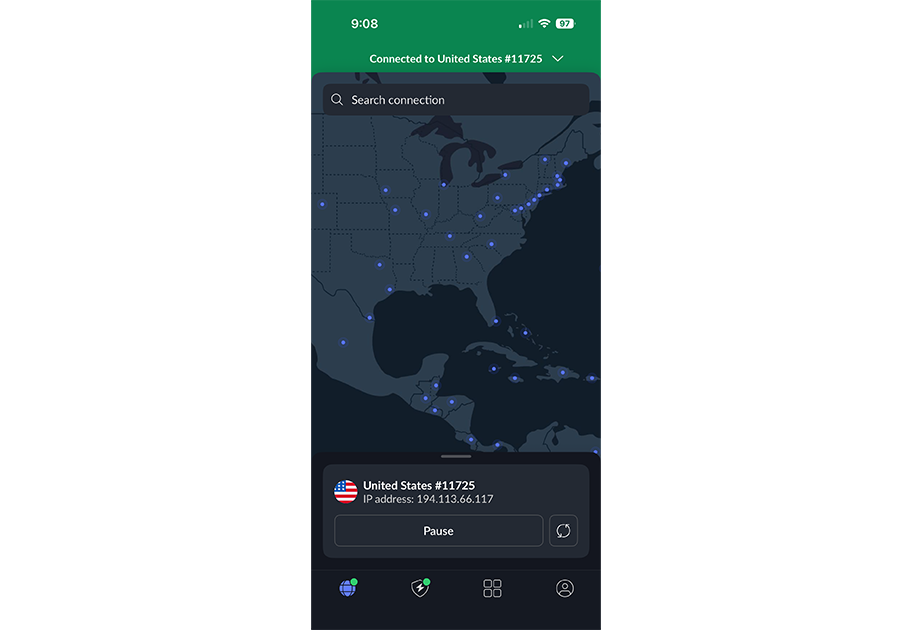
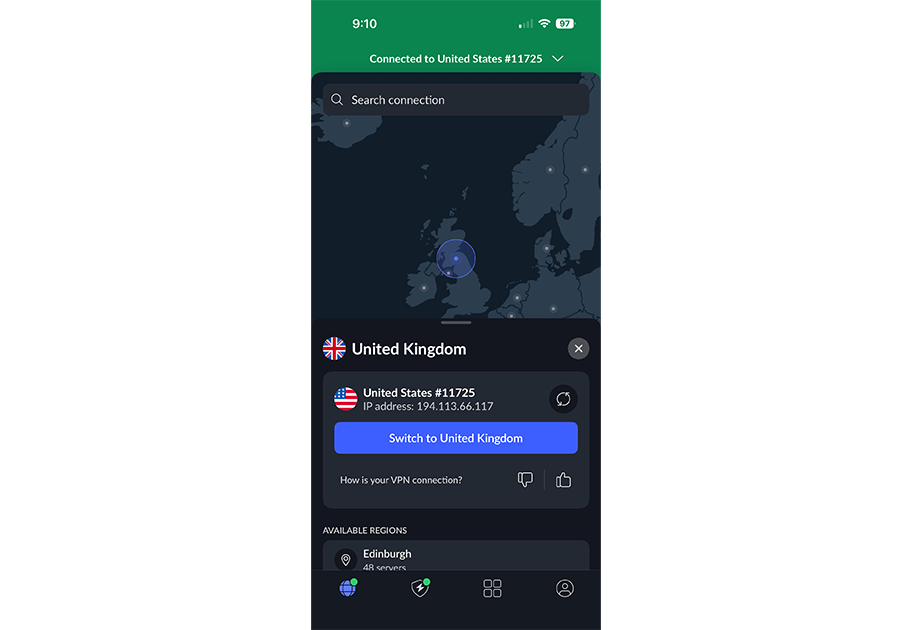
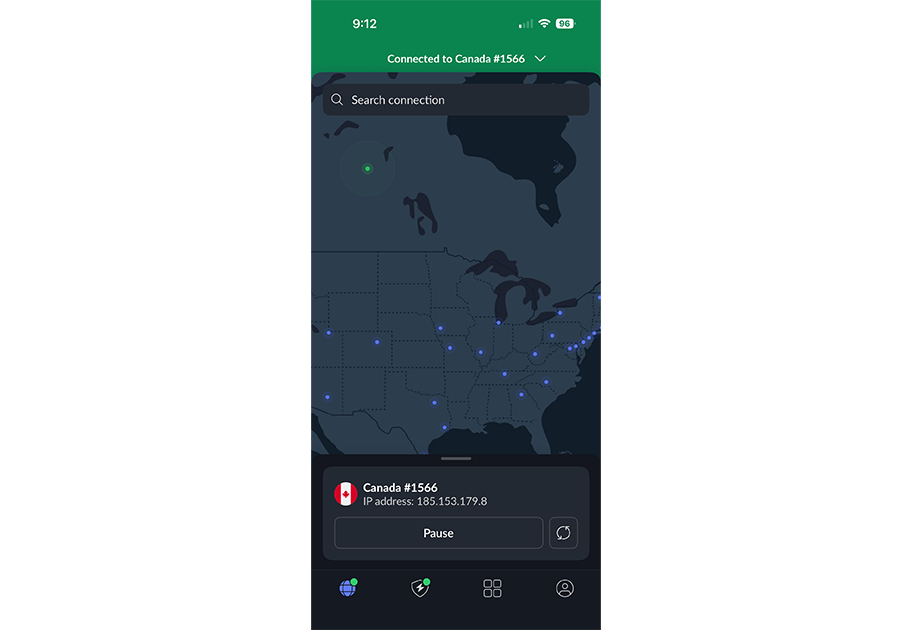
If your iPhone is central to your online experience, NordVPN is a worthy choice for VPN use. In addition to competitive security and privacy features, iPhone users benefit from a well-designed app experience.
NordVPN’s dedicated iPhone app makes great use of the limited screen area without making me feel overwhelmed by the options available at any one time. A scrollable menu peeks up below the server map, and you can gradually open it up to reveal more options, like recent connections, access to specialty servers, and the full country list. Unlike NordVPN’s Android and Windows apps, however, the split tunnel feature isn’t included here.
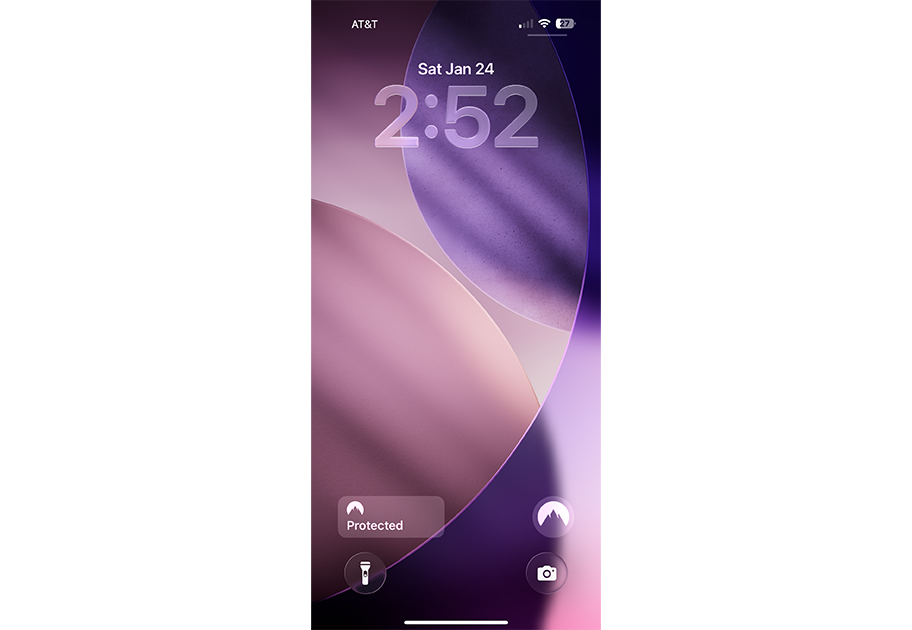
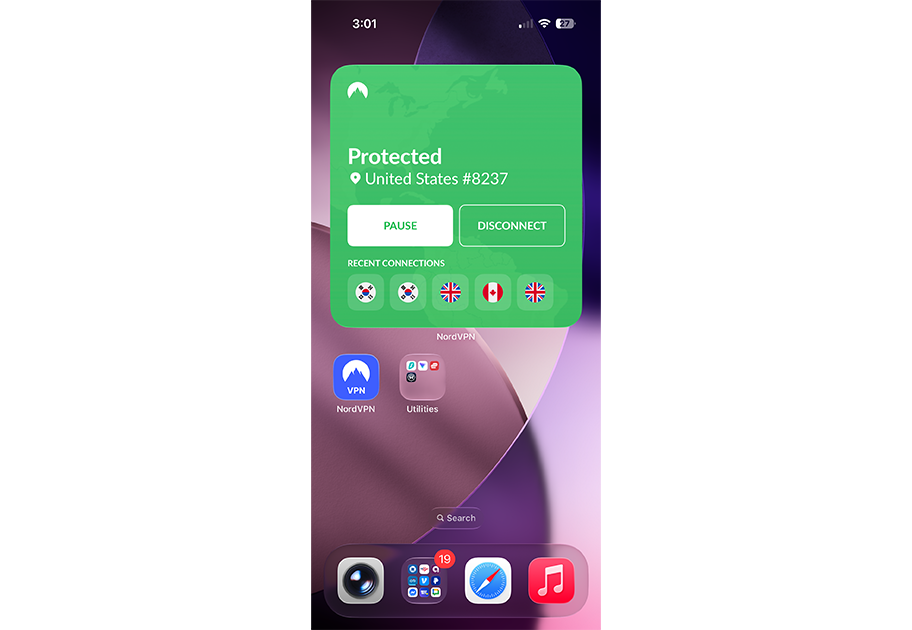
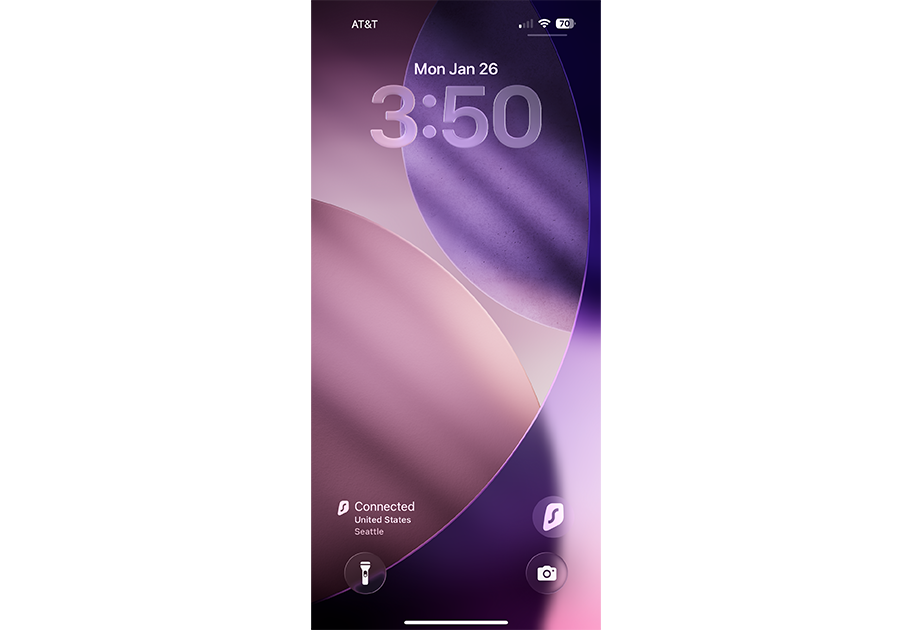
You also get home screen widgets in three different sizes — the largest of which makes it abundantly clear whether you’re connected to a server or not. You can also add lock-screen widgets that show your connection status at a glance.
Who is NordVPN best for?
Anyone interested in a VPN service with an easy-to-use app experience that’s consistently well-designed across platforms should consider NordVPN.
Recent upgrades to NordVPN:
If virtual locations are of interest, you might like to know that NordVPN has been adding to its list of these options, which grant access to a specific location even though a physical server is located somewhere else. NordVPN added around 30 virtual locations in December of 2025 and announced plans to add more in the future.
NordVPN’s Pricing:
While there’s no free plan available, NordVPN’s Basic plan starts at a reasonable $12.99 per month. For that, you get access to over 8,900 servers in more than 180 locations. Above that, the Plus, Complete, and Prime plans offer additional features such as ad blockers, password managers, anti-malware tools, and secure cloud storage.
And while the one- and two-year plans offer notable discounts, it’s worth noting the price increases once the promotional period ends.
Pros and cons of NordVPN
| Starting Price (4.5/5) | Security (5/5) | Servers (#) in Countries (#) (5/5) | UX (4.6/5) | Compatibility (5/5) | Connectivity (5/5) | Top Features |
|---|---|---|---|---|---|---|
| $1.99 per month | Double VPN, kill switch, RAM-only servers, no logs policy | 4,500+ servers in 100 locations | Easy-to-use interface, responsive layout, immediate access to server/country list, clean design | Mac, Windows, Linux, Android, iOS, Chrome, Firefox, Edge | Unlimited devices at once | — Alternative ID feature — Beta support for Bypasser (split tunneling) — Beta support for Web Content Blocker |
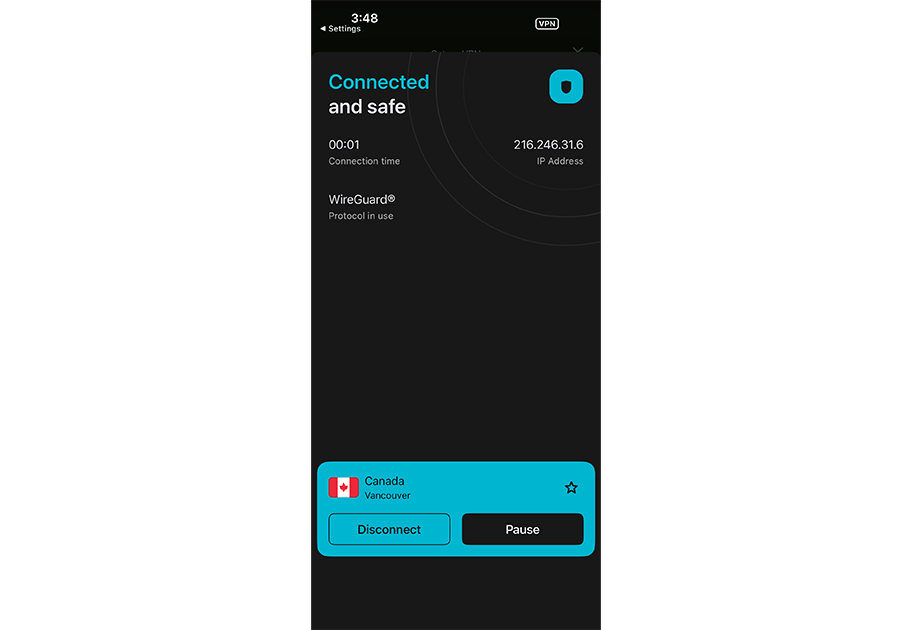
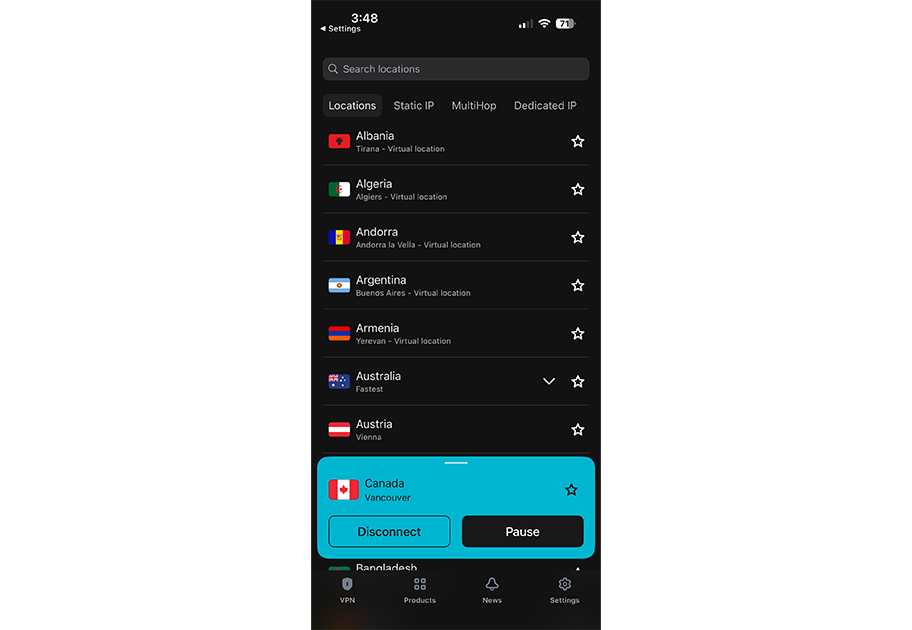
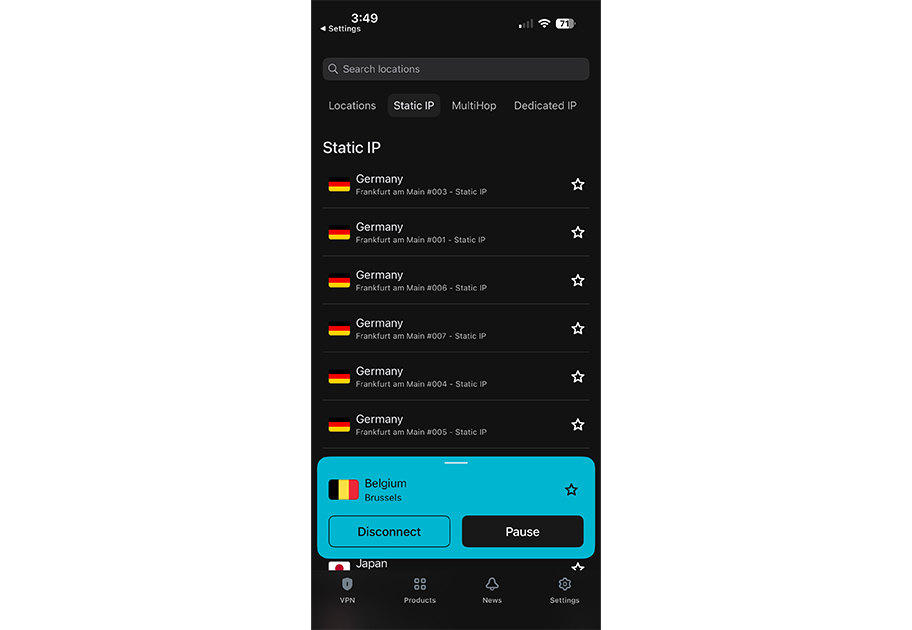
Surfshark’s iPhone app drops you straight into the lengthy server list. And while I appreciate the ability to jump straight into things, that info-heavy first experience might be slightly overwhelming to new users.
Still, the iPhone app offers a clean, responsive experience overall, and it’s easy to access Surfshark’s extensive set of features and add-ons. Bypasser, the company’s take on split tunneling, is available in the iPhone app in beta, as is Web Content Blocker, which offers category-based content controls.
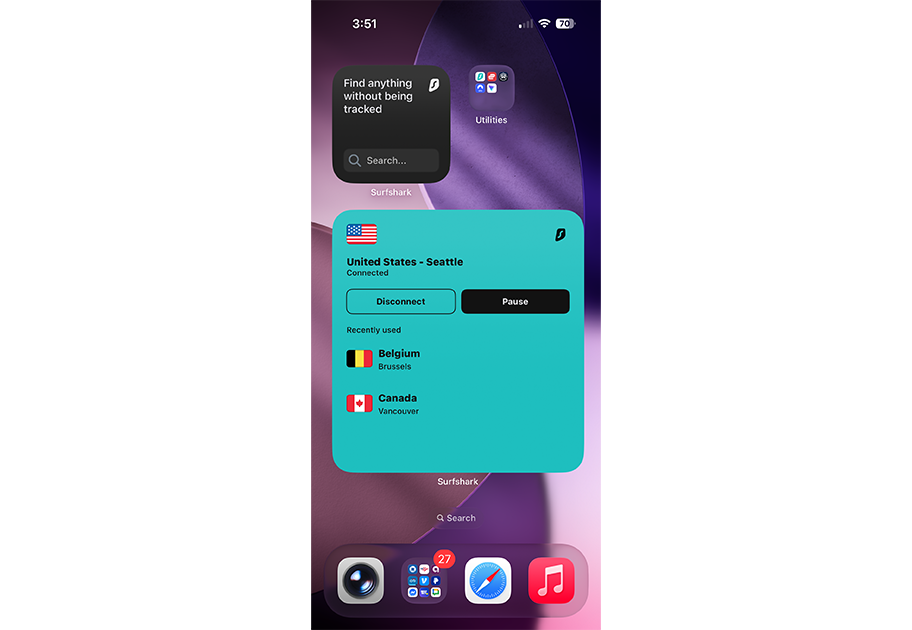
The home screen widgets range in size from tiny to giant, and let you connect/disconnect and access recent servers all without loading up the main iPhone app. There’s also a dedicated widget for Surfshark’s secure search tools. Meanwhile, lock screen widgets let you jump straight into the app as soon as you pick up your iPhone.
Who is Surfshark best for?
Surfshark’s clean, modern app, impressive security features, and intriguing bundled services make it an attractive option for those seeking comprehensive online protection.
Recent upgrades to Surfshark:
In late 2025, Surfshark started dropping support for some older iOS versions. Currently, that means iPhone users need to have iOS 15 or a later version installed.
Surfshark’s Pricing:
At $1.99 per month, Surfshark’s starting price lags behind some rivals’. However, the one- and two-year options offer attractive discounts. That said, I would keep an eye on pricing increases once those promotional periods end. The Starter plan includes Surfshark’s robust VPN feature set, including the Alternative ID feature that generates fake emails on demand. Upper-tier One and One+ plans pack in antivirus, safe search, and more.
Pros and cons of Surfshark
| Starting Price (4.8/5) | Security (5/5) | Servers (#) in Countries (#) (5/5) | UX (4.7/5) | Compatibility (4.6/5) | Connectivity (4.8/5) | Top Features |
|---|---|---|---|---|---|---|
| $2.99 per month | No-logs policy, double VPN, kill switch, split tunneling (experimental on macOS) | 15,000+ servers in 129+ countries | Clean, modern app design, easy access to server list, can easily create custom profiles, several home screen widget options, no lock screen widget | Mac, Windows, Linux, Android, iOS, Chromebook, Chrome, Firefox, Android TV, Fire TV | Up to 10 devices at one time | — NetShield ad blocker — Optional secure cloud storage — Optional secure email |
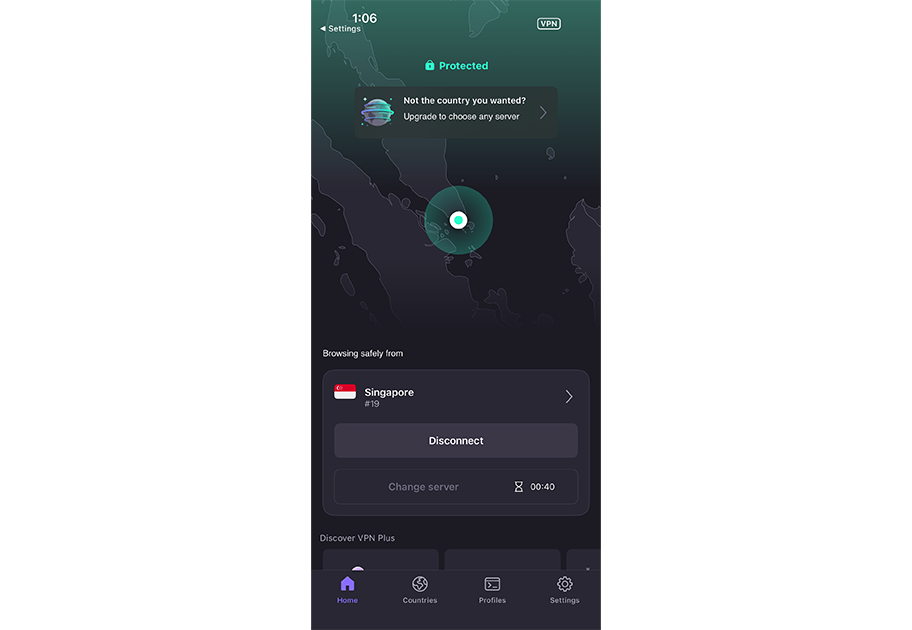
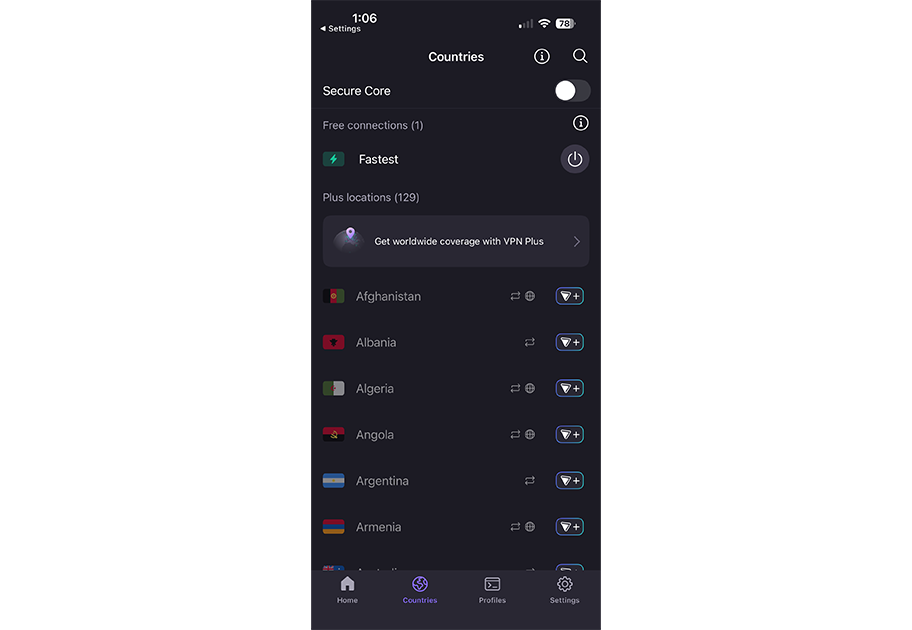
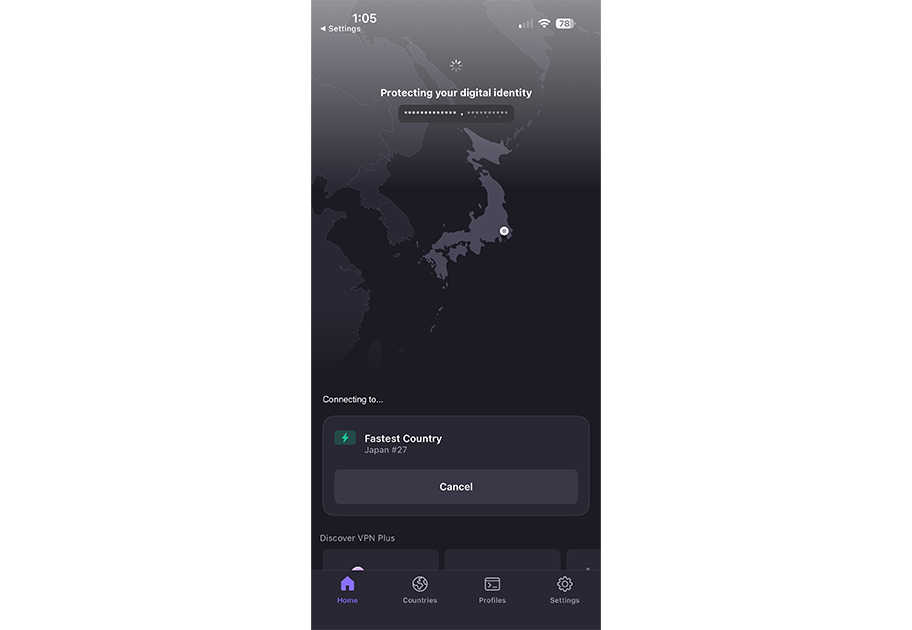
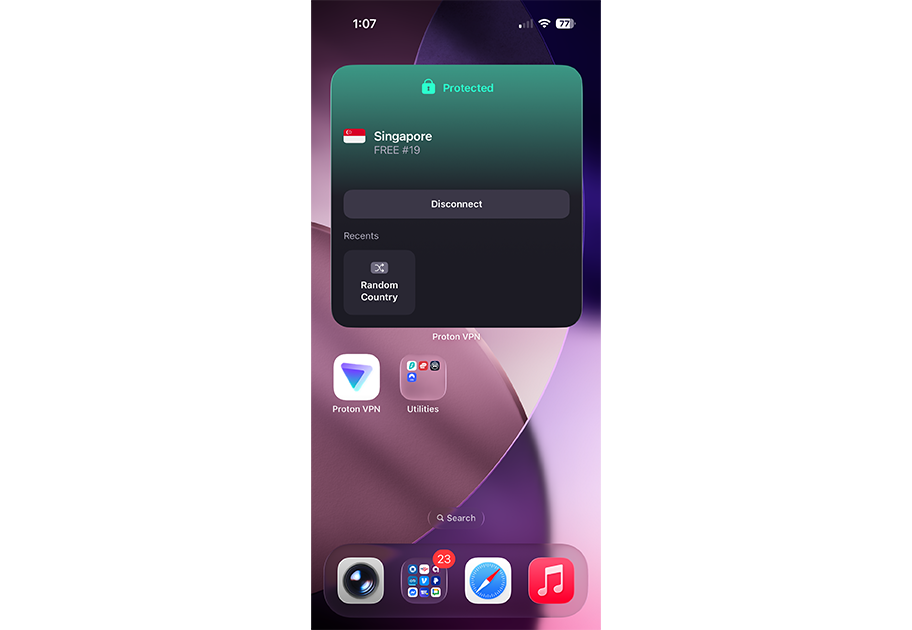
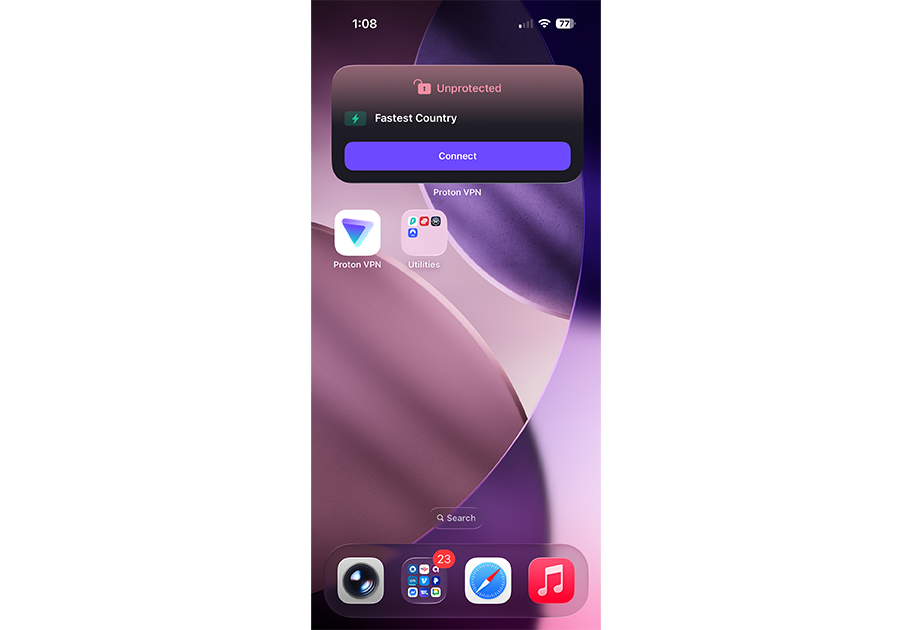
If your security needs begin and end with your iPhone, Proton VPN’s limited free plan might be worth a look. You’re limited to coverage for just one device, and you get lowered (but still decent) speeds for a small selection of servers. And even if you end up needing more, it’s still a good introduction with a great iPhone app experience.
Proton VPN offers a well-organized iPhone app with clear menus and a bevy of options tucked away under various tabs. There’s a dedicated tab for the country/server list as well as one for creating custom profiles. It lacks the split-tunneling Proton VPN offers on other platforms (including experimental support on Macs), but available features include a malware blocker, kill switch, and more.
Meanwhile, handy home-screen widgets offer quick access to connect/disconnect controls and to recent server connections, depending on the window size you select. That said, ProtonVPN lacks support for an iPhone lock screen widget, which rivals like NordVPN do offer.
Who is Proton VPN best for?
For those new to VPNs and looking for a free, usable option to check things out, Proton VPN could be a great place to start.
Recent upgrades to Proton VPN:
In early 2026, Proton VPN updated its iPhone app to display servers for each location differently — they’re now sorted by current load instead of by name. It also added support for 13 more languages, bringing the total for the iPhone app to 30.
Proton VPN Pricing:
The Proton Free plan offers speed-reduced access to a small set of servers in 10 locations — though performance was still quite usable for streaming and general browsing. Paid plans start with VPN Plus at $9.99 per month, which lets you use up to 10 devices at once, opens up access to more than 15,000 servers, and more. Above that, the Proton Unlimited plan includes 500GB of secure cloud storage and expands on several of the Plus plan’s other features. The service also offers multi-user accounts through its Proton Duo and Proton Family plans.
Pros and cons of Proton VPN
| Starting Price (4.6/5) | Security (5/5) | Servers (#) in Countries (#) (4.6/5) | UX (4.7/5) | Compatibility (4.9/5) | Connectivity (5/5) | Top Features |
|---|---|---|---|---|---|---|
| $1.33 per month | No-logs policy, kill switch, double VPN/multi-hop, RAM-only servers | Servers in 90+ countries | Flexible, configurable menus, support for Siri commands, home screen widgets, Live Activity support | Mac, Windows, Linux, Android, iOS, Chrome, Firefox, FireTV, Chromecast, Apple TV, Roku TV, Chromebook, PlayStation, Xbox, Switch, Steam Deck, Routers | Unlimited devices at one time | — Highly configurable iPhone app — All RAM-only servers — Competitive pricing — Well-established name |
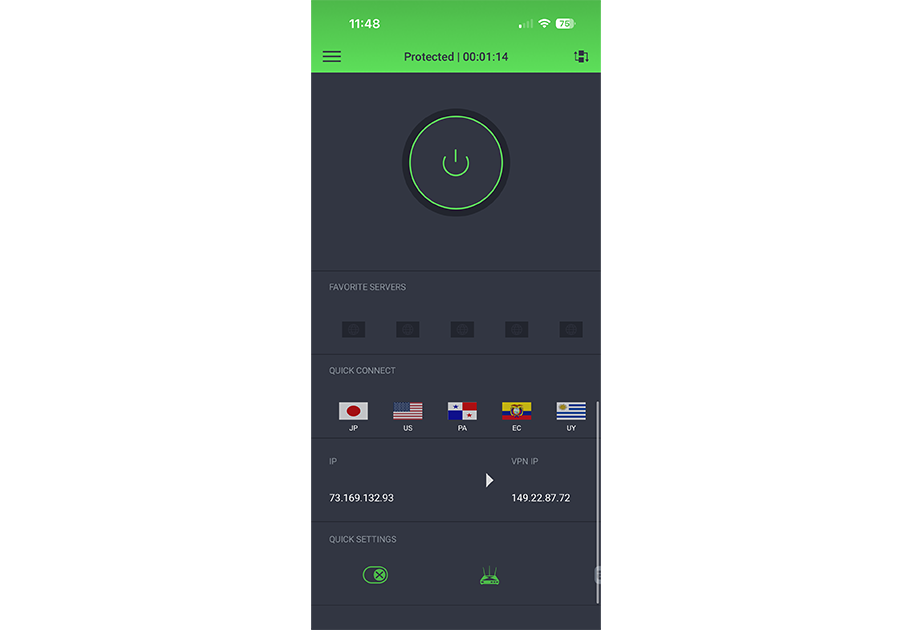
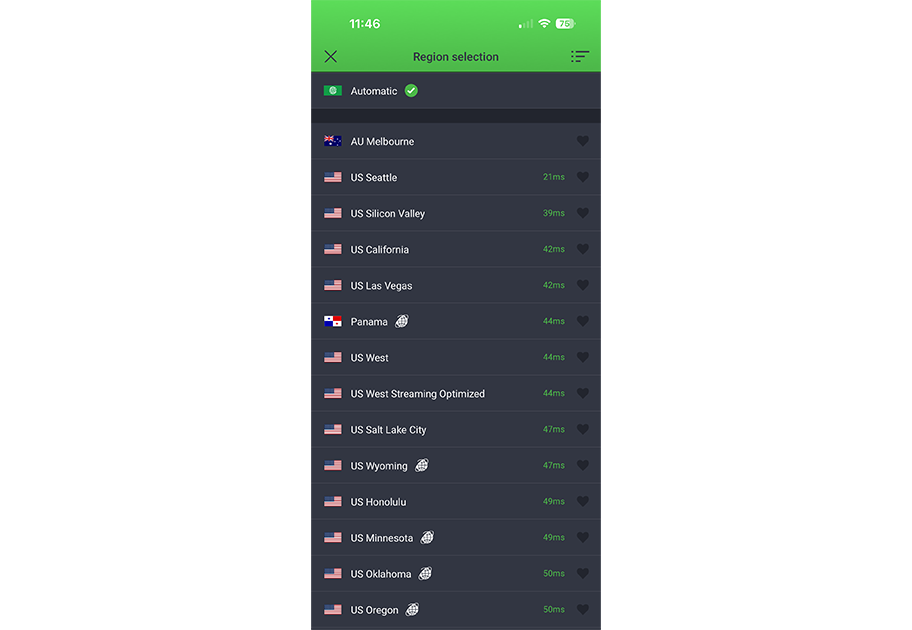
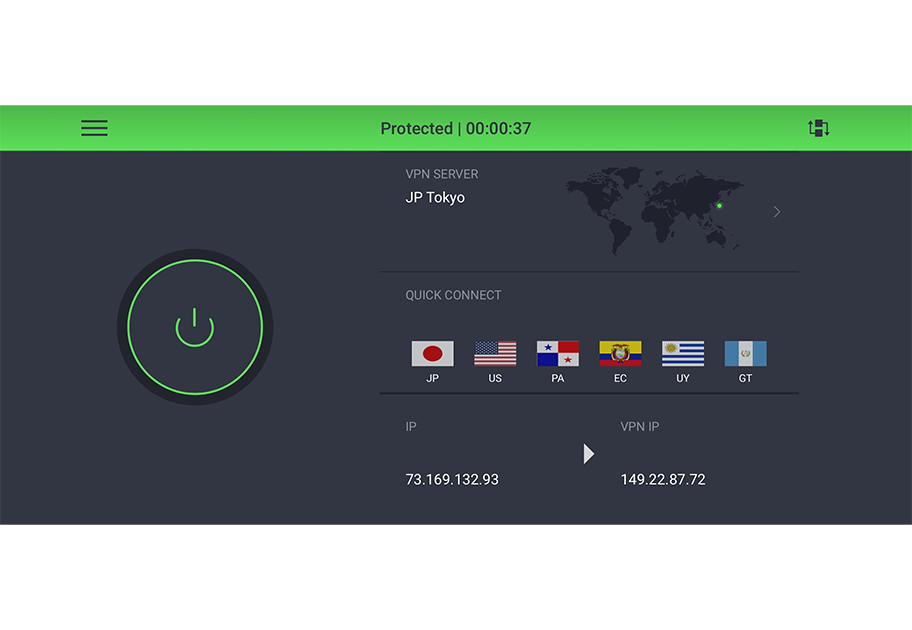
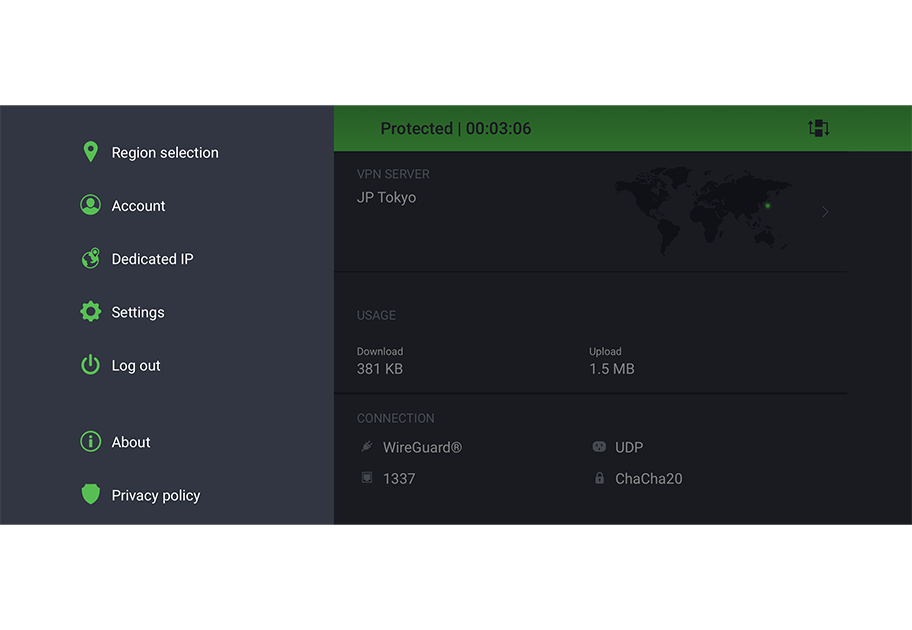
Much like its Mac app, Private Internet Access offers an iPhone experience that’s highly configurable and easy to wrap your head around. I was able to quickly mix and match which features, stats, and controls I wanted to see, and tailor the home screen to my liking.
You get options for connection status, connection type, favorite servers, total usage, and more. There are also quick-access buttons to enable the kill switch, network management tools, and a private browser.
The main server list (covering 90+ locations) can be sorted by name, latency, and favorites, and you can also set up voice commands so VPN connections are just a Siri request away.
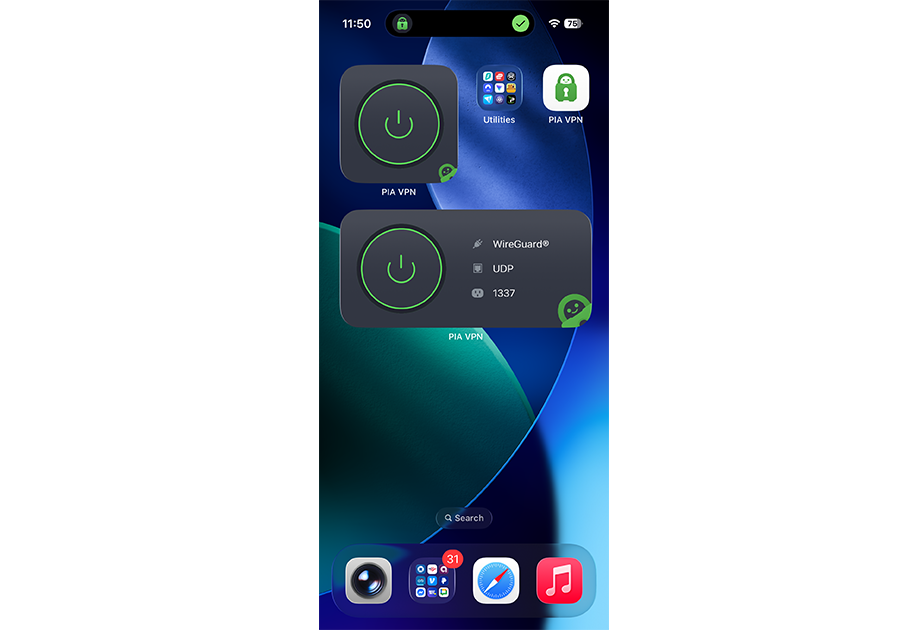
The home screen widgets clearly show the current connection status, but tapping on them brings you back to the full app rather than connecting or disconnecting on their own. And while there is no lock screen widget available, Private Internet Access does offer Live Activity support, so you can still view real-time status as soon as your screen powers on.
Who is Private Internet Access best for?
As one of the older names in the VPN field, those looking for a service with a track record of stability and solid security features should give Private Internet Access a look.
Recent upgrades to Private Internet Access:
Private Internet Access continues to improve its iPhone app experience, including updates in early 2026 that enhanced the stability of its home-screen widget options.
Private Internet Access’ Pricing:
The pricing structure from Private Internet Access is fairly straightforward. Monthly plans start at a competitive $11.95. You can save on per-month costs with a longer-term one- or three-year deal. Regardless of the plan, Private Internet Access also offers antivirus protection and dedicated IP addresses for an additional fee.
Pros and cons of Private Internet Access
| Starting Price (4.5/5) | Security (5/5) | Servers (#) in Countries (#) (5/5) | UX (4.6/5) | Compatibility (4.7/5) | Connectivity (5/5) | Top Features |
|---|---|---|---|---|---|---|
| $2.19 per month | Double hop, RAM-only servers, kill switch | 3,200+ servers in 150+ locations | Clear menus, built-in link checker and QR code checker tools, Siri shortcut support, and several home and lock screen widget options | Mac, Windows, Linux, Android, iOS, Chrome, Fire TV, Apple TV, Routers | Unlimited devices at once | — Optional cloud storage — Optional file sharing — Dedicated Link Checker and QR Code Checker — Optional secure browser |
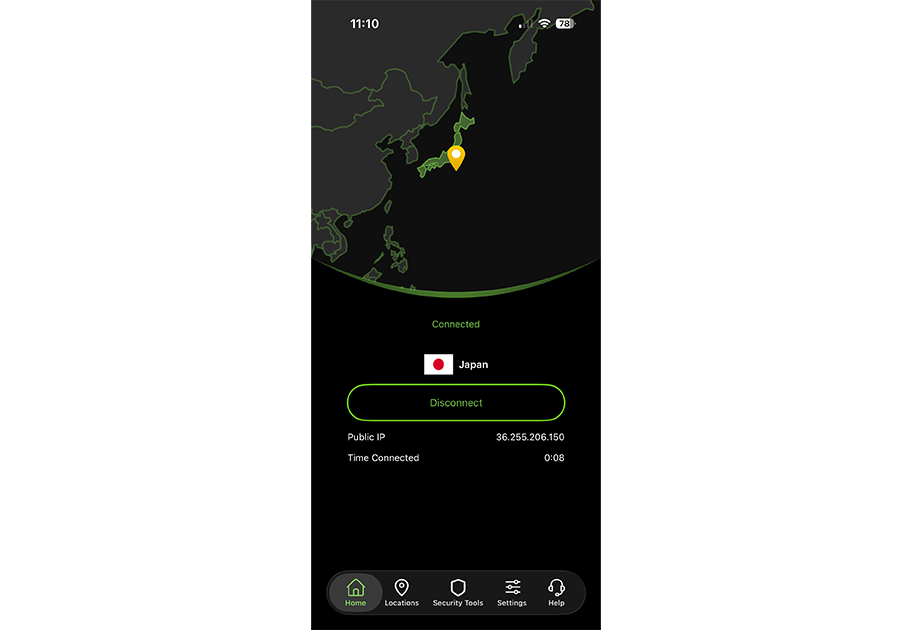
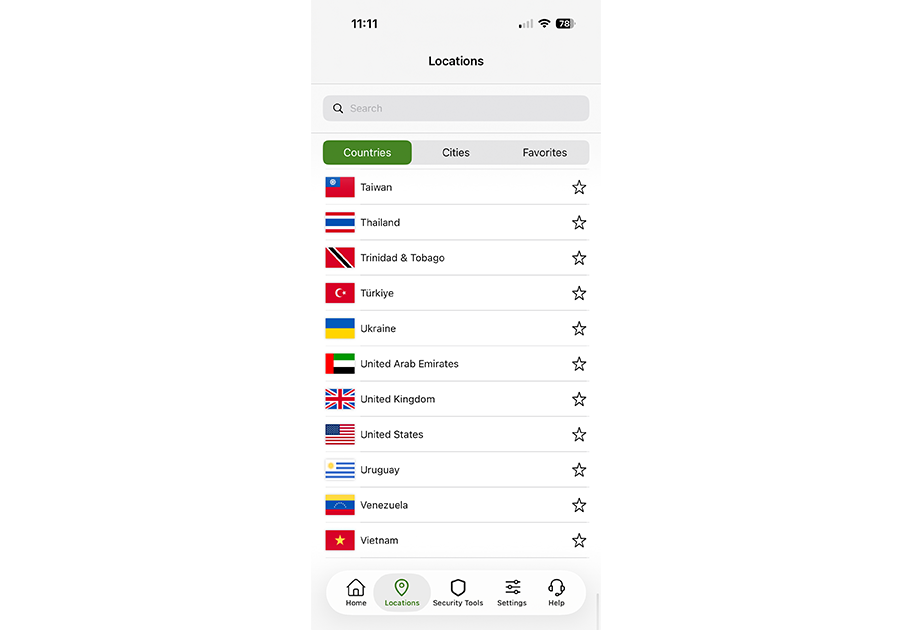
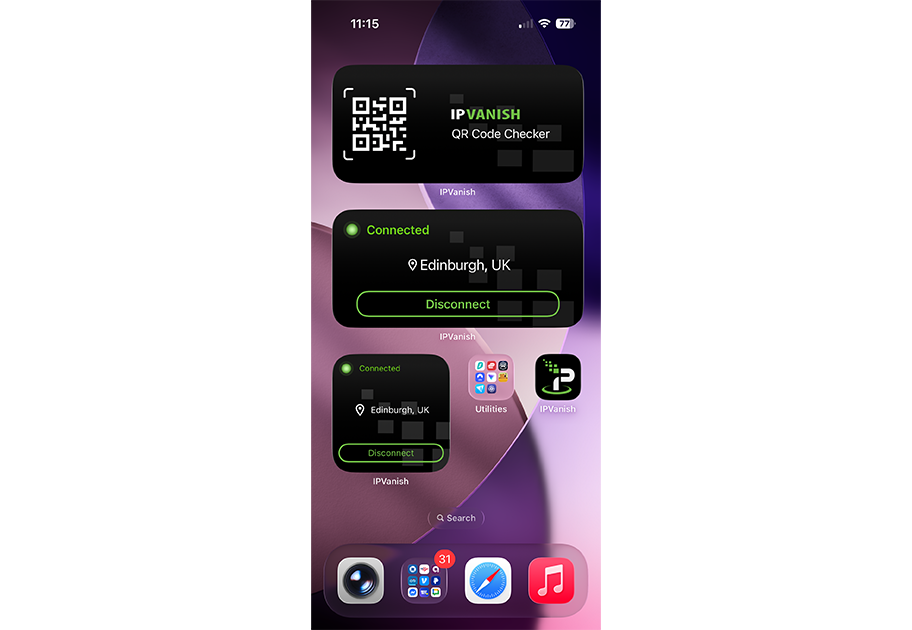
IPVanish offers a solid, if staid, iPhone app experience. It lacks some of the modern design flourishes and snazzy animations of some of its rivals. But it more than makes up for that with its strong feature set and competitive pricing.
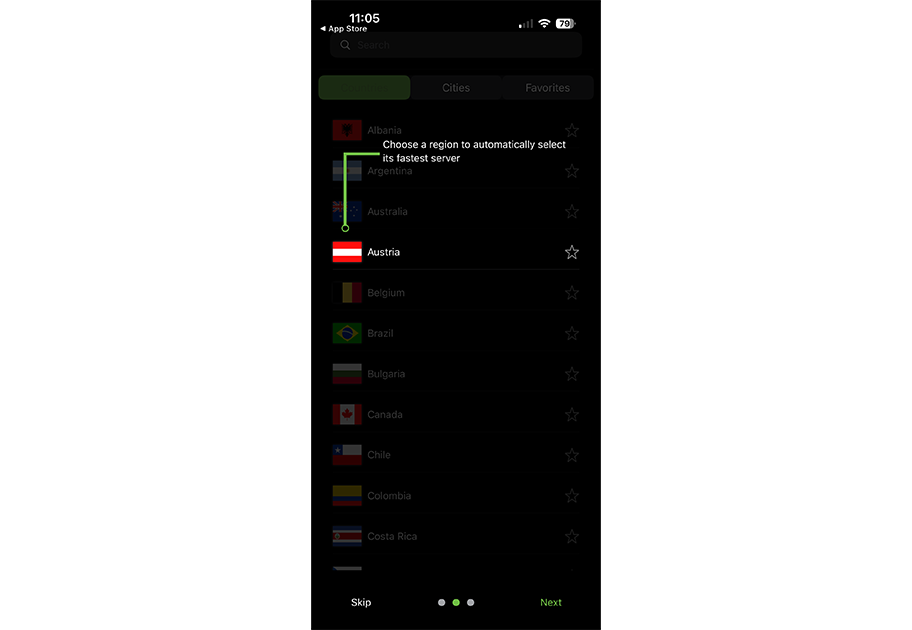
The country/server list offers access to more than 150 locations, and you can filter by country, city, and by customizable favorites. The city-level view lets you see current load and speeds for individual servers, and you can easily spot which are RAM-only.
There’s also a dedicated spot for additional security tools, such as a link checker and a QR code checker. The settings menu provides easy access to protocol selection, a kill switch, and split-tunneling. It’s worth noting that split tunneling in IPVanish’s iPhone app currently supports domain-level filtering but not per-app filtering.
IPVanish’s strong iPhone support also shows up in its lock-screen and home-screen widget options. You get several size choices, and there are even dedicated widgets for the aforementioned link checker and QR code checker tools
Who is IPVanish best for?
With its strong iPhone support and dedicated apps for Mac and Apple TV, IPVanish could be a good option for users heavily ensconced in the Apple ecosystem. It offers solid iPhone support, including domain-level split tunneling.
Recent upgrades to IPVanish:
In late 2025, IPVanish added RAM-only servers in 20 locations and announced its intent to move all its servers to RAM-only by 2027. Meanwhile, iPhone users can easily spot the RAM-only servers in the app’s location/server list.
IPVanish Pricing:
IPVanish’s rather simple pricing structure might be refreshing to some users. Monthly pricing starts at $2.19 per month for Essential. The $14.99 Advanced plan adds a secure browser, cloud backup, more eSIM data, and other perks.
There are discounts for one- and two-year plans, though renewal rates increase after the promotional period ends.
Pros and cons of IPVanish
| Provider | Best Overall VPN Service for iPhone Score (4.87) Starting Price $3.09 per month Money-Back Guarantee 30-day Server Network 8,900+ servers in 180+ countries Simultaneous Connections Up to 10 devices Platform Compatibility MacOS, Windows, Linux, iOS, Android, Android TV, Fire TV, Chromecast, Apple TV, Chromebook, Kindle, Raspberry Pi, Meta Quest 2, Routers, Xbox, Playstation, Nintendo Switch, Chrome/Firefox/Edge Browsers No-logs Policy  Kill Switch Split Tunneling Double VPN/Multi-hop Torrenting Support | Score (4.85) Starting Price $1.99 per month Money-Back Guarantee 30-day Server Network 3,200+ servers in 100+ countries Simultaneous Connections Unlimited devices Platform Compatibility MacOS, Windows, Linux, iOS, Android, Apple TV, Fire TV, Chrome/Firefox/Edge Browsers, Smart TVs, Gaming Consoles, Oculus 2, Vision Pro, Raspberry Pi No-logs Policy Kill Switch Split Tunneling Double VPN/Multi-hop Torrenting Support | Score (4.82) Starting Price $2.99 per month Money-Back Guarantee 30-day Server Network 15,000+ servers in over 120 countries Simultaneous Connections Up to 10 devices Platform Compatibility MacOS, Windows, Linux, iOS, Android, Chrome, Firefox, Chromebook, Android TV, Apple TV No-logs Policy Kill Switch Split Tunneling Double VPN/Multi-hop Torrenting Support | Score (4.8) Starting Price $1.33 per month Money-Back Guarantee 30-day Server Network Servers in 91 countries Simultaneous Connections Unlimited devices Platform Compatibility MacOS, Windows, Linux, iOS, Android, Chrome, Firefox, Android TV, Apple TV+, Gaming consoles, Routers, and Smart TV No-logs Policy Kill Switch Split Tunneling Double VPN/Multi-hop Torrenting Support | Score (4.8) Starting Price $2.19 per month Money-Back Guarantee 30-day Server Network 2,400+ global servers in 140+ locations Simultaneous Connections Unlimited devices Platform Compatibility MacOS, Windows, Linux, iOS, Android, Fire TV, Apple TV, Vision Pro, NVidia Shield, Chrome OS, Routers, ONN 4k, Nokia Streaming Box, Chromecast No-logs Policy Kill Switch Split Tunneling Double VPN/Multi-hop Torrenting Support |
|---|---|---|---|---|---|
| Score | (4.87) | (4.85) | (4.82) | (4.8) | (4.8) |
| Starting Price | $3.09 per month | $1.99 per month | $2.99 per month | $1.33 per month | $2.19 per month |
| Money-Back Guarantee | 30-day | 30-day | 30-day | 30-day | 30-day |
| Server Network | 8,900+ servers in 180+ countries | 3,200+ servers in 100+ countries | 15,000+ servers in over 120 countries | Servers in 91 countries | 2,400+ global servers in 140+ locations |
| Simultaneous Connections | Up to 10 devices | Unlimited devices | Up to 10 devices | Unlimited devices | Unlimited devices |
| Platform Compatibility | MacOS, Windows, Linux, iOS, Android, Android TV, Fire TV, Chromecast, Apple TV, Chromebook, Kindle, Raspberry Pi, Meta Quest 2, Routers, Xbox, Playstation, Nintendo Switch, Chrome/Firefox/Edge Browsers | MacOS, Windows, Linux, iOS, Android, Apple TV, Fire TV, Chrome/Firefox/Edge Browsers, Smart TVs, Gaming Consoles, Oculus 2, Vision Pro, Raspberry Pi | MacOS, Windows, Linux, iOS, Android, Chrome, Firefox, Chromebook, Android TV, Apple TV | MacOS, Windows, Linux, iOS, Android, Chrome, Firefox, Android TV, Apple TV+, Gaming consoles, Routers, and Smart TV | MacOS, Windows, Linux, iOS, Android, Fire TV, Apple TV, Vision Pro, NVidia Shield, Chrome OS, Routers, ONN 4k, Nokia Streaming Box, Chromecast |
| No-logs Policy | | | | | |
| Kill Switch | | | | | |
| Split Tunneling | | | | | |
| Double VPN/Multi-hop | | | | | |
| Torrenting Support | | | | | |
| Learn more | Learn More On NordVPN’s official website | Learn More On Surfshark’s official website | Learn More On Proton VPN’s official website | Learn More On Private Internet Access’s official website | Learn More On IPVanish’s official website |
There’s far more to a good VPN than a large number of servers. The best VPN services for iPhone should offer solid, dependable performance and an app experience that feels right at home on your iPhone. That includes a design that makes accessing key features as easy as possible and competitive pricing that gives you the best bang for your buck.
To be among the best VPN services for iPhone, you need a robust, up-to-date suite of features that can keep pace with the rapidly evolving landscape of online security. Support for features like no-log policies, RAM-only servers, and the WireGuard protocol is great to see. As with the best VPN services for Mac, split-tunneling support on iPhones isn’t always guaranteed, but some VPN services have found ways to include it.
A large number of servers can sound impressive, but for VPN services, quality is just as important as quantity. In my hands-on testing, I focused on providers with a strong number of high-speed, dependable servers worldwide.
A great app experience is just as important on an iPhone as it is on a laptop or desktop — if not more so. So I prioritized VPN services that made connecting, searching for servers, and tweaking settings a pleasant experience that minimized confusion and frustration.
I also took a long look at pricing options for some of the top VPN services. Some offer limited free plans that give you a good taste of what’s available. Others pack in worthwhile upgrades if you opt for premium plans. Most offer significant discounts for long-term deals, but keep an eye out for pricing increases when the promotional periods end.
Even if most of your internet browsing and streaming is done on your iPhone, top VPN services should still offer strong support and broad compatibility for the biggest platforms. And for those who access the internet across multiple devices and platforms, solid compatibility can lead to a consistent, convenient experience.
Whether you’re looking for a VPN for your entire family or a single power user, the best VPNs offer connectivity options that let you use multiple devices simultaneously. A handful of services even offer support for an unlimited number of devices at once, which could be highly appealing for seriously connected households.
The best VPN for iPhone combines strong security, fast speeds, and an app that feels native on iOS. Look for AES-256 encryption, a no-logs policy, a kill switch, and a large server network. Extras like ad blocking, streaming support, and iPhone widgets can also improve everyday use.
iPhones are secure, but a VPN adds privacy and protection, especially on public Wi-Fi. A VPN encrypts your internet traffic, hides your IP address, and helps reduce tracking from advertisers and ISPs. It can also help you access geo-restricted streaming content while traveling.
Yes, some providers offer free iPhone VPN plans, but they often come with limitations such as fewer server locations, slower speeds, or device caps. A free plan can work for basic browsing, but frequent streaming, travel, or higher privacy needs are usually better served by a paid plan.
A VPN can increase battery use slightly because it encrypts data and maintains a secure connection. The impact depends on the VPN protocol, signal strength, and how often the VPN reconnects. Choosing a modern protocol (such as WireGuard) and using nearby servers can help reduce battery drain.
A VPN won’t make your internet faster, but it can help you access geo-restricted libraries when traveling. The best VPNs for iPhone offer fast servers and streaming-friendly locations to reduce buffering. Results can vary by streaming platform and region, so switching servers often helps.
Split tunneling is limited on iOS compared to some other platforms. Many iPhone VPN apps don’t offer full split tunneling due to Apple’s system restrictions, though some providers offer partial alternatives (like domain-based routing or “bypass” tools). Availability varies by VPN and app version.
For most users, yes, especially if you use public Wi-Fi, travel often, or want more privacy. Leaving a VPN on consistently helps protect your traffic. If you notice battery drain or slower speeds, you can enable auto-connect only on untrusted networks or specific Wi-Fi connections.

About The Password Manager, Gunnar Kallstrom:
Kallstrom, The Password Manager, is a Cyber Team Lead for a Department of Defense (DOD) contracting company in Huntsville, Alabama, and has worked as a Computer Network Defense (CND) Cyber Analyst. An author and content creator for a cybersecurity academy, Kallstrom spent nearly 15 years in the Army as a musician before entering the cybersecurity field.
He holds a bachelor’s degree in music from Thomas Edison State University and a master’s in organizational development and leadership from the University of the Incarnate Word.
Kallstrom has completed several Computing Technology Industry Association (CompTIA) courses, including Security+, Network+, A+ Core 1, and A+ Core 2. He earned a CompTIA Security+ Certification. Additionally, he has completed the Cyber Warrior Academy program with more than 800 hours of hands-on, intensive, and lab-driven technical training in cybersecurity methods and procedures.
Passionate about all things cyber, Kallstrom was a speaker on a panel at the 2022 InfoSec World conference, giving a talk entitled “Hacking into a Cyber Career – True Stories.” Kallstrom is also a mentor to entry-level cybersecurity candidates seeking to break into the field. When he’s not working, he still enjoys playing guitar and fishing (not phishing).